
Autoptimize acelera seu siste ao otimizar JS, CSS, imagens (incluindo carregamento tardio), HTML e fontes do Google, deixando JS assíncronos, removendo os emojis e mais.

Media Sweep – WordPress Media Cleaner
Hospedagem WordPress com plugin Media Sweep – WordPress Media Cleaner
Onde devo hospedar o plugin Media Sweep – WordPress Media Cleaner?
Este plugin pode ser hospedado em qualquer servidor que possua WordPress instalado. Recomendamos optar por um provedor de hospedagem confiável, com servidores especializados para WordPress, como o serviço de hospedagem WordPress da MCO2.
Hospedando o plugin Media Sweep – WordPress Media Cleaner em um provedor seguro
A MCO2, além de instalar o WordPress na versão mais atualizada para seus clientes, oferece o WP SafePress, um mecanismo singular que salvaguarda e melhora seu site simultaneamente.
Por que a Hospedagem WordPress funciona melhor na MCO2?
A Hospedagem WordPress funciona melhor pois a MCO2 possui servidores otimizados para WordPress. A instalação de WordPress é diferente de uma instalação trivial, pois habilita imediatamente recursos como otimização automática de imagens e fotos, proteção da página de login, bloqueio de atividades maliciosas diretamente no firewall, cache avançado e HTTPS ativado por padrão. São recursos que potencializam seu WordPress para a máxima segurança e o máximo desempenho.
Media Sweep: The Ultimate WordPress Media Library Cleaner
Media Sweep is a powerful WordPress plugin designed to help you reclaim valuable server space by identifying and safely removing unused media files from your WordPress site. Whether you’re dealing with orphaned attachments, forgotten uploads, or files left behind by themes and plugins, Media Sweep provides a comprehensive solution to keep your media library clean and organized.
Perfect for bloggers, agencies, e-commerce sites, and any WordPress website looking to optimize storage space and improve site performance.
🚀 Key Benefits:
✅ Reclaim Server Space – Remove unused files and free up valuable storage
✅ Improve Site Performance – Faster backups and reduced server load
✅ Safe & Reversible – Files moved to trash folder, not permanently deleted
✅ Smart Detection – Advanced algorithms identify truly unused files
✅ Batch Operations – Process multiple files efficiently
✅ Detailed Analytics – Comprehensive scan reports and file insights
✅ AI Assistant Ready – Audit scans and preview cleanups from Claude or Cursor over MCP; deleting stays off by default
🎯 Core Features
🔍 Dual Scan Modes
Media Library Scan
* Scans all media attachments in your WordPress library
* Checks for usage in posts, pages, and custom fields
* Detects thumbnail and size variations
* Identifies gallery shortcodes and blocks
* Fast and efficient for large media libraries
* Recommended for most WordPress sites
File System Scan
* Deep scan of your uploads directory
* Finds orphaned files not in the media library
* Detects cache and temporary files
* Identifies theme and plugin generated files
* Comprehensive but may take longer to complete
* Best for sites with file management plugins
📊 Smart File Detection
- Usage Analysis – Checks posts, pages, custom fields, and widgets
- Database Scanning – Searches content for file references
- Shortcode Detection – Identifies gallery and media shortcodes
- Block Analysis – Scans Gutenberg blocks for media usage
- Plugin Integration – Detects files used by popular plugins
- Theme Assets – Identifies theme-related media files
🗂️ Advanced File Management
- Status Classification – Files categorized as In Use, Unused, or Orphaned
- Bulk Actions – Select and process multiple files at once
- Smart Filtering – Filter by file type, status, date, and directory
- Search Functionality – Quickly find specific files
- Preview Mode – View files before taking action
- Detailed File Info – Size, type, usage locations, and more
🛡️ Safety Features
- Trash System – Files moved to secure trash folder, not deleted
- Restore Capability – Easily restore accidentally removed files
- Backup Integration – Works with popular backup plugins
- Progress Monitoring – Real-time scan progress with pause/resume
- System Resources – Intelligent resource management prevents timeouts
- Rollback Protection – Safe operations with detailed logging
📈 Comprehensive Analytics
- Scan History – Track all previous scans and results
- Storage Statistics – See exactly how much space you’ve reclaimed
- File Breakdown – Detailed analysis by file type and status
- Usage Patterns – Understand your media library usage
- Performance Metrics – Scan duration and processing statistics
🚀 Easy 3-Step Process
Step 1: Choose Scan Type
* Select Media Library or File System scan based on your needs
* Configure advanced options for thorough analysis
Step 2: Run the Scan
* Watch real-time progress as Media Sweep analyzes your files
* Pause and resume scans as needed without losing progress
Step 3: Review & Clean
* Browse detected files with detailed information
* Use bulk actions to efficiently process multiple files
* Restore files from trash if needed
🔧 Advanced Configuration
- Scan Options – Deep scan, thumbnail inclusion, custom field checking
- File Type Filters – Focus on specific file types (images, documents, etc.)
- Directory Exclusions – Skip specific folders during scans
- Performance Settings – Adjust batch sizes and resource limits
- Automation Rules – Set up automatic cleanup schedules (planned for future versions)
🤖 Works with AI Assistants (Claude and Cursor via MCP)
Media Sweep registers its scan, report and cleanup operations with the WordPress Abilities API, which is part of WordPress core since 6.9. Install the free MCP Adapter plugin from the WordPress project and MCP clients that sign in with a WordPress Application Password (Claude Desktop, Claude Code, Cursor) can audit your Media Library in plain English. Verified with Claude Code.
What an AI assistant can do:
- Start a Media Library scan, run it to the end and read the counts: in use, unused, orphaned
- List past scans and check the progress of a running one
- List the files a scan found, with path, size, type and verdict
- Explain why a file counts as in use, naming the post, custom field or option that references it
- Preview a cleanup before anything moves: how many files, how much space, how many attachments and thumbnails it would touch
- See what is in the trash and how much space it holds
- Check your server’s headroom and get a recommended batch size
- Read the two settings that arm automatic deletion, so it can warn you they are on
- Put files found on disk but missing from the library back into the Media Library
“Scan the Media Library and tell me how much space the unused files take.”
“Why is hero-2019.jpg marked as in use?”
“Preview a cleanup of the unused images from the last scan and show me the numbers.”
What it deliberately cannot do:
- Delete files over MCP. Deletion is off by default; you can opt in with your own code. Even then, a delete needs a confirmation token minted by a preview of the exact file list, in-use files are always skipped, and the originals go to the Media Sweep trash like any other sweep.
- Empty the trash, delete a single trash file, purge old trash, delete scan records, change a file’s verdict or change settings. None of these are exposed to agents at all, so the site always keeps an undo.
- Run a File System scan. That one stays in wp-admin.
- Act as anyone but an administrator. Every operation checks the administrator capability, and a filter can require more than that, never less.
What you need: WordPress 6.9 or newer, the free MCP Adapter plugin (not bundled with Media Sweep and not required), and a WordPress Application Password for a dedicated admin user (Users > Profile > Application Passwords). WP-CLI works on the same machine. Nothing changes for sites that skip this: on older WordPress, or without the adapter, Media Sweep runs exactly as before, and nothing leaves your server.
💡 Perfect For
- Content Creators – Bloggers and publishers with large media libraries
- Web Agencies – Managing multiple client sites efficiently
- E-commerce Sites – Cleaning up product images and assets
- Membership Sites – Optimizing user-generated content
- Portfolio Sites – Managing large image collections
- News Sites – Handling high-volume media uploads
Support
Need help with Media Sweep? We’re here to assist!
- Support Forum: WordPress.org support forum
- Feature Requests: Submit ideas and suggestions
- Bug Reports: Report issues for quick resolution
Privacy
Media Sweep respects your privacy and does not collect or transmit any personal data. All file analysis and cleanup operations are performed locally on your server. No external services are contacted during plugin operation.
Credits
Media Sweep is crafted with ❤️ by the WPCreatix team. We’re passionate about creating tools that help WordPress users optimize and maintain their websites efficiently.
Special thanks to the WordPress community for their continuous feedback and support in making this plugin better.
Capturas de tela
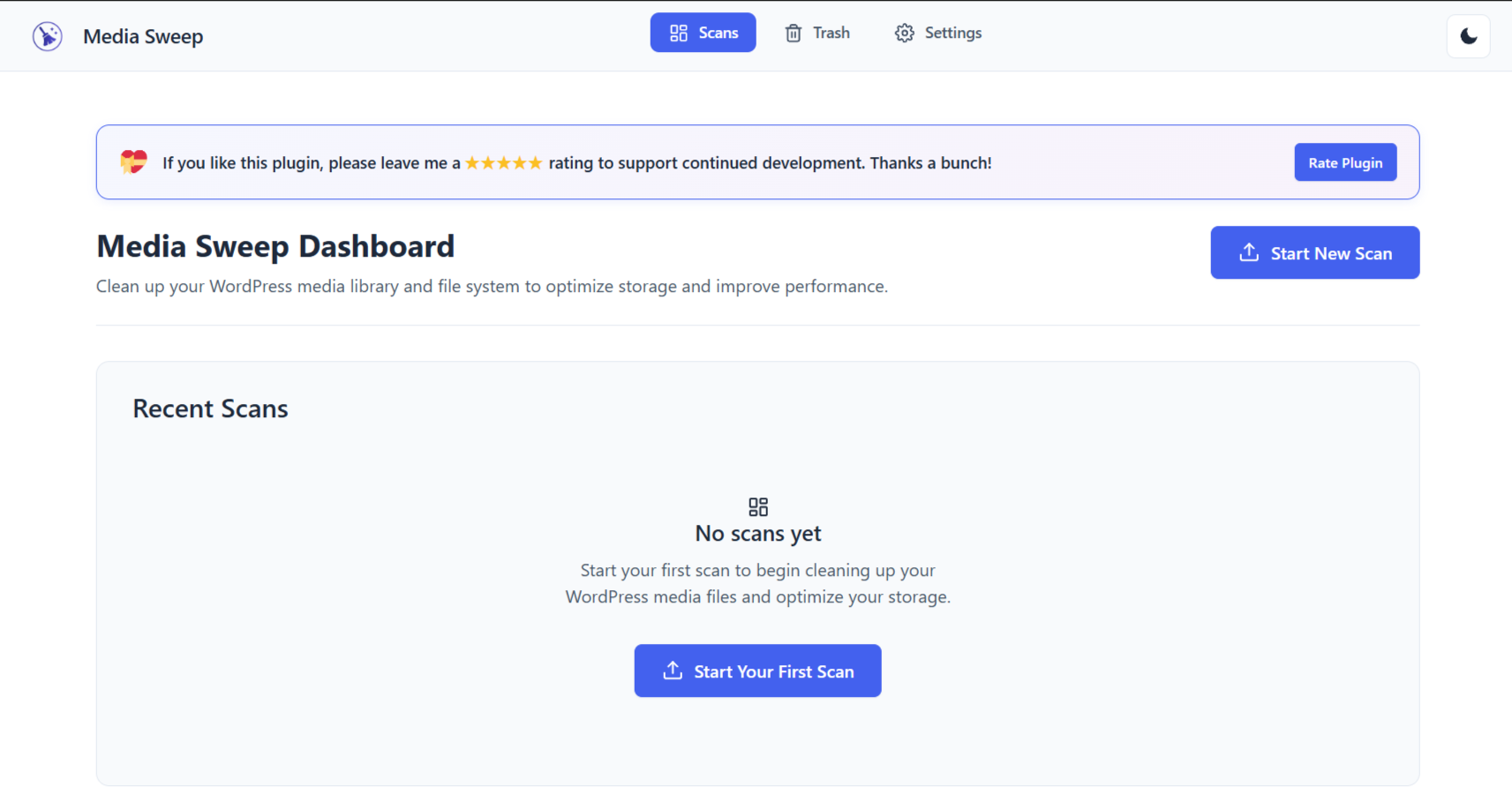
Dashboard Overview – Clean, intuitive interface showing scan history and quick actions
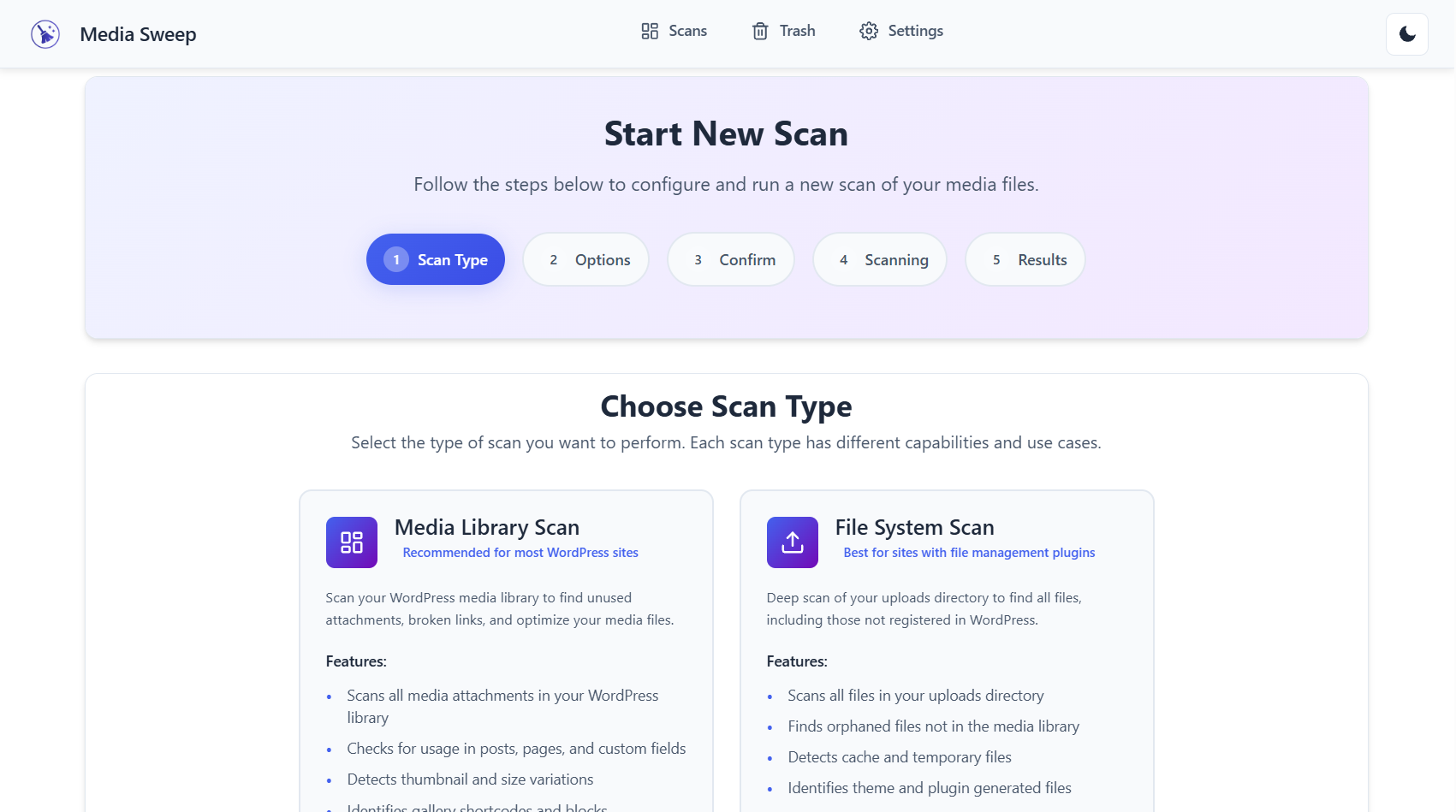
Scan Type Selection – Choose between Media Library and File System scans with detailed explanations
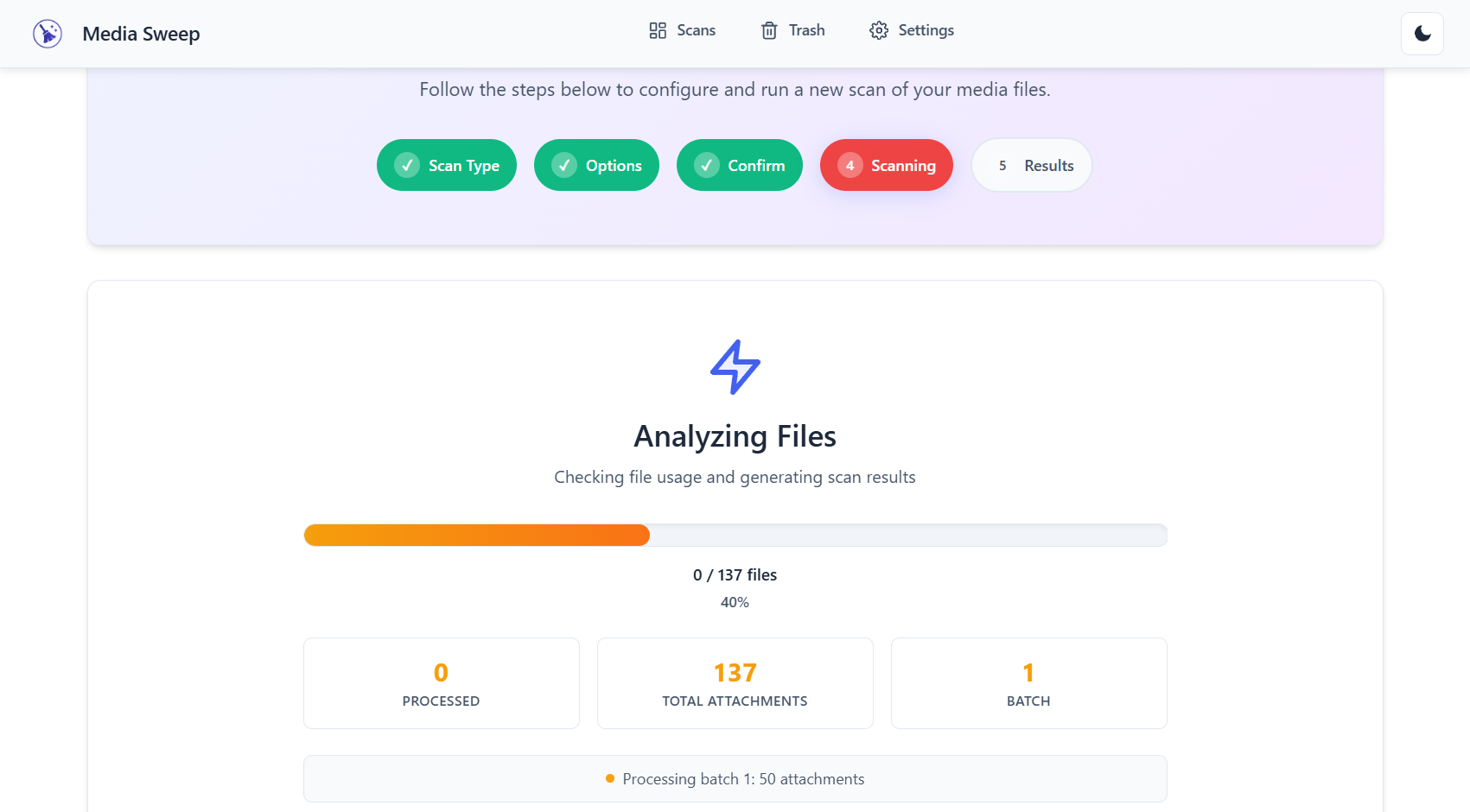
Real-time Scan Progress – Watch your scan progress with detailed status updates and resource monitoring
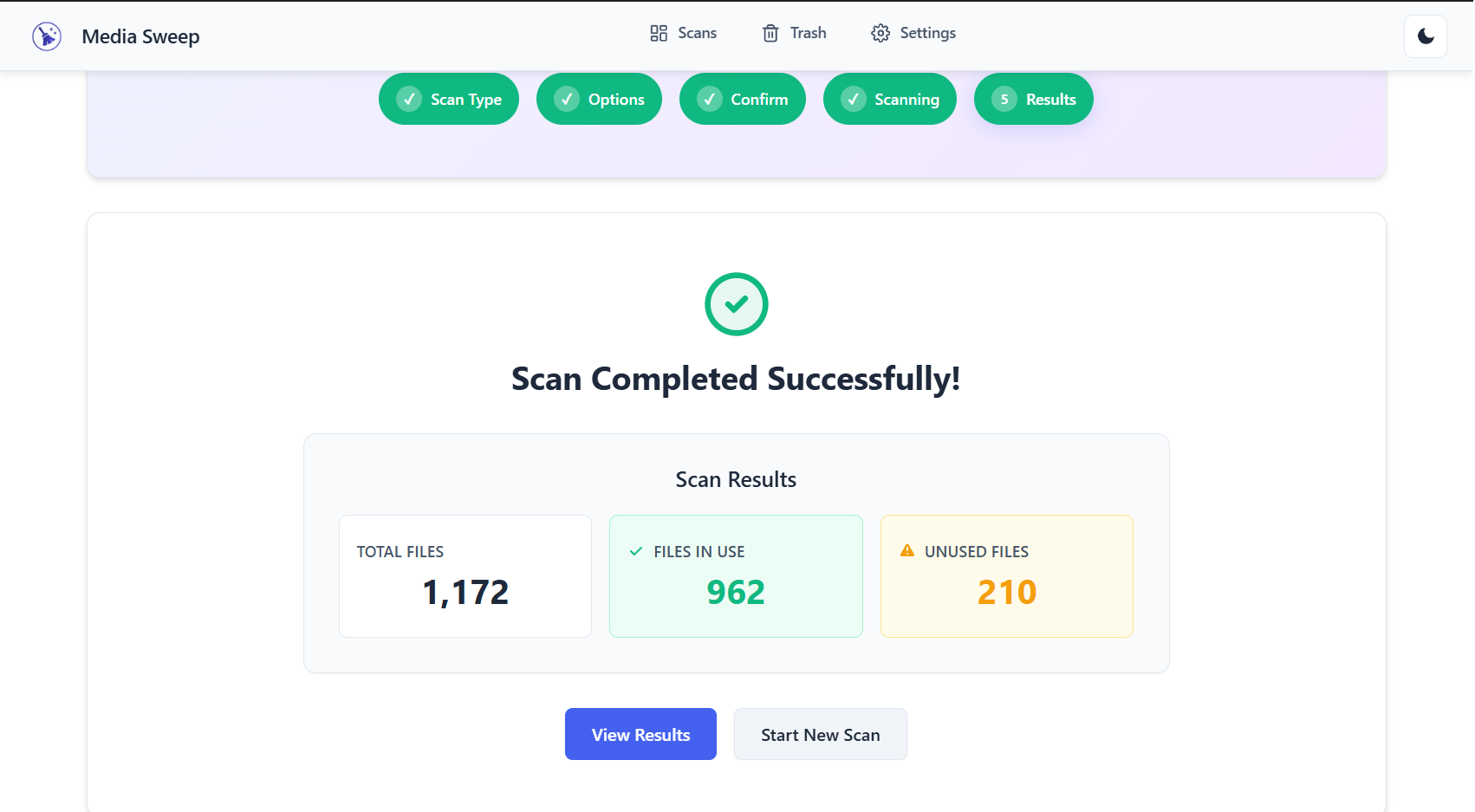
Scan Results – Comprehensive file listing with status, size, and usage information
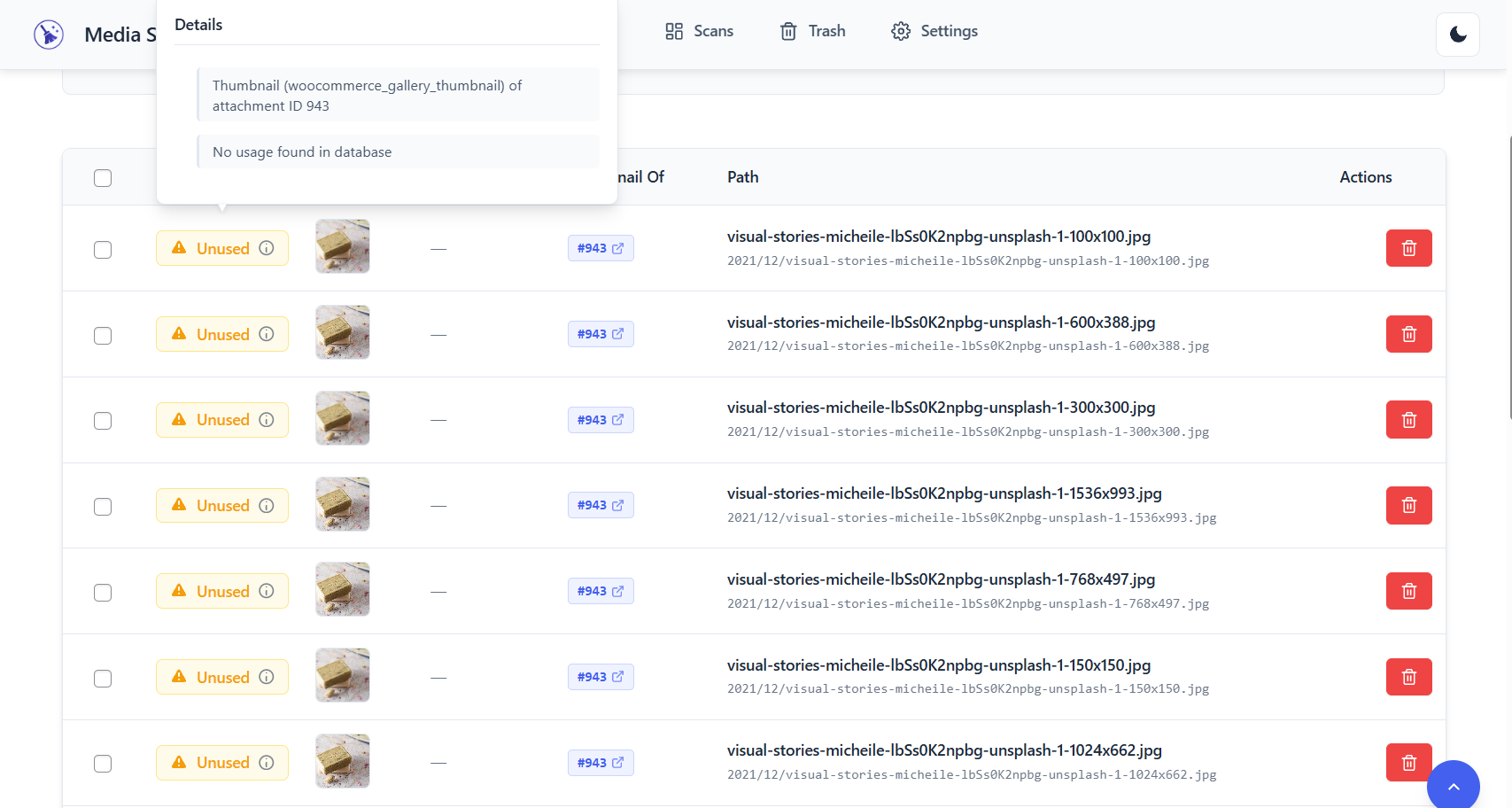
File Details – Detailed view showing where and how files are used across your site
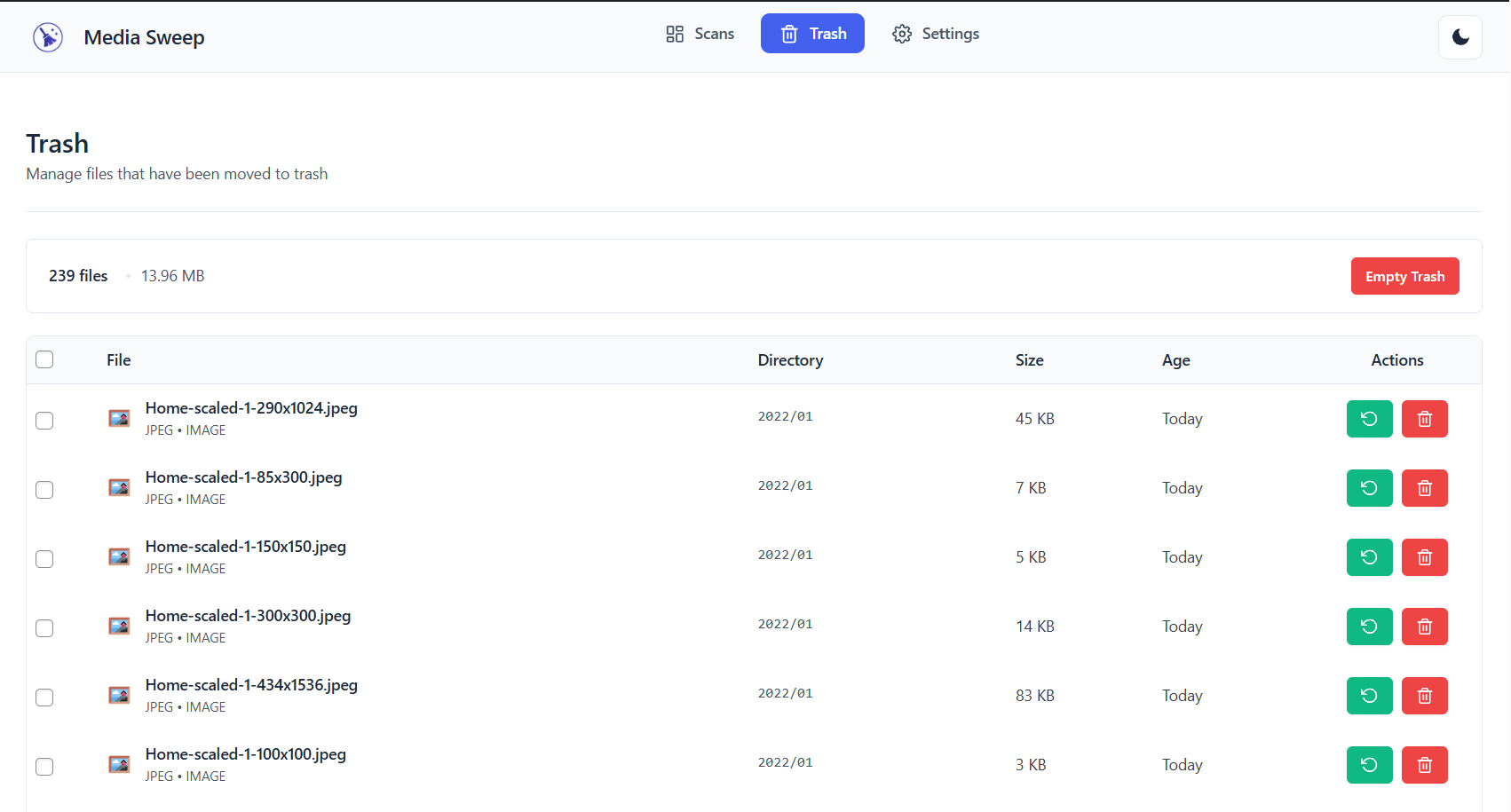
Trash Management – Safe file removal with easy restore capabilities
Plugins semelhantes


Easily replace any attached image/file by simply uploading a new file in the Media Library edit view - a real time saver!

Ofereça imagens WebP autogeradas ao invés de JPEG/PNG para navegadores que suportam WebP.

The most popular lightbox plugin and responsive gallery builder for WordPress.

Limpre o banco de dados excluindo dados órfãos como 'revisões', 'transientes', otimizando o banco de dados e mais...

List the most recent posts with post titles, thumbnails, excerpts, authors, categories, dates and more!