Get together safely, in your own way, in WordPress.

Match Me for BuddyPress & BuddyBoss
Hospedagem WordPress com plugin Match me for BuddyPress
Onde hospedar o plugin Match me for BuddyPress?
Este plugin pode ser hospedado em qualquer servidor que possua WordPress instalado. Recomendamos optar por um provedor de hospedagem confiável, com servidores otimizados para WordPress, como o serviço de hospedagem da MCO2.
Hospedando o plugin Match me for BuddyPress em uma empresa de hospedagem de confiança
A MCO2, além de instalar o WordPress na versão mais atual para seus clientes, oferece o plugin WP SafePress, um mecanismo exclusivo que assegura e melhora seu site conjuntamente.
Por que a Hospedagem WordPress funciona melhor na MCO2?
A Hospedagem WordPress funciona melhor pois a MCO2 possui servidores otimizados para WordPress. A instalação de WordPress é diferente de uma instalação trivial, pois habilita imediatamente recursos como otimização automática de imagens e fotos, proteção da página de login, bloqueio de atividades maliciosas diretamente no firewall, cache avançado e HTTPS ativado por padrão. São plugins que potencializam seu WordPress para a máxima segurança e o máximo desempenho.
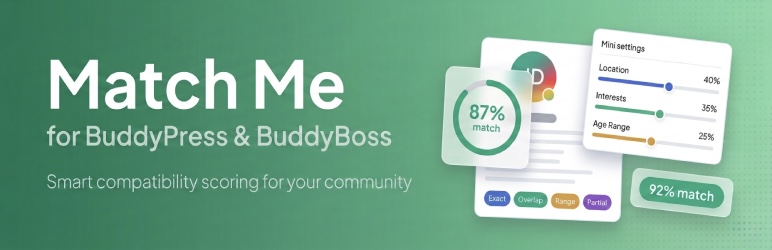
Match Me for BuddyPress & BuddyBoss is a compatibility matching plugin that calculates how well members align based on their profile fields. Whether you are building a dating site, a networking community, a roommate finder, a mentor matching platform, or any community where connecting the right people matters, Match Me gives every member pair a compatibility percentage they can see on profiles and the members directory.
You choose which xProfile fields to include, how much each one matters, and how values should be compared. The plugin handles the rest: scoring, caching, and displaying results automatically across your site.
Works with BuddyPress and BuddyBoss Platform. The plugin auto detects which one is active. No configuration needed.
🔧 How It Works
- Pick which profile fields to use for matching in the admin panel
- Assign a weight to each field so important fields count more
- Choose a comparison mode for each field (exact, overlap, range, or partial)
- Members browse the site and see compatibility percentages on every profile and in the members directory
⚙️ Matching Engine
- Weighted scoring Assign a percentage weight to each xProfile field. Fields that matter more contribute more toward the final compatibility score.
- 4 comparison modes Exact match for dropdowns and radio buttons, overlap (Jaccard similarity) for checkboxes and multi select fields, range for numeric values, and partial for free text similarity.
- Hard exclusions Mark any field as must match. If two members do not match on a hard exclude field, their compatibility drops to 0% instantly. Useful for language, location, or any critical criteria.
- Deal breakers A softer penalty that reduces the score when an important field does not match, without zeroing it completely.
- Confidence indicator Shows what percentage of weighted fields both members actually filled out. A 92% match with low confidence means only a few fields were compared. Helps members understand how reliable a score is.
⚡ Performance
- SQL first architecture All scoring runs through optimized database queries, not slow PHP loops. A single query handles an entire directory page with hundreds of members.
- Database caching A dedicated cache table stores computed scores with configurable expiration. Scores are automatically cleared when a member updates their profile.
- Lazy loading directory Match percentages load on demand as members scroll into view using IntersectionObserver. The page loads instantly without waiting for match calculations.
- Batch recalculation WP Cron powered background processing recalculates scores in bulk for large communities.
🎨 Display
- Circle and badge styles Choose between an SVG circle progress indicator or a compact pill badge. Both are mobile responsive and lightweight.
- Color thresholds Configure which colors represent high, medium, and low compatibility so members can read scores at a glance.
- Shortcode support Use
[matchme]to display a match score anywhere on your site. The legacy[mp_match_percentage]shortcode still works for backward compatibility.
🔌 Developer Friendly
- REST API
GET /matchme/v1/match/{user_id}returns percentage, confidence, and optional field breakdown in JSON. - 13 hooks Actions and filters let themes and addons extend the matching engine, display output, admin settings, and API responses without modifying plugin files.
- Field completion nudges Automatic prompts encourage members to fill in missing profile fields that would improve their match quality.
🛡️ Secure and Private
Nonce verification, capability checks, and input sanitization on every request. Match data is only visible to logged in members. No anonymous access, no external API calls, no tracking, and no third party dependencies. Everything runs entirely on your server.
💎 Pro (Coming Soon)
- Per field breakdown Detailed tooltip showing exactly what matched, what did not, and which fields were missing for each member pair
- Advanced directory filters Filter the members directory by minimum match percentage and specific field values
- Unlimited top matches Show an unlimited number of top matches on each member profile
- Bar and heart display styles Additional display options with a color customizer and animations
- Advanced export and reports CSV and JSON export with date filters, scheduled email reports, and delivery options
🏢 Business (Coming Soon)
- Match based notifications Automatic email alerts when a high compatibility match is discovered
- Message unlock rules Require a minimum match percentage or mutual match before members can message each other
- Role to role match rules Control which member types and roles can match using a visual matrix
- Match analytics Distribution charts, trend graphs, and per member match history
- Automation and webhooks Trigger external actions when match thresholds are reached, with CRM and email platform integration
- Geo and distance matching Radius based matching with configurable location weighting
- Saved segments Create smart member lists such as “80% or higher compatibility and active in the last 7 days”
Plugins semelhantes


This plugin provides two ways to display social icons: a traditional widget (available on all WordPress versions) and block variations for the core So …

With Stream, you’re never left in the dark about changes to your WordPress site.

Custom user profiles plugin ❤ with paid memberships, groups, communities, content restriction, user registration, messaging, WooCommerce memberships, …