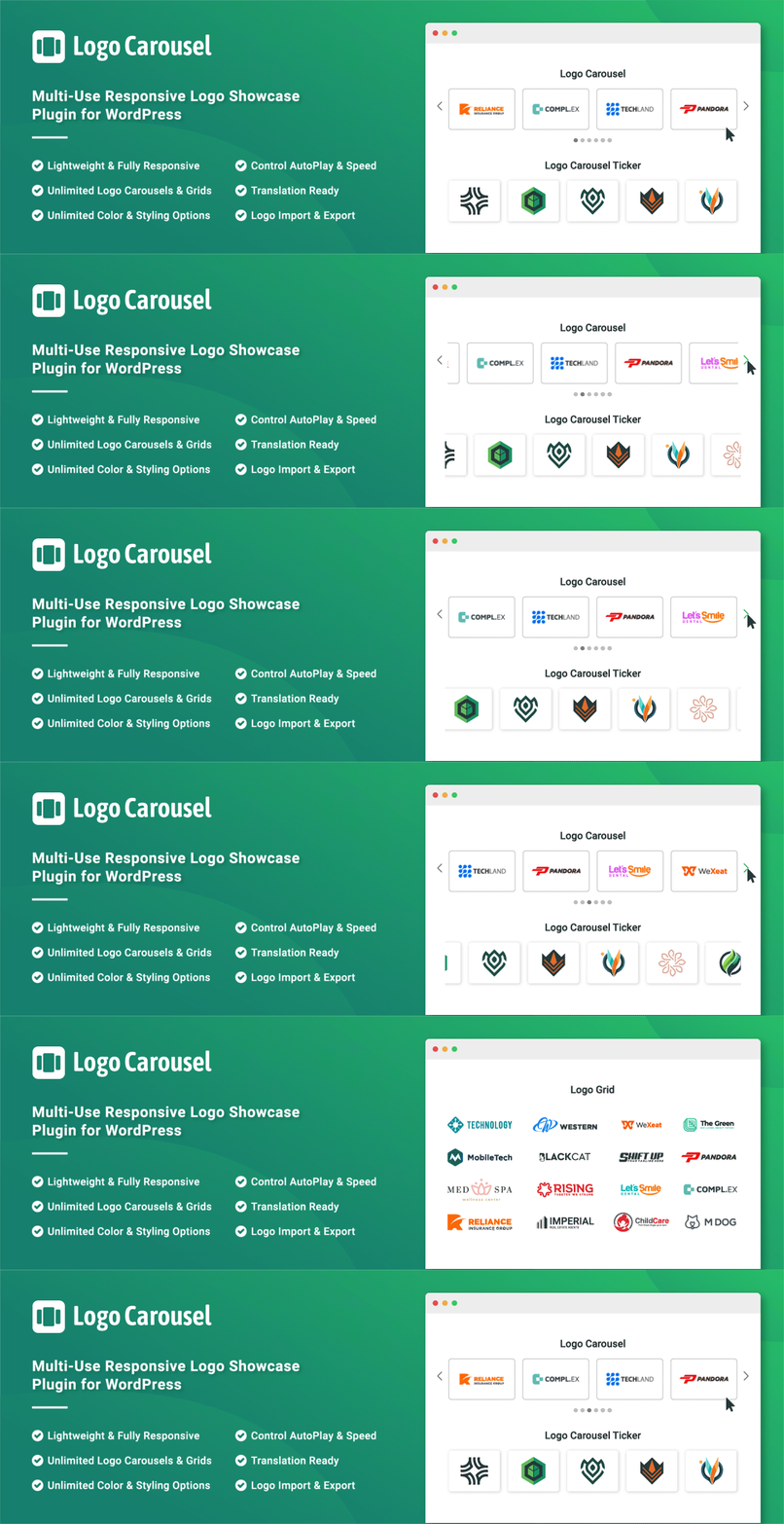
Slider, gallery, carousel plugin for WordPress. Build your image slider, video slider, post slider, YouTube slider, or WooCommerce product slider.

Logo Carousel – Responsive Logo Slider, Logo Showcase, and Clients Logo Gallery
Hospedagem WordPress com plugin Logo Carousel – Logo Slider, Logo Showcase, and Clients Logo Gallery
Onde posso hospedar o plugin Logo Carousel – Logo Slider, Logo Showcase, and Clients Logo Gallery?
Este plugin pode ser hospedado em qualquer servidor que possua WordPress configurado. Recomendamos escolher um provedor de hospedagem confiável, com servidores especializados para WordPress, como o serviço de hospedagem WordPress da MCO2.
Hospedando o plugin Logo Carousel – Logo Slider, Logo Showcase, and Clients Logo Gallery em um provedor confiável
A MCO2, além de configurar e instalar o WordPress na versão mais atualizada para seus clientes, oferece o plugin WP SafePress, um mecanismo singular que salvaguarda e melhora seu site ao mesmo tempo.
Por que a Hospedagem WordPress funciona melhor na MCO2?
A Hospedagem WordPress funciona melhor pois a MCO2 possui servidores otimizados para WordPress. A instalação de WordPress é diferente de uma instalação trivial, pois habilita imediatamente recursos como otimização automática de imagens e fotos, proteção da página de login, bloqueio de atividades maliciosas diretamente no firewall, cache avançado e HTTPS ativado por padrão. São recursos que potencializam seu WordPress para a máxima segurança e o máximo desempenho.
Logo Carousel is a logo showcase plugin for the WordPress block editor. Add the Carousel or Grid block from the Logo Carousel category, drop in your logos and style every detail — or start from a Ready Pattern, or describe the showcase you want and let the AI builder create it. Perfect for clients, sponsors, partners, affiliates, supporters and brand logos, with NO CODING knowledge required.
Version 4.0 is a complete rebuild around Gutenberg blocks. Your existing shortcodes ([logocarousel id="…"]), the classic Logo Carousel block and the Elementor widget keep working exactly as before.
Live Demo | Documentation | Upgrade to Pro!
Powerful blocks
- Carousel block – Standard and Center styles with autoplay, speed, pause on hover, infinite loop, adaptive height, and free scroll. Navigation arrows with 12 icons and 9 positions, and 6 pagination styles (Dots, Dynamic, Ring, Dash, Scrollbar, and Numbers).
- Grid block – Standard grid with responsive columns, gaps, and left or right alignment.
- Marquee block (Pro) – A continuous, auto-scrolling marquee of partner, client, or brand logos.
- List block (Pro) – Logos displayed vertically in a clean stacked list.
- Table block (Pro) – Logos displayed in a structured table layout.
Pro also unlocks the Ticker, Staggered, and Multi Columns carousel styles, vertical and multi-row carousels, the Strip, Staggered, and Zigzag grid styles, and Ajax pagination (Numbers, Load More, and Infinite Scroll).
Key features
- Fully responsive: columns, gaps, and visibility per device.
- Upload logos or pick them from the Media Library, then edit the title, alt text, and image of each logo.
- Carousel controls: autoplay, speed, pause on hover, infinite loop, adaptive height, keyboard, mousewheel, and free scroll.
- 12 navigation arrow icons with 9 positions, and 6 pagination styles, fully styleable.
- Logo image settings: aspect ratio, size, and lazy loading.
- SVG logo uploads.
- Section background, spacing, responsive visibility, and custom CSS class.
- Ready Patterns Library – insert pre-designed logo showcases in one click.
- Create with AI – describe a logo showcase and the AI builder matches a pattern or builds the block (uses your own OpenAI, Groq, Anthropic, or Google Gemini API key, or a provider connected in WordPress; optional).
- Saved Templates – save a showcase once and reuse it anywhere with the
[lc_template]shortcode. - A modern dashboard to switch blocks and modules on or off, plus a setup wizard.
- Import and export logos and logo carousels (JSON).
- Custom CSS and JS, and FontAwesome/Swiper enqueue controls.
- Translation ready, RTL ready, developer friendly, and SEO friendly.
Logo Carousel Pro
Need more? Logo Carousel Pro adds the List, Marquee, and Table blocks, logo titles, descriptions, and read more, tooltips, custom links or a details popup per logo, 40+ hover animations, image filters, overlays, Ajax Live Filter and Ajax Search, sliding effects, slide to scroll, Scheduling, Motion Effects, Glassmorphism backgrounds, Logo Analytics (impressions and clicks), and priority support. See the Lite vs Pro tab in the plugin dashboard for the full comparison.
Multilingual Ready
Page Builders Ready
- Gutenberg (blocks)
- WPBakery
- Elementor
- Divi Builders
- BeaverBuilder
- SiteOrgin
- Themify Builder
- Fusion Builder
- Genesis Framework
For fast support, features request, and bug reporting
We are very responsive about support requests – so if you face a problem or find any bugs, post it in the support, and we will respond within 15 hours (except holidays).
Ask us at our Support
Author
Designed and Developed by ShapedPlugin
Capturas de tela

Live demo: a responsive logo carousel showcasing client and partner logos on the front end.

Logo Carousel block: add and customize carousels directly in the Gutenberg block editor.

Choose logo images: select or upload logos from the WordPress Media Library.
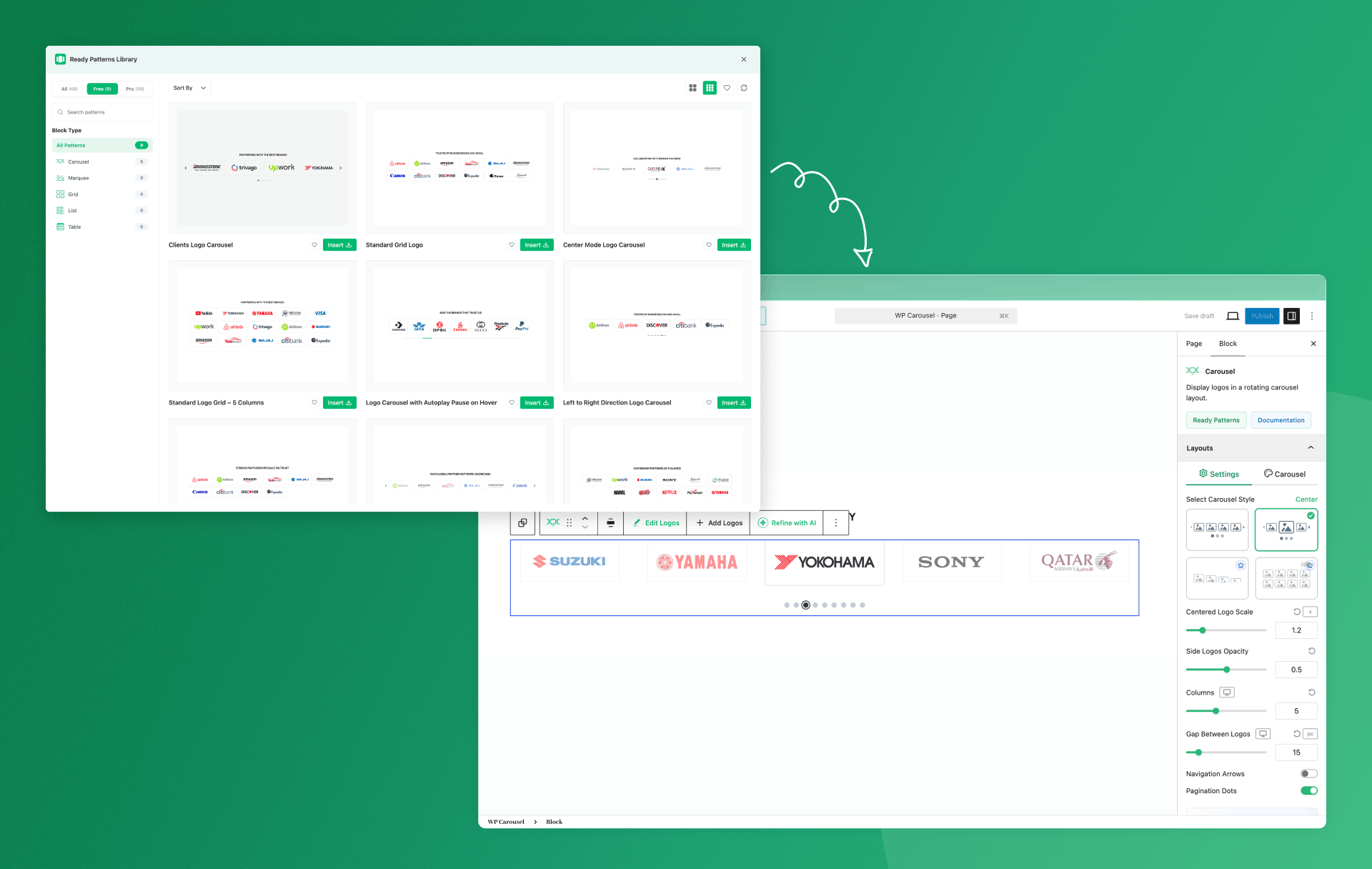
Ready-made patterns: insert a pre-designed logo carousel in one click.

Build with AI: generate a logo carousel design in seconds using AI.

Saved Templates: save your favorite carousel designs and reuse them across your site.

Modules manager: enable or disable plugin modules to keep your site lightweight.

Classic Logo Carousel: build carousels with the classic shortcode-based editor.

Style settings: customize colors, spacing, borders, and layout.

Logo image settings: control logo size, effects, and links.
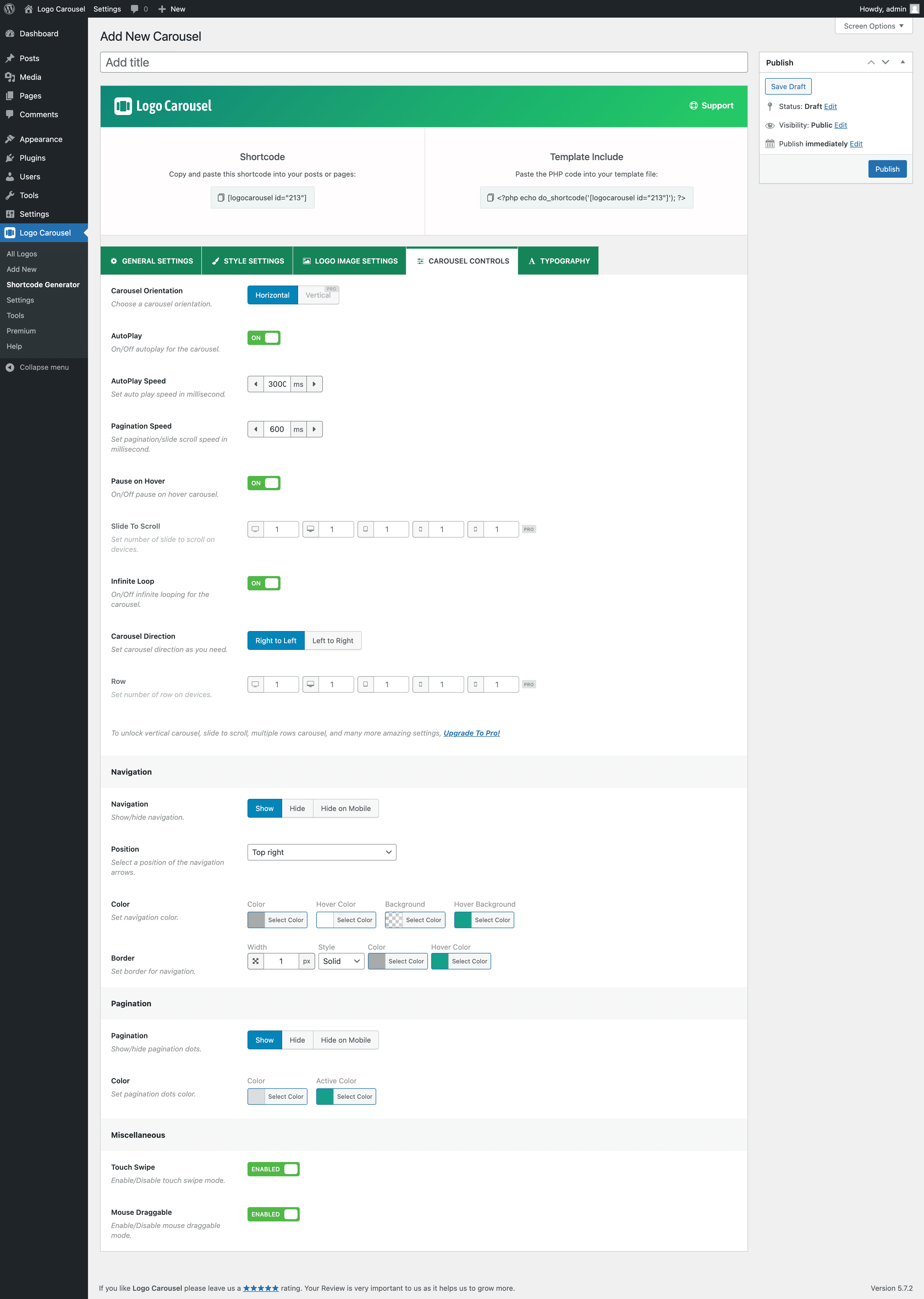
Carousel controls: configure autoplay, speed, navigation arrows, and pagination dots.
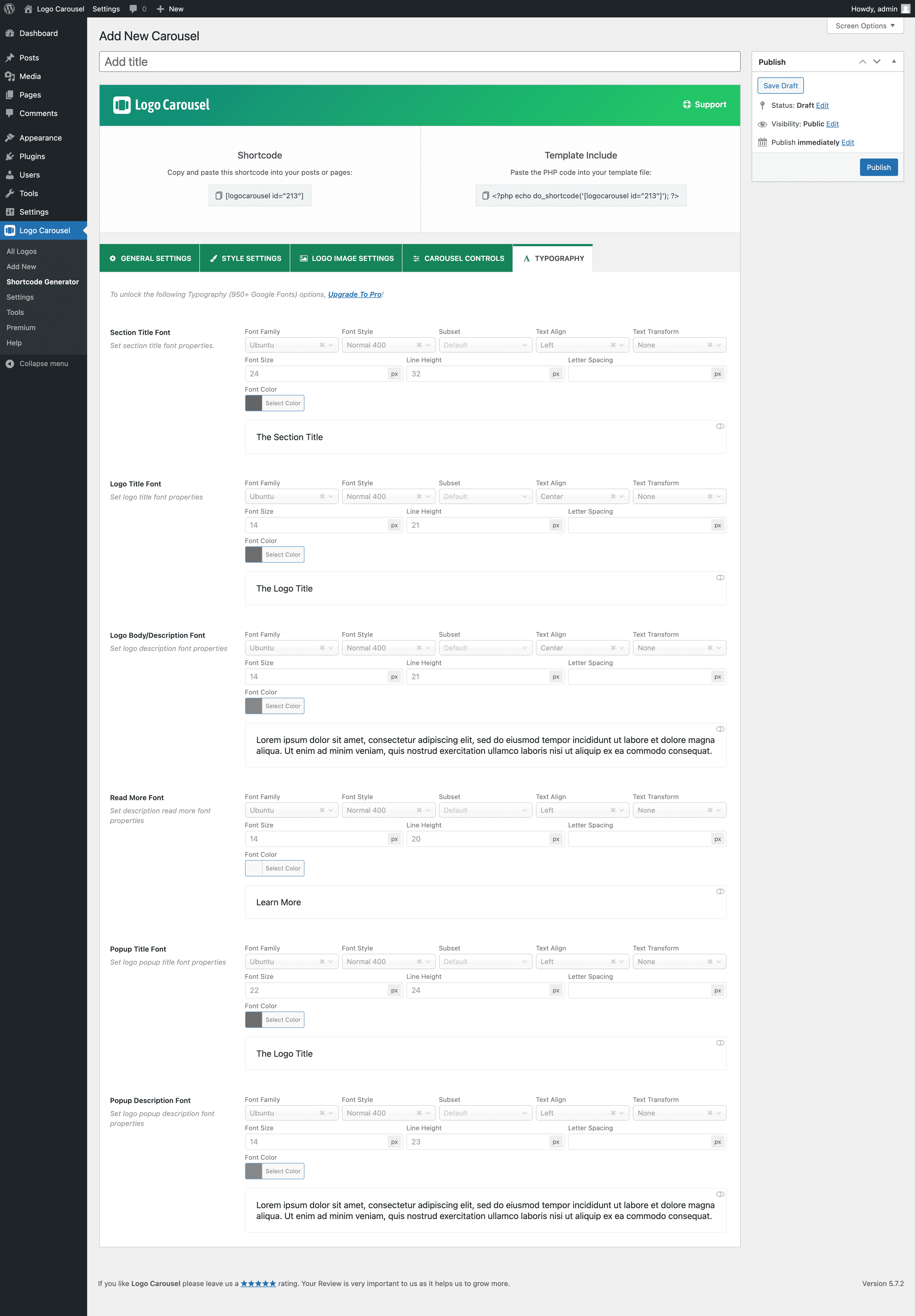
Typography settings: fine-tune fonts, sizes, and text styles.
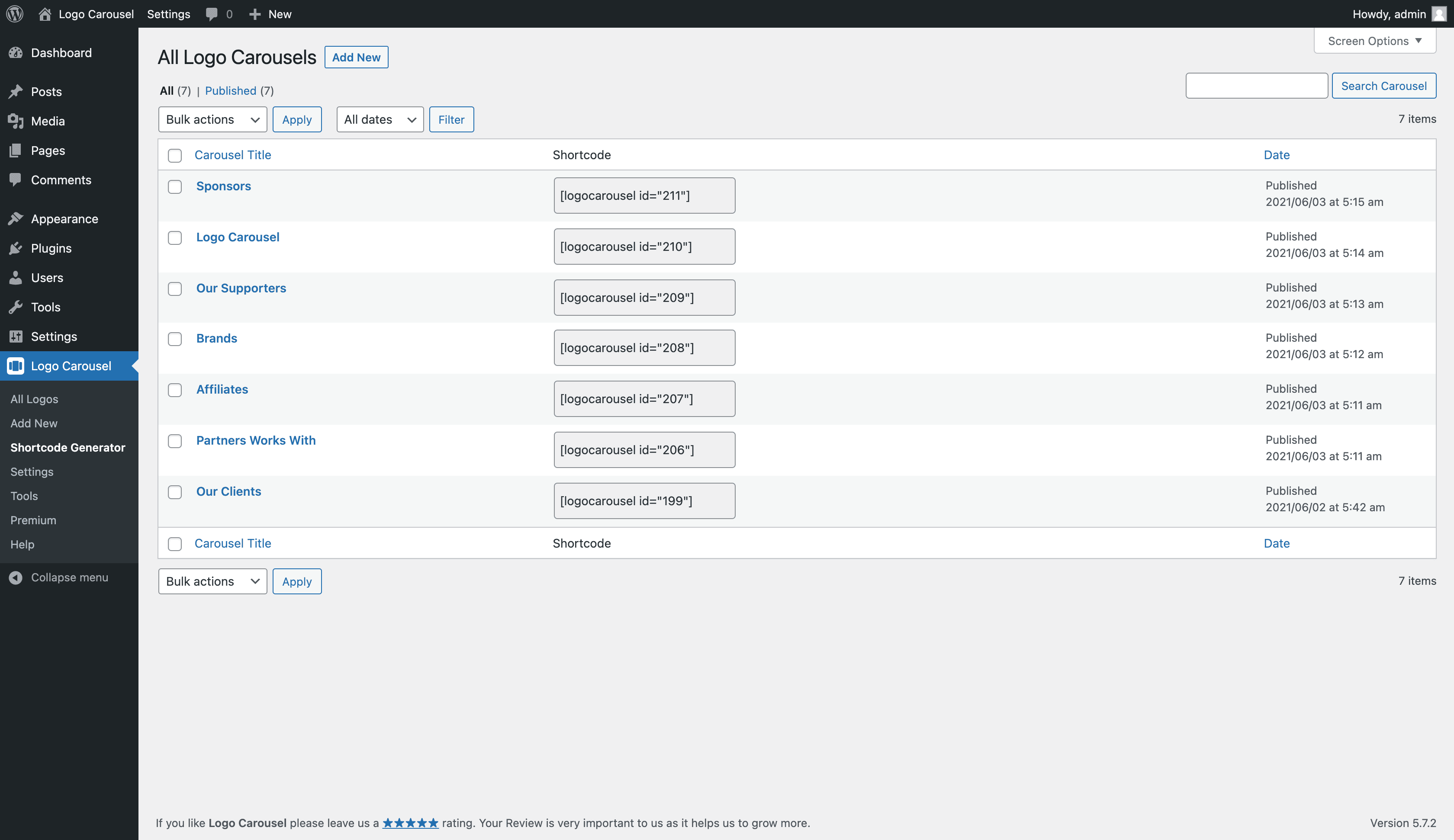
All Logo Carousels: manage your carousels and copy shortcodes in one place.

Add New Logo: add a logo with its title, image, and website link.

All Logos: view, edit, and organize your entire logo library.
Plugins semelhantes


Add 50+ shortcodes with live preview for tabs, accordions, buttons, FAQs, sliders and boxes. Works in Block Editor and Classic Editor.

Crie sliders e pop-ups incríveis. Pop-up de intenção de saída, carrossel de imagens, carrossel de vídeos, carrossel de posts, carrossel de produtos e pop-up promocional

O melhor plugin de slider para o WordPress. O editor de slider do tipo arrastar e soltar que ajuda você a criar belas apresentações de slides de imagens com apenas alguns cliques.

Show client, partner and sponsor logos in a responsive logo slider, carousel, ticker or grid. Shortcode builder with live preview, no coding.

Show client logos and WooCommerce brand logos in a responsive logo slider, carousel, grid or flexbox layout, with a Gutenberg block or shortcode.
Do mesmo author (ShapedPlugin LLC)

AI-Powered FAQ Generator. Gutenberg FAQ & Accordion Blocks, Image Accordion, Accordion Slider, WooCommerce Product FAQ – Elementor & Shortcode Ready.

Image carousel, slider, and slideshow blocks with AI and ready patterns. Photo gallery, video slider, post and WooCommerce product carousels.

Collect, manage, and display customer reviews with testimonial sliders, carousels, grids, lists, and review forms. Build with AI or ready patterns.

Display your WooCommerce products in a responsive Product Slider, Product Carousel, or Product Grid Gallery with easy customization.

All-in-One WooCommerce Product Image and Video Gallery Solution to Enhance Your Customers' Shopping Experience and Boost Sales Instantly!

Display posts in Grid, Carousel, Slider, Timeline, List & Live Filter layouts with Gutenberg Blocks & Ready Patterns - Elementor, Divi, & Shortcodes.