Real-time SEO guidance, schema, and AI built in. Help search engines and AI systems understand your content. All AI tools included, no hidden fees.

Insights from Google PageSpeed
Hospedagem WordPress com plugin Insights from Google PageSpeed
Onde devo hospedar o plugin Insights from Google PageSpeed?
Este plugin pode ser hospedado em qualquer servidor que possua WordPress instalado. Recomendamos escolher um provedor de hospedagem seguro, com servidores adaptados para WordPress, como o serviço de hospedagem de sites da MCO2.
Hospedando o plugin Insights from Google PageSpeed em um provedor seguro
A MCO2, além de configurar e instalar o WordPress na versão mais nova para seus clientes, disponibiliza o plugin WP SafePress, um sistema exclusivo que protege e aumenta a performance do seu site ao mesmo tempo.
Por que a Hospedagem WordPress funciona melhor na MCO2?
A Hospedagem WordPress funciona melhor pois a MCO2 possui servidores otimizados para WordPress. A instalação de WordPress é diferente de uma instalação trivial, pois habilita imediatamente recursos como otimização de imagens, proteção da página de login, bloqueio de atividades suspeitas diretamente no firewall, cache avançado e HTTPS ativado por padrão. São recursos que potencializam seu WordPress para a máxima segurança e o máximo desempenho.
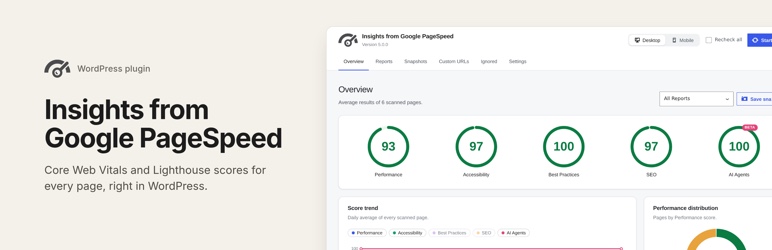
Google PageSpeed Insights is a tool that empowers you to make decisions that increase the performance of your website. Recommendations from Google PageSpeed are based upon current industry best practices for desktop and mobile web performance.
Through the addition of advanced data visualization, tagging, filtering, and snapshot technology, Insights from Google PageSpeed provides a comprehensive solution for any webmaster looking to increase their site performance, their search engine ranking, and their visitors’ browsing experience.
Version 5 brings the plugin up to date with the PageSpeed Insights you know from pagespeed.web.dev: every page now gets all Lighthouse scores and real-user Core Web Vitals, in a new and faster dashboard in wp-admin.
Detailed Page Reporting
Sort your page reports by their PageSpeed score to prioritize the largest areas of opportunity on your site. Page reports utilize easy to read visualizations that allow you to quickly focus in on the most important data to improve your site’s performance.
Each report lists the insights and diagnostics Google found, with the estimated savings, the resources involved and WordPress specific tips. You can also see the page’s score history, a screenshot and a filmstrip of how it loads.
Performance, Accessibility, Best Practices, SEO and AI Agents
Every page is scored in all five Lighthouse categories, the same ones you see on pagespeed.web.dev. Performance comes with the lab metrics behind it: Largest Contentful Paint, Total Blocking Time, Cumulative Layout Shift, First Contentful Paint and Speed Index.
The AI Agents category (Lighthouse “Agentic Browsing”) checks how well AI agents and answer engines can read and use your pages, for example whether you have a valid llms.txt file. Google still marks it as experimental.
Core Web Vitals from Real Users
When Google has enough Chrome UX Report data for a page or for your whole site, reports show how real visitors experienced it: LCP, INP and CLS, the share of good, average and poor visits, and whether the page passes the Core Web Vitals assessment.
Report Summaries
Report Summaries are a powerful and exclusive feature of Insights from Google PageSpeed. Summaries display your average scores, the largest areas for improvement across ALL reports, as well as your best and lowest performing pages. Report Summaries can be filtered to narrow results by: Pages, Posts, Categories, Custom URLs, and Custom Post Types.
Using Report Summaries allows you to ‘zoom out’ from the page level and better understand the big picture of your site’s performance. Charts show how your scores change over time and how many of your pages are good, need work or are poor.
Desktop and Mobile Page Reports
Best practices for site performance differ greatly between Desktop and Mobile device usage. Configure Insights from Google PageSpeed to generate Desktop reports, Mobile reports, or both!
Toggle back and forth between report types to see specific suggestions for improving the performance and experience on each platform.
Report Snapshots
The Report Snapshot tool builds on the power of Report Summaries, to provide historical “Point In Time” data about your website.
Take a snapshot of any Report Summary screen to store that data for future retrieval. Add comments to your snapshots to provide additional meaning, such as “Before Installing W3 Total Cache.” Additionally, filter a Report Summary before taking a Snapshot to save a summary of the filtered data.
Snapshot Comparison Tool
The Snapshot Comparison Tool is an amazing utility that lets you visualize side-by-side results from any two similar Report Snapshots.
Take a Report Snapshot before installing new plugins, or before implementing performance recommendations. Take another snapshot when you are finished and compare your results to measure the effect of your changes.
Add/Import Custom URLs
Easily add additional URLs for inclusion in PageSpeed Reports. Even add URLs for non-WordPress sites, even if they are not hosted on your server. URLs can be added manually, imported from a CSV file (such as a Search Console export), or you can upload a properly formatted XML sitemap to add multiple pages at once.
Custom URLs can be tagged and filtered in Report Summaries. Take Report Snapshots of your Custom URLs just like you would with any other report type.
Scheduled Report Checks
Configure Insights from Google PageSpeed to automatically recheck your site on a Daily, Weekly, Bi-Monthly, or Monthly basis.
With each scan, any new pages or posts will be discovered, and existing reports will be updated to reflect any changes to your site, as well as any changes in the PageSpeed recommendations.
Additional Languages
Translations are managed on translate.wordpress.org, and WordPress installs the one for your site’s language automatically. Thanks to the translators of earlier versions:
- Russian Translation provided by: Ivanka from coupofy.com
- Spanish Translation provided by: Ogi Djuraskovic from firstsiteguide.com
- Serbian Translation provided by: Ogi Djuraskovic from firstsiteguide.com
External services
This plugin connects to the following third-party service.
Google PageSpeed Insights API
Used to generate the reports shown by this plugin. Nothing is sent to this API until you enter your own Google API key.
- What is sent: the URL of each page being checked, your Google API key, the report type (desktop or mobile), the report language and the Lighthouse categories to check.
- When: every time a page is checked. This happens when you start a scan or recheck a report, after adding custom URLs or reactivating ignored URLs, and during scheduled scans if automatic rechecks are on. When you click “Check key” in the Settings, only the API key is sent, to confirm it works.
- Endpoint: https://www.googleapis.com/pagespeedonline/v5/runPagespeed
- Google APIs Terms of Service
- Google Terms of Service
- Google Privacy Policy
The charts in wp-admin are drawn by the plugin itself; no chart library is loaded from a third-party server.
The ShortPixel suggestion shown next to image audits is an affiliate link and is only loaded when you click it.
Capturas de tela
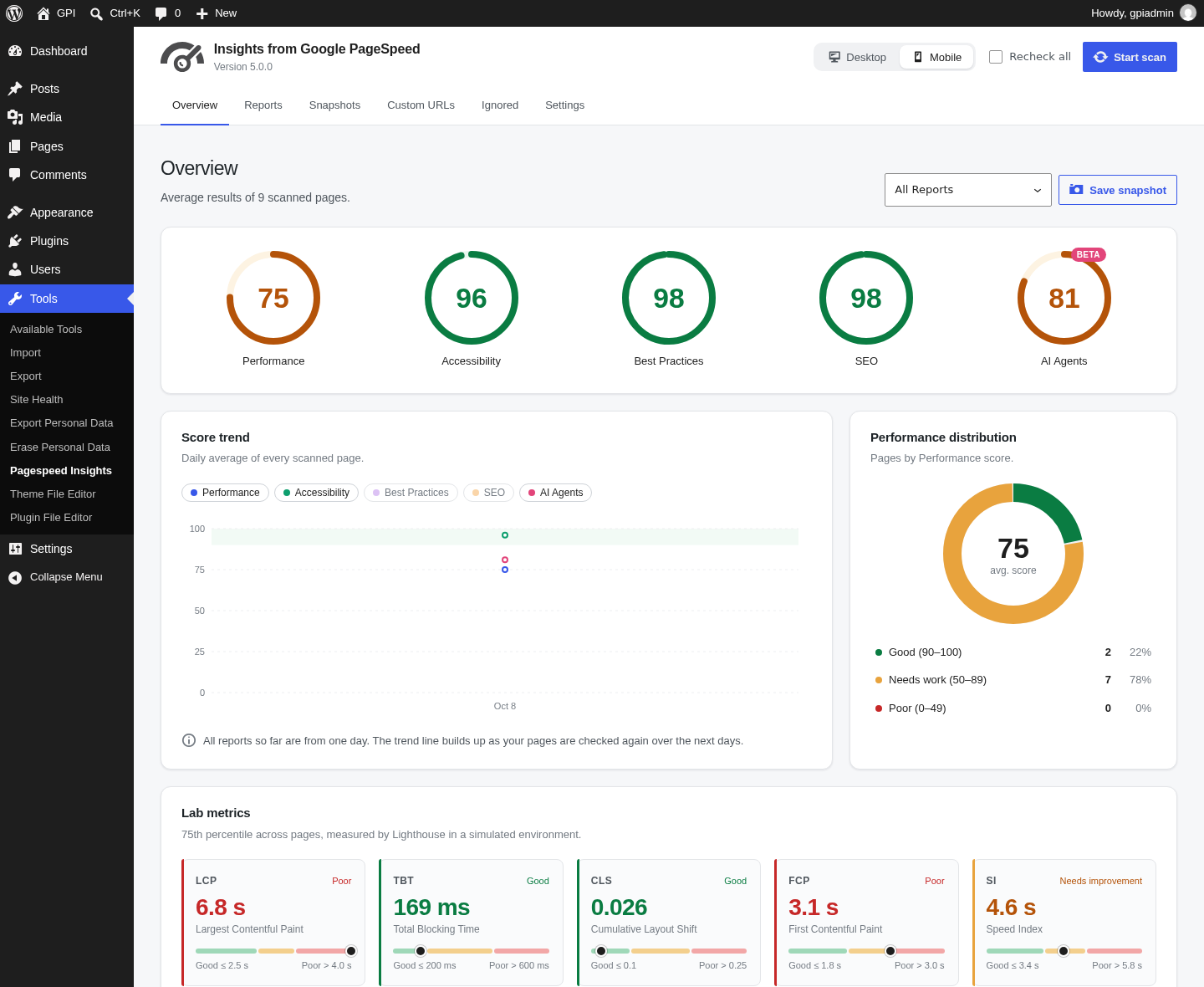
Overview: category scores, score trend, Performance distribution, lab metrics and top opportunities.
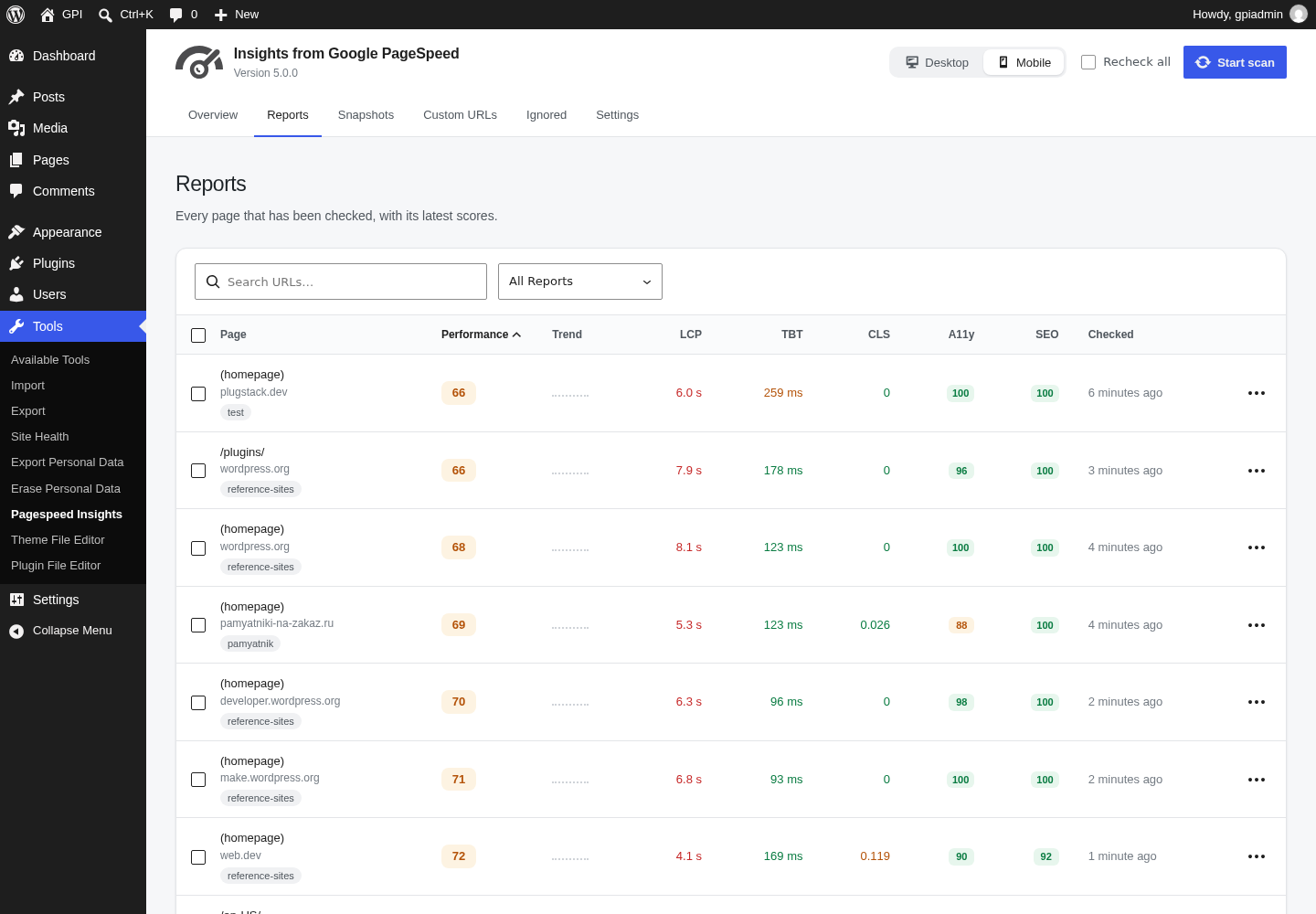
Reports list with trends, Core Web Vitals and category scores.
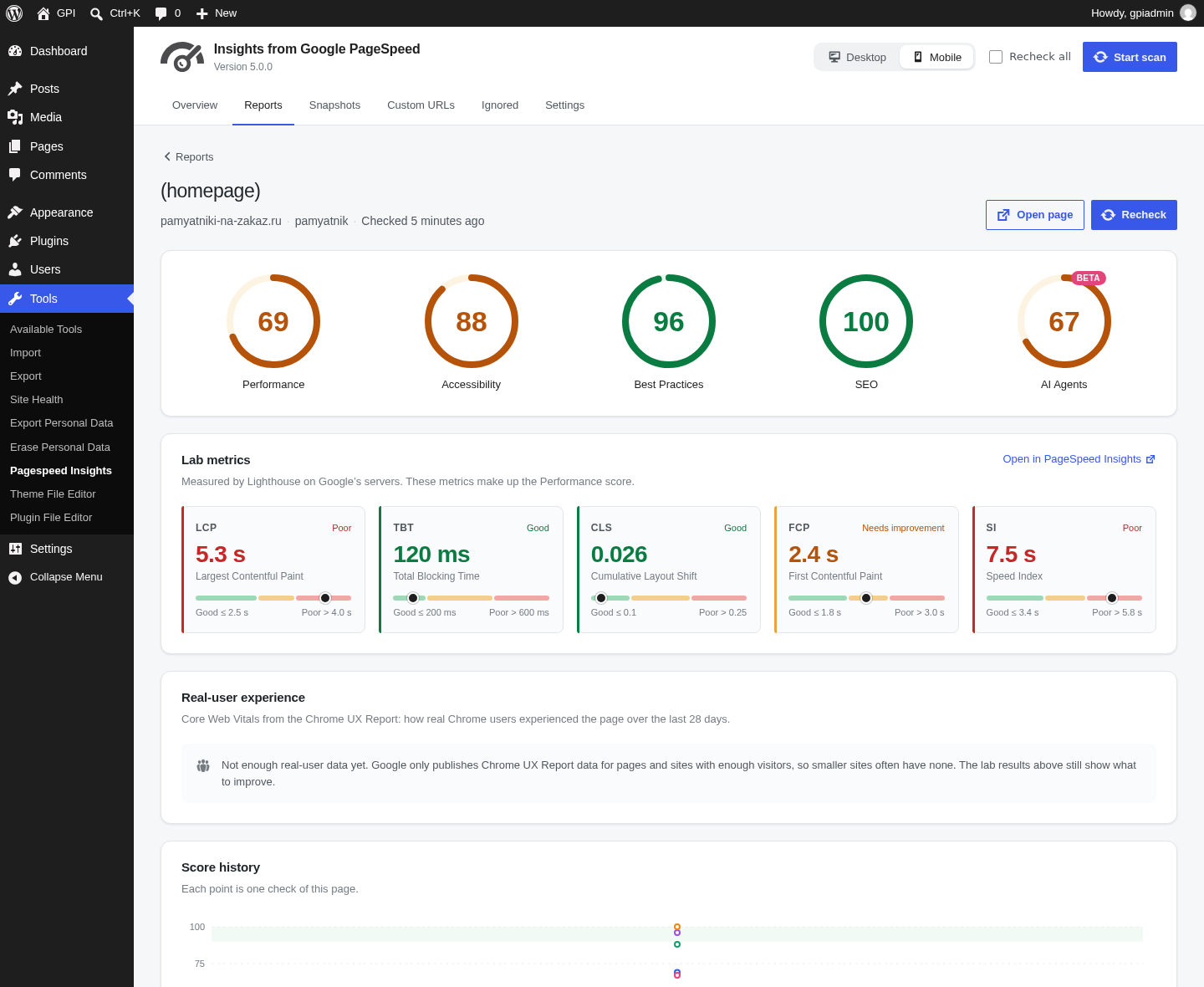
Page report with all categories, lab metrics, real-user data and score history.
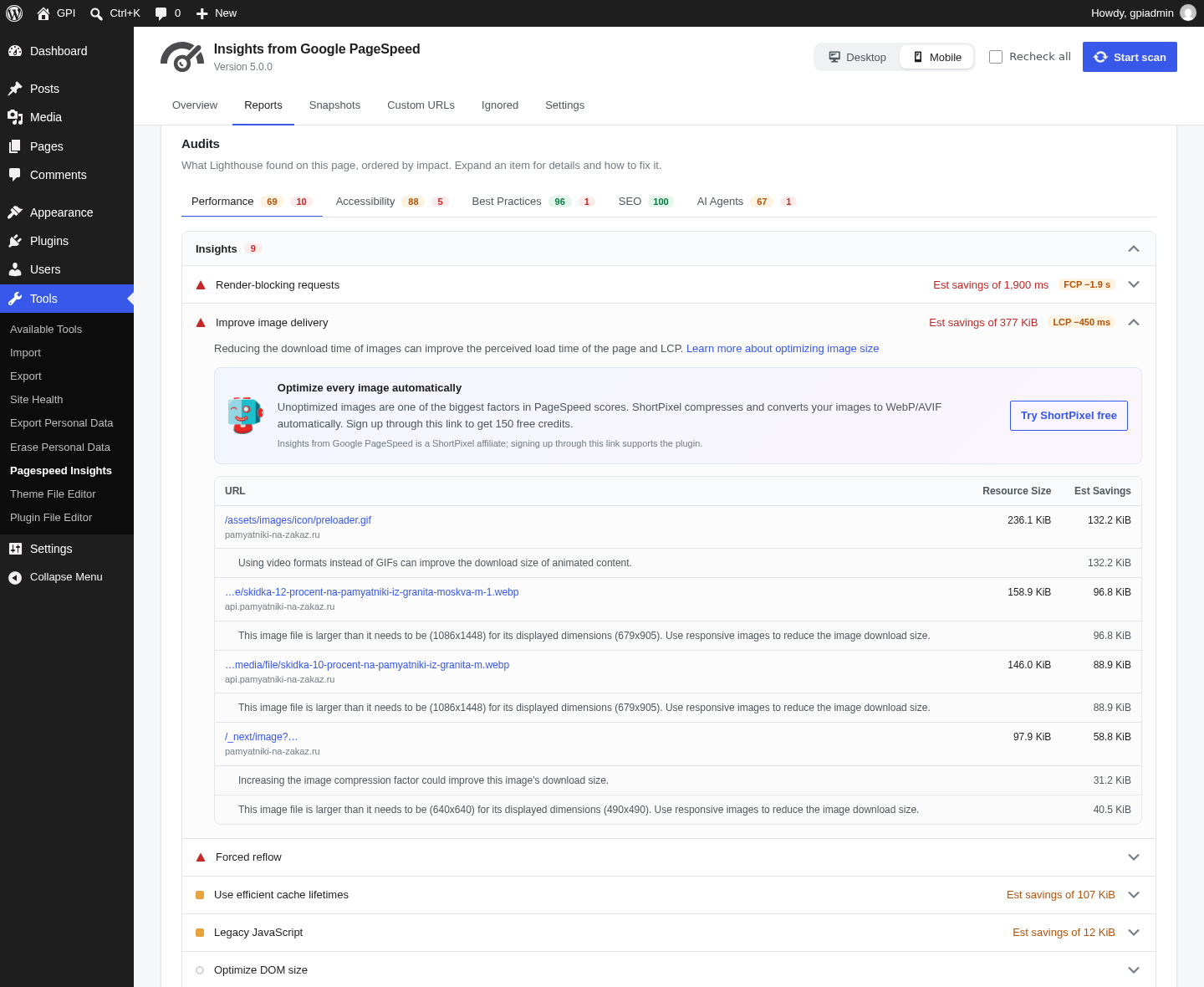
Audits grouped by category, with estimated savings and WordPress tips.
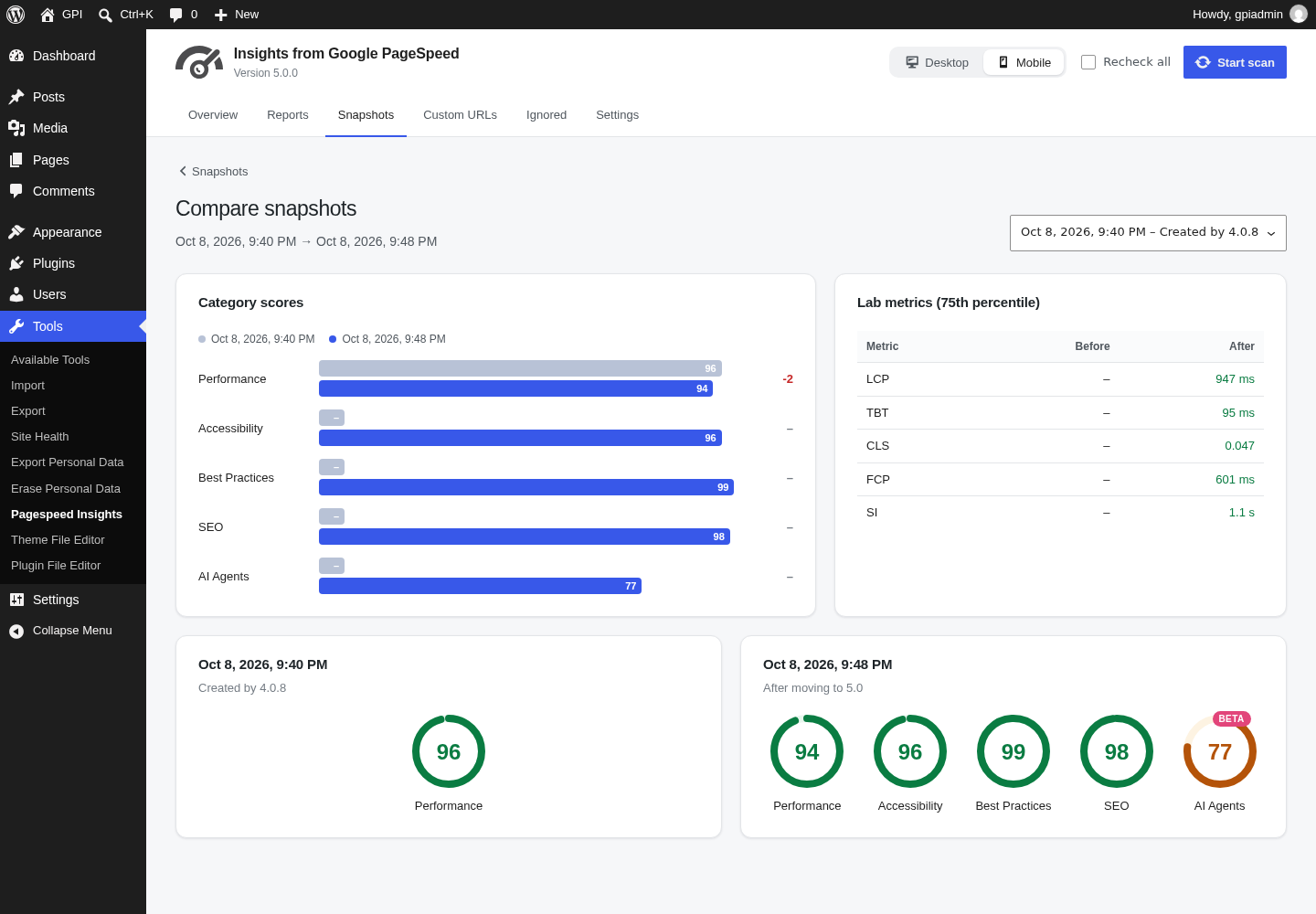
Snapshot comparison.
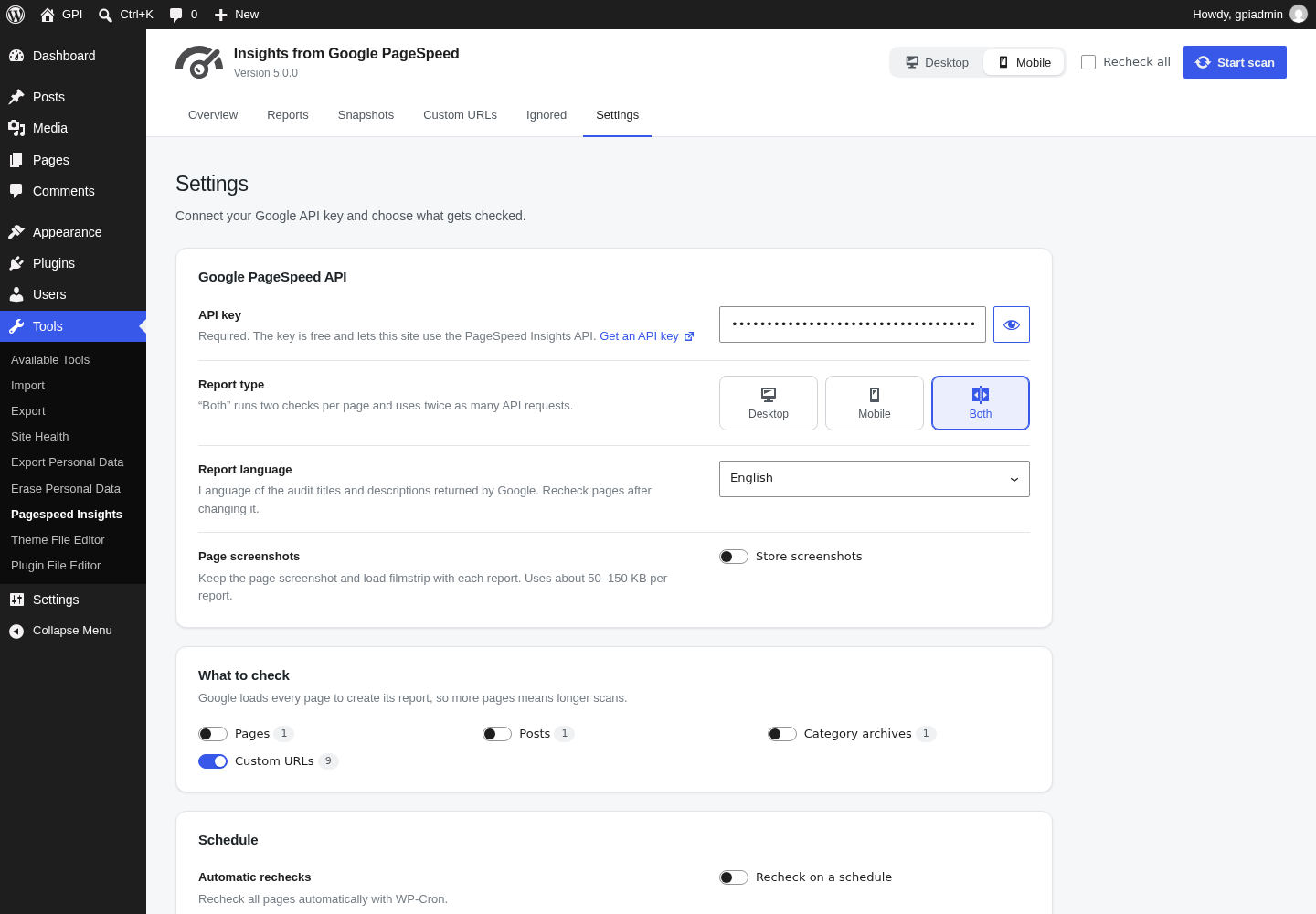
Settings.
Plugins semelhantes


Tudo em um: aceleração imbatível, melhoria no PageSpeed, armazenamento em cache, otimização de imagem/CSS/JS e muito mais...

Aumente seu tráfego orgânico e sua visibilidade com IA, usando ferramentas poderosas de SEO, sitemaps XML, automação de dados estruturados (schemas) e SEO com IA integrado, tudo em um só lugar.

AIOSEO is the WordPress SEO plugin. Boost SEO rankings with AI SEO tools, schema, meta descriptions, XML sitemaps & rank tracking.

Gerencie redirecionamentos 301, monitore erros 404 e melhore seu site, sem precisar entender de Apache ou Nginx.

O mais simples e mais rápido sistema de cache para o WordPress.