
A solução para o GDPR e mais. Gere o seu banner de cookies, política de privacidade, T&C e lide com consentimentos de cookies - no mesmo plug-in.

EU Cookies Bar for WordPress
Hospedagem WordPress com plugin EU Cookies Bar for WordPress
Onde hospedar o plugin EU Cookies Bar for WordPress?
Este plugin pode ser hospedado em qualquer servidor que possua WordPress instalado. Recomendamos fortemente utilizar uma empresa de hospedagem confiável, com servidores especializados para WordPress, como o serviço de hospedagem WordPress da MCO2.
Hospedando o plugin EU Cookies Bar for WordPress em um provedor seguro
A MCO2, além de instalar o WordPress na versão mais atual para seus clientes, disponibiliza o WP SafePress, um sistema singular que protege e melhora seu site ao mesmo tempo.
Por que a Hospedagem WordPress funciona melhor na MCO2?
A Hospedagem WordPress funciona melhor pois a MCO2 possui servidores otimizados para WordPress. A instalação de WordPress é diferente de uma instalação trivial, pois habilita imediatamente recursos como otimização automática de imagens, proteção da página de login, bloqueio de atividades maliciosas diretamente no firewall, cache avançado e HTTPS ativado por padrão. São recursos que potencializam seu WordPress para a máxima segurança e o máximo desempenho.
EU Cookies Bar is a WordPress plugin that helps website owners to meet the obligations and rights enacted under the GDPR. The plugin allows visitors to accept a website to use their cookies, and also allow visitors to configure their cookies settings. General Data Protection Regulation – (GDPR) is a European regulation to strengthen and unify the data protection of EU citizens.
Preview
How to install and use the plugin
FEATURES
► General:
-
Agreement duration: Set expiry date for an agreement after a user accepts
-
Block until accepting: An option to enable cookies only after visitor accepts to use, for those who want their website comply with the new EU Cookies Law-GDPR
-
Strictly necessary cookies: Specify very important cookies that can not be disabled by your visitors
-
Strictly necessary cookies prefix: Cookies whose names start with these prefixes can not be disable by your visitors too
-
Your privacy policy: This is to let your visitors know what your website uses cookies for beside a list of cookies that your website uses
► Cookies bar:
-
Message: Easy to change/edit front-end message with WordPress editor
-
Button decline: Let your visitors able to accept or decline your privacy policy, this is one of what GDPR requires
-
Button close: Just another option
-
Cookies bar position: Can be top, bottom, bottom left or bottom right, not many but enough
-
Implicit behaviors: Close cookies bar, accept or decline when your visitors hit close button, scroll their mouse wheel or refresh the browser. Depending on which cookies/privacy law you have to comply with, use this option flexibly to make the cookies bar less annoyed
-
Cookies bar design: You can change cookies bar font-size, text color, background color or opacity to make it in harmony with your theme, and a custom css field is available for your own customization
► Visitor cookies settings:
-
GDPR requires your website to have this
-
This is a small popup box that show your privacy and cookies policy and a list of available cookies that your website uses
-
Visitors can view and edit to accept which cookies on the list whenever they want, even before or after they accept to use cookies
-
A very small bar on the bottom which will show the visitors cookies settings when they click on it, and also a helpful shortcode [eucookiesbar_settings]”your text”[/eucookiesbar_settings] to call the cookies settings which you can place wherever you want in case you don’t want the small bar to be there
PREMIUM FEATURE
► General settings:
-
Multilingual support and language detection
-
Cookie rejection expiration period
-
Integration with Google Tag Manager (GTM)
-
Integration with Meta Pixel for tracking
► Cookies settings:
-
Ability to display cookies on both frontend and backend
-
Scan cookies to detect and list all cookies in use on your site
-
Add and delete cookies as needed
-
Edit cookie details, such as name, category, duration, and description
-
Organize cookies into categories
-
Create and manage cookie categories, including setting up names, descriptions, and assigning cookies
-
Mark certain cookies, such as strictly necessary ones, as “Always Active”
-
Add or remove categories as needed
-
Rearrange cookie categories by dragging and dropping them
► Cookie Bar:
-
Control the delay before the cookie bar appears
-
Dismiss the cookie bar after a timeout period
-
Use conditional tags to control when and where the cookie bar appears
-
Customize the design and appearance of the privacy button
-
Set a header title for the cookie bar
► Settings Popup:
-
Choose from different layout options for the settings popup
-
Display cookies in a list format or with tabs
-
Add custom icons to the settings popup
-
Adjust the opacity of the popup
-
Option to hide content from characters
-
Enable or disable the cookie list
-
Show or hide cookie descriptions
-
Hide specific cookie categories from the list
-
Customize the save, accept, reject button with options for enabling/disabling, color, background color…
-
Edit the overview tab header, cookies list label, and cookie name/description column labels
-
Set custom labels for the “Always Active” and “Active Cookie” sections
-
Modify the description under the overview tab
► Floating Icon:
-
Position the floating icon on the page
-
Choose the icon to be displayed for quick access to cookie settings
► Other Features:
-
Access and view activity logs to monitor user interactions with the cookie consent mechanism
-
Generate detailed reports on cookie consent performance
MAY BE YOU NEED
Abandoned Cart Recovery for WooCommerce
Advanced Product Information for WooCommerce
AFFI – Affiliate Marketing for WooCommerce
ALD – Dropshipping and Fulfillment for AliExpress and WooCommerce
Boost Sales for WooCommerce – Set up Up-Sells & Cross-Sells Popups & Auto Apply Coupon
Bopo – WooCommerce Product Bundle Builder
Bulky – Bulk Edit Products for WooCommerce
Cart All In One For WooCommerce
Catna – Woo Name Your Price and Offers
Checkout Upsell Funnel for WooCommerce
ChinaDS – Tmall-Taobao Dropshipping for WooCommerce
Clear Autoptimize Cache Automatically
COMPE – WooCommerce Compare Products
Coreem – Coupon Reminder for WooCommerce
CURCY – Multi Currency for WooCommerce – Smoothly on WooCommerce 9.x
Customer Coupons for WooCommerce
DEPART – Deposit and Part payment for Woo
Email Template Customizer for WooCommerce
EPOW – Custom Product Options for WooCommerce
EXMAGE – WordPress Image Links
Faview – Virtual Reviews for WooCommerce
FEWC – Extra Checkout Fields For WooCommerce
Free Shipping Bar for WooCommerce
GIFT4U – Gift Cards All in One for Woo
HANDMADE – Dropshipping for Etsy and WooCommerce
HAPPY – Helpdesk Support Ticket System
LookBook for WooCommerce – Shoppable with Product Tags
Lucky Wheel for WooCommerce – Spin a Sale
Notification for WooCommerce | Boost Your Sales – Recent Sales Popup – Live Feed Sales – Upsells
Orders Tracking for WooCommerce
Pofily – WooCommerce Product Filters
PRENA – Product Pre-Orders for WooCommerce
Product Builder for WooCommerce – Custom PC Builder
Product Size Chart For WooCommerce
Product Variations Swatches for WooCommerce
REDIS – WooCommerce Dynamic Pricing and Discounts
S2W – Import Shopify to WooCommerce
SUBRE – Product Subscription for WooCommerce – Recurring Payments
Suggestion Engine for WooCommerce
Thank You Page Customizer for WooCommerce – Increase Your Sales
TMDS – Dropshipping for TEMU and Woo
VARGAL – Additional Variation Gallery for WooCommerce
VIMA – Multi Customer Addresses for Woo
W2S – Migrate WooCommerce to Shopify
WebPOS – Point of Sale for WooCommerce
WPBulky – WordPress Bulk Edit Post Types
Documentation
Plugin Links
Capturas de tela
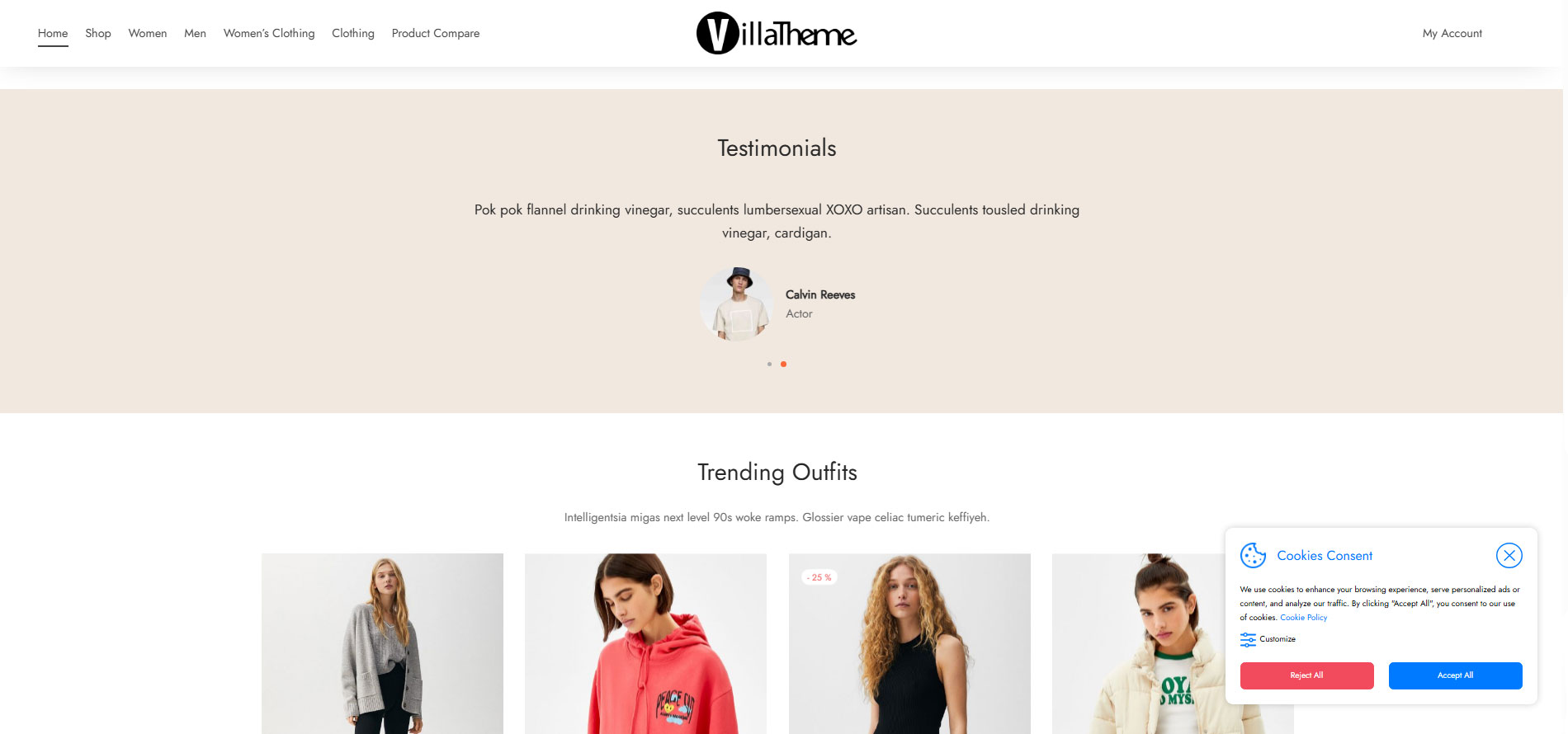
Cookie bar on bottom right
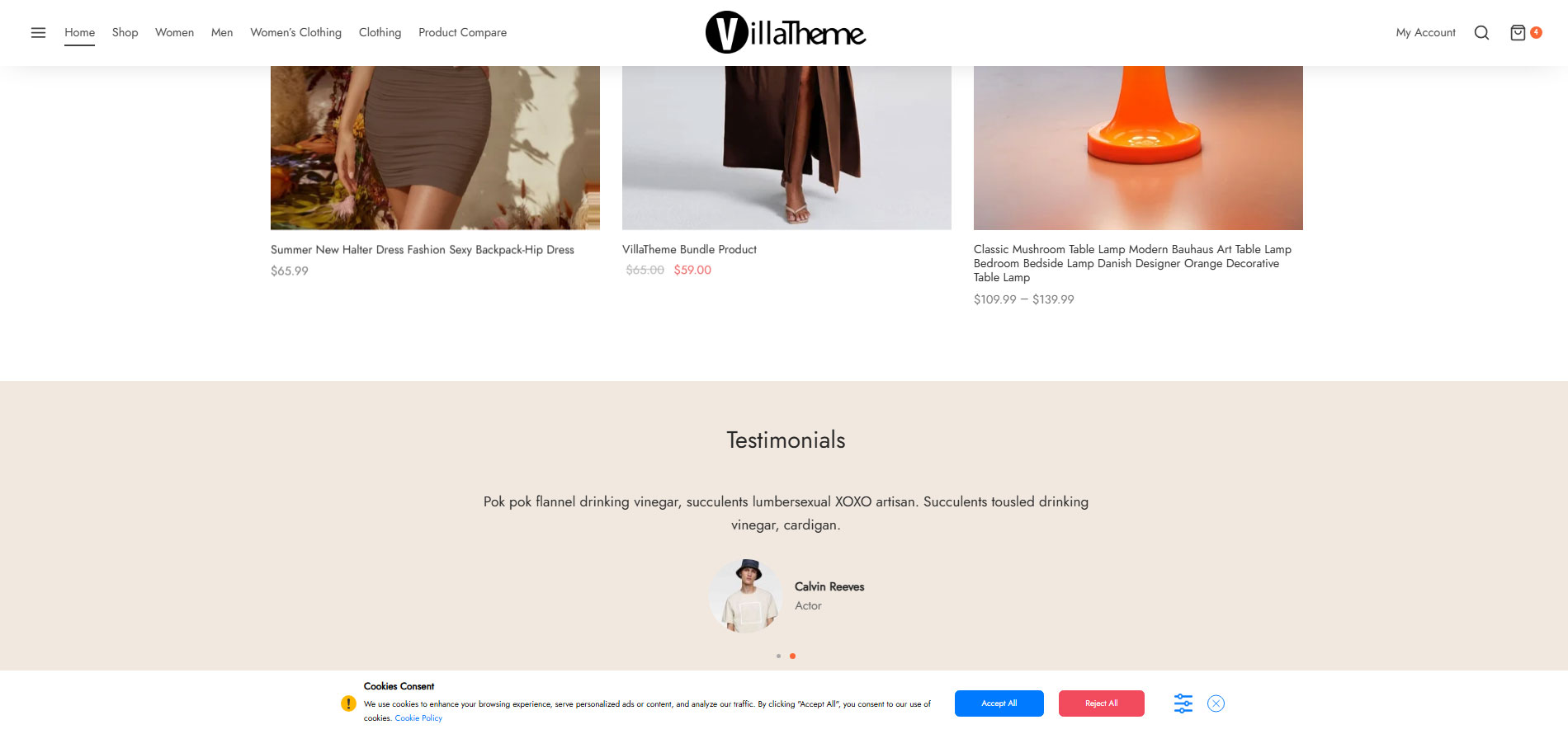
Cookie bar on bottom
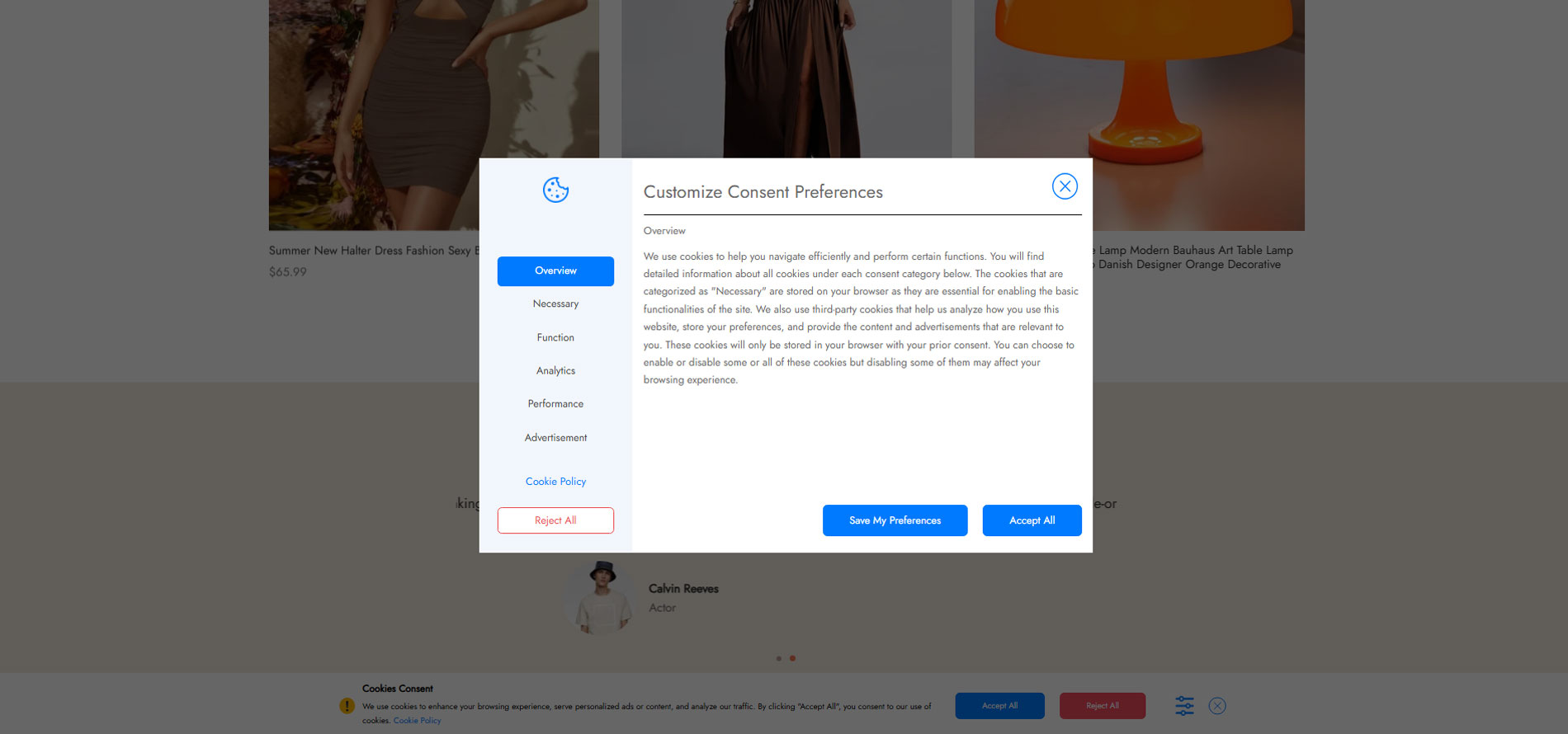
Setting popup category with tab
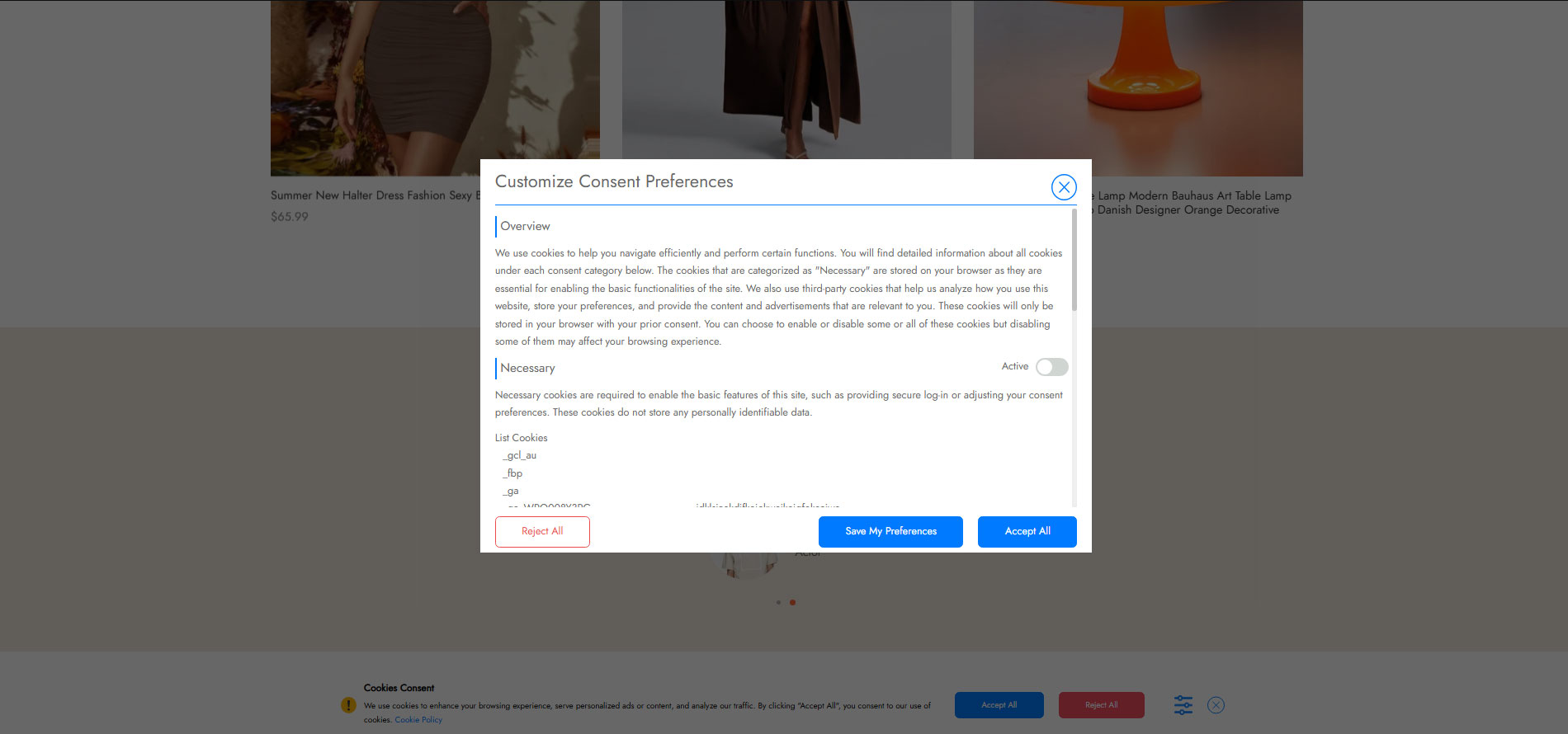
Setting popup list of category
Plugins semelhantes


Obtenha consentimentos compatíveis com o RGPD (DSGVO/RGPD) e a Diretiva ePrivacy (TDDDG/TTDSG, LOPD-GDD e DTA) com o seu banner de cookies. Muito mais do que um simples aviso de cookies!

Cookie consent banner with cookie scanner & script blocking. Manage cookie consent, cookie notice & cookie policy for GDPR, CCPA & privacy compliance.

Our easy to use cookie consent plugin can assist in your GDPR, CCPA, and ePrivacy Directive compliance efforts.

Free and beautiful Cookie Consent Banner to make your website compliant. Highly customizable and not loading any files from 3rd party servers.

Cookie consent banner with real browser scanning, script blocking, Google Consent Mode, GDPR/CCPA consent logs, and a cookie policy page.
Do mesmo author (VillaTheme)

Show multi-currency pricing and dual-currency display, accept multi-currency payment, support IP detection, custom/global rate, fixed price and more

Make your WooCommerce emails become professional.

Let customers attach photos to reviews, enhanced with filterable grids and overall ratings. Auto-send review reminders and coupon emails

Showcase variations and impress your customers with beautiful swatches such as color, button, image, and more.

Easily import/manage your tracking numbers, add tracking numbers to PayPal and send email notifications to customers.

A helpful tool that allows you to bulk edit available attributes of products such as ID, Title, Content,...