
Ativar o editor "clássico" anterior e o estilo antigo da tela Editar Post com TinyMCE, Meta Boxes, etc. Suporta todos os plugins que estendem esta tela.
Enlighter – Customizable Syntax Highlighter
Hospedagem WordPress com plugin Enlighter – Customizable Syntax Highlighter
Onde devo hospedar o plugin Enlighter – Customizable Syntax Highlighter?
Este plugin pode ser hospedado em qualquer provedor que possua WordPress configurado. Recomendamos utilizar uma empresa de hospedagem de confiança, com servidores especializados para WordPress, como o serviço de hospedagem da MCO2.
Hospedando o plugin Enlighter – Customizable Syntax Highlighter em um provedor confiável
A MCO2, além de instalar o WordPress na versão mais atualizada para seus clientes, disponibiliza o WP SafePress, um sistema exclusivo que assegura e aumenta a performance do seu site ao mesmo tempo.
Por que a Hospedagem WordPress funciona melhor na MCO2?
A Hospedagem WordPress funciona melhor pois a MCO2 possui servidores otimizados para WordPress. A instalação de WordPress é diferente de uma instalação trivial, pois habilita imediatamente recursos como otimização de imagens, proteção da página de login, bloqueio de atividades suspeitas diretamente no firewall, cache avançado e HTTPS ativado por padrão. São plugins que potencializam seu WordPress para a máxima segurança e o máximo desempenho.
Enlighter is a free, easy-to-use, syntax highlighting tool for WordPress. Highlighting is powered by the EnlighterJS javascript library to provide a beautiful code-appearance.
Using it can be as simple as adding a new Enlighter Sourcecode block (Gutenberg) and insert the code which you want to highlight: Enlighter takes care of the rest!
An easy to use Theme-Customizer is included to modify the build-in themes without any css knowlegde!
It also supports the automatic creation of tab-panes to display code-groups together (useful for multi-language examples – e.g. html+css+js)
- Upgrade Guide for Enlighter v4
- Theme Compatibility
- Enlighter WordPress Plugin Docs
Plugin Features
- Full Gutenberg Editor Integration
- Full Classic Editor Integration (TinyMCE)
- Support for all common used languages
- Powerful generic highlighting engine for unknown/unsupported languages
- Theme Customizer
- Inline Syntax Highlighting
- Advanced configuration options are available within the options page.
- Supports code-groups (displays multiple code-blocks within a tab-pane)
- Extensible language and theme engines – add your own one.
- Simple CSS based themes
- Integrated CSS file caching (suitable for high traffic sites)
- Full GDPR compliant – no external resources are required, no data will be aggregated
Gutenberg Editor Integration
- Full Editor Integration via “Enlighter Sourcecode” block
- Inline Syntax Highlighting
- Automatic transformations for classic editor posts (codeblocks converted to Enlighter Sourcecode block)
- Transform legacy codeblocks to Enlighter Gutenberg Blocks (manual transformation)
- Docs and Usage
- Editor plugin repository
Classic Editor (TinyMCE) Integration
- Full Editor Integration via Enlighter buttons in the toolbar
- Inline Syntax Highlighting
- Tab-Indentation mode to align code with the
tabkey (single line and block selection) - Editor formats to highlight existing code
- Docs and Usage
- Editor plugin repository
- Classic Editor Live-Demo
Markdown
- Markdown fenced code blocks
- Inline Syntax Highlighting via backtick code (including language specific addon)
- Docs and Usage
Compatibility/Migration
- Crayon compatibility mode (use EnlighterJS highlighting for legacy Crayon
precodeblocks) - CodeColorer compatibility mode (use EnlighterJS highlighting for legacy CodeColorer shortcodes)
- Jetpack markdown compatibility mode (generic or raw highlighting)
- Gutenberg standard codeblock compatibility mode (no language attributes)
Extensions
- bbPress shortcode + markdown code blocks support
- Dynamic Content via
jQuery Ajax.load - Dynamic Content via
Jetpack.InfiniteScroll
Texteditor/Shortcodes (Legacy)
Shortcodes are deprecated and should be used in text editor mode only – never use them within Gutenberg Editor or Classic Editor!
- Easy to use Text-Editor mode through the use of Shortcodes and QuickTags
- Shortcodes within content, comments and widgets
- Standalone Shortcode-Processor to avoid wpautop filter issues in Text-Editor Mode
Supported Languages (build-in)
In case your language is not available try the Generic Mode which covers a lot of programming languages – or request a new language on GitHub
Related Links
Compatibilidade
All modern webbrowsers with enabled Javascript and HTML5 capabilities for “data-” attributes are compatible with Enlighter. It’s possible that it may work with earlier/other browsers.
- Chrome 60+
- Firefox 60+
- Safari 11+
- Edge Browser 10+
Capturas de tela
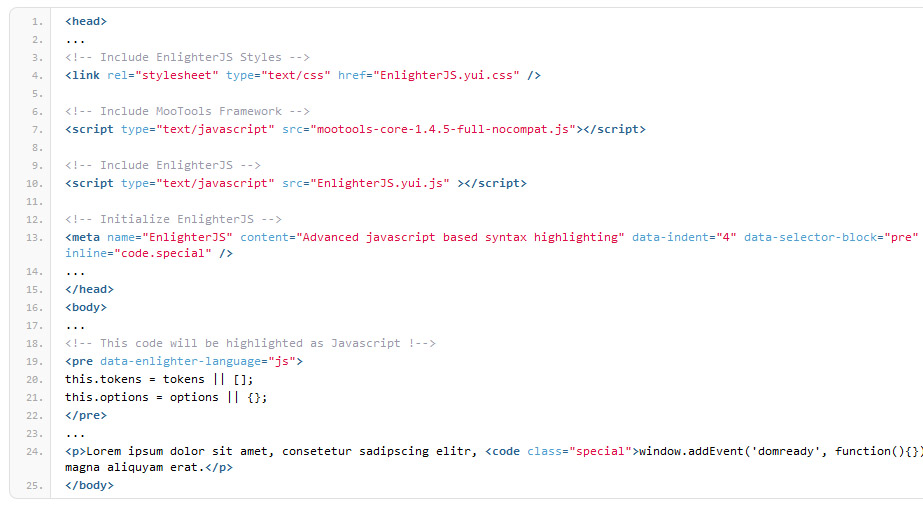
HTML highlighting Example (Enlighter Theme)
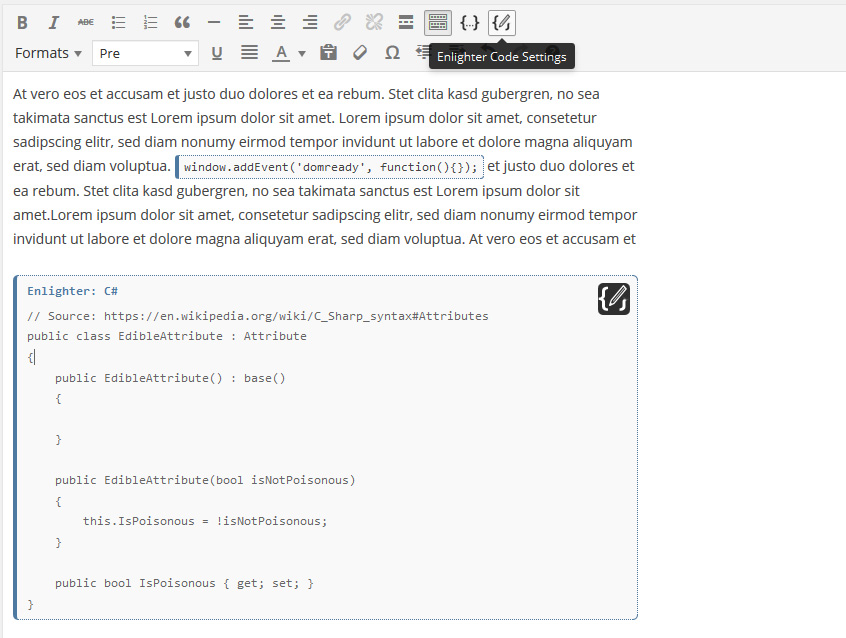
Visual Editor Integration
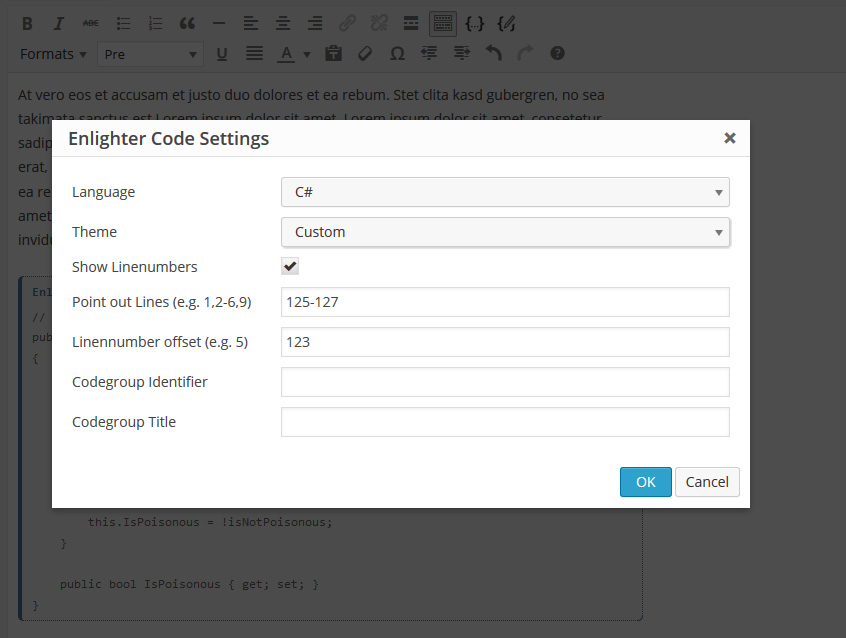
Visual Editor Code Settings

Visual Editor Inline/Block Formats

Options Page - Appearance Settings
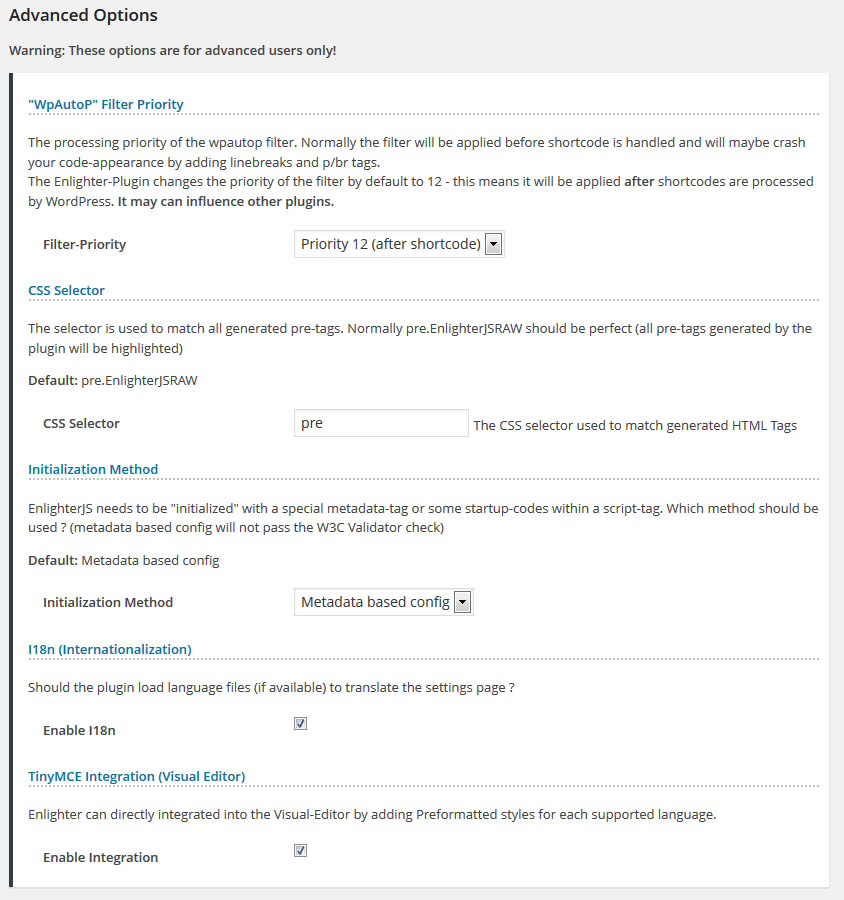
Options Page - Advanced Settings
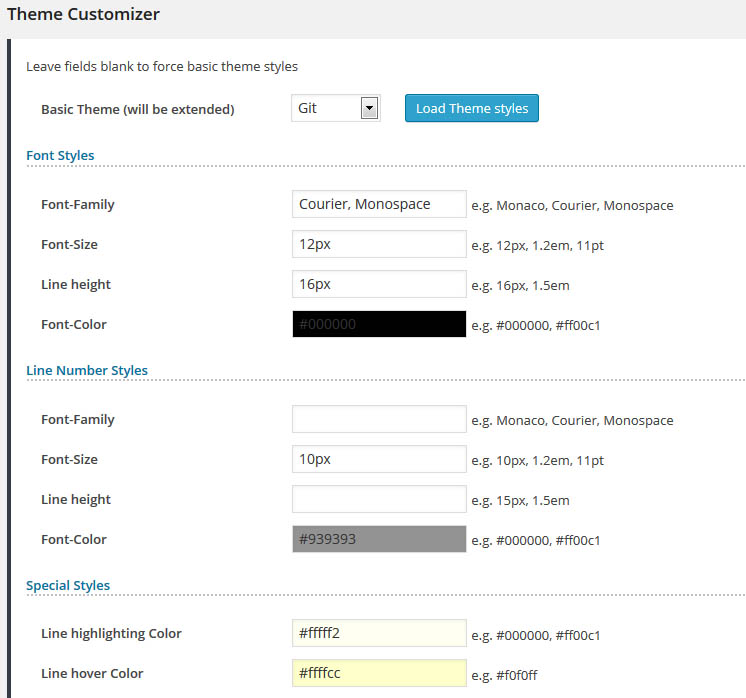
Theme Customizer - General styles

Theme Customizer - Language Token styling
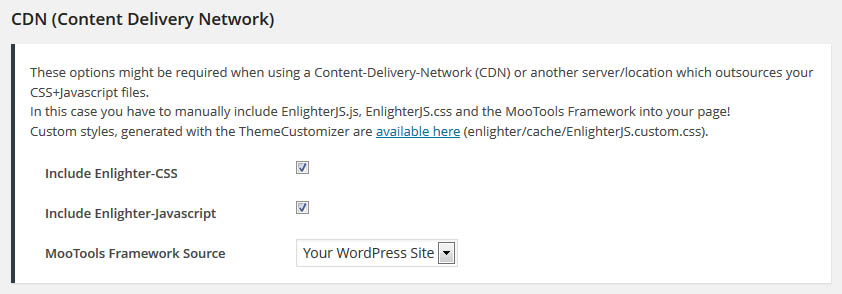
Special options for use with a CDN (Content Delivery Network)
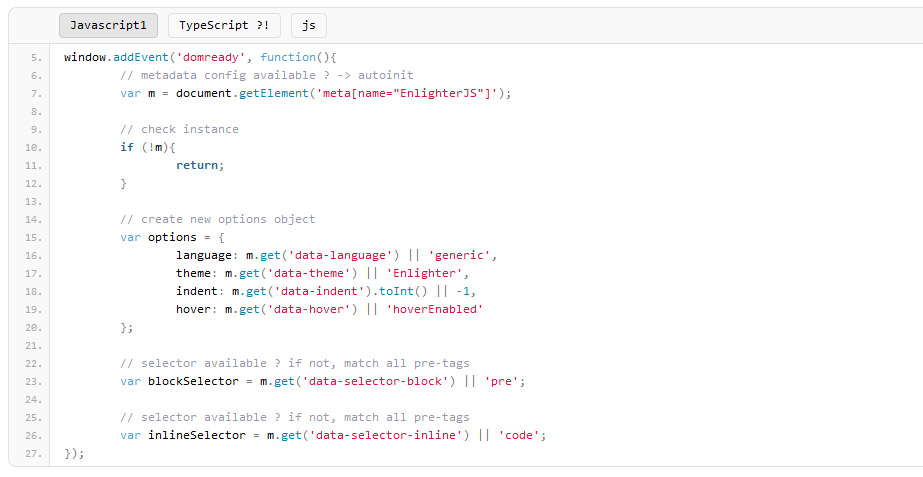
Tab-Pane Example (multiple languages)

Frontend Editing using wp_editor feature

Theme Customizer - Live Preview-Mode
Plugins semelhantes


Amplia e aprimora o editor de blocos (Gutenberg) e o editor clássico (TinyMCE).

Disable Gutenberg Block Editor and restore the Classic Editor and original Edit Post screen (TinyMCE, meta boxes, etc.).
Code highlighting powered by the VS Code engine. Performance focused. No bloat.

Recriação do Crayon Syntax Highlighter. Marcador de sintaxe compatível com várias linguagens, temas, fontes, realce de um URL ou texto de post.