Carousel, Slider, and Photo Gallery with Lightbox plugin. Create Image Carousel, Video Slider, Post Carousel, Post Grid, Product Carousel, and more.

Embed Google Photos album
Hospedagem WordPress com plugin Embed Google Photos album
Onde hospedar o plugin Embed Google Photos album?
Este plugin pode ser hospedado em qualquer servidor que tenha WordPress configurado. Recomendamos utilizar uma hospedagem seguro, com servidores adaptados para WordPress, como o serviço de hospedagem de sites da MCO2.
Hospedando o plugin Embed Google Photos album em uma empresa de hospedagem de confiança
A MCO2, além de configurar e instalar o WordPress na versão mais atual para seus clientes, oferece o plugin WP SafePress, um sistema exclusivo que assegura e otimiza seu site conjuntamente.
Por que a Hospedagem WordPress funciona melhor na MCO2?
A Hospedagem WordPress funciona melhor pois a MCO2 possui servidores otimizados para WordPress. A instalação de WordPress é diferente de uma instalação trivial, pois habilita imediatamente recursos como otimização automática de imagens, proteção da página de login, bloqueio de atividades maliciosas diretamente no firewall, cache avançado e HTTPS ativado por padrão. São plugins que potencializam seu WordPress para a máxima segurança e o máximo desempenho.
This plugin requires a shared Google Photos album link to view photos using gallery/player or carousel. This widget is free to use for WordPress users.
It is very easy to use. Just write a shortcode to your post and include a link of shared Google Photos album as a parameter. Instead of shortcode, html code with links to the photo will be inserted and it will be decorated using Public album javascript.
Example
[embed-google-photos-album link="https://photos.app.goo.gl/CSV7NDstShTUwUZq5"]

[embed-google-photos-album link="https://photos.app.goo.gl/CSV7NDstShTUwUZq5" mode="carousel"]

[embed-google-photos-album link="https://photos.app.goo.gl/CSV7NDstShTUwUZq5" mediaitems-cover="true"]

[embed-google-photos-album link="https://photos.app.goo.gl/CSV7NDstShTUwUZq5" background-color="#007acc"]
- link – [string] public link of Google Photos album
- mode – [carousel | gallery-player] setup decorator mode, default id
gallery-player - width – [int | ‘auto’] set widget width in pixel or “auto” to stretch to 100%
- height – [int | ‘auto’] set widget height in pixels or “auto” to stretch to 100%
- image-width – [int] image max-width in pixels, default is 1920
- image-height – [int] image max-height in pixels, default is 1080
- autoplay – [true | false] start slideshow in normal view (currently not allowed by decorator)
- delay – [true | false] slideshow delay in seconds, default is 5 seconds.
- repeat – [true | false] Enable or disable repeat slideshow, delfault is
true - mediaitems-aspectration – [true | false], Keep asspect ration of images delfault is
true - mediaitems-enlarge – [true | false], Turn on/off image enlarge, delfault is
true - mediaitems-stretch – [true | false], Tunr on/off image stretch, delfault is
true - mediaitems-cover – [true | false], Cover full canvas. Combine with aspect ratio parameter. Delfault is
false - background-color – [#RRGGBB | transparent], Setup background color to RGB or transparent. Default is
#000000 - expiration – [int] setup expiration timeout in secons; default is 0; min. custom value is 86400s (experimental property)
This widget, unsupported some features like a picture’s timestamp and captions. For a more detailed description of the component, go to WordPress Google Photos album plugin.
In some cases, it may be better to use the following code directly in the template.
<?php
    echo (new Pavex_embed_google_photos_album()) -> getcode(
        'https://photos.app.goo.gl/CSV7NDstShTUwUZq5', 0, 480, 1920, 1080
    );
?>
How do I update my album?
The album will update automatically as soon as you save or update your post.
Javascript decorator
External javascript decorator is stored on CDN and loading and running of them is optimized for performance.
Javascript widget can be used without photos from Google photos. Detailed information on how to use javascript is available in one of older posts about carusel slideshow on my blog.
About Public album photo sharing website
Public album is now a photo sharing website and service for sharing short photosets available in single user profile.
The service can also be used as an alternative to public Google Photos. It is very suitable for the blogs focused mainly on photos. For example, a photoblog or a online bookmark manager.
Important links
- Public album sharing website https://www.publicalbum.org
- Blog https://www.publicalbum.org/blog
- Facebook https://www.facebook.com/publicalbumapp
- Reabr.com online bookmark manager
Capturas de tela

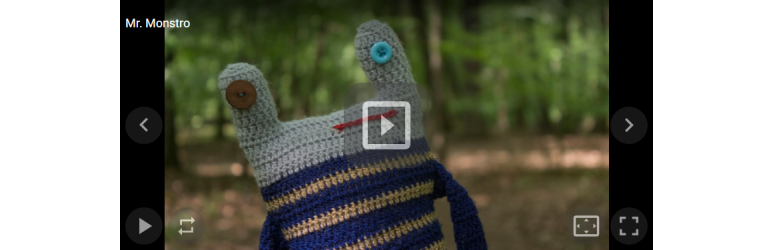
Result of this Wordpress plugin - gallery player with Mr. Monstro album
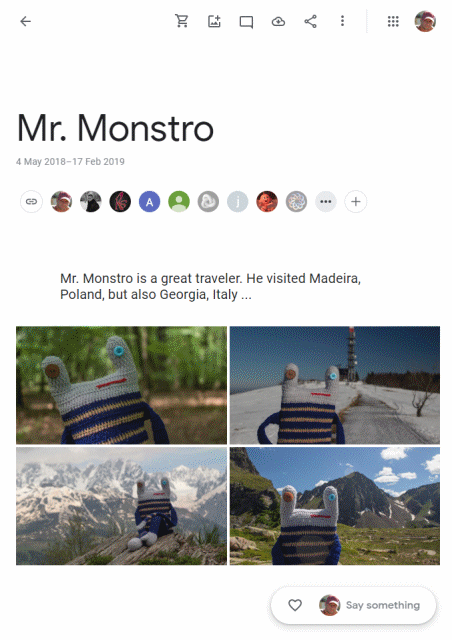
Preview of source Google Photos shared album
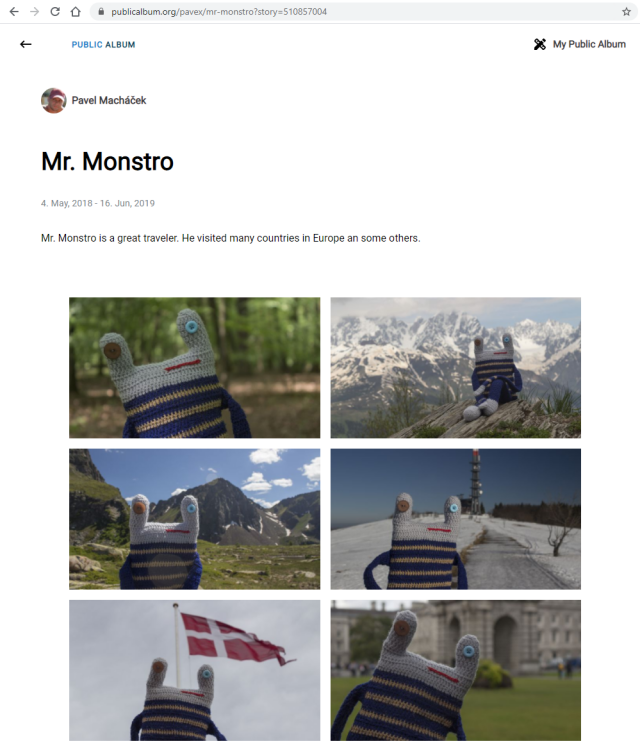
Similar photoset with Mr. Monstro in Public album photo sharing website.
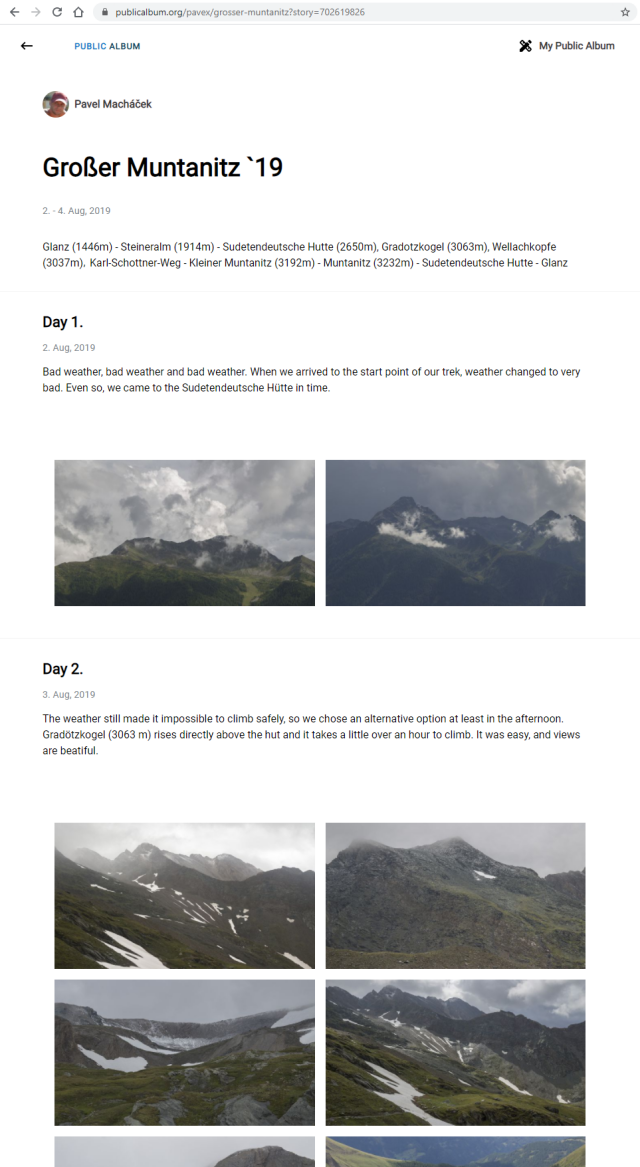
Another photosets like a blog in Public album.
Plugins semelhantes