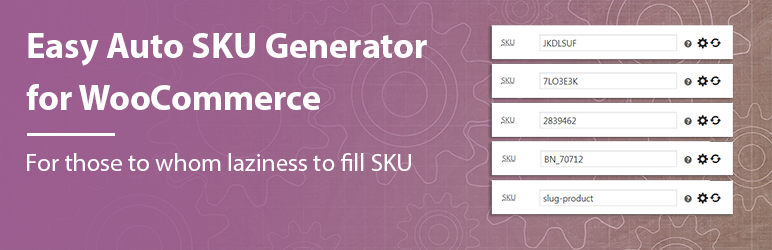
Automatically generate WooCommerce product SKUs from the product / attribute slugs and/or IDs.

Easy Auto SKU Generator for WooCommerce
Hospedagem WordPress com plugin Easy Auto SKU Generator for WooCommerce
Onde hospedar o plugin Easy Auto SKU Generator for WooCommerce?
Este plugin pode ser hospedado em qualquer provedor que possua WordPress instalado. Recomendamos fortemente optar por um provedor de hospedagem de confiança, com servidores adaptados para WordPress, como o serviço de hospedagem da MCO2.
Hospedando o plugin Easy Auto SKU Generator for WooCommerce em um provedor seguro
A MCO2, além de configurar e instalar o WordPress na versão mais atual para seus clientes, disponibiliza o WP SafePress, um mecanismo exclusivo que salvaguarda e aumenta a performance do seu site conjuntamente.
Por que a Hospedagem WordPress funciona melhor na MCO2?
A Hospedagem WordPress funciona melhor pois a MCO2 possui servidores otimizados para WordPress. A instalação de WordPress é diferente de uma instalação trivial, pois habilita imediatamente recursos como otimização de imagens, proteção da página de login, bloqueio de atividades suspeitas diretamente no firewall, cache avançado e HTTPS ativado por padrão. São recursos que potencializam seu WordPress para a máxima segurança e o máximo desempenho.
Generate SKU in WooCommerce automatically when creating products, editing products, or running bulk actions.
Use one ruleset for your catalog and keep SKU values consistent without manual typing.
Built for stores that need fast SKU generation for products and variations, including bulk generation by all products or by category.
In under a minute, you can set prefix/suffix, format, length, variation separator, and batch size, then run generation safely.
Tested with WordPress 6.9.1 and WooCommerce 10.5.2.
Settings
WooCommerce → Settings → Products → SKU Settings
Features
- Auto-generate SKU for new products.
- Skip generation when SKU already exists (unless recreate mode is enabled).
- Generate variation SKUs for variable products.
- Choose SKU format: numbers, letters, alphanumeric, or product slug.
- Set SKU length.
- Add prefix and suffix.
- Add product ID to SKU.
- Optional “Use Previous Product” mode (+1 sequence from previous product SKU).
- Allow duplicate SKUs when needed.
- Bulk generate SKU for all products.
- Bulk generate SKU by category.
- Additional number with configurable increment format.
- Variation separator settings for variable products.
Why this plugin
- WooCommerce-focused SKU automation with both single-product and bulk generation workflows.
- Slug mode and multiple SKU formats (numbers, letters, alphanumeric) in one settings screen.
- Variation-safe generation with configurable separator logic.
- Batch processing controls for large catalogs and lower-risk runs on weak hosting.
- Clear overwrite behavior: keep existing SKU values or re-create them intentionally.
Settings Reference
Use these options in WooCommerce → Settings → Products → SKU Settings.
- Characters – sets the random SKU length.
- Prefix SKU – adds text before generated SKU (example:
BN_). - SKU format – choose numbers, letters, alphanumeric, or product slug.
- Add product ID – appends product ID to generated SKU.
- Take previous product – builds next SKU from the last published product (+1 sequence).
- Duplicate SKUs – allows repeated SKU values when your workflow needs it.
- SKU suffix – adds text at the end of generated SKU.
- Additional number – appends incrementing number in bulk mode (example:
001,002,003). - Format for Additional number – controls increment style with leading zeros.
- Enable variant settings – enables variation controls.
- Variable Product – enables/disables variation SKU generation.
- Variation Separator – separator between parent SKU and variation index (
-,--,/, etc.).
Required Plugin
This plugin works only with WooCommerce.
How it works
The plugin uses WooCommerce product meta (_sku) and applies your rules from SKU Settings.
You can use it in two modes:
- Product editor mode: SKU is generated while creating or updating a product.
- Bulk mode: SKU is generated for all products or selected categories.
When “Re-create existing SKUs” is disabled, only empty SKU values are generated.
Bulk SKU Generation
Bulk generator supports:
- Generate SKU for all products.
- Generate SKU by category.
- Optional recreation of existing SKU values.
- Progress indicator during processing.
Increasing batch size speeds up processing but increases server load.
Translations
If you want to help with translations, please visit:
translate.wordpress.org
Capturas de tela

SKU format and structure options in WooCommerce settings

Main SKU Settings page overview

Where to find SKU Settings in WooCommerce

Product edit screen with SKU field actions

SKU generation options: prefix, suffix, format, length

Bulk SKU generation settings for all products

Bulk SKU generation settings by category

Batch-size selector and generation controls

Bulk SKU generation progress modal
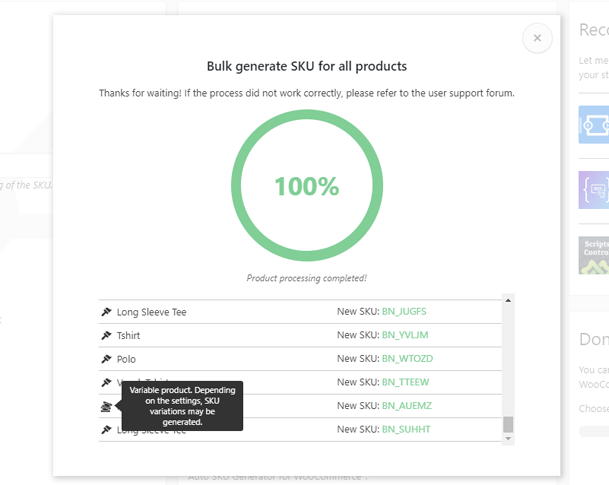
Bulk SKU generation completed state
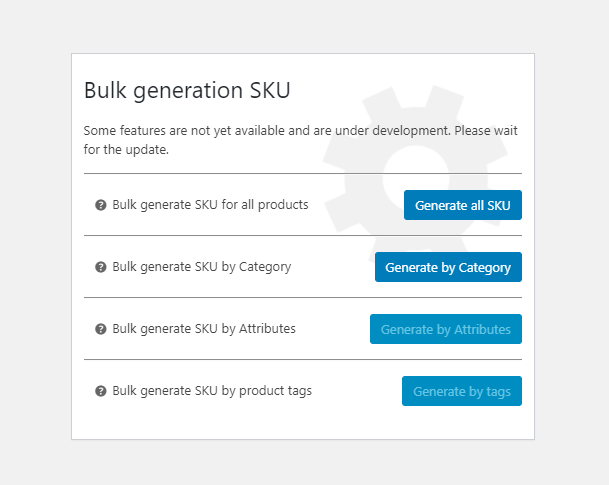
Roadmap and planned improvements
Plugins semelhantes