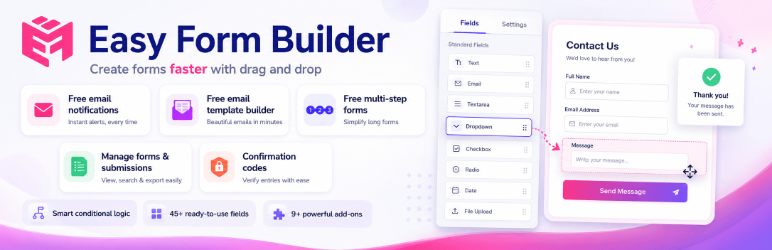
Apenas um outro plugin de formulário de contato. Simples, mas flexível.

Easy Construtor de Formulários by WhiteStudio – Construtor de Formulários Arrastar e Soltar
Hospedagem WordPress com plugin Easy Form Builder
Onde posso hospedar o plugin Easy Form Builder?
Este plugin pode ser hospedado em qualquer hospedagem que tenha WordPress configurado. Recomendamos escolher uma hospedagem de confiança, com servidores adaptados para WordPress, como o serviço de hospedagem WordPress da MCO2.
Hospedando o plugin Easy Form Builder em uma empresa de hospedagem confiável
A MCO2, além de configurar e instalar o WordPress na versão mais atual para seus clientes, disponibiliza o WP SafePress, um sistema singular que salvaguarda e otimiza seu site simultaneamente.
Por que a Hospedagem WordPress funciona melhor na MCO2?
A Hospedagem WordPress funciona melhor pois a MCO2 possui servidores otimizados para WordPress. A instalação de WordPress é diferente de uma instalação trivial, pois habilita imediatamente recursos como otimização de imagens, proteção da página de login, bloqueio de atividades maliciosas diretamente no firewall, cache avançado e HTTPS ativado por padrão. São plugins que potencializam seu WordPress para a máxima segurança e o máximo desempenho.
Easy Form Builder is a comprehensive WordPress form plugin designed to help website owners create, manage, and maintain a wide variety of forms using a visual drag-and-drop form builder interface. The plugin is suitable for users who want to build professional forms without writing code, while still keeping full control over form data, submissions, and communication workflows, including free custom email notification templates with a built-in visual editor.
Este plugin de construção de formulários pode ser usado para criar formulários de contato, formulários de solicitação de suporte, formulários de pesquisa e feedback, formulários de pagamento usando Stripe, formulários de inscrição e formulários personalizados de login ou registro para usuários do WordPress. Todos os dados do formulário são armazenados diretamente no seu site WordPress, garantindo transparência, propriedade dos dados e comportamento previsível.
O Easy Form Builder foca em clareza, extensibilidade e usabilidade. O plugin não depende de serviços de formulário externos por padrão e não envia envios de formulários para servidores de terceiros. Isso o torna adequado para sites que exigem políticas claras de tratamento de dados e gerenciamento de formulários no próprio site.
O que este plugin de formulário pode fazer?
Com o Easy Form Builder, você pode usar um único plugin de formulário para criar e gerenciar vários tipos de formulários e fluxos de trabalho baseados em formulários:
- Formulários de contato para dúvidas gerais
- Formulários de suporte e feedback com rastreamento de mensagens
- Formulários de pesquisa e enquete com resultados estruturados
- Formulários de pagamento Stripe para pagamentos online
- Formulários de pagamento PayPal para coletar pagamentos online
- Formulários de login (acesso) para usuários WordPress
- Formulários de registro (cadastro) para novos usuários
- Formulários de upload de arquivos
- Audio recording forms for collecting voice messages and voice feedback
- Video recording forms for video testimonials and webcam responses
- Screen recording forms for bug reports and support requests
- Formulários privados ou de acesso restrito
- Formulários de várias etapas para melhor usabilidade
- Smart forms with conditional logic that show or hide fields based on user answers
- Formulários de assinatura eletrônica para contratos e acordos
- Formulários de seleção de local para endereço e mapa
- Modelos de notificação por e-mail personalizados com um editor visual integrado
- Formulários de candidatura a emprego para contratação e recrutamento
- Formulários de inscrição em eventos para conferências e workshops
- Formulários de pedido com opções de cobrança recorrente e assinatura
O construtor de formulários fornece uma interface consistente para criação de formulários, tratamento de envios e gerenciamento de respostas dentro do WordPress.
Principais Recursos
Construtor de Formulários Arrastar e Soltar
O plugin inclui um construtor visual de formulários do tipo arrastar e soltar. Campos podem ser adicionados, removidos e reordenados sem escrever código. Cada campo oferece opções de configuração como rótulos, placeholders, regras de validação e configurações de exibição.
Notificação por E-mail
O Easy Form Builder suporta notificações automáticas por e-mail após o envio de um formulário. As notificações podem ser enviadas para administradores, gerentes de formulário ou usuários. Os modelos de e-mail podem ser personalizados para controlar o conteúdo e o layout da mensagem.
Custom email notification templates are included for free. The built-in visual editor lets you design clear, branded WordPress form notification emails without writing HTML code. You can customize the email subject, message body, layout, and submission details so each contact form, survey form, payment form, registration form, or support form can send a professional email notification that matches your website and workflow.
To help you keep WordPress form notifications reliable, Easy Form Builder includes an email delivery status check that confirms your WordPress site and the form builder can send notification emails successfully. The Easy Form Builder dashboard widget also shows useful form activity insights, including page views for pages containing forms, completed form submissions, sent email counts, failed email counts, and an Email Error Log button where you can review any email sending errors when needed.
Para instruções detalhadas de configuração, veja:
Como configurar e-mails de notificação de formulário no Easy Form Builder
Código de Confirmação (ID de Rastreamento)
Cada envio de formulário gera um código de confirmação exclusivo. Este ID de rastreamento permite que administradores e usuários referenciem, pesquisem e gerenciem envios individuais de forma eficiente.
Saiba mais sobre este recurso:
Como ativar um Código de Confirmação no Easy Form Builder
Validação de Formulário e Proteção contra Spam
O plugin de formulário inclui validação no lado do cliente e no lado do servidor. O Google reCAPTCHA v2 pode ser ativado para reduzir spam e envios automatizados.
Formulários de Múltiplas Etapas
Formulários de várias etapas permitem que formulários longos sejam divididos em várias seções. Isso melhora a experiência do usuário e ajuda a reduzir o abandono de formulários.
Modelos de Formulário Prontos
O plugin inclui modelos de formulário pré-construídos para ajudar você a começar rapidamente. Os modelos disponíveis incluem formulários de contato, formulários de reserva, formulários de candidatura a emprego, formulários de inscrição em eventos, formulários de solicitação de orçamento, formulários de agendamento, formulários de pedido, formulários de pesquisa e muito mais.
Painel de Gerenciamento de Entradas de Formulário e Mensagens
O Easy Form Builder inclui um Painel de Gerenciamento de Entradas de Formulário e Mensagens dedicado que permite aos administradores gerenciar todos os envios de formulários diretamente da área administrativa do WordPress. Este painel atua como um sistema centralizado para revisar mensagens, rastrear solicitações e se comunicar com os usuários sem depender apenas de e-mail.
Através deste painel, os administradores podem ler as mensagens enviadas, responder diretamente do painel administrativo do WordPress e anexar arquivos às respostas quando necessário. Essa abordagem ajuda a manter a comunicação organizada e garante que as conversas relacionadas aos envios de formulários permaneçam acessíveis em um só lugar.
O Painel de Gerenciamento de Entradas de Formulário e Mensagens também oferece ferramentas práticas para organizar e revisar envios. Os administradores podem alterar o status das mensagens (Aberto ou Fechado), editar ou excluir entradas, pesquisar envios por formulário ou código de confirmação e receber notificações quando novas mensagens chegarem. As respostas dos formulários e os dados das mensagens podem ser baixados em formato PDF ou exportados para arquivos CSV para relatórios, arquivamento ou análise posterior.
Formulários de Pesquisa e Enquete
O Easy Form Builder inclui campos dedicados para a criação de formulários de pesquisa e enquetes. Esses campos permitem que os proprietários de sites coletem feedback estruturado e analisem os resultados diretamente dentro do WordPress.
Os recursos relacionados a pesquisas incluem:
- Campos de avaliação por estrelas
- Campos de escala de 5 pontos
- Campos de Net Promoter Score (NPS)
- Campos de pergunta Sim / Não
- Gráficos visuais para resultados de pesquisas
- Exportação de respostas de pesquisas para formato CSV
Formulários de pesquisa podem ser usados para feedback de clientes, pesquisas, avaliações e análises internas.
Conditional Logic – Show or Hide Fields Based on User Answers
Easy Form Builder includes a visual conditional logic builder that turns static forms into smart forms. Conditional logic (also known as conditional fields) lets a form react to what a visitor enters, so each user only sees the fields that are relevant to them. Shorter, more personal forms reduce form abandonment and improve completion rates.
With conditional logic you can:
- Show or hide fields based on a user’s answer
- Show or hide entire steps in multi-step forms
- Make fields required or optional dynamically
- Set, copy, or clear field values automatically
- Jump to a specific step (skip logic and conditional branching)
- Send conditional email notifications to different recipients based on the submitted answers
Conditions support text, choice, numeric, and date comparisons (is, is not, contains, greater than, less than, between, before, after) and can be combined with AND/OR groups. Rules are enforced on the server as well as in the browser, so hidden or disabled fields are validated and sanitized correctly – conditional logic is not just a front-end effect.
Conditional logic is available at no cost in the Free Plus version: up to 3 logic rules per form, up to 2 conditions per rule, and up to 2 conditional email notification rules, with an in-builder Test mode. The Pro version removes these limits and adds nested AND/OR groups, calculations, rule priority, conditional thank-you messages and redirects, conditional webhooks, rule export/import, and the logic Inspector (debugger).
Formulários de Pagamento com Stripe
O Easy Form Builder suporta campos de pagamento do Stripe, permitindo que você colete pagamentos online de forma segura através dos seus formulários WordPress.
Você pode usar os campos de pagamento do Stripe para criar:
- Formulários de doação
- Formulários de pedido
- Formulários de agendamento e pagamento de serviços
As entradas de pagamento são processadas juntamente com outros envios de formulários e podem ser revisadas através do painel de gerenciamento de formulários.
Para um guia passo a passo, veja:
Como criar um formulário de pagamento para coletar pagamentos online no Easy Form Builder
Formulários de Login e Registro
O construtor de formulários permite criar formulários de login e registro personalizados para usuários do WordPress. Esses formulários podem substituir a página de login padrão do WordPress e proporcionar uma experiência de integração do usuário personalizada.
Os formulários de login e registro integram-se ao gerenciamento de usuários do WordPress e permitem que você controle o layout do formulário, a validação e campos adicionais de usuário.
Campos de Formulário Avançados
O Easy Form Builder oferece uma ampla coleção de campos de formulário avançados, incluindo:
- Drag-and-drop file upload fields
- Audio recorder field for recording voice messages from the microphone
- Video recorder field for recording video from the webcam
- Screen recorder field for capturing on-screen recordings
- Campos de assinatura (assinatura eletrônica)
- Campos de seleção de localização (OpenStreetMap e LeafletJS)
- Campos de seleção (dropdown) de país, estado/província e cidade
- Campos de seleção múltipla (dropdown)
- Campos de controle deslizante (range slider)
- Campos de avaliação e estrelas
- Campos de interruptor (switch) e alternância (toggle)
- Seletores de data (Gregoriano, Hijri e Jalali)
- Campos de entrada para telefone e celular
- Campos de seletor de cores
- Campos de matriz e tabela para coleta de dados estruturados
Esses campos permitem que você crie formulários complexos, estruturados e adaptados à região, sem a necessidade de desenvolvimento personalizado.
Audio, Video, and Screen Recording Form Fields
Easy Form Builder lets you add audio recording, video recording, and screen recording fields to any WordPress form, so visitors can record and submit media right from the browser – no extra apps, plugins, or third-party recording services. Every recording is uploaded to your own WordPress site, so your form data stays under your control.
- Audio recorder field – let visitors record a voice message from their microphone. Great for voice feedback forms, audio testimonial forms, voice message and voicemail forms, language and pronunciation practice, and podcast or audio submission forms.
- Video recorder field – let visitors record video from their webcam. Perfect for video testimonial forms, job application video introductions, customer video feedback, and video question-and-answer forms.
- Screen recorder field – let visitors record their screen (with optional microphone audio). Ideal for bug report forms, technical support request forms, product feedback, and tutorial or demo submission forms.
Integrações e Complementos
O Easy Form Builder suporta integrações e complementos opcionais que estendem a funcionalidade do plugin de formulário:
-
Conditional Logic add-on for building smart forms – show or hide fields and steps, send conditional email notifications, and (in Pro) trigger conditional redirects and webhooks based on user answers. Included at no cost with the Free Plus version
-
Complemento de notificação por SMS para enviar mensagens de texto após o envio do formulário
-
Complemento do Stripe para fluxos de trabalho de pagamento estendidos
-
Complemento do PayPal para criar formulários de pagamento e gerenciar transações através do PayPal
-
Complemento de formulários offline para coletar dados sem uma conexão ativa com a internet
-
Complemento de seletor de data Hijri (Qamari)
-
Complemento de seletor de data Jalali (Shamsi)
-
Auto-Populate Integrations add-on (Autofill) for auto-filling form fields with real-time data from an external API – with API Key, Bearer Token, or Basic Auth authentication, response-to-field mapping, a built-in connection test, and smart caching
-
Complemento de notificação do Telegram para enviar alertas instantâneos de envio de formulário e notificações de resposta do administrador para o Telegram usando um bot
-
Google Sheets integration for sending WordPress form submissions to Google Sheets automatically – no Zapier or third-party connector required. Connect your site with a Google service account (one-time setup, no OAuth login and no expiring tokens), let the plugin create a new spreadsheet or use one you already own, and bind each form to a sheet tab with a simple wizard. You can map form fields to spreadsheet columns with custom headers and ordering, apply ready-made sheet styles, and review every sync attempt in a built-in Google Sheet log. The header row and worksheet tab are created automatically on the first submission
-
Security & Spam Protection add-on for blocking WordPress form spam without CAPTCHA – invisible, behavior-based bot detection with a hidden honeypot field, signed single-use security tokens, and per-IP rate limiting for form submissions, file uploads, confirmation-code lookups, public replies, and payment requests. It also protects your notification budget by stopping suspicious entries from consuming email, SMS, Telegram, webhook, or Google Sheets quota, supports an IP allowlist and blocklist, and keeps privacy-aware security logs that store hashed identifiers instead of raw IP addresses. It starts in Monitor-only mode, so you can review real traffic before turning on blocking
-
Integração silentCAPTCHA do plugin Shield Security para proteção invisível contra bots e spam sem interação do usuário
Premium Features Included Free
Many WordPress form plugins only offer these features in a paid plan. In Easy Form Builder, they are included at no cost:
- Form entries stored in your own WordPress database, with a full entry management dashboard (Free)
- Email notifications after each form submission (Free)
- Custom email notification templates with a built-in visual editor for branded WordPress form emails (Free)
- File upload forms (Free)
- Confirmation code (tracking ID) for every submission (Free)
- Multi-step forms (Free)
- Basic survey and poll fields (Free)
- Conditional logic to show or hide fields based on answers (Free Plus)
- Advanced fields such as signature, location picker, matrix and table, range slider, and more (Free Plus)
- Exporting form entries to CSV and downloading responses as PDF (Free Plus)
- Automated weekly email deliverability test with spam score and SPF/DKIM/DMARC checks (Free Plus)
The Free Plus version is completely free of charge – the only difference is a small “Powered by Easy Form Builder” link and credit, included only in the content of the page where the form is published.
Versões Disponíveis
O Easy Form Builder está disponível em várias versões para atender a diferentes necessidades de uso. Cada versão foi projetada para fornecer um conjunto de recursos claro e previsível.
Documentação e Suporte
Para guias de configuração, tutoriais e explicações de recursos, visite a documentação oficial:
Documentação do Easy Form Builder
For more information, visit the official website:
WhiteStudio – Easy Form Builder
Capturas de tela

Construtor de Formulários

Criar um formulário

Visualizar um formulário
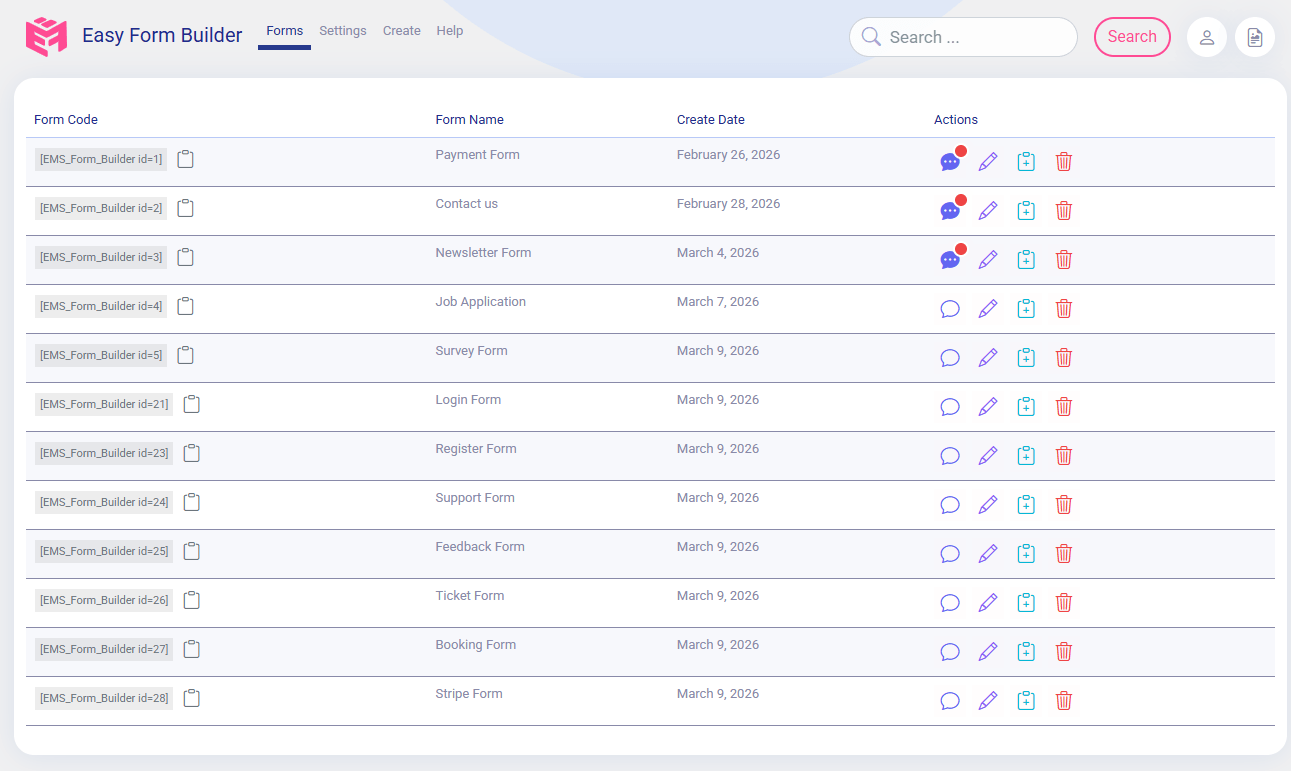
Painel do Easy Form Builder
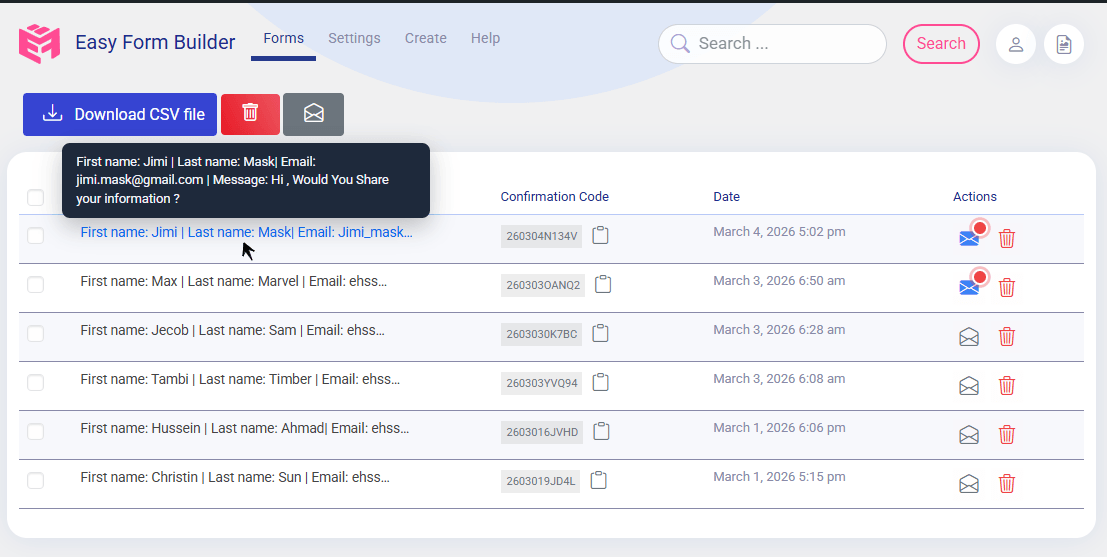
Lista de respostas
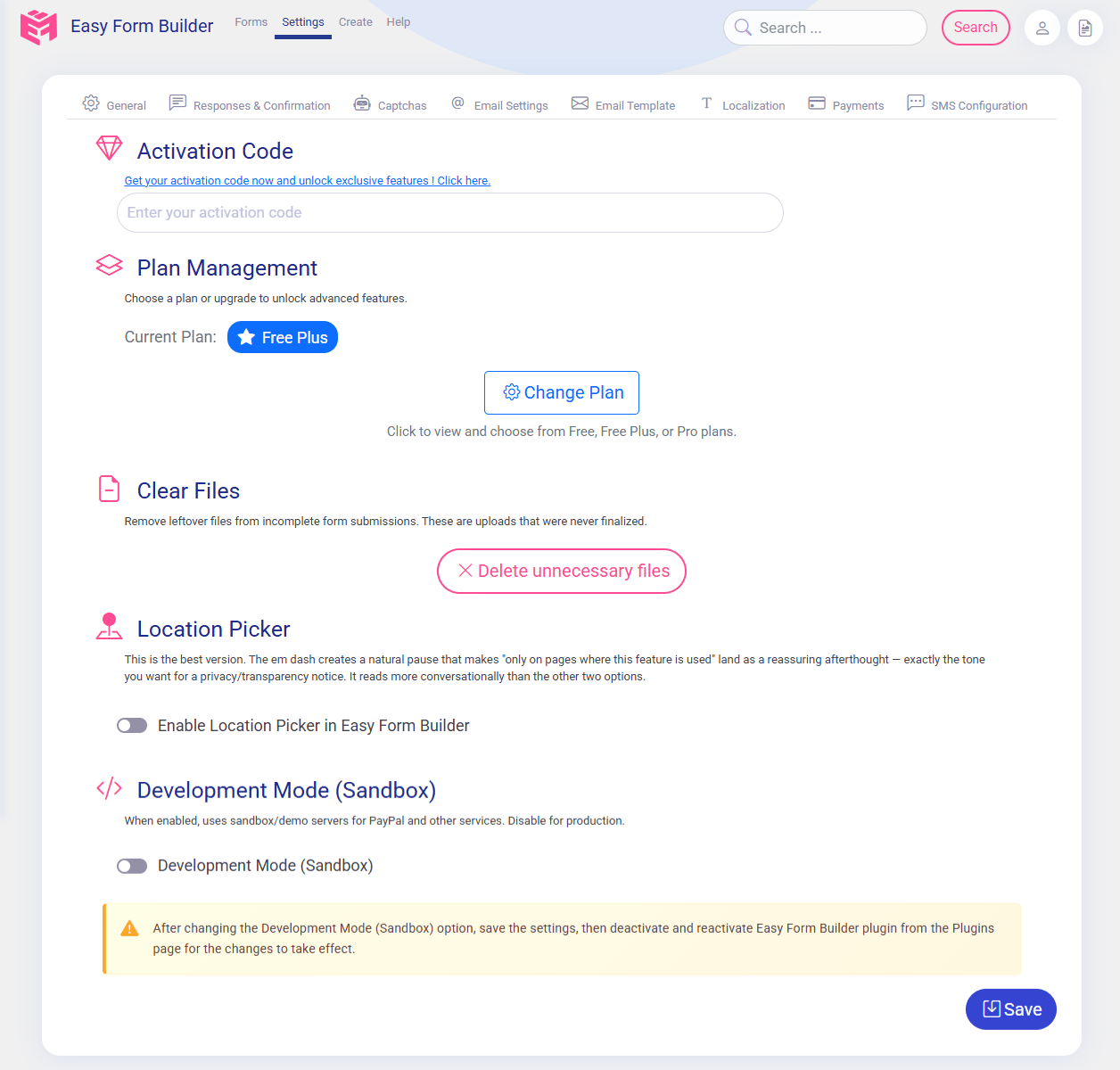
Configuração do Easy Form Builder
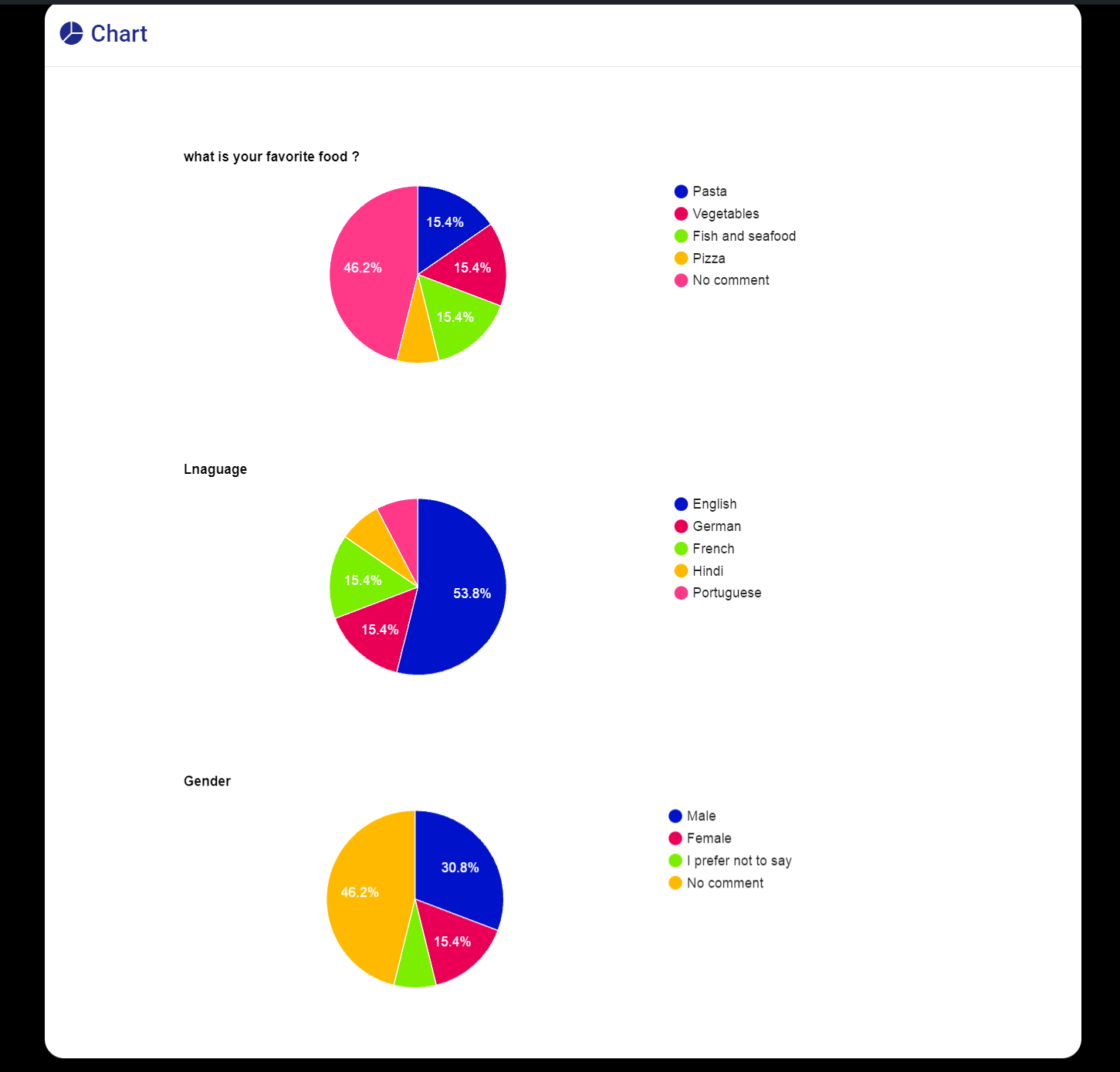
Display poll chart

Form submitted and Confirmation Code (tracking code)

Criar um formulário de contato
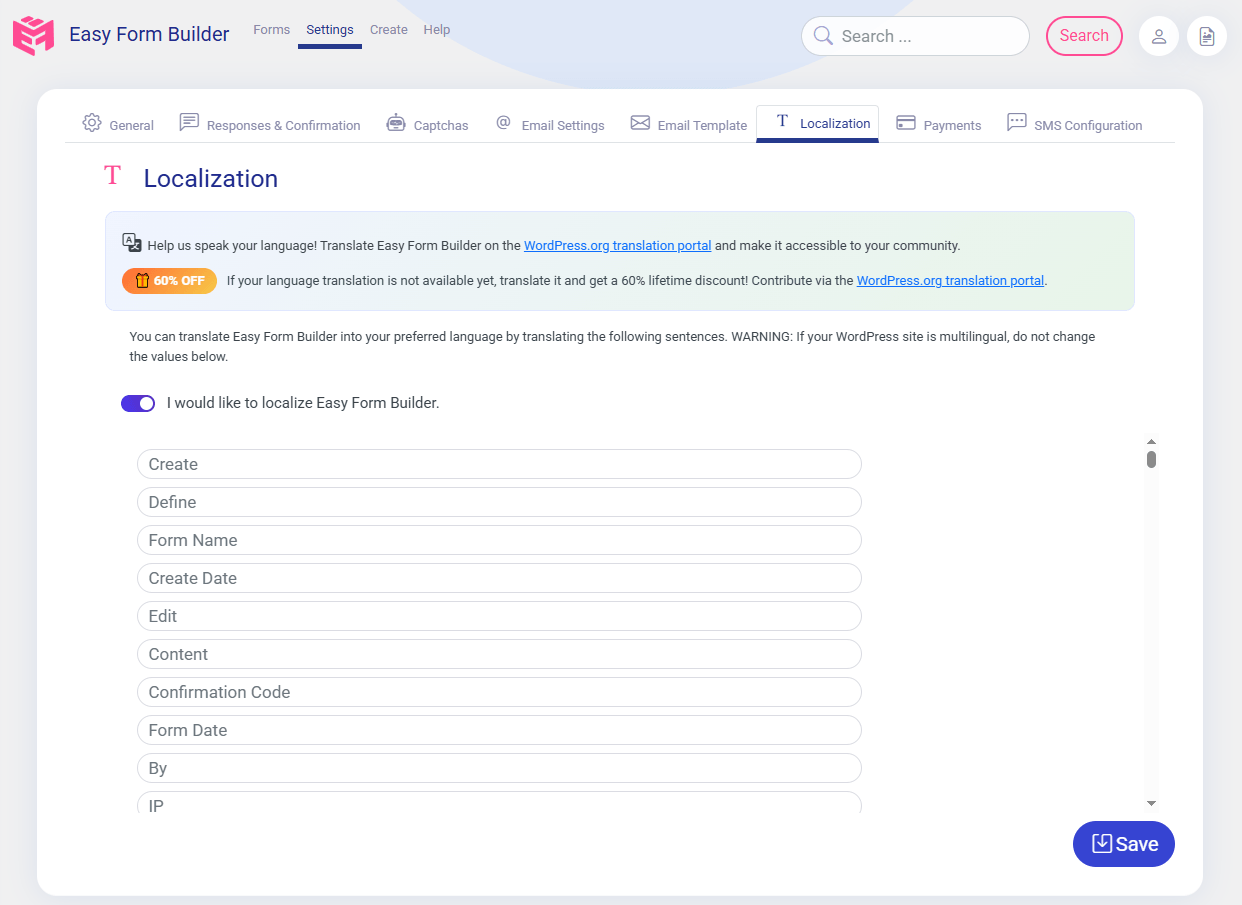
Translate Easy Construtor de Formulários into your language
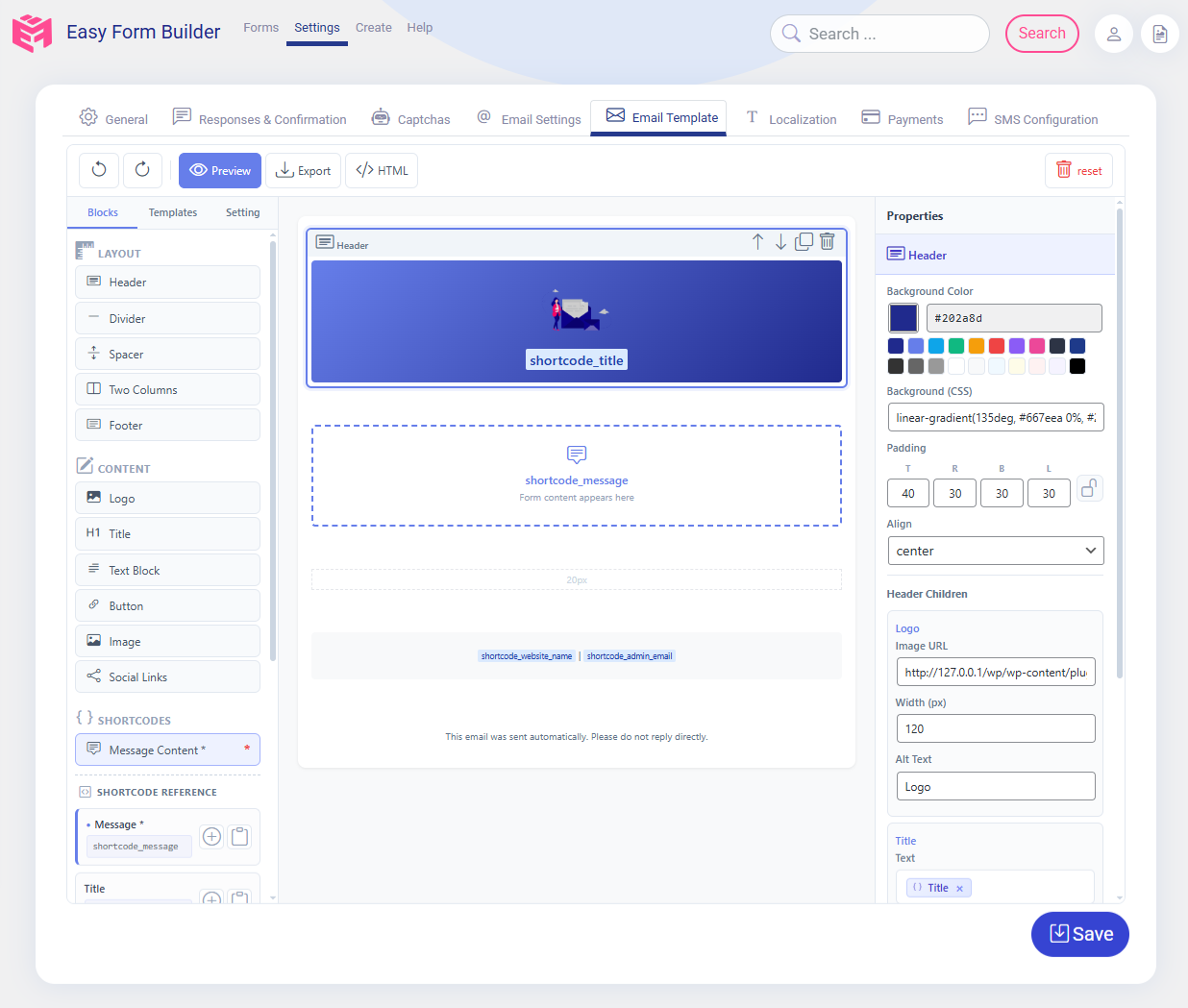
Editor de modelo de e-mail do Easy Form Builder
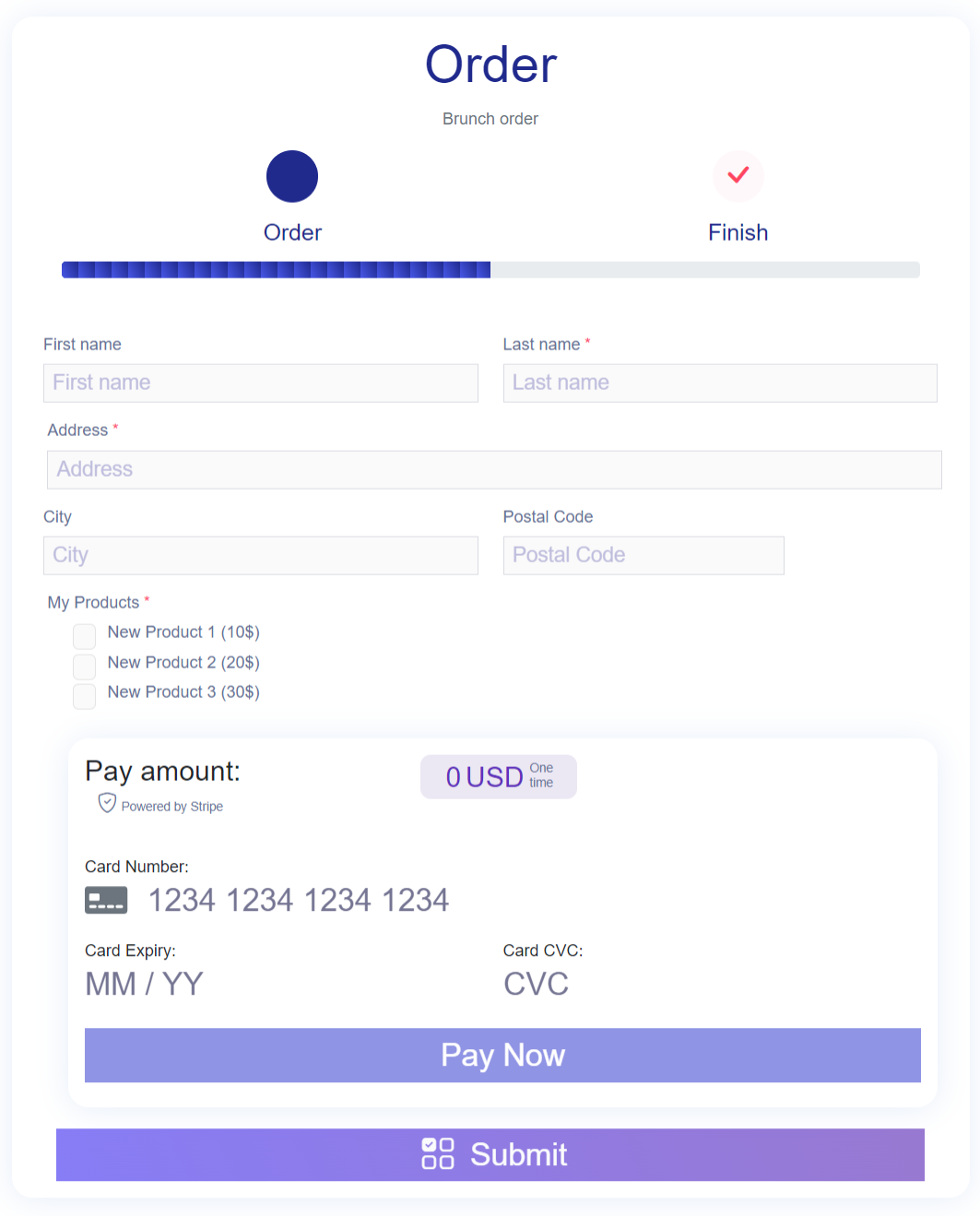
Formulários de pedido de pagamento
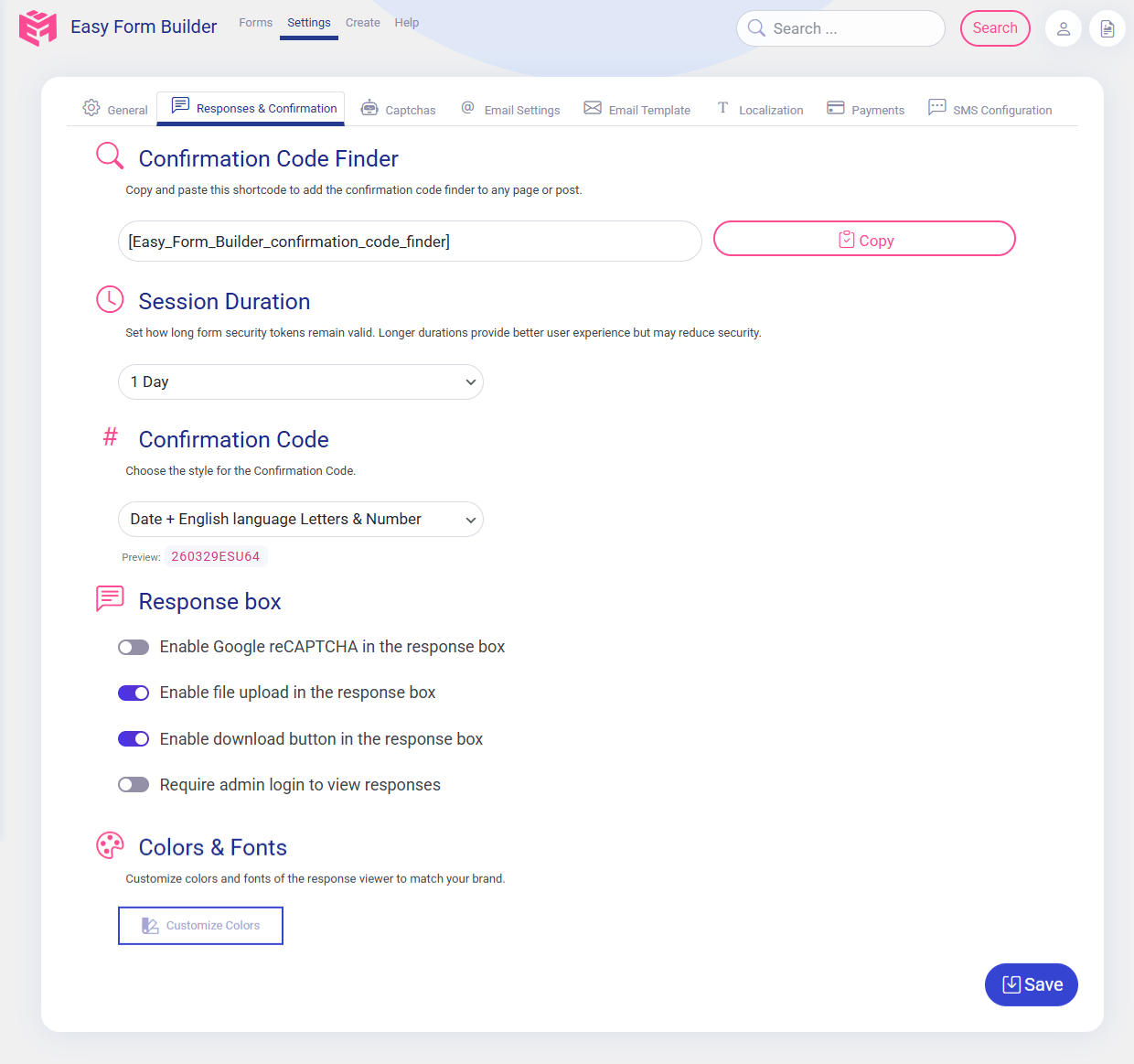
Caixa de Configuração de Resposta do Easy Form Builder

Configuração de E-mail do Easy Form Builder
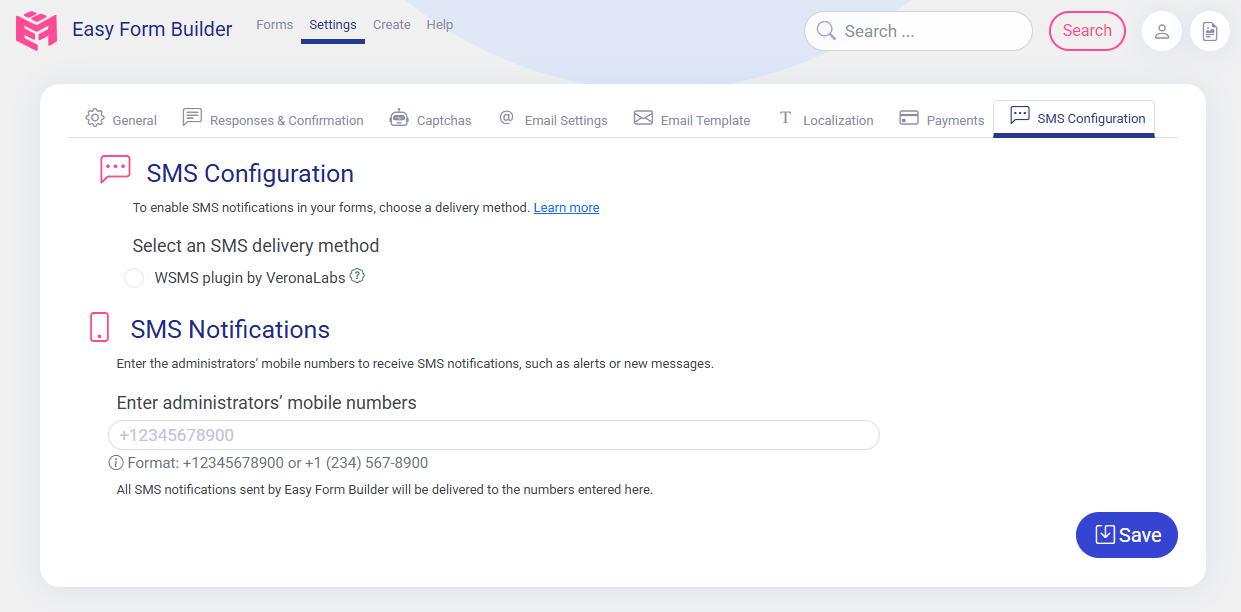
Configuração de SMS do Easy Form Builder
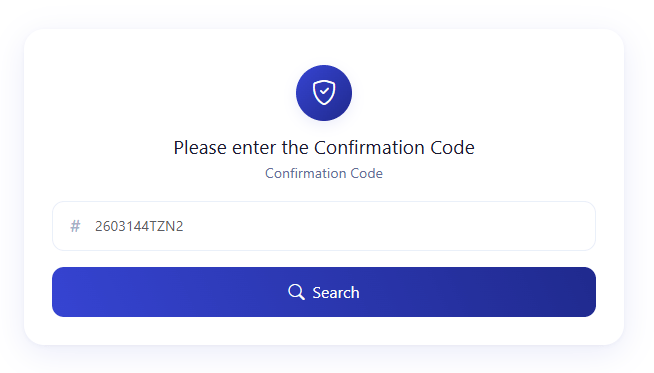
Campo de Busca de Código de Confirmação
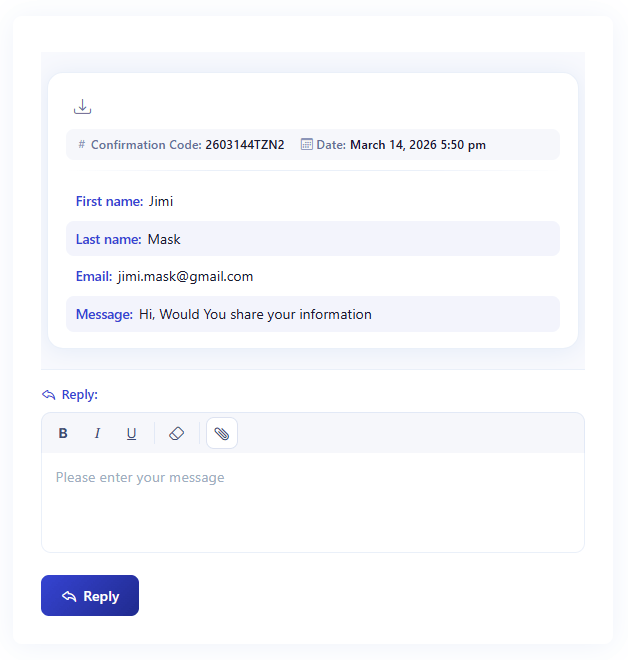
Formulário de Conversa e Resposta de Ticket de Suporte do WordPress

Easy Construtor de Formulários Dashboard Widget with email delivery status, form page views, completed submissions, sent and failed email counts, and Email Error Log

Test WordPress form notification emails for free with Easy Construtor de Formulários.

Customize the response form viewer to match your brand
Plugins semelhantes


O melhor plugin de formulário de contato para o WordPress. Arraste e solte o editor de formulários para criar incríveis formulários de contato, de pagamento e outros formulários personalizados.

The best anti-spam protection to block spam comments and spam in a contact form. The most trusted antispam solution for WordPress and WooCommerce.

Obtenha um plugin de formulário de contato rápido. Crie formulários avançados usando o construtor de formulários de arrastar e soltar com todos os recursos inteligentes.

Best WordPress form builder plugin. Create contact forms, payment forms & order forms with 1000+ integrations.

Elementor forms builder to create WordPress forms like contact form, booking form, feedback form, survey form, application form & 40+ form templates.