

Disk Usage Sunburst
Hospedagem WordPress com plugin Disk Usage Sunburst
Onde devo hospedar o plugin Disk Usage Sunburst?
Este plugin pode ser hospedado em qualquer provedor que possua WordPress configurado. Recomendamos escolher uma empresa de hospedagem de confiança, com servidores otimizados para WordPress, como o serviço de hospedagem de sites da MCO2.
Hospedando o plugin Disk Usage Sunburst em uma empresa de hospedagem confiável
A MCO2, além de configurar e instalar o WordPress na versão mais nova para seus clientes, fornece o plugin WP SafePress, um mecanismo exclusivo que assegura e aumenta a performance do seu site conjuntamente.
Por que a Hospedagem WordPress funciona melhor na MCO2?
A Hospedagem WordPress funciona melhor pois a MCO2 possui servidores otimizados para WordPress. A instalação de WordPress é diferente de uma instalação trivial, pois habilita imediatamente recursos como otimização automática de imagens e fotos, proteção da página de login, bloqueio de atividades maliciosas diretamente no firewall, cache avançado e HTTPS ativado por padrão. São recursos que potencializam seu WordPress para a máxima segurança e o máximo desempenho.
Disk Usage Sunburst 2.0 is a completely modernized WordPress plugin that visualizes your site’s disk usage through an interactive sunburst chart. Quickly identify large files and directories that may be consuming valuable storage space on your WordPress installation.
✨ New in Version 2.0
- Modern Architecture: Complete rewrite with object-oriented PHP and PSR-4 autoloading
- Enhanced Security: Proper nonce validation, capability checks, and input sanitization
- Performance Optimized: Timeout protection, memory management, and intelligent caching
- D3.js v7: Upgraded to the latest D3.js version with smooth animations and mobile support
- REST API: Full REST API endpoints for developers and external integrations
- Better UX: Responsive design, progress indicators, and detailed error reporting
- Export Options: Export charts as PNG, SVG, or raw JSON data
- WordPress 6.9+ Ready: Tested with the latest WordPress versions
🎯 Key Features
- Interactive Sunburst Chart: Click to zoom in/out through your directory structure
- Real-time Tooltips: Hover for detailed file/directory information
- Performance Settings: Configurable limits for large installations
- Cache Management: Smart caching with manual cache clearing options
- Multisite Compatible: Works seamlessly on WordPress multisite networks
- Developer Friendly: Action hooks, filters, and REST API endpoints
- Accessibility: Keyboard navigation and screen reader support
🔧 Technical Requirements
- WordPress 5.0 or higher
- PHP 7.4 or higher (PHP 8.3+ recommended; PHP 7.4 is end-of-life)
- Modern browser with SVG support
🎨 How to Use
- Navigate to
Tools->Disk Usagein your WordPress admin - Click “Start Scan” to analyze your installation
- Interact with the sunburst chart:
- Click on any arc to zoom into that directory
- Click the center circle to zoom back out
- Hover over arcs to see detailed information
- Use keyboard: ESC to zoom out, Home to return to root
🔌 Developer Features
- REST API endpoints at
/wp-json/disk-usage/v1/ - Action hooks:
rbdusb_scan_completed,rbdusb_scan_error - Filter hooks:
rbdusb_exclude_paths,rbdusb_scan_results - WP-CLI support (coming soon)
Questions? Contact us: support (at) raidboxes.de
Obrigado
Thanks to Mike Bostock for his great “d3js”: http://d3js.org
Thanks to Mike Bostock for his awesome “Zoomable Sunburst” implementation: http://bl.ocks.org/mbostock/4348373
Thanks to Jeffrey Sambells for his “Human Readable File Size with PHP”: http://jeffreysambells.com/2012/10/25/human-readable-filesize-php
Capturas de tela
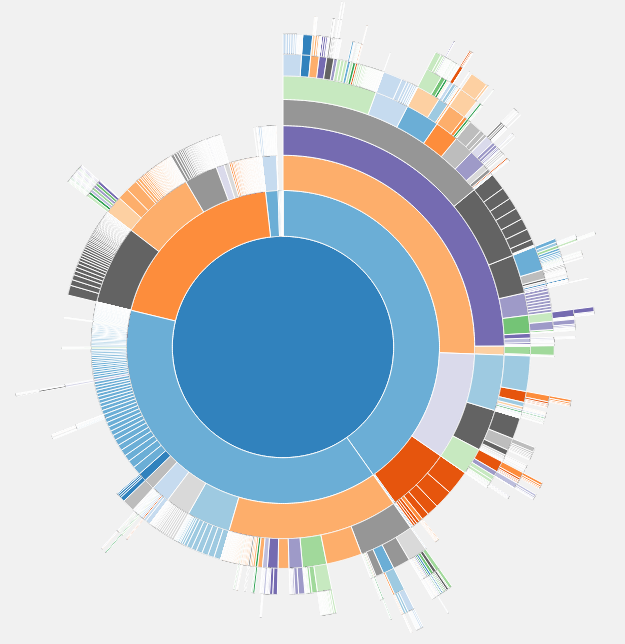
Plugin in action