
Markdown Editor (Formerly Dark Mode)
Hospedagem WordPress com plugin Markdown Editor (Formerly Dark Mode)
Onde posso hospedar o plugin Markdown Editor (Formerly Dark Mode)?
Este plugin pode ser hospedado em qualquer provedor que tenha WordPress instalado. Recomendamos fortemente optar por uma empresa de hospedagem seguro, com servidores adaptados para WordPress, como o serviço de hospedagem de sites da MCO2.
Hospedando o plugin Markdown Editor (Formerly Dark Mode) em uma empresa de hospedagem confiável
A MCO2, além de instalar o WordPress na versão mais atualizada para seus clientes, disponibiliza o WP SafePress, um mecanismo exclusivo que assegura e otimiza seu site conjuntamente.
Por que a Hospedagem WordPress funciona melhor na MCO2?
A Hospedagem WordPress funciona melhor pois a MCO2 possui servidores otimizados para WordPress. A instalação de WordPress é diferente de uma instalação trivial, pois habilita imediatamente recursos como otimização de imagens, proteção da página de login, bloqueio de atividades maliciosas diretamente no firewall, cache avançado e HTTPS ativado por padrão. São recursos que potencializam seu WordPress para a máxima segurança e o máximo desempenho.
If you want to quickly edit content in WordPress without thinking about blocks, Markdown Editor is the choice for you! Get an immersive, peaceful and natural writing experience with the coolest editor – Markdown Editor.
Whether you are a Markdown fan or newbie as a Markdown writer, you will love Markdown Editor. This is the simplest plugin for a developer to write content in WordPress.
Using technology at night time can have a negative effect on your eyesight.
Markdown Editor will also darken the colors of your admin dashboard making it easier for you to work at night.
Use Markdown Editor plugin to create a stunning dark version for your WordPress admin dashboard. Dark Mode works automatically as per their preferred operating system preference.
Markdown Editor (Formerly Dark Mode) Features
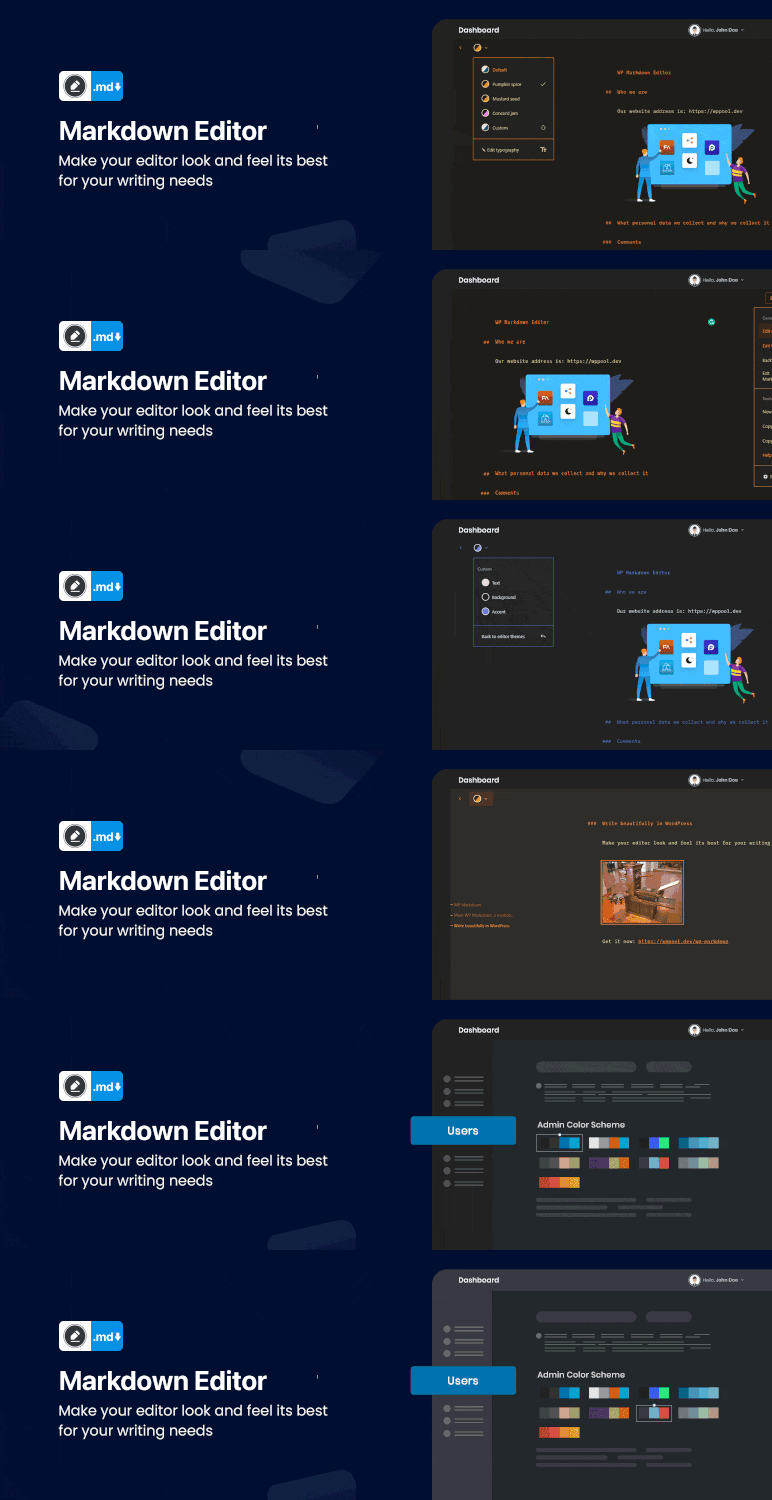
- Typography Settings – You can change the typography of your editor screen, using four different fonts, and controls for font size, line height, line width, and paragraph spacing.
- Ready-made Color Schema – Quickly choose your favourite color from the ready-made color schema available in Markdown. Highlight and edit your content the way you want.
- Syntax Shortcuts – A Markdown cheat sheet is available for you which shows other keyboard shortcuts for heading, formatting and the interface.
- Emoji Supported – You can make your content more interactive and attractive with emojis. Markdown Editor supports all types of emojis in your write up.
- Custom Colors – You can customize the background text and color as you want with the custom color feature of our Markdown Editor. Pick the color schema of your preference and make it yours!
- Makes it easy and fast – formatting in WordPress without thinking about the blocks.
- Dark Mode Switch – You can toggle between the dark and light mode using the admin bar dark mode switch menu anytime.
- Auto Match OS Theme – Automatically shows Darkmode if the OS preferred theme is dark.
- Remember Dark Mode – The dark mode remains saved once you activated the dark mode.
How to use?
After activating the plugin, a new row action Edit (Markdown) will be added in the post/ page table row actions.
For editing any page/ post with the markdown editor, you need to click the Edit (Markdown) button in the post/ page row actions.
Then you will redirect to the Markdown editor and can start editing with the markdown syntax.
You can find the Markdown editor shortcuts by clicking the keyboard icon at the right-bottom side of the editor.
You can see a Dark mode switch added to the admin bar menu.
You can toggle between the dark and light mode by using that switch any time.
External services
This plugin does not connect to any third-party or external services.
Privacy Policy
Markdown Editor uses Appsero SDK to collect some telemetry data upon user’s confirmation. This helps us to troubleshoot problems faster & make product improvements.
Appsero SDK does not gather any data by default. The SDK only starts gathering basic telemetry data when a user allows it via the admin notice. We collect the data to ensure a great user experience for all our users.
Integrating Appsero SDK DOES NOT IMMEDIATELY start gathering data, without confirmation from users in any case.
Learn more about how Appsero collects and uses this data.
Capturas de tela

Markdown Editor in default color.

Ready-made Color Schema.

Color customizing options.

Typography customizing options.

Markdown Editor More options.

Markdown Editor Settings.
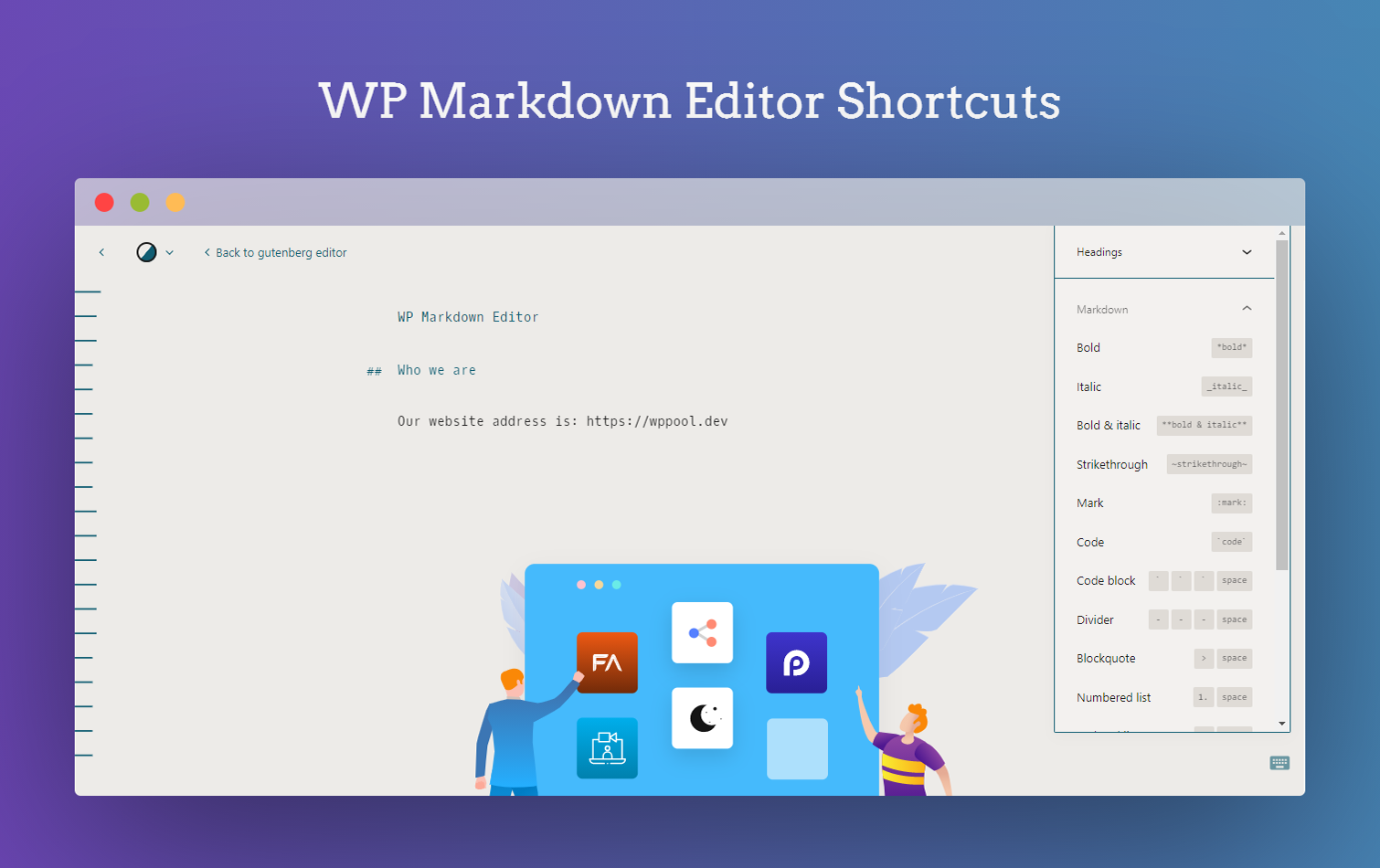
Markdown Editor shortcuts.

Dark Mode Switch Button.

Admin Dashboard in Dark Mode.