
Translate WordPress plugins and themes directly in your browser. Versatile PO file editor with integrated AI translation providers.
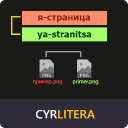
Cyrlitera – Transliteration of Links and File Names
Hospedagem WordPress com plugin Cyrlitera – transliteration of links and file names
Onde devo hospedar o plugin Cyrlitera – transliteration of links and file names?
Este plugin pode ser hospedado em qualquer provedor que possua WordPress instalado. Recomendamos optar por uma empresa de hospedagem seguro, com servidores adaptados para WordPress, como o serviço de hospedagem de sites da MCO2.
Hospedando o plugin Cyrlitera – transliteration of links and file names em uma empresa de hospedagem seguro
A MCO2, além de configurar e instalar o WordPress na versão mais nova para seus clientes, fornece o WP SafePress, um sistema exclusivo que assegura e melhora seu site conjuntamente.
Por que a Hospedagem WordPress funciona melhor na MCO2?
A Hospedagem WordPress funciona melhor pois a MCO2 possui servidores otimizados para WordPress. A instalação de WordPress é diferente de uma instalação trivial, pois habilita imediatamente recursos como otimização de imagens, proteção da página de login, bloqueio de atividades suspeitas diretamente no firewall, cache avançado e HTTPS ativado por padrão. São recursos que potencializam seu WordPress para a máxima segurança e o máximo desempenho.
Cyrlitera converts Cyrillic and Georgian URLs and file names to Latin. It works for all post types, pages, and terms. It gives you options to define your own custom characters and enable automatic redirects.
How It Works
Transliteration is the process of converting characters from one writing system to another, such as converting Cyrillic symbols to Latin. Because most web software and URLs are designed around Latin characters, using Cyrillic or other non-Latin symbols in links or file names can lead to unreadable URLs, accessibility issues, and even broken links. Transliteration ensures your URLs and file names remain clean, readable, and compatible across all platforms.
Cyrlitera automatically replaces Cyrillic and Georgian characters with Latin equivalents to create clean and readable URLs for posts, categories, taxonomies, products, and custom post types. It also fixes incorrect file names by removing unsafe characters and transliterating them during upload, helping prevent 404 errors and broken media links.
Examples
Cyrillic URL before transliteration:
https://example.com/%D0%BF%D1%80%D0%B8%D0%B2%D0%B5%D1%82-%D0%BC%D0%B8%D1%80
Same URL transliterated to Latin:
https://example.com/privet-mir
Incorrect file names before transliteration:
%D0%BC%D0%BE%D0%B5_image_290.jpg
A+nice+picture.png
Readable transliterated file names:
moe_image_290.jpg
a-nice-picture.png
By using Latin-based file names and URLs, you avoid issues with encoding, broken links, and unreadable paths. This plugin performs the transliteration automatically each time a file is uploaded, ensuring your media library stays clean and consistent.
Features
- Automatically transliterates all new permalinks for posts, pages, categories, tags, and custom post types.
- Automatically transliterates all new attachment file names on upload, with an option to convert them to lowercase.
- Creates automatic redirects from old URLs to new transliterated ones to prevent broken links.
- Supports multiple alphabets, including Russian, Belarusian, Ukrainian, Bulgarian, and Georgian.
- Fully customizable character mapping – define your own characters and their Latin substitutions to support any language.
- Preserves original permalinks, keeping old URLs intact so nothing is lost during conversion.
- Optional conversion of existing slugs, allowing you to transliterate existing URLs.
- Rollback tool that lets you restore original URLs if needed.
Support
We’re here to help. Feel free to open a new thread on the [Support Forum] (https://wordpress.org/support/plugin/cyrlitera/).
Useful Resources
- If you like this plugin, you’re sure to love our other plugins as well.
- Our blog is a great place to learn more about WordPress.
- Get the most out of your website with our helpful WordPress YouTube Tutorials.
Capturas de tela

Settings page

Transliteration of posts URLs

Transliteration of file names
Plugins semelhantes


Convert Non-Latin characters in post, page and term slugs to Latin characters.

Converts Cyrillic, European and Georgian characters in post, page and term slugs to Latin characters.
Converts Cyrillic, Georgian, and Greek URLs and file names into readable Latin characters.

Show plugins translation stats on your WordPress install.
Do mesmo author (Themeisle)

Easy Drag & Drop Page Builder that adds a splash page to your site that it's perfect for a coming soon page, maintenance or landing page.

Redirect to any page or URL, execute scripts after submission, save data to the database, and unlock additional submission actions for Contact Form 7.

Quickly create WordPress pages with 20+ blocks, 100+ ready-to-import designs, and advanced editor extensions. It’s website building, Lego-style!

Adicione um tempero a mais nos seus menus com belos ícones, facilmente.

Add modules like share buttons, header & footer scripts, disable comments, reading progress bar, custom fonts, custom login page & more in one plugin.

Disable admin notices and hide dashboard notifications from plugins, themes and core. Hide all notices, selected ones, or show them in a single line.