
Admin UI for creating custom content types like post types and taxonomies

Custom Post Type Maker
Hospedagem WordPress com plugin Custom Post Type Maker
Onde hospedar o plugin Custom Post Type Maker?
Este plugin pode ser hospedado em qualquer hospedagem que possua WordPress instalado. Recomendamos utilizar uma hospedagem de confiança, com servidores otimizados para WordPress, como o serviço de hospedagem WordPress da MCO2.
Hospedando o plugin Custom Post Type Maker em um provedor confiável
A MCO2, além de configurar e instalar o WordPress na versão mais nova para seus clientes, disponibiliza o WP SafePress, um sistema singular que assegura e otimiza seu site simultaneamente.
Por que a Hospedagem WordPress funciona melhor na MCO2?
A Hospedagem WordPress funciona melhor pois a MCO2 possui servidores otimizados para WordPress. A instalação de WordPress é diferente de uma instalação trivial, pois habilita imediatamente recursos como otimização de imagens, proteção da página de login, bloqueio de atividades suspeitas diretamente no firewall, cache avançado e HTTPS ativado por padrão. São recursos que potencializam seu WordPress para a máxima segurança e o máximo desempenho.
Custom Post Type Maker is the perfect plugin to create Custom Post Types and custom Taxonomies in a user friendly way, just like managing your regular posts and pages.
Originally by Bakhuys.
Features
- Fully integrates with the WordPress API, for the best compatibility
- Lets you create Custom Post Types and custom Taxonomies without the need of writing any code
- Provides an interface to manage your Custom Post Types, just like managing your regular posts and pages
- Provides almost all the parameters of the WordPress CPT API
- Shows you a list of all other registered Custom Post Types and custom Taxonomies in WordPress
- Uses the WordPress Media Uploader or Dash Icons (Native WordPress Icons) to let you manage the Custom Post Type icon
- Block editor templates and template locks for your post types
- Export and import as JSON, import from Custom Post Type UI, and PHP code export
- WP-CLI commands:
wp cptm list,export,importandcode
Additional configuration
You can add CPTM_DONT_GENERATE_ICON in wp-config.php to prevent CPTM to generate the 16x16px WordPress image_size. You can do this after you upload an initial icon.
We’ve added this option because some users have very large image galleries and the additional WordPress image_size matters.
Capturas de tela

Creating Custom Post Types
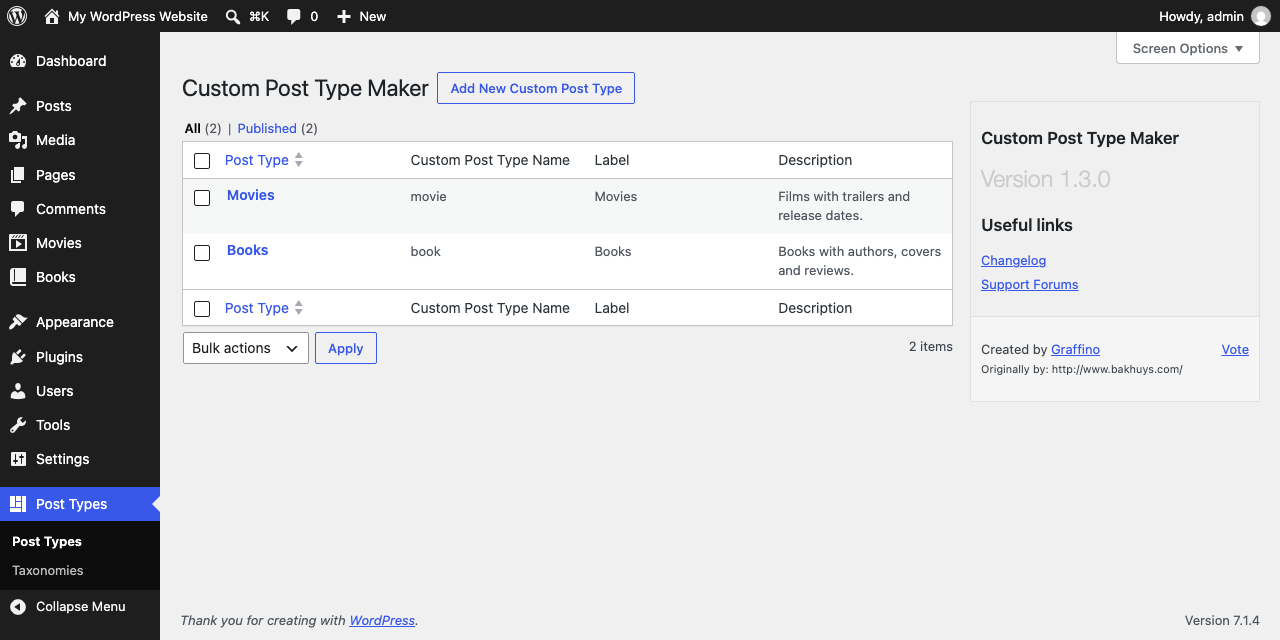
Overview of your created Custom Post Types

Creating custom Taxonomies

Tools: export, import, import from Custom Post Type UI, and PHP code
Plugins semelhantes


Meta Box plugin is a powerful, professional developer toolkit to create custom meta boxes and custom fields for your custom post types in WordPress.

A simple way to change a post's type in WordPress

Customise dashboard panels and branding, hide menus plus lots more.

Creates functionality to duplicate any and all post types, including taxonomies & custom fields. Perfect for developers and content creators.

Edit the permalink of custom post type.