
Track abandoned carts and send automated, customizable abandoned cart recovery emails. Reduce cart abandonment, recover lost revenue & increase sales.

Custom Order Status for WooCommerce
Hospedagem WordPress com plugin Custom Order Status for WooCommerce
Onde posso hospedar o plugin Custom Order Status for WooCommerce?
Este plugin pode ser hospedado em qualquer hospedagem que possua WordPress configurado. Recomendamos optar por uma empresa de hospedagem seguro, com servidores especializados para WordPress, como o serviço de hospedagem da MCO2.
Hospedando o plugin Custom Order Status for WooCommerce em um provedor de confiança
A MCO2, além de configurar e instalar o WordPress na versão mais atualizada para seus clientes, disponibiliza o WP SafePress, um sistema singular que assegura e otimiza seu site conjuntamente.
Por que a Hospedagem WordPress funciona melhor na MCO2?
A Hospedagem WordPress funciona melhor pois a MCO2 possui servidores otimizados para WordPress. A instalação de WordPress é diferente de uma instalação trivial, pois habilita imediatamente recursos como otimização automática de imagens, proteção da página de login, bloqueio de atividades maliciosas diretamente no firewall, cache avançado e HTTPS ativado por padrão. São plugins que potencializam seu WordPress para a máxima segurança e o máximo desempenho.
Custom Order Status for WooCommerce lets you create and manage your own order statuses directly from the WooCommerce dashboard. Customize each status with its own label, icon, and color, choose default statuses for supported payment methods, and send email notifications when an order moves to a custom status.
Key Features
Create Your Own Custom Order Statuses
Add your own order statuses to WooCommerce without writing code.
For each custom status you can configure:
* Status label
* Status slug
* Icon
* Display color
This makes it easier to organize orders according to your own fulfillment process.
Change the Default Order Statuses
Choose the default status assigned to new WooCommerce orders. The Lite version also lets you define default statuses for WooCommerce’s built-in payment gateways, helping orders enter the correct workflow immediately after checkout.
Send Email Notifications for Custom Order Statuses
Send email notifications whenever an order changes to a custom status. The Lite version supports global email notifications for both store administrators and customers, helping everyone stay informed throughout the order lifecycle.
Bulk Update Orders with Custom Statuses
Include custom statuses in WooCommerce Bulk Actions so multiple orders can be updated at once. Custom statuses are also recognized in WooCommerce Analytics reports, providing better visibility into your order workflow.
Keep Orders Editable After Status Changes
Orders assigned to custom statuses can remain editable whenever needed, and you can also configure them to be treated as paid when appropriate.
Common Use Cases
Custom Order Status for WooCommerce is ideal for stores that want to:
* Add fulfillment stages such as Packed, Shipped, or Ready for Pickup
* Create custom manufacturing or production workflows
* Improve warehouse and order management processes
* Notify customers when orders reach important milestones
* Manage orders more efficiently using bulk status updates
Documentation & Support
- Visit the WordPress support forums
- Check the documentation for common answers
- Try the live demo to see how the plugin works on the storefront.
If you find the plugin useful, a â 5-star rating is always appreciated — it helps other store owners discover the plugin.
Looking for More Advanced Features?
Upgrade to Custom Order Status for WooCommerce Pro to automate order status changes using advanced rules, create payment gateway-specific workflows, customize WooCommerce’s default order statuses, send SMS notifications, update stock levels based on custom statuses, allow customer order cancellations for selected statuses, and unlock many more workflow automation features.
See the complete Lite vs Pro comparison: https://www.tychesoftwares.com/differences-between-pro-and-lite-versions-of-custom-order-status-for-woocommerce-plugin/
About Tyche Softwares
Tyche Softwares has been building WooCommerce plugins since 2009, helping merchants streamline order management, delivery scheduling, pricing, product customization, checkout, and other essential ecommerce workflows.
Explore More WooCommerce Plugins
Tyche Softwares also develops plugins for abandoned cart recovery, order delivery scheduling, bookings, invoices and packing slips, custom order numbers, product input fields, BOGO offers, payment gateway fees, call for price, role-based pricing, currency management, and other WooCommerce enhancements.
Some of our Pro plugins:
Some of our other free plugins:
External Services
This plugin communicates with our tracking server to send usage data only if the user has explicitly opted in to usage tracking. For detailed information about what is tracked, please refer to our usage tracking documentation.
Capturas de tela

Orders List with Custom Order Status.
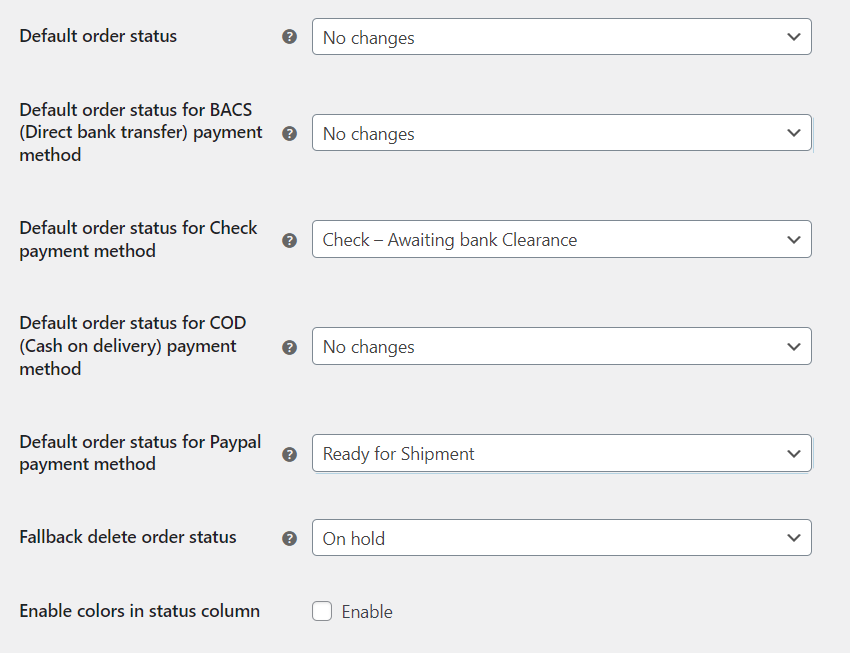
Set Default Order Status.
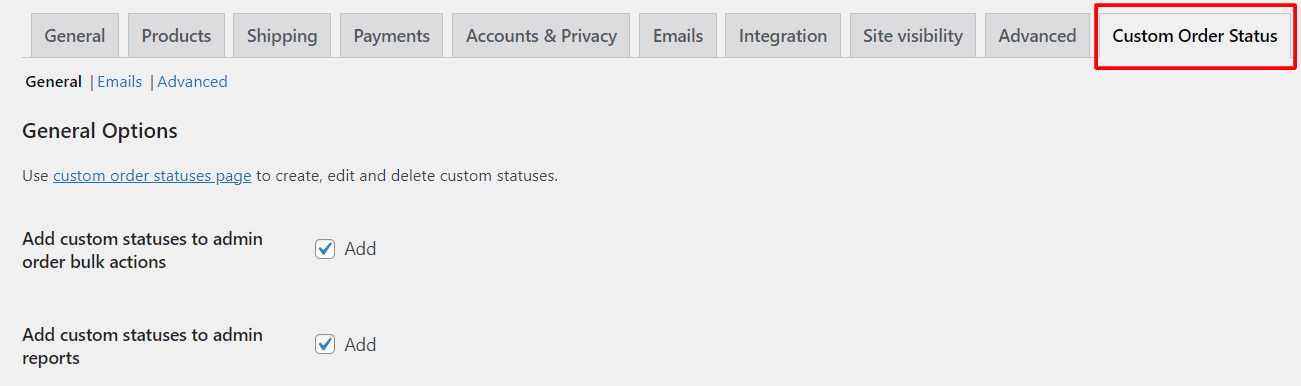
General Settings Section.
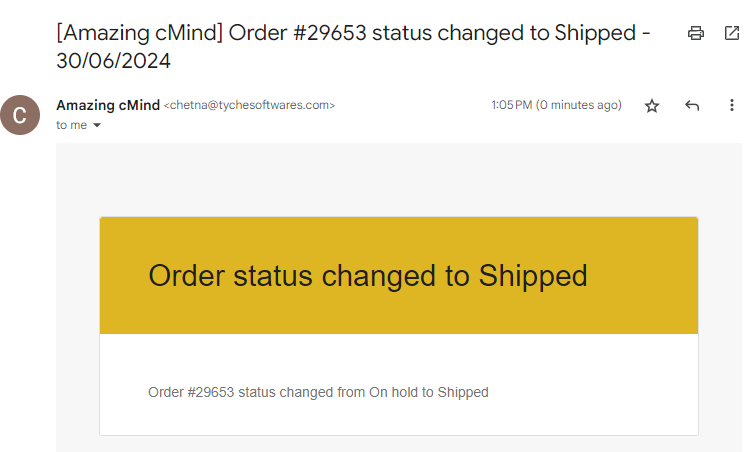
Email Notifications.
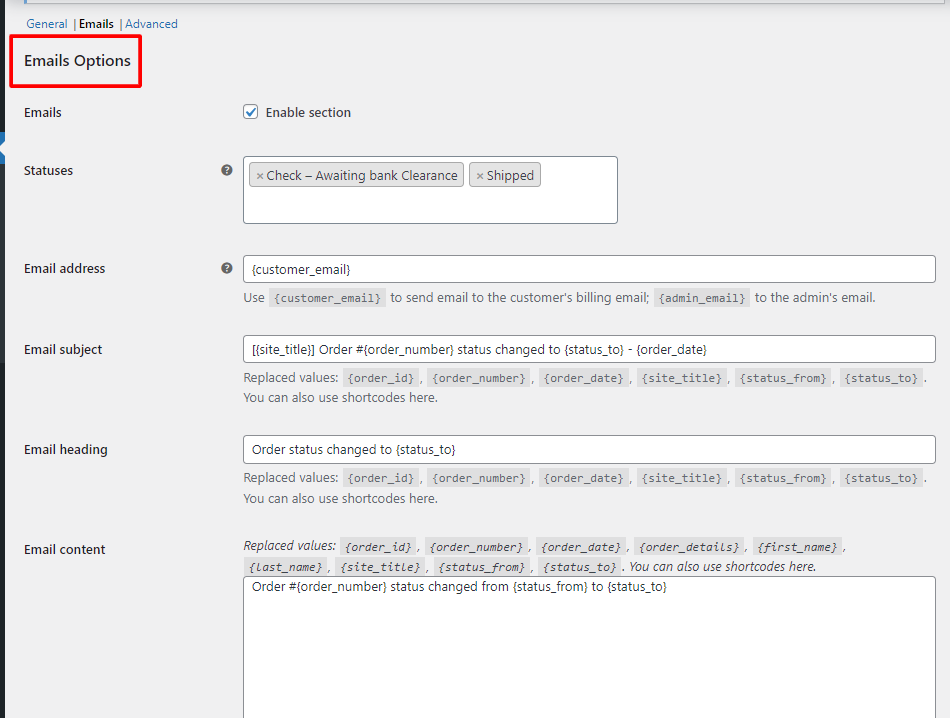
Email Settings Section.
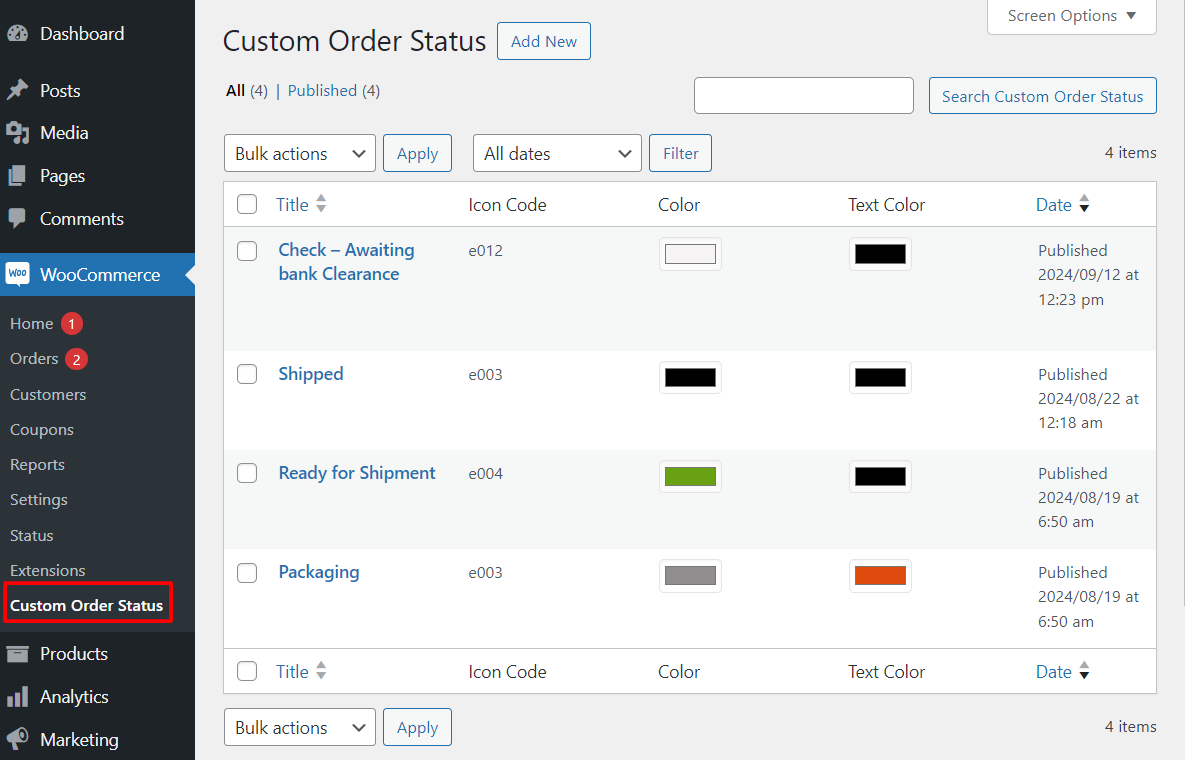
Custom Status List Overview.
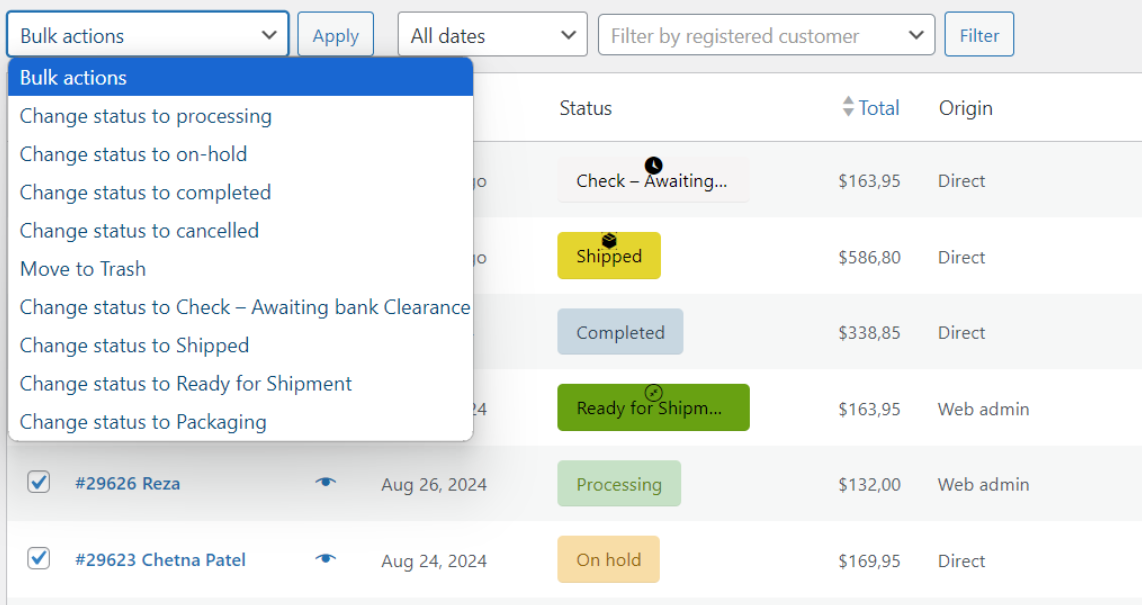
Bulk Status Change.
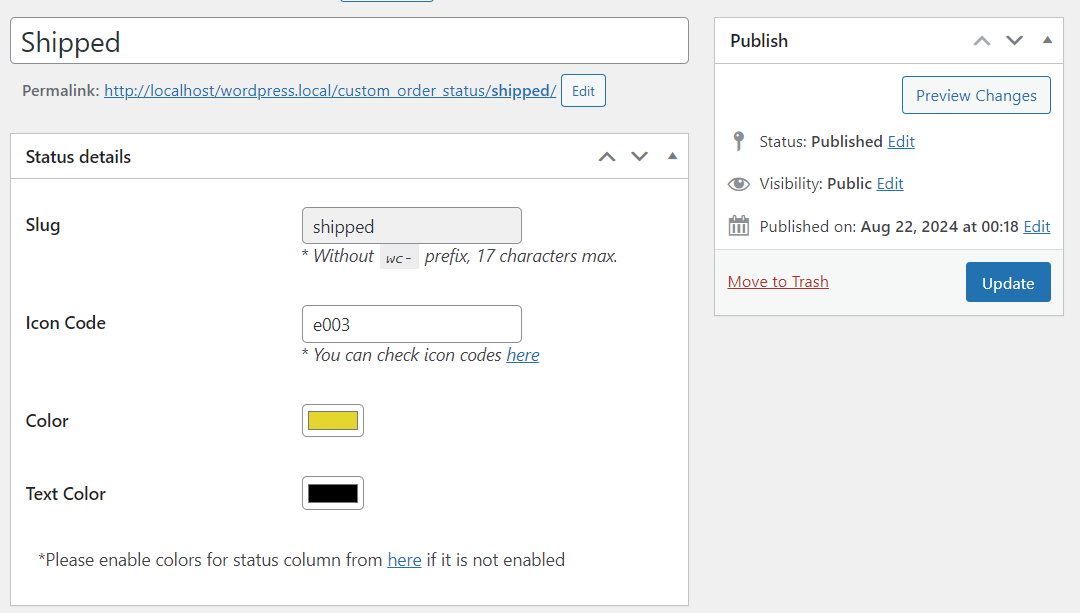
Add New Custom Status.
Do mesmo author (tychesoftwares)


Let customers choose delivery dates & times on checkout. Simplify delivery management by blocking holidays & setting max deliveries per day.

Add product addons (fields) to WooCommerce products. Personalise with various product options for WooCommerce. Create product forms for WooCommerce.

Set user role based product prices in WooCommerce. Set Role based pricing globally or per product, hide prices for selected roles and more.