The Events Calendar: #1 calendar plugin for WordPress. Create/manage events (virtual too!) on your site with the free plugin.

Event Countdown for The Events Calendar
Hospedagem WordPress com plugin The Events Calendar Countdown Addon
Onde devo hospedar o plugin The Events Calendar Countdown Addon?
Este plugin pode ser hospedado em qualquer hospedagem que possua WordPress configurado. Recomendamos utilizar uma hospedagem de confiança, com servidores adaptados para WordPress, como o serviço de hospedagem de sites da MCO2.
Hospedando o plugin The Events Calendar Countdown Addon em uma empresa de hospedagem seguro
A MCO2, além de configurar e instalar o WordPress na versão mais atual para seus clientes, disponibiliza o WP SafePress, um sistema exclusivo que salvaguarda e otimiza seu site ao mesmo tempo.
Por que a Hospedagem WordPress funciona melhor na MCO2?
A Hospedagem WordPress funciona melhor pois a MCO2 possui servidores otimizados para WordPress. A instalação de WordPress é diferente de uma instalação trivial, pois habilita imediatamente recursos como otimização de imagens, proteção da página de login, bloqueio de atividades suspeitas diretamente no firewall, cache avançado e HTTPS ativado por padrão. São recursos que potencializam seu WordPress para a máxima segurança e o máximo desempenho.
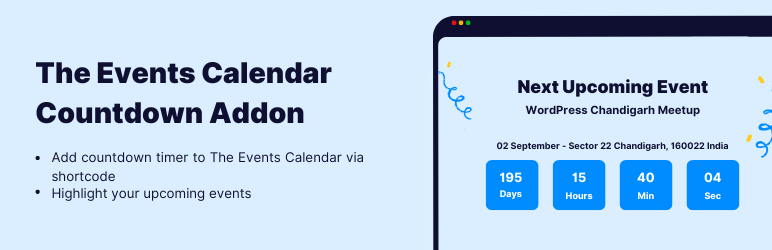
Event Countdown for The Events Calendar adds a live event countdown timer to The Events Calendar events. Show a days / hours / minutes / seconds countdown to your next upcoming event anywhere on your site using a shortcode, a Gutenberg block, an Elementor widget, or a sitewide floating countdown bar — no code required.
A countdown timer builds urgency and boosts attendance for webinars, conferences, workshops, meetups, festivals, and product launches. This event countdown addon automatically detects the next upcoming event from The Events Calendar and keeps the timer accurate — even behind full-page caching.
👉 View Demo: Event Countdown Timer for The Events Calendar
Why use an Event Countdown Timer?
- Create urgency — a ticking countdown to your event start date drives registrations and ticket sales.
- Promote the next event automatically — the countdown rolls over to the next upcoming event when one ends.
- Show it anywhere — page, post, sidebar, footer, single event page, or a floating bar across the whole site.
- Match your design — presets, colors, sizes, and layouts that fit any theme.
Add an Event Countdown in 4 Ways
- Shortcode — generate
[events-calendar-countdown]from the built-in shortcode generator with a live preview. - Gutenberg Block — drop the Event Countdown block into any page or post in the block editor.
- Elementor Widget — drag the Event Countdown widget onto any Elementor page or template and style it live.
- Sitewide Auto-Display — show a countdown across your site with Display Rules: a sticky top or bottom countdown bar, a floating countdown in the corner, or a floating banner — targeted to the pages you choose.
Key Features
- Event countdown timer with days, hours, minutes, and seconds.
- Auto-detect the next upcoming event — no need to pick an event manually.
- Auto-rollover — when an event ends, the countdown advances to the next one on its own.
- Cache-friendly countdown — stays accurate with caching plugins and full-page caches.
- Recurring event support — occurrence-aware, so recurring events count down correctly.
- Countdown carousel — rotate 1–5 upcoming events in a single countdown slider.
- Next-in-context — on a single event page or a category / tag archive, the countdown targets that event or taxonomy.
- 6 ready-made design presets — Classic, Minimal, Side Image, Bold Poster, Modern Split, and Promo Banner, each with Light and Dark modes.
- Countdown styles — box, ring (circle), and inline digit layouts.
- Full styling controls — background, text, and accent colors, font sizes, corner radius, border, padding, and width.
- Event details — optional event image, venue, cost, and a “Find out more” / event link button.
- Live preview — see the countdown update as you tweak settings.
- Translation-ready & RTL-friendly, responsive on every device.
- Free — all features included, works with the free The Events Calendar plugin.
Perfect For
Webinar countdowns, conference and summit timers, workshop and class reminders, meetup and networking events, concerts and festivals, product launches, sales and offers, sports fixtures, and any time-based event managed with The Events Calendar.
Example Shortcode
[events-calendar-countdown autostart-next-countdown="yes"]
The easiest way to build a shortcode is the generator at Events Addons Event Countdown, which lets you pick an event (or auto-detect the next upcoming event), choose a design preset, set colors and sizes, and copy the ready-made shortcode.
More Addons for The Events Calendar
Building an event website with The Events Calendar? Extend it further with these event addons for more layouts, promotion, and management options.
- Events Shortcodes for The Events Calendar: Display upcoming, past, featured, or category events in list, grid, carousel, slider, masonry, accordion, or timeline layouts, with Gutenberg block support.
- Events Widgets for Elementor: Ready-to-use The Events Calendar widgets for Elementor — event list, grid, and carousel with full typography, color, and meta controls.
- Event Single Page Builder for The Events Calendar: Design custom single event pages with schedule, tickets, venue map, speakers, sponsors, and call-to-action areas.
- Events Speakers & Sponsors: Add structured speakers and sponsors sections to your event pages.
- Events Calendar Modules for Divi: Custom Divi modules to display The Events Calendar events in Divi Builder.
Other Plugins by Cool Plugins
- Timeline Widget for Elementor: Create vertical and horizontal timelines inside Elementor.
- Cool FormKit: Extend Elementor forms with advanced fields and features.
- AutoPoly: Polylang addon to automatically translate WordPress content using AI.
- LocoAI: Loco Translate addon to translate WordPress plugins and themes using AI.
- Cryptocurrency Widgets: Display live crypto prices, charts, and coin data.
Third-Party Services: To improve user experience this plugin offers optional usage tracking and optional feedback submission on deactivation. Data is sent only after explicit user consent. No frontend visitor data is collected and no personal data is stored without permission. For more details, please review our Data Usage Policy, TOS and Privacy Policy.
Disclaimer: This addon is developed by Cool Plugins and is not affiliated with or endorsed by the official team of The Events Calendar plugin. Some links in this plugin or its readme may be affiliate links, meaning we may earn a commission at no extra cost to you.
Special Thanks!
Special thanks to the famous The Events Calendar plugin authors for creating an awesome plugin for events management.
Capturas de tela

Event countdown timer for an upcoming event, with venue, date and a ticket button.

Shortcode generator with a live preview of every change.

Sitewide floating countdown - top bar, footer bar and corner displays, per page.
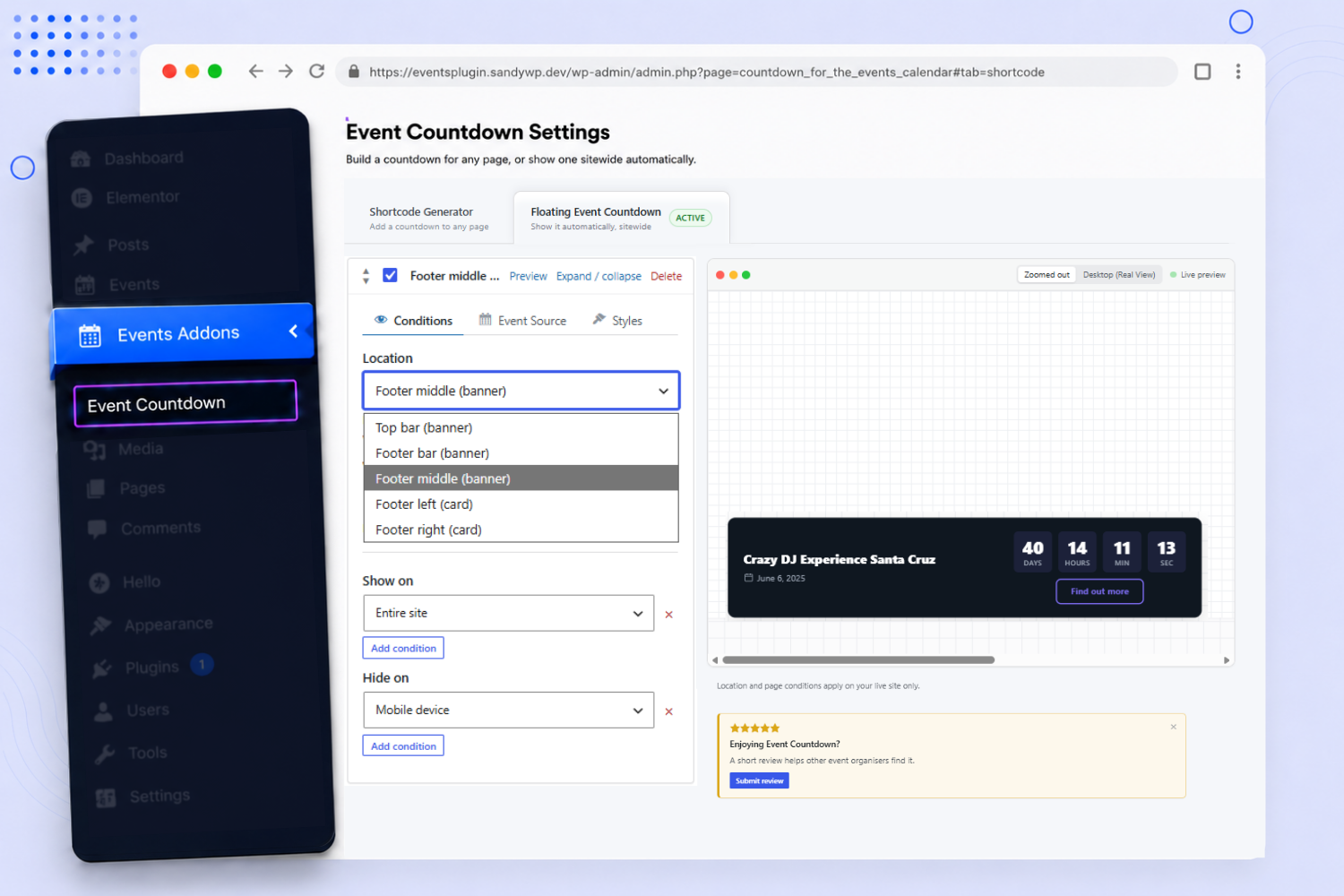
Event Countdown Gutenberg block, with all its controls in the block sidebar.
Plugins semelhantes


Create a welcome notification bar for your website. Also, My Sticky Bar plugin can make your menu or header sticky to the top when scrolled 📌

Appointment booking plugin for WordPress. Let clients self-schedule 24/7, accept payments at booking, and reduce no-shows, all from your WordPress sit …

Events calendar with bookings, scheduling, appointments, event registration, tickets, recurring events, and venue management.

Accessible WordPress event calendar plugin. Manage single or recurring events, event venues, and display your calendar anywhere on your site.

Event calendar plugin for event registration, event tickets, bookings, RSVP, recurring and virtual events with WooCommerce and Zoom (AI-powered).
Do mesmo author (CoolHappy)

LocoAI - Auto Translate For Loco Translate is a powerful tool for developers looking to quickly translate their WordPress plugins and themes.

Highlight your company’s history, milestones, and key events directly inside Elementor using stunning vertical and horizontal timelines.

Showcase your story or company history, events, and roadmap in an interactive timeline using the powerful Cool Timeline plugin.

Add The Events Calendar shortcode, Gutenberg block, or Events Widget Element (Bricks Builder) to show events listing on any WordPress page using smart …
Display cryptocurrency price ticker widget, coins live price list, table, labels & coin marketcap via shortcodes.

The Events Calendar addon to create custom single event page templates and replace the default event single page layout with your own branded design.