
Easy Drag & Drop Page Builder that adds a splash page to your site that it's perfect for a coming soon page, maintenance or landing page.

Disable Comments & Delete All Comments
Hospedagem WordPress com plugin Disable Comments for Any Post Types (Remove comments)
Onde devo hospedar o plugin Disable Comments for Any Post Types (Remove comments)?
Este plugin pode ser hospedado em qualquer hospedagem que tenha WordPress instalado. Recomendamos utilizar uma hospedagem confiável, com servidores adaptados para WordPress, como o serviço de hospedagem WordPress da MCO2.
Hospedando o plugin Disable Comments for Any Post Types (Remove comments) em um provedor seguro
A MCO2, além de instalar o WordPress na versão mais nova para seus clientes, disponibiliza o WP SafePress, um sistema exclusivo que protege e aumenta a performance do seu site simultaneamente.
Por que a Hospedagem WordPress funciona melhor na MCO2?
A Hospedagem WordPress funciona melhor pois a MCO2 possui servidores otimizados para WordPress. A instalação de WordPress é diferente de uma instalação trivial, pois habilita imediatamente recursos como otimização automática de imagens, proteção da página de login, bloqueio de atividades suspeitas diretamente no firewall, cache avançado e HTTPS ativado por padrão. São recursos que potencializam seu WordPress para a máxima segurança e o máximo desempenho.
Disable comments across your entire site or only for selected post types. This removes comment forms from the front end, hides comment-related menus and widgets in the dashboard, and disables pingbacks and trackbacks.
Delete comments in bulk with a simple cleanup tool. You can remove all comments at once or filter them by post type or comment status.
Manage links in comments by disabling the website field from the comment form for cleaner, safer comment submissions. Replace external links in comments with safe span tags so they no longer act as real, followable links.
Key Features
Disable comments
– Disable comments globally or by post type
– Hide all comment-related admin menus, dashboard widgets and settings
– Disable pingbacks and trackbacks
– Disable comments in RSS/Atom feeds
Delete comments
– Delete all comments in WordPress at once
– Delete comments by post type
– Delete comments by comment status (spam, unapproved, trash)
Manage links in comments
– Replace all external comment links with span tags via JavaScript, removing their SEO impact while keeping the text visible to users.
– Remove the website/URL field from the comment form
All features can be enabled or disabled safely, and comment disabling does not remove existing comments unless you choose to delete them.
Why use this plugin?
WordPress still loads comment features even when you don’t use them, which can clutter your dashboard, expose unused functionality, and create unnecessary moderation work. This plugin gives you complete control over WordPress comments, whether you want to disable comments globally, bulk delete comments, or just manage them more efficiently.
Advanced Configuration
To prevent the plugin from replacing your theme’s comment template, define the following constant:
define('DISABLE_COMMENTS_REMOVE_COMMENTS_TEMPLATE', false);
You can add this definition either to your wp-config.php file or to your theme’s functions.php file.
Support
We’re here to help. Feel free to open a new thread on the Support Forum.
Useful Resources
- If you like this plugin, you’re sure to love our other plugins as well.
- Our blog is a great place to learn more about WordPress.
- Get the most out of your website with our helpful WordPress YouTube Tutorials.
Capturas de tela

Disable comments settings

Delete comments settings
Do mesmo author (Themeisle)


Quickly create WordPress pages with 20+ blocks, 100+ ready-to-import designs, and advanced editor extensions. It’s website building, Lego-style!
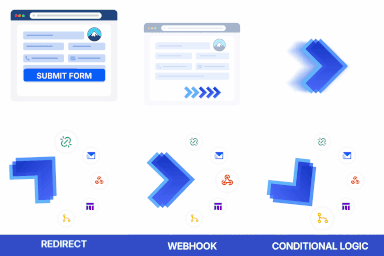
Redirect to any page or URL, execute scripts after submission, save data to the database, and unlock additional submission actions for Contact Form 7.

Add icons to WordPress navigation menus easily — pick from Font Awesome, Dashicons, image icons & more. Style menu items with custom colors & sizes.

Add modules: share buttons, header/footer scripts, disable comments, reading progress, custom fonts, custom login & more in one plugin.

Disable admin notices and hide dashboard notifications from plugins, themes and core. Hide all notices, selected ones, or show them in a single line.