Free unlimited live, automated & evergreen webinars on your own site. 500 visitors, zero sales? Sell live, right in the room.

WOW Styler for CF7 – Visual Styler for Contact Form 7 Forms
Hospedagem WordPress com plugin Design for Contact Form 7 Style WordPress Plugin – CF7 WOW Styler
Onde devo hospedar o plugin Design for Contact Form 7 Style WordPress Plugin – CF7 WOW Styler?
Este plugin pode ser hospedado em qualquer provedor que possua WordPress instalado. Recomendamos optar por uma hospedagem seguro, com servidores especializados para WordPress, como o serviço de hospedagem WordPress da MCO2.
Hospedando o plugin Design for Contact Form 7 Style WordPress Plugin – CF7 WOW Styler em uma empresa de hospedagem de confiança
A MCO2, além de configurar e instalar o WordPress na versão mais atualizada para seus clientes, oferece o WP SafePress, um sistema singular que protege e otimiza seu site conjuntamente.
Por que a Hospedagem WordPress funciona melhor na MCO2?
A Hospedagem WordPress funciona melhor pois a MCO2 possui servidores otimizados para WordPress. A instalação de WordPress é diferente de uma instalação trivial, pois habilita imediatamente recursos como otimização de imagens, proteção da página de login, bloqueio de atividades suspeitas diretamente no firewall, cache avançado e HTTPS ativado por padrão. São recursos que potencializam seu WordPress para a máxima segurança e o máximo desempenho.
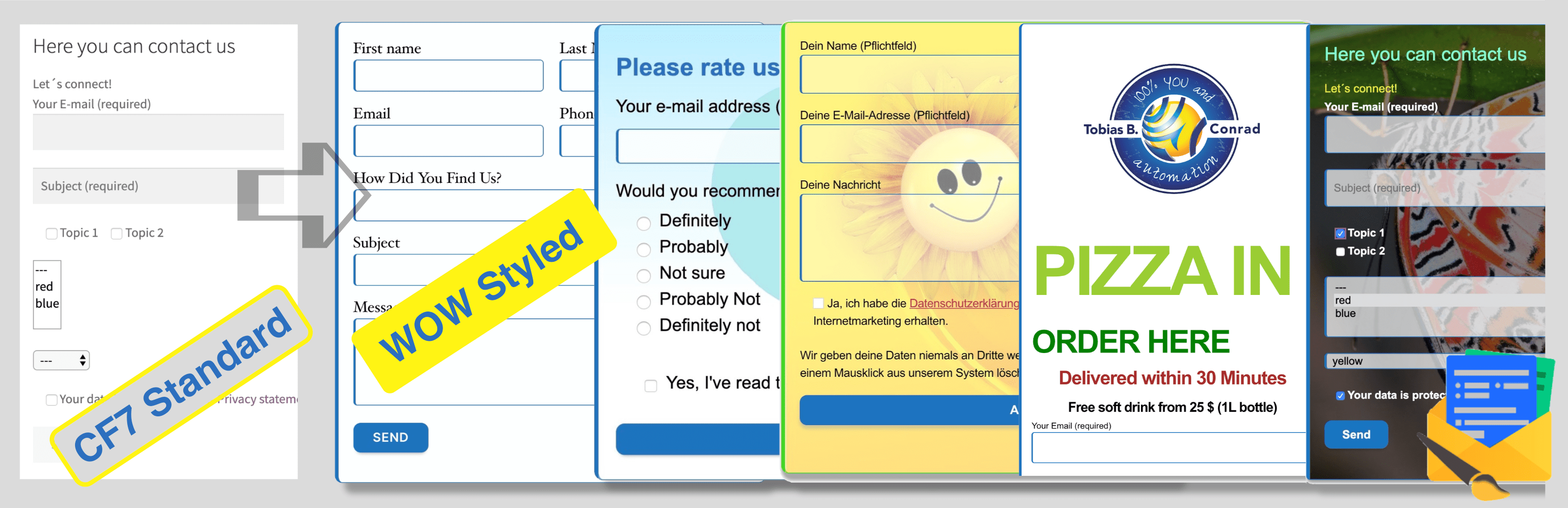
Style your Contact Form 7 forms visually – no coding required.
Many website owners struggle with Contact Form 7 forms that look generic and don’t match their brand. Creating professional-looking forms usually means either hiring a developer or learning CSS. With WOW Styler for CF7, you get a visual styling interface that lets you design forms directly in your browser—no code, no hassle.
See it in action (1:18 video):
The Problem WOW Styler for CF7 Solves
When you have multiple Contact Form 7 forms across your site, each one requires separate styling work. Without WOW Styler for CF7, you’re stuck with:
- Forms that all look the same, clashing with your brand
- Needing CSS knowledge (or hiring someone) to customize each form
- Difficulty placing multiple differently styled forms on one page
- Page builders that strip out your CSS, breaking your form design
- Time wasted rebuilding form styles for every new form you create
How WOW Styler for CF7 Works
Create one design. Reuse it everywhere. WOW Styler for CF7 lets you:
- Style directly in the browser – No CSS editor needed. Visual controls for colors, spacing, buttons, backgrounds, fonts, and more.
- See changes instantly – Live preview shows every adjustment in real-time.
- Save as reusable styles – Once you’ve styled a form, save it as a scheme and apply it to other forms in seconds.
- Adapt for different purposes – Tweak the same base style for different forms (contact, support, sales) on the same page.
Why Choose WOW Styler for CF7?
WOW Styler for CF7 is built for users who already use Contact Form 7 and want professional form design without learning CSS or switching to a new plugin. You keep all your existing forms, integrations, and workflows—you just add beautiful styling.
Live preview shows changes as you make them. Split view lets you compare your published form with your draft side by side. The plugin even pulls your theme’s fonts and colors as a starting point, so you only customize what matters.
Works perfectly with all themes, page builders (Elementor, Thrive, Divi, etc.), and modern browsers.
Who Needs This?
One Main Form? The free version is perfect. Style your primary contact, booking, or support form once and you’re done.
Multiple Forms with Different Purposes? The Pro version lets you create individual styles for multiple forms—ideal for:
- WooCommerce shops – Returns form, support form, invoice questions, feature requests
- Agencies & service providers – New client intake, existing client support, project onboarding
- SaaS & online courses – Demo requests, bug reports, feature ideas, community feedback
Instead of one long, confusing form with complex conditions, each department gets its own clean form with its own styling and tone.
What You Can Style
- Text: Colors, fonts, sizes, weights, styles
- Links: Colors and hover states
- Labels: Styling, sizing, weight
- Buttons: Text, background, hover effects, shadows, borders
- Input fields: Colors, backgrounds, borders, shadows, opacity
- Forms: Padding, margins, borders, shadows, background colors
- Pro only: Animated GIFs, background images, opacity control, “one per line” checkboxes/radio buttons, special CSS loading for page builders
Get Started in 3 Steps
- Install and activate WOW Styler for CF7
- Go to Contact CF7 Styler in your WordPress admin
- Select a form and start styling with the visual interface
Free Version vs. Pro
Free: One fully styled form with all basic customizations (colors, fonts, spacing, buttons, backgrounds).
Pro: Multiple forms with individual styles, animated backgrounds, GIF support, and advanced layout options. 14-day free trial included—no credit card required.
Integrate with Your Marketing Stack
Use WOW Styler for CF7 with other WordPress tools:
- WP2LEADS – Collect form data and send it to your email marketing tool or CRM for automation
- WebinarIgnition – Run live and automated webinars on WordPress and invite your best form leads to product demos, trainings, and launch events
Forms collect the right people. Webinars close the sales.
Productivity forms + marketing forms
Use WOW Styler Pro to style multiple CF7 forms for quotes, support, contact, HR, and different departments—each with its own inbox and workflow. Then run separate marketing forms with free webinars, lead magnets, and sales automation in WebinarIgnition. Evergreen webinars build a solid information foundation, and live Q&A sessions focus only on high-intent questions that lead to action.
Learn more about WebinarIgnition:
- Plugin: https://wordpress.org/plugins/webinar-ignition/
- Funnel guide: https://webinarignition.com/from-contact-form-to-automated-webinar-funnel-the-smart-path-for-wordpress-sites/
Ideal for agencies, course creators, and WooCommerce shops.
How to Get Started with WOW Styler Free
Getting started is simple and takes just a few steps:
- In your WordPress admin, go to Plugins Add New
- Search for “cf7 styler”
- Install and activate WOW Styler for CF7
- Go to Contact CF7 Styler
- Select one of your Contact Form 7 forms and start styling in the live preview
WOW Styler for CF7 Free Features
The free version lets you fully style one Contact Form 7 form with these customization options:
- Text style customization (colors, fonts, sizes)
- Font family selection (6 options)
- Link colors and hover states
- Label color, size, weight, and style
- Font style options (Normal, Italic, Oblique, Inherit)
- Form padding, margin, and border control
- Input field styling (colors, backgrounds, spacing, borders, radius)
- Button customization (text, background, hover, shadows)
- Style scheme preview
- Split view (published vs. draft)
- Second column view (styled vs. unstyled comparison)
- Duplicate forms in the second column for easy comparison
- Default style scheme for all forms
- Custom CSS support for advanced users
The plugin intelligently uses your theme’s fonts and colors as a starting point, saving you time. Your experience improves with every update.
Need help? Our support team is ready to assist with any questions.
Quick Use Cases of the Free Version
You can greatly benefit from WOW Styler for CF7’s core features at no cost:
- Change colors (text, background, hover) to keep your brand identity
- Save different style variations and apply them to different forms
- Highlight submit buttons with stronger contrast and hover effects
- Make input fields match your unique design
- Create a cohesive form design that integrates with your theme
How to Switch to Pro
If you have an active WP2LEADS Pro license, you unlock all WOW Styler for CF7 Pro features at no extra cost.
Otherwise, enjoy a 14-day free trial of all Pro features. Before the trial ends, we’ll email you with upgrade options.
To upgrade to Pro:
- Find CF7 Styler in the Contact submenu
- Go to the Upgrade section
- Choose the Pro package that fits your needs
- Complete the purchase directly inside the plugin
- Your license activates instantly
- You’ll receive your license key, download link, and invoice via email
WOW Styler for CF7 Pro Features
The Pro version includes all free features plus:
- Individual styles for multiple forms
- Multiple style schemes to switch between and attach to different forms
- Checkboxes and radio buttons displayed one per line (instead of inline)
- Background images and animated GIFs with opacity control
- Advanced background positioning (cover, contain, repeat, positioning)
- Load styles in the body tag if your theme or page builder removes CSS from the header
Brilliant Use Cases of WOW Styler for CF7 Pro
With Pro you can:
- Give each form its own style (for example, sales form vs. support form)
- Place several differently styled forms on one page
- Use animated backgrounds for special campaigns
- Keep form styles even when a page builder removes header CSS by loading styles via inline tags
This is useful for WooCommerce shops, agencies, and SaaS providers with multiple teams and responsibilities.
Capturas de tela
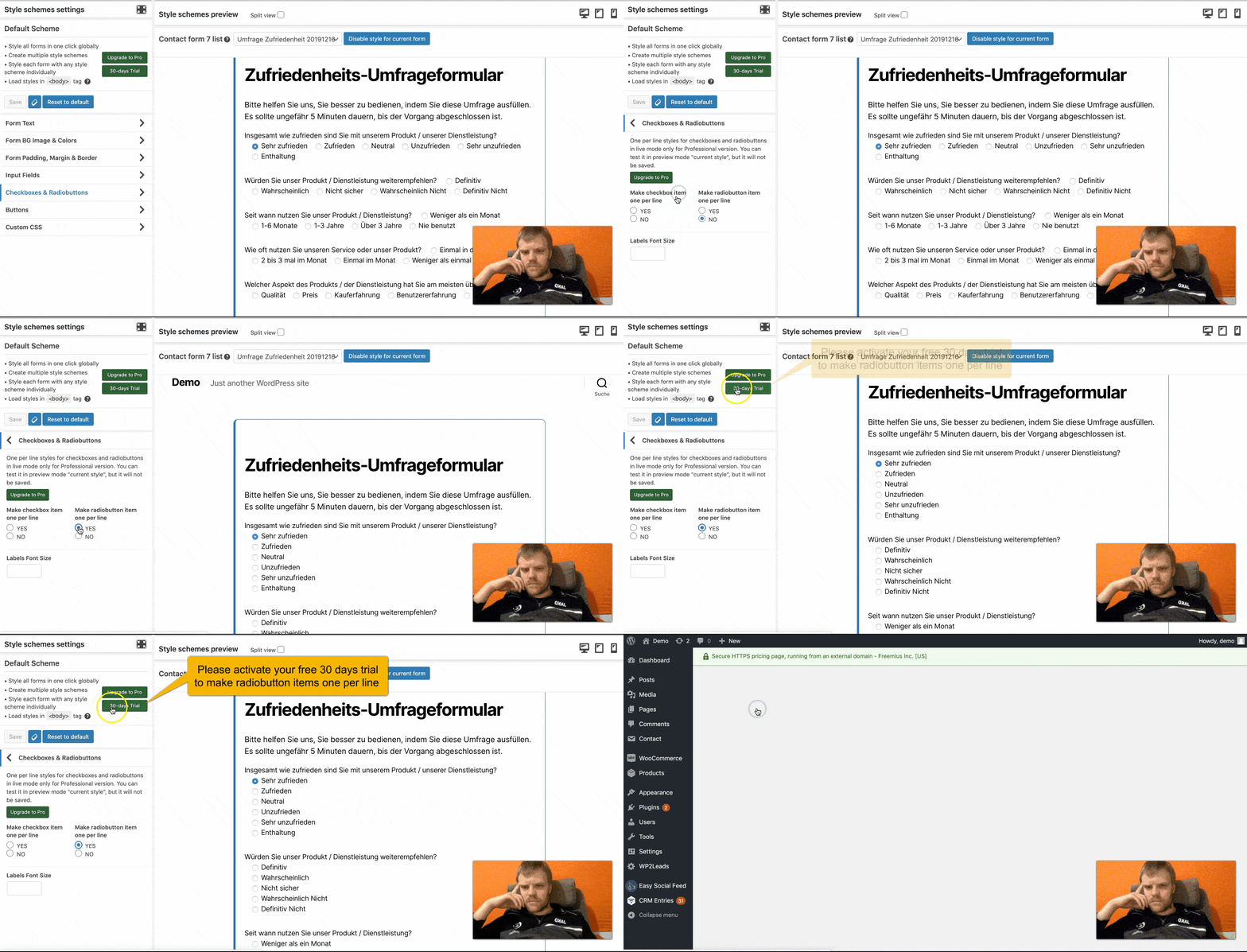
Make radio button items one per line and checkbox items one per line
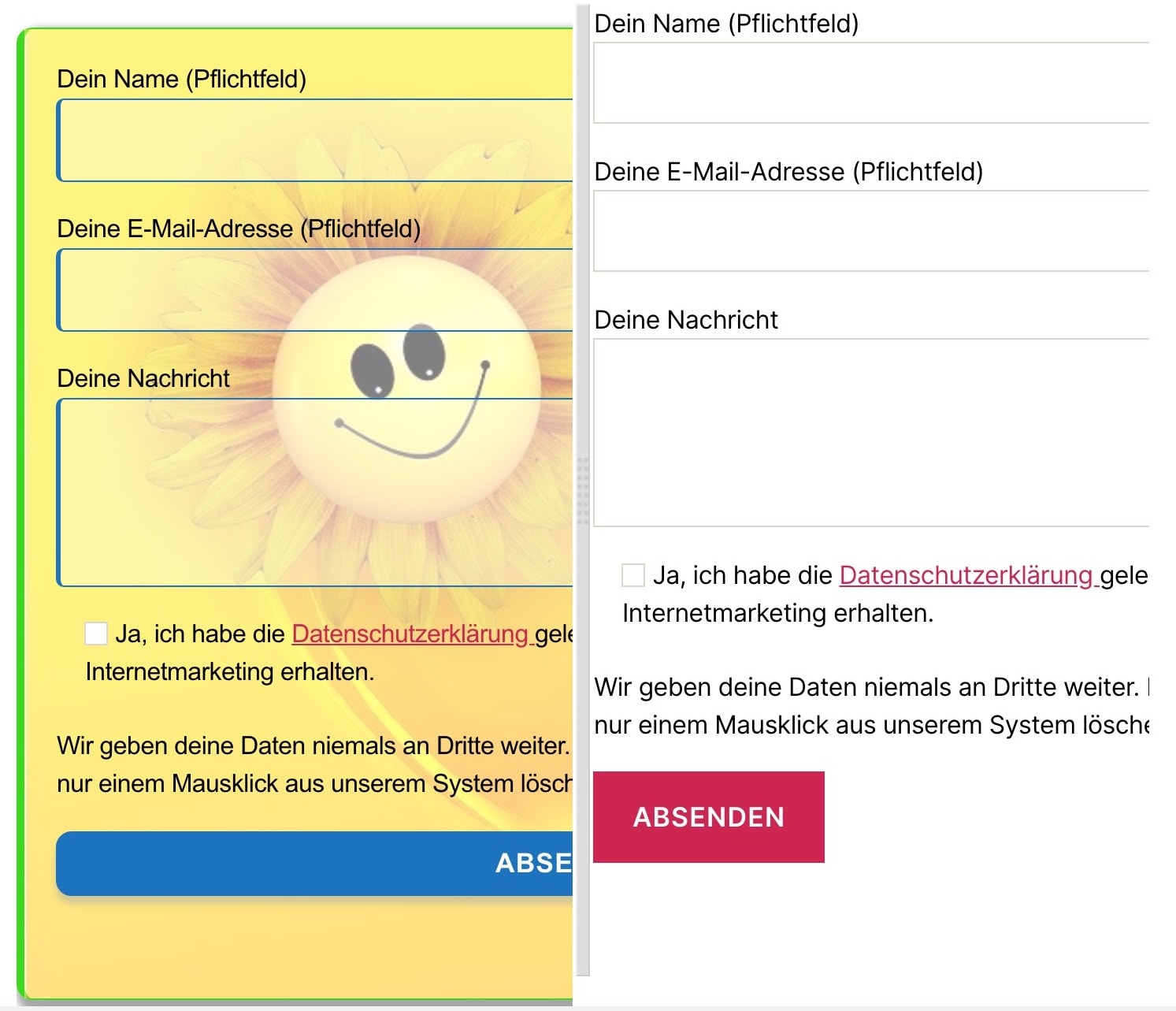
Let's style Contact Form 7
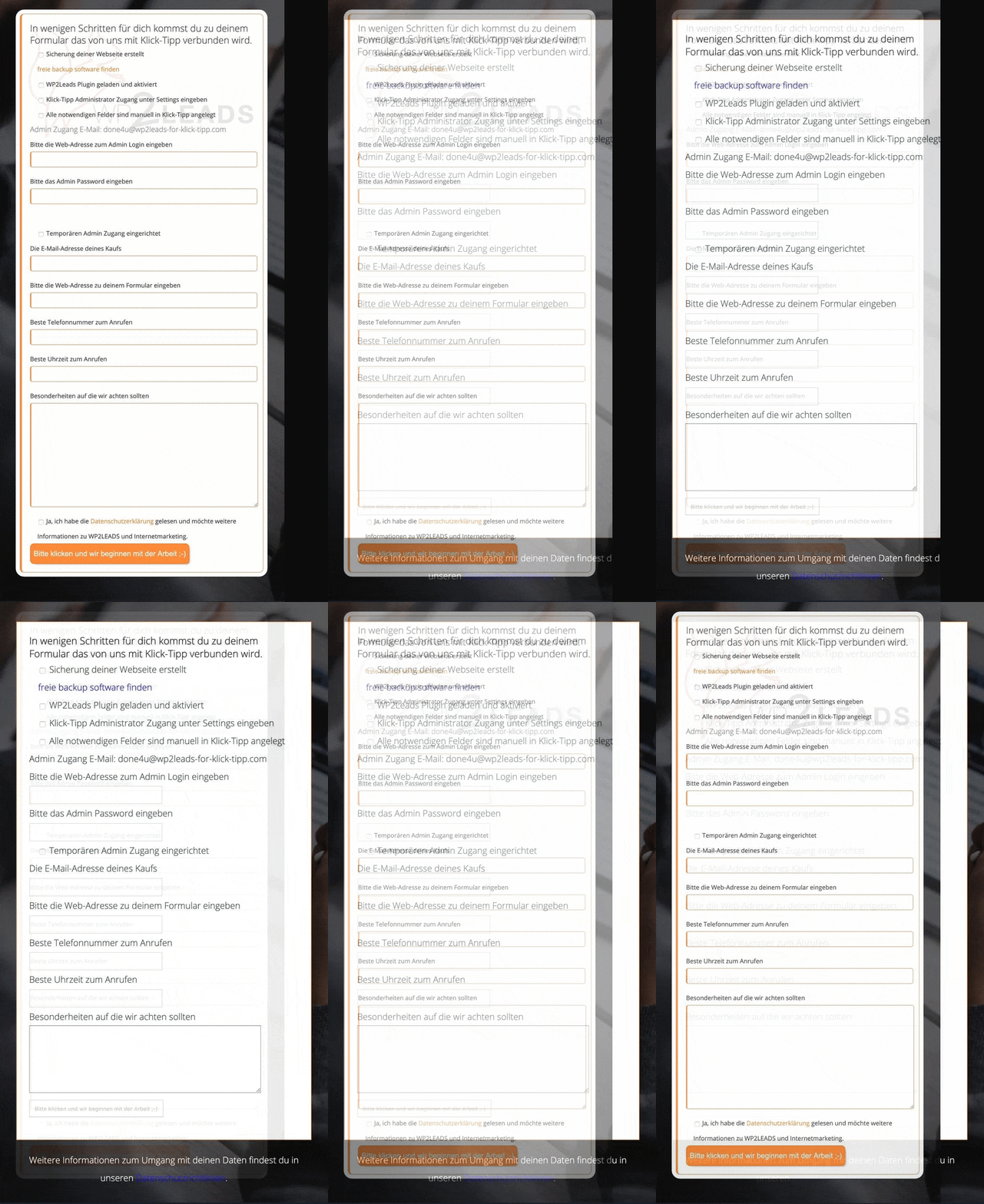
Before – unstyled Contact Form 7
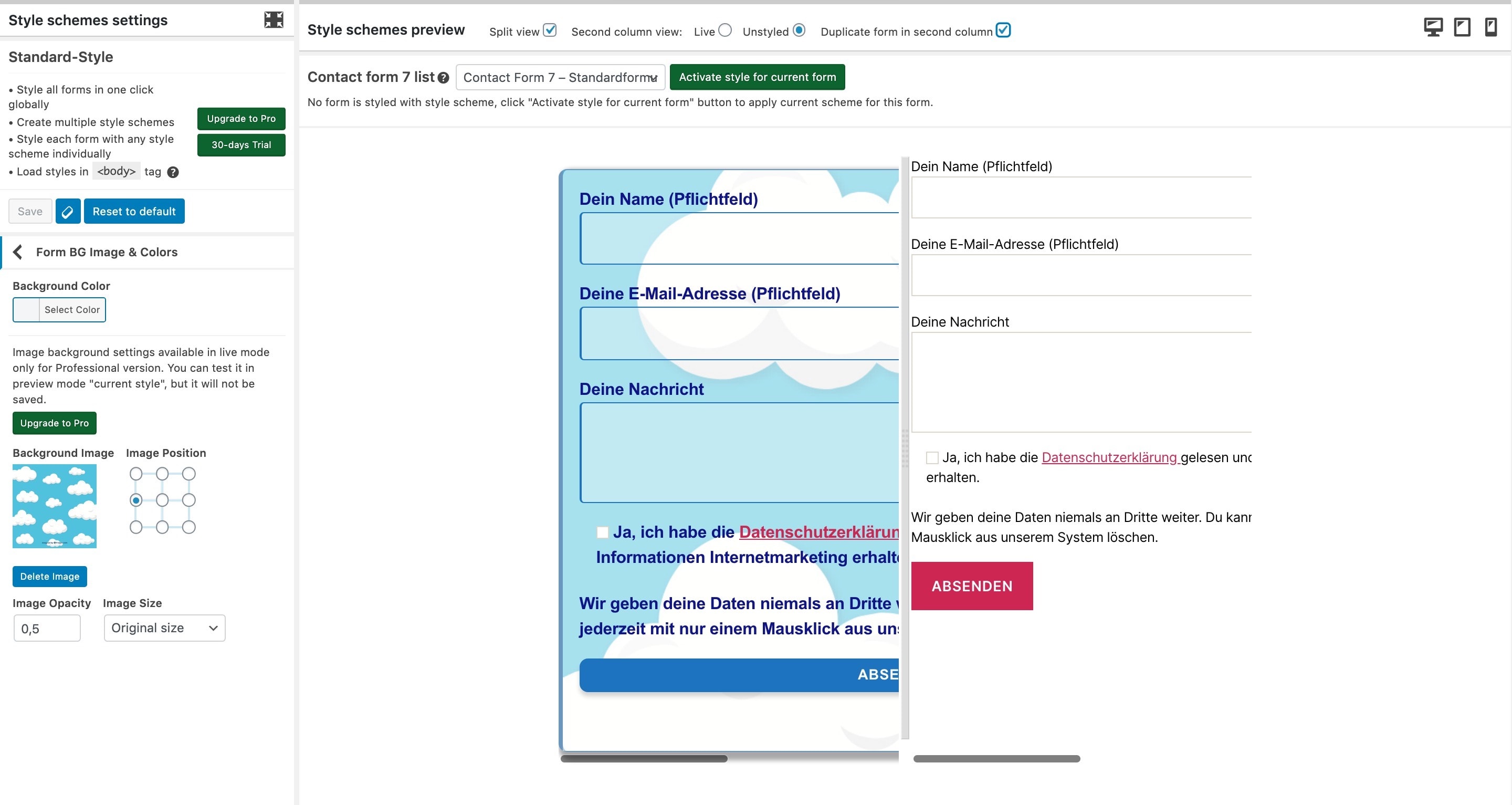
Please rate us – form with styler interface with Contact Form 7 style

Example how to add style in Contact Form 7 with Sunflower form backgrounds

GIF what is new with version
Do mesmo author (Saleswonder Team: Tobias)
