
Power-up Gutenberg with advanced blocks for faster website creation. Build your WordPress website effortlessly using powerful building blocks!

Block Manager
Hospedagem WordPress com plugin Block Manager
Onde posso hospedar o plugin Block Manager?
Este plugin pode ser hospedado em qualquer provedor que possua WordPress configurado. Recomendamos optar por uma empresa de hospedagem confiável, com servidores adaptados para WordPress, como o serviço de hospedagem da MCO2.
Hospedando o plugin Block Manager em uma empresa de hospedagem de confiança
A MCO2, além de instalar o WordPress na versão mais atual para seus clientes, fornece o plugin WP SafePress, um mecanismo exclusivo que salvaguarda e otimiza seu site conjuntamente.
Por que a Hospedagem WordPress funciona melhor na MCO2?
A Hospedagem WordPress funciona melhor pois a MCO2 possui servidores otimizados para WordPress. A instalação de WordPress é diferente de uma instalação trivial, pois habilita imediatamente recursos como otimização automática de imagens, proteção da página de login, bloqueio de atividades suspeitas diretamente no firewall, cache avançado e HTTPS ativado por padrão. São plugins que potencializam seu WordPress para a máxima segurança e o máximo desempenho.
The Block Manager is an intuitive tool for site admins to globally remove blocks and block patterns. It also provides functionality for updating the category of individual blocks to help organize the admin editing experience.
Features
- Blocks: Globally disable blocks from being displayed in the Block Inserter and Block Editor.
- Patterns: Remove unwanted block patterns with the click of a button.
- Block Categories: Organize the Block Inserter by updating the category of each block.
- Hooks: Use hooks to remove blocks and patterns from
functions.php. - Search and Filter: Quickly locate blocks and patterns with the search functionality in the sidebar.
- Embed Blocks: Choose the Embed blocks you actually want to include on your site by removing the vast majority of useless options.
Hooks & Filters
Use Block Manager hooks to controls blocks via code and sync options across multiple WordPress environments.
gbm_disabled_blocks
Use the gbm_disabled_blocks hook to remove blocks via backend code.
// functions.php
add_filter( 'gbm_disabled_blocks', function() {
    return [
        'core/buttons',
        'core/columns',
        'core/freeform',
        'core/table'
    ];
});
gbm_disabled_patterns
Use the gbm_disabled_patterns hook to remove block patterns via backend code.
// functions.php
add_filter( 'gbm_disabled_patterns', function() {
   return ['gbm/core-patterns', 'core/query-standard-posts', 'core/query-medium-posts'];
});
gbm_block_categories
Use the gbm_block_categories hook to update block categories via backend code.
// functions.php
add_filter( 'gbm_block_categories', function() {
    return [
        [ 'block' => 'core/html', 'cat' => 'design' ],
        [ 'block' => 'core/cover', 'cat' => 'design' ],
        [ 'block' => 'core/details', 'cat' => 'design' ]
    ];
});
block_manager_user_role
Update the minimum user role allowed to access the Block Manager plugin.
// functions.php
add_filter(
    'block_manager_user_role',
    'edit_theme_options' // Default: activate_plugins
);
Capturas de tela

Disable Blocks: Easily remove unwanted WordPress blocks by toggling the active state of each block.
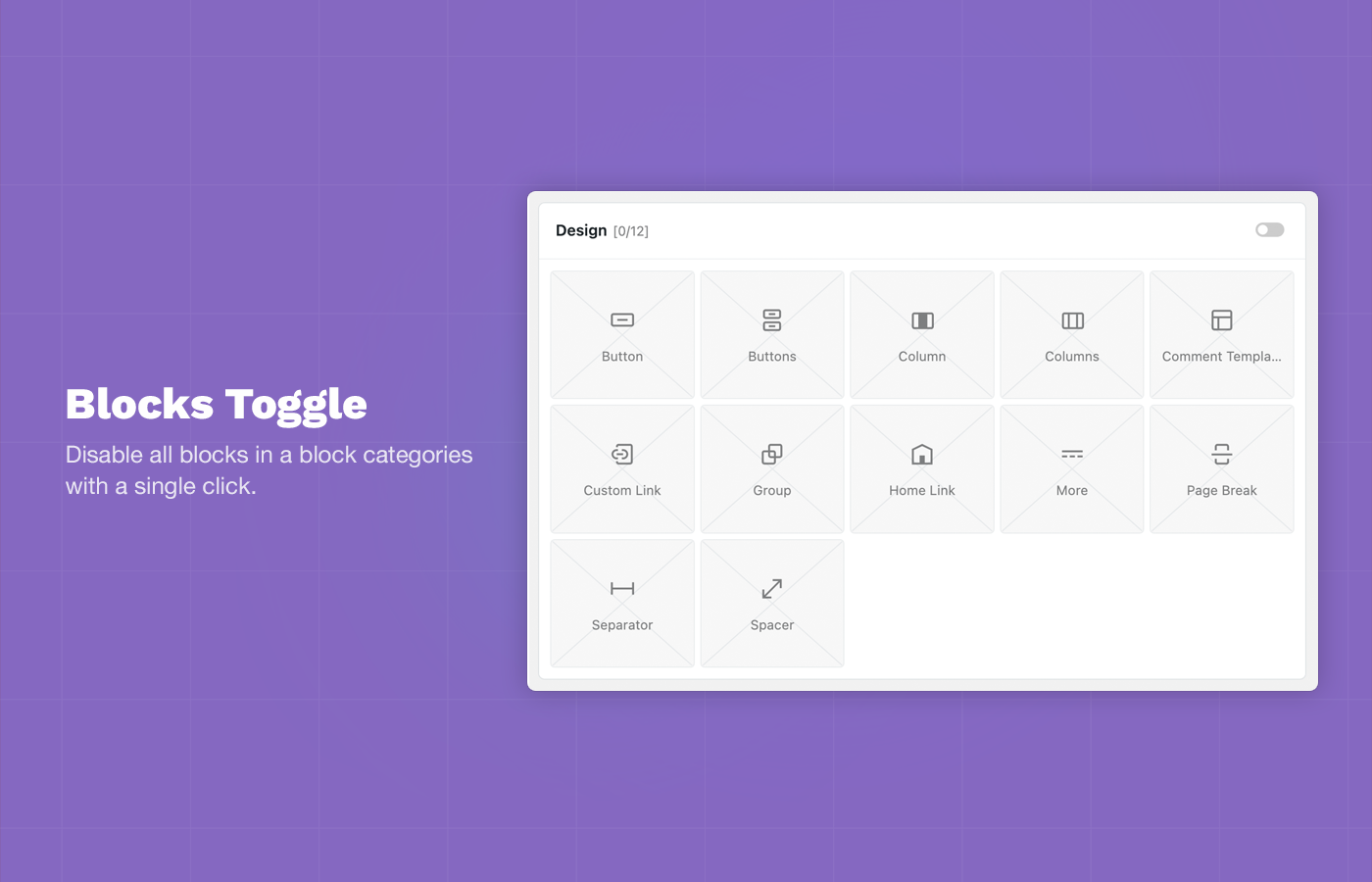
Block Toggle: Disable all blocks in a block categories with a single click.
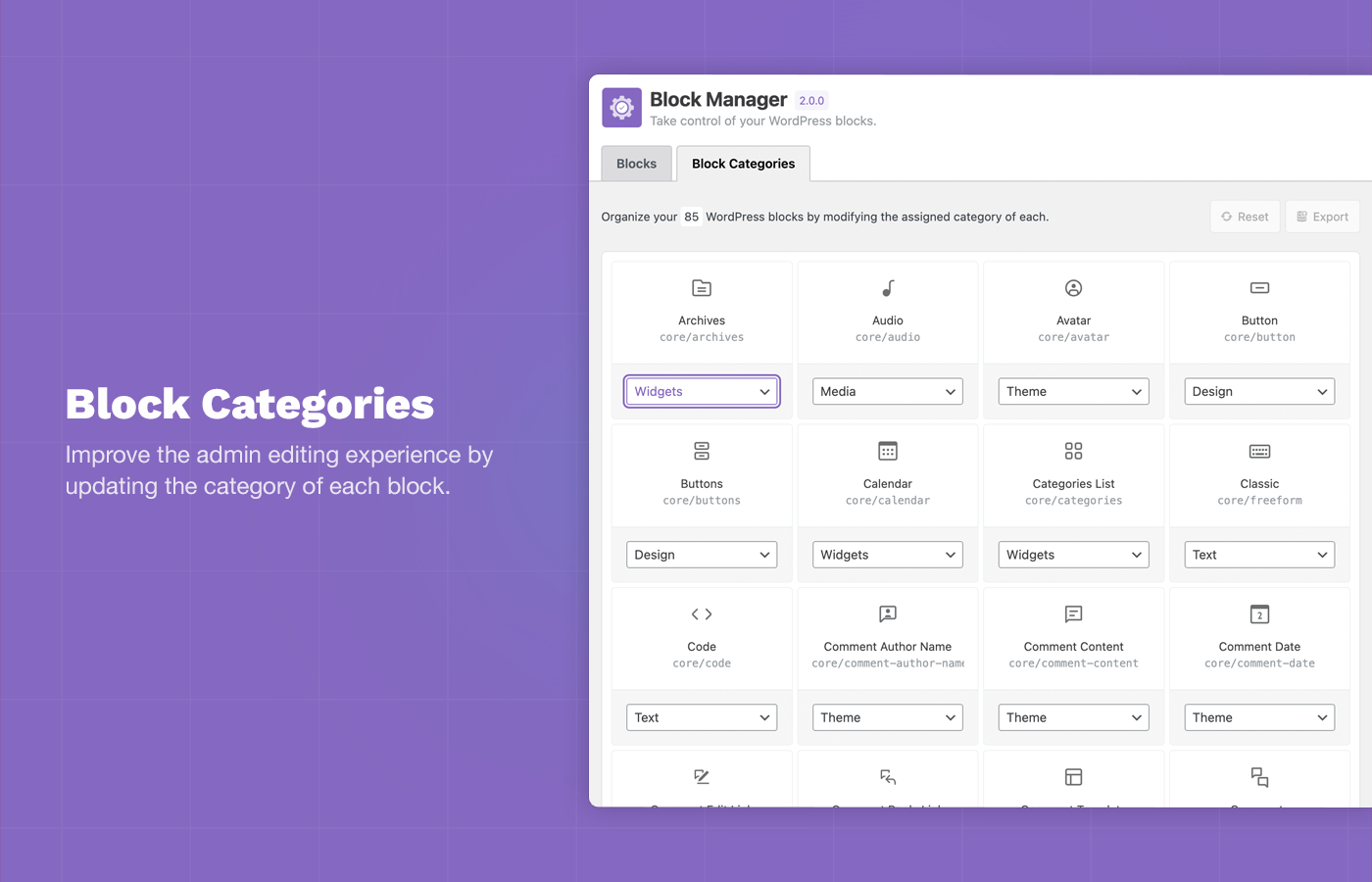
Block Categories: Improve the admin editing experience by updating the category of each block using the Category Switcher.

Disable Block Patterns: Remove unwanted block patterns and core patterns by toggling the active state of each pattern.

Status Reports: Total active and disabled blocks are displayed in the plugin sidebar.

Embed Blocks: Choose the Embed blocks you want to allow on your site and remove the majority of useless options.
Plugins semelhantes


Construa leiautes de página responsivos com widgets que você conhece e adora, usando um construtor de páginas simples, estilo arrastar e soltar.

20+ AI-powered Gutenberg Blocks with endless options, enabling top-notch efficiency for high-performance dynamic website creation.

CoBlocks is a suite of page builder WordPress blocks for Gutenberg, with 10+ new blocks and a true page builder experience with rows and columns.

Quickly create WordPress pages with 20+ blocks, 100+ ready-to-import designs, and advanced editor extensions. It’s website building, Lego-style!

The most beginner-friendly, AI Form Builder for WordPress to create contact forms & other custom forms with advanced features, without any code.
Do mesmo author (Darren Cooney)

Add infinite scroll, lazy loading, and load more buttons to posts, pages, and WooCommerce products — fast and fully customizable for WordPress.