

Better Click To Share – Shareable Quote Boxes for X (Twitter)
Hospedagem WordPress com plugin Better Click To Tweet
Onde devo hospedar o plugin Better Click To Tweet?
Este plugin pode ser hospedado em qualquer hospedagem que possua WordPress configurado. Recomendamos fortemente utilizar um provedor de hospedagem de confiança, com servidores adaptados para WordPress, como o serviço de hospedagem WordPress da MCO2.
Hospedando o plugin Better Click To Tweet em uma empresa de hospedagem seguro
A MCO2, além de configurar e instalar o WordPress na versão mais nova para seus clientes, oferece o WP SafePress, um sistema exclusivo que protege e melhora seu site conjuntamente.
Por que a Hospedagem WordPress funciona melhor na MCO2?
A Hospedagem WordPress funciona melhor pois a MCO2 possui servidores otimizados para WordPress. A instalação de WordPress é diferente de uma instalação trivial, pois habilita imediatamente recursos como otimização de imagens, proteção da página de login, bloqueio de atividades maliciosas diretamente no firewall, cache avançado e HTTPS ativado por padrão. São plugins que potencializam seu WordPress para a máxima segurança e o máximo desempenho.
Want more of your content shared on X? Better Click To Share turns your best quotes into one-click share boxes so readers can post them to X (formerly Twitter) without copying, pasting, or trimming — and you get a link back to your post every time.
Why use a shareable quote plugin for X?
Most readers won’t bother to copy a quote, open a social media site, and paste. Give them a single click: your quote plus a link to your post are pre-filled. You grow reach and engagement; they share in seconds. No coding, no design work — add a block or shortcode and you’re done.
What you get with Better Click To Share
- One-click share on X — Readers see a styled quote box; one click opens X with your quote and your post link ready to post.
- More engagement — Make your best lines easy to share so your content spreads further and drives traffic back to your site.
- Block editor + shortcode — Use the “Better Click To Share” block (slash command
/tweet) or the classic[bctt]shortcode in any post or page (full shortcode support keeps BCTS compatible with things like Elementor, Divi, and even WP Bakery!). - Smart character count — Stays within X’s limits and accounts for your “via @username” and link so shares never get cut off.
- Optional AI suggestions — With WordPress Connectors, get draft share text suggested from your content (usage charges apply per your provider). You can turn this off in settings.
- Premium styles and add-ons — Premium Styles let you pick different looks without touching CSS; Power User Guide and custom CSS options for developers.
Developer or designer? We welcome PRs and feature requests: GitHub repository. Translations: WordPress.org translation project.
Capturas de tela
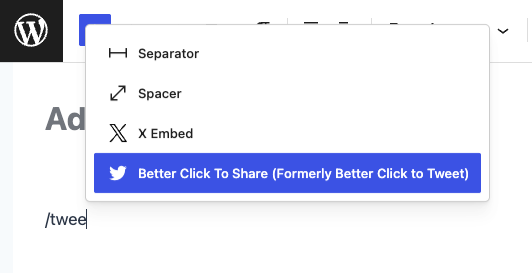
Add a shareable quote block with the slash command in the block editor — one-click share on X for your readers.
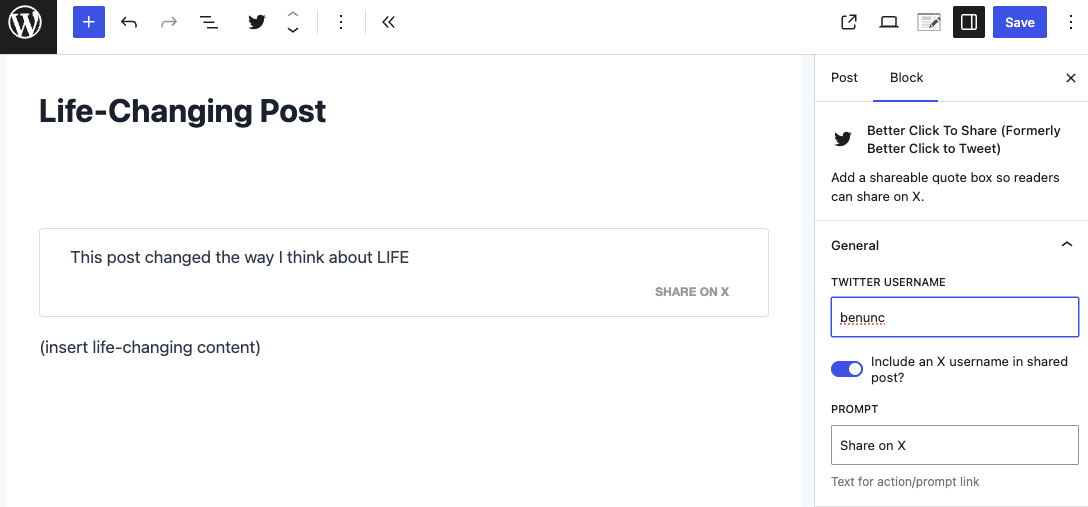
Set your quote and optional "via" handle in the block; readers see a styled share on X box.
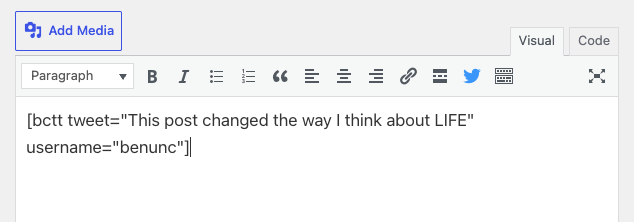
The same shareable quote in the classic editor: use the shortcode or the toolbar button for click-to-share boxes.
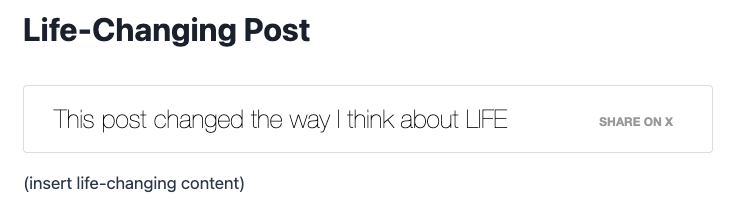
How the shareable quote box looks on the front: readers click to open X with your quote and link.
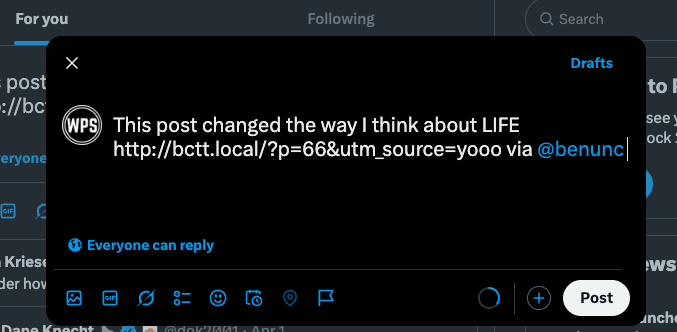
What you see on X!