
Preencha automaticamente o endereço a partir do CEP no checkout do WooCommerce.
Autocomplete Location Field for Contact Form 7
Hospedagem WordPress com plugin Autocomplete Location field Contact Form 7
Onde posso hospedar o plugin Autocomplete Location field Contact Form 7?
Este plugin pode ser hospedado em qualquer hospedagem que possua WordPress instalado. Recomendamos fortemente escolher uma hospedagem confiável, com servidores otimizados para WordPress, como o serviço de hospedagem WordPress da MCO2.
Hospedando o plugin Autocomplete Location field Contact Form 7 em uma empresa de hospedagem seguro
A MCO2, além de instalar o WordPress na versão mais atualizada para seus clientes, disponibiliza o plugin WP SafePress, um mecanismo exclusivo que salvaguarda e melhora seu site conjuntamente.
Por que a Hospedagem WordPress funciona melhor na MCO2?
A Hospedagem WordPress funciona melhor pois a MCO2 possui servidores otimizados para WordPress. A instalação de WordPress é diferente de uma instalação trivial, pois habilita imediatamente recursos como otimização de imagens e fotos, proteção da página de login, bloqueio de atividades suspeitas diretamente no firewall, cache avançado e HTTPS ativado por padrão. São recursos que potencializam seu WordPress para a máxima segurança e o máximo desempenho.
Autocomplete Location Field for Contact Form 7 is the easiest way to add a smart Google Address Autocomplete field to any Contact Form 7 form on your WordPress website.
Powered by the Google Places API, this plugin delivers real-time address suggestions as users type — reducing typos, incomplete submissions, and user frustration. Whether you run a delivery service, real estate agency, booking platform, or local business, this plugin helps you collect accurate location data effortlessly.
🔗 Pro Version | Support | Get a Google Places API Key
Why Use Autocomplete Location Field for Contact Form 7?
Manually typed addresses are prone to errors. This plugin eliminates that problem by integrating Google’s powerful address intelligence directly into your CF7 forms. Users get instant, accurate suggestions — and you get clean, reliable data.
Perfect for:
– 📦 Delivery and shipping address forms
– 🏠 Real estate and property listing sites
– 📅 Booking and appointment forms
– 🛠️ Service area and local business websites
– 📬 Business contact and inquiry forms
✅ Key Features (Free)
- Google Address Autocomplete — Real-time suggestions powered by Google Places API
- Seamless CF7 Integration — Works natively inside the Contact Form 7 editor
- Simple API Key Setup — Connect your Google API key in minutes
- Lightweight & Optimized — Minimal impact on page load speed
- Easy Field Insertion — Add the autocomplete field with a single click in the CF7 editor
🚀 Pro Features
Upgrade to Pro for advanced location control:
- 🌍 Country Restriction — Limit autocomplete suggestions to specific countries (e.g. US, UK, AU)
- 🗺️ Google Map Display — Show an interactive map when a location is selected
- 🧩 Separate Address Components — Capture Street, City, State, Country, and Postcode in individual fields
- 🏷️ Place Type Filtering — Restrict suggestions by type (e.g. establishments, geocodes, art galleries)
- 🌐 Custom Placeholder Translation — Localize your field placeholder text
- ⚡ Priority Support — Get fast, dedicated help from our team
How It Works
- Install and activate the plugin.
- Navigate to Contact Google Place API in your WordPress admin.
- Paste your Google Places API Key.
- Open any Contact Form 7 form editor.
- Click “Field Autocomplete” to insert the location field shortcode.
- Save the form and publish your page.
That’s it — your form now has intelligent address autocomplete!
Get your free Google API Key: Step-by-step guide | Official Google Docs
Additional Information
- Support: codesmade.com/contact-us
- Pro Version: codesmade.com/store
- API Key Guide: codesmade.com/create-google-map-place-api-key
Capturas de tela
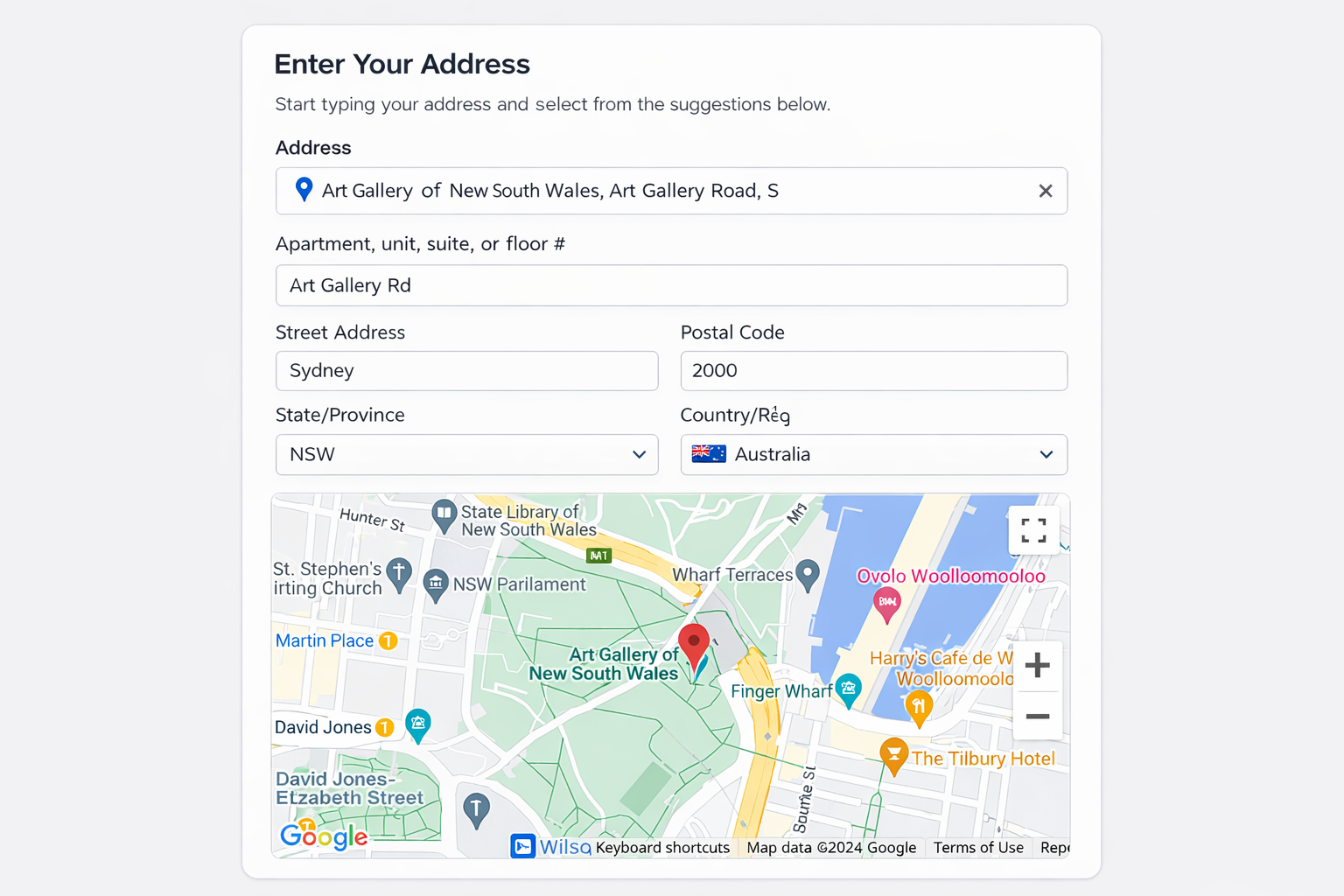
Address Suggestions in Frontend Form — Real-time Google Places suggestions as users type.
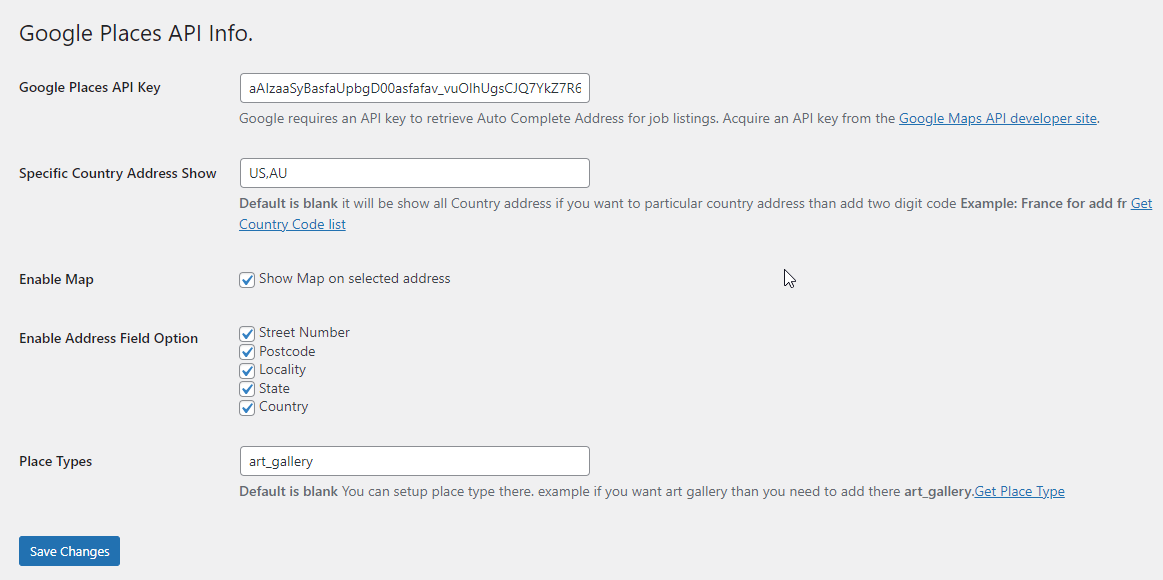
Autocomplete Field in CF7 Editor — Insert the location field directly from the form builder.
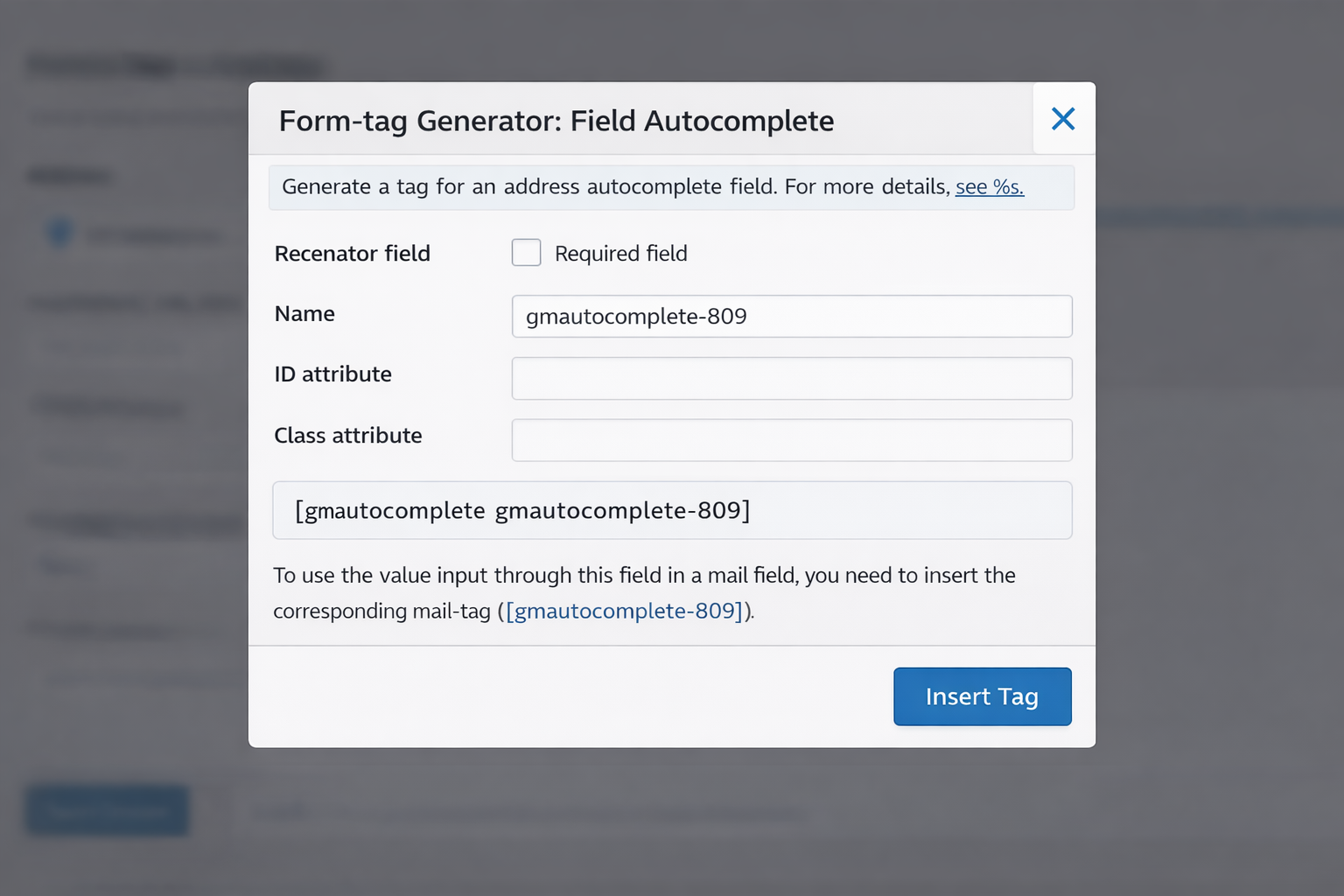
Google API Key Settings Page — Simple settings screen to connect your Google Places API key.
Plugins semelhantes

This plugin integrates the Doofinder search service with your WordPress site.

O melhor plugin de CEP e frete do Brasil: autocompletar de endereço, simulador e tabela de frete por CEP e peso. Completo e 100% gratuito.

Google address autocomplete for any WordPress form. Pick a suggested address and the street, city, state, ZIP and country fields fill themselves.