
Fastest growing Anti Spam plugin. No API calls, subscriptions, captcha or puzzle. Full GDPR complaint. For comments, contact form, login, registration

Multi Page Auto Advance for Gravity Forms
Hospedagem WordPress com plugin Multi Page Auto Advance for Gravity Forms
Onde devo hospedar o plugin Multi Page Auto Advance for Gravity Forms?
Este plugin pode ser hospedado em qualquer servidor que possua WordPress configurado. Recomendamos escolher uma empresa de hospedagem seguro, com servidores especializados para WordPress, como o serviço de hospedagem de sites da MCO2.
Hospedando o plugin Multi Page Auto Advance for Gravity Forms em um provedor seguro
A MCO2, além de instalar o WordPress na versão mais atualizada para seus clientes, oferece o WP SafePress, um mecanismo singular que salvaguarda e otimiza seu site ao mesmo tempo.
Por que a Hospedagem WordPress funciona melhor na MCO2?
A Hospedagem WordPress funciona melhor pois a MCO2 possui servidores otimizados para WordPress. A instalação de WordPress é diferente de uma instalação trivial, pois habilita imediatamente recursos como otimização automática de imagens, proteção da página de login, bloqueio de atividades maliciosas diretamente no firewall, cache avançado e HTTPS ativado por padrão. São plugins que potencializam seu WordPress para a máxima segurança e o máximo desempenho.
Build faster Gravity Forms multi-page forms with fewer clicks. Multi Page Auto Advance moves visitors to the next page automatically after they answer supported fields, so your forms feel smoother without custom JavaScript.
Instead of asking visitors to answer a question, find the Next button, click again, and wait for the next step, this Gravity Forms add-on can advance the form immediately after a supported answer.
Use it for lead forms, intake forms, quizzes, surveys, quote requests, onboarding, and any Gravity Forms workflow where fewer clicks can improve completion.
What the free plugin does
- Auto-advance Gravity Forms pages after radio button choices
- Auto-advance Gravity Forms pages after dropdown selections
- Create a smoother one-question-at-a-time form experience in WordPress
- Reduce extra Next button clicks in multi-page forms
- Configure auto-advance from the Gravity Forms field settings panel
- Keep your forms built in Gravity Forms instead of moving to a separate form builder
Common use cases
- Gravity Forms auto next after a radio button answer
- Gravity Forms auto advance after a dropdown choice
- Multi-step lead generation forms
- Client intake forms with fewer clicks
- Quiz and survey flows
- Quote request forms
- Typeform-style WordPress forms built with Gravity Forms
Which plan should I use?
- Free is best for simple multi-page Gravity Forms that should advance after a radio button or dropdown answer.
- Pro is best when you need more polished multi-page behavior, including hidden navigation buttons, conditional logic handling, transition animations, step color controls, and advanced Gravity Forms add-on workflows such as products, polls, quizzes, and surveys.
- Plus is best for agencies and advanced one-question-at-a-time forms. It adds broader field triggers such as checkbox, text, textarea, number, and address fields, plus upgraded conversational form functionality and unlimited-site licensing.
Pro ($39.99/year)
Upgrade to Pro when your Gravity Forms workflow needs more polished multi-page behavior.
Everything from Free, plus:
- Product field support
- Poll, quiz, and survey workflow support
- Conditional logic support
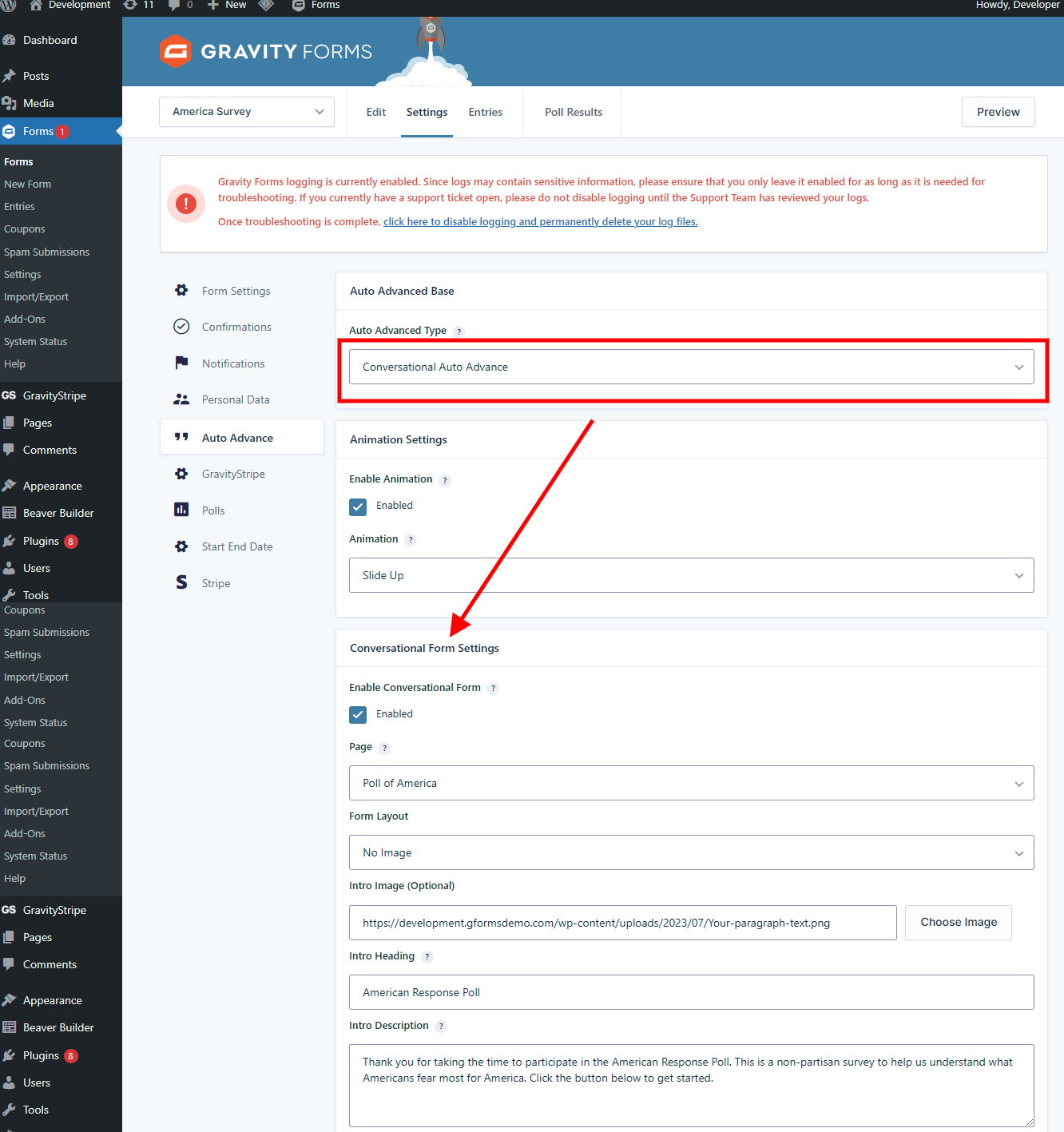
- Gravity Forms Conversational Forms Add-On support
- Hide Next and Previous buttons where appropriate
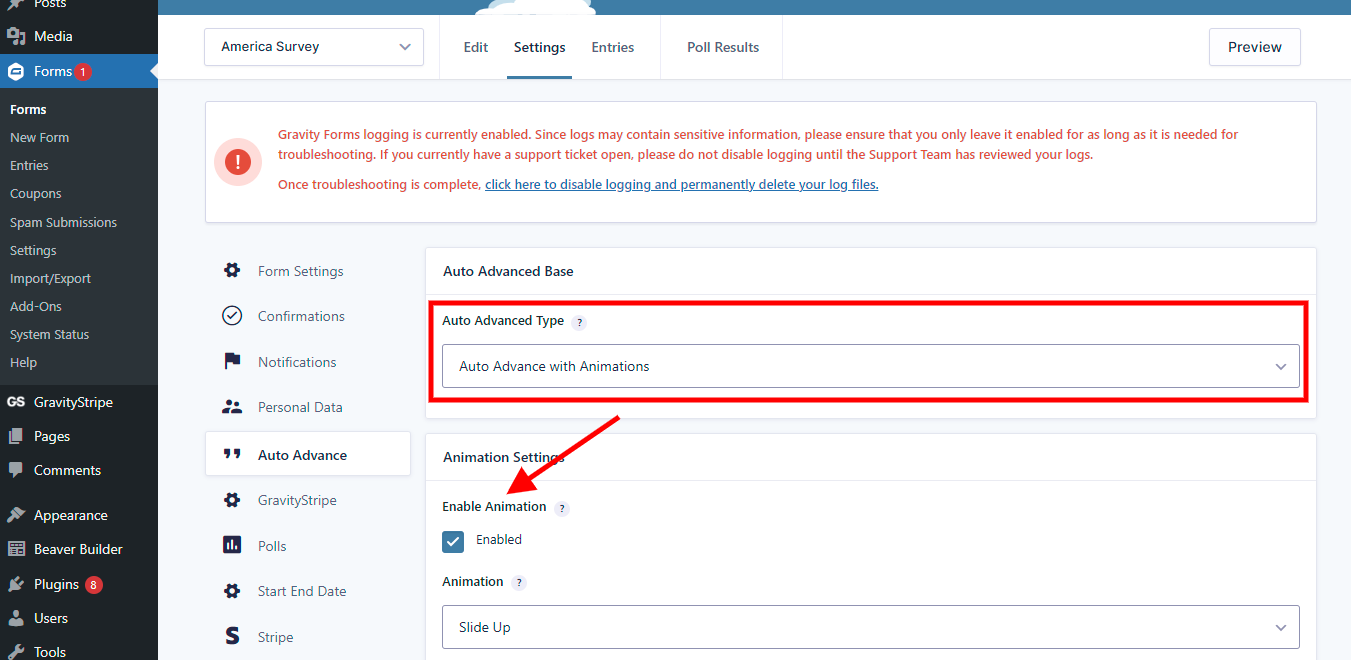
- Transition animations
- Step color controls
Plus ($59/year or $225 lifetime)
Everything from Pro, plus broader auto-advance triggers and upgraded conversational form functionality for more advanced one-question-at-a-time experiences.
Plus adds:
- Checkbox field auto-advance
- Text and textarea field auto-advance
- Number field auto-advance
- Address field auto-advance
- Upgraded conversational form functionality
- Unlimited-site licensing for client and agency work
Watch the conversational settings video
Resources
- Live demos: https://multipagepro.com/demo/
- Feature overview: https://multipagepro.com/features/
- Pricing and FAQ: https://multipagepro.com/pricing/
- Setup docs: https://multipagepro.com/docs/
- Support: https://multipagepro.com/support/
Videos
- Overview and features: https://youtu.be/bZlvWOlgtLw
- Conversational settings: https://youtu.be/LUk1OwOZb-0
- Text and number fields: https://youtu.be/CXPq4270kA4
- Checkbox fields: https://youtu.be/C66gjrMBaRw
Capturas de tela
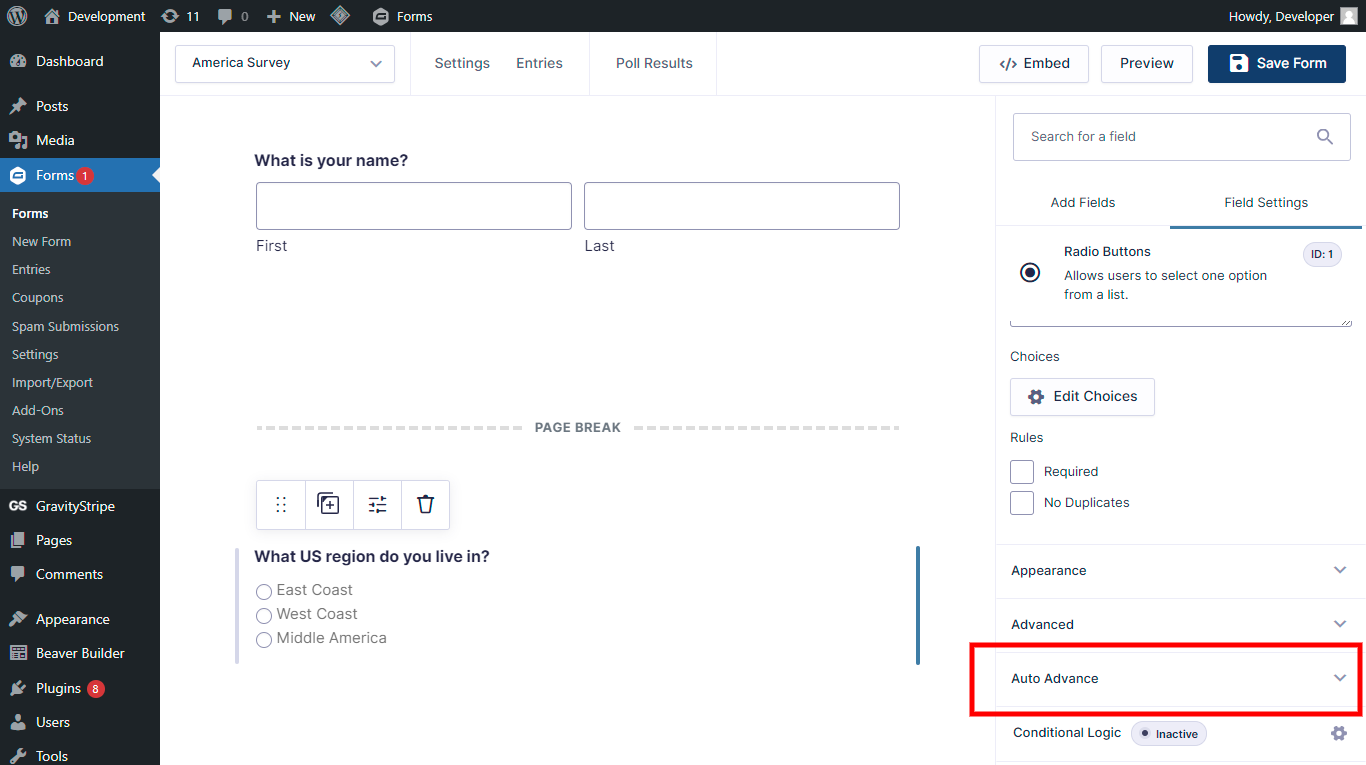
http://nimb.ws/2q3sna
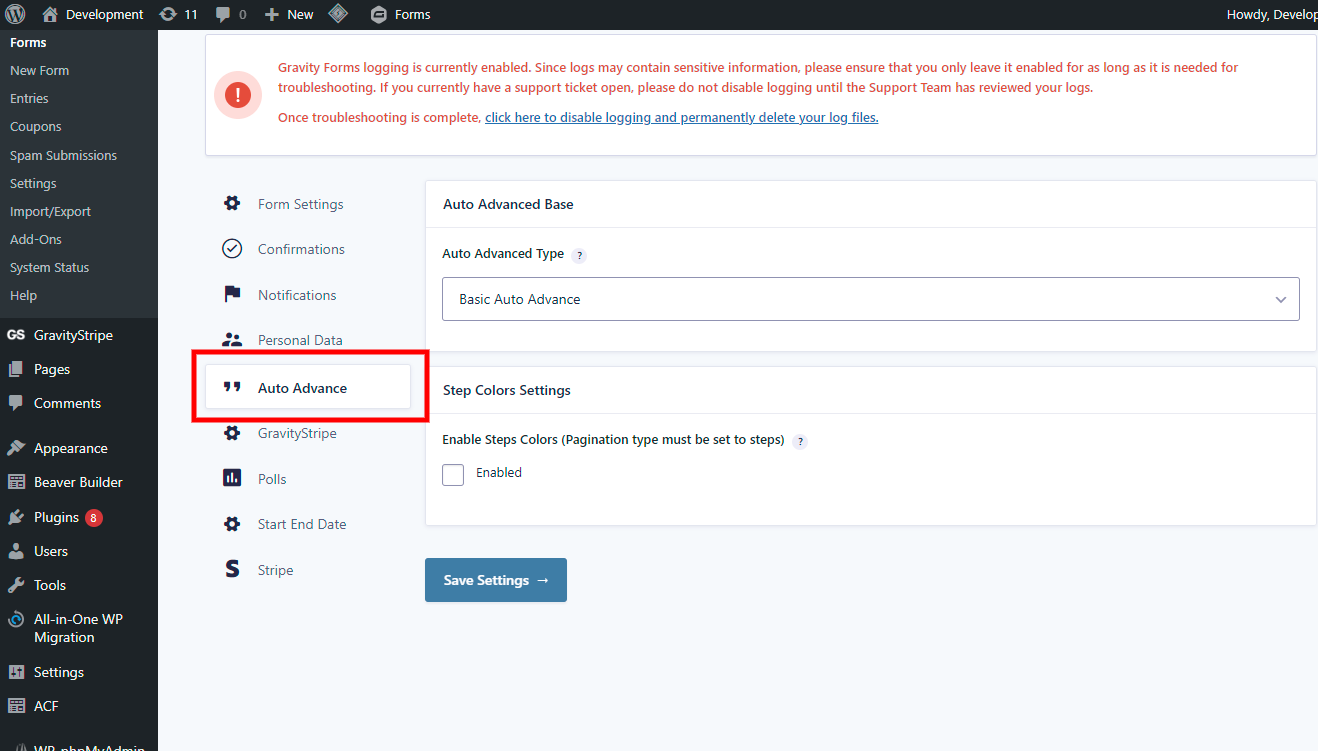
http://nimb.ws/sX2IVP
Plugins semelhantes


Extend Elementor with 68+ widgets, 114 prebuilt demos, Mega Menu Builder, Theme Builder, and advanced interactive effects.

Enhance your Gravity Forms to include anti-spam measures originally based on the work of David Walsh's "Zero Spam" technique.

Guie seus clientes com a barra de progresso animada. Gere formulários com várias etapas. Divida formulários longos em etapas menores para uma melhor usabilidade.