All in One Accessibility
Hospedagem WordPress com plugin All in One Accessibility
Onde hospedar o plugin All in One Accessibility?
Este plugin pode ser hospedado em qualquer servidor que tenha WordPress configurado. Recomendamos escolher uma hospedagem de confiança, com servidores especializados para WordPress, como o serviço de hospedagem WordPress da MCO2.
Hospedando o plugin All in One Accessibility em um provedor de confiança
A MCO2, além de configurar e instalar o WordPress na versão mais atualizada para seus clientes, disponibiliza o WP SafePress, um sistema singular que assegura e aumenta a performance do seu site conjuntamente.
Por que a Hospedagem WordPress funciona melhor na MCO2?
A Hospedagem WordPress funciona melhor pois a MCO2 possui servidores otimizados para WordPress. A instalação de WordPress é diferente de uma instalação trivial, pois habilita imediatamente recursos como otimização automática de imagens e fotos, proteção da página de login, bloqueio de atividades maliciosas diretamente no firewall, cache avançado e HTTPS ativado por padrão. São plugins que potencializam seu WordPress para a máxima segurança e o máximo desempenho.
The WordPress Accessibility Widget – All in One Accessibility® gives businesses, agencies, non-profits, and organizations a quicker way to enhance accessibility on their WordPress websites.Built for the WordPress environment, the plugin adds an accessibility widget that supports WCAG 2.1, 2.2 guidelines, ADA, EAA, and Section 508 compliance, California Unruh, France RGAA, European EAA EN 301 549, UK Equality Act (EA), Spain UNE 139803:2012, Australian DDA, Israeli Standard 5568, Ontario AODA, Canada ACA, German BITV, Brazilian Inclusion Law (LBI 13.146/2015), JIS X 8341 (Japan), Italian Stanca Act, Indian RPwD Act, Switzerland DDA and other web accessibility standards requirements – helping improve usability for visitors with visual, motor, cognitive, and learning disabilities.
This AI accessibility widget is ideal for websites built with WordPress themes, page builders, custom layouts, and multisite environments, offering quick, flexible, and scalable accessibility support.
The features of WordPress WCAG ADA EAA accessibility module:
* AI assisted enhancements including alternative text remediation, screen reader (voice can be customized) are the key features.
* Voice Navigation, Dictionary, Virtual Keyboard, Accessibility Profiles, Sign language Libras (Brazilian Portuguese) Custom Widget Color, Icon size, Position, Custom trigger setup, GA4 Tracking, Adobe Accessibility Analytics Tracking, custom accessibility statement link are the top features.
* Accessibility dashboard includes managing setting for customization of widget including size, icon, colors, position, user access management, widget open / close sound preferences, and more.
* Supports over 140 languages. Perfect for multilingual WordPress websites, global businesses, and sites serving diverse communities.
Explore the comprehensive features of WP WCAG accessibility widget.
Why is this WP accessibility widget the preferred choice for WordPress websites?
- Works seamlessly with classic themes, block themes, and most page builders (Elementor, Divi, Beaver Builder, Gutenberg, WPBakery, Astra, Kadence, Oxygen, Bricks, etc.).
- The WP accessibility module enhances accessibility across pages, posts, WooCommerce stores, landing pages, blogs, and custom templates.
- Compatible with WordPress multisite – individual sites can configure their own settings.
- It requires minimal setup and can be managed directly from the WordPress dashboard, requires no code changes, and adapts automatically to theme updates.
Security and privacy aligned
- It follows data protection and security practices aligned with: ISO 9001: 2015, ISO 27001: 2022, GDPR, CCPA, COPPA, HIPAA, and SOC 2 Type II.
- Skynet Technologies USA LLC is an organizational member of IAAP and of W3C.
- This helps to maintain accessibility features while respecting privacy, data protection, and security expectations required in many U.S. and international sectors such as healthcare, education, and public services.
- No personal data is intentionally stored by the module itself.
- Site owners are responsible for reviewing their own compliance requirements.
This helps meet expectations for industries like healthcare, education, government, and enterprise operations.
Who does this WordPress accessibility plugin help?
- It is suitable for small and mid-size businesses, ecommerce/WooCommerce stores, nonprofits and community organizations, schools, universities, and educational institutions, healthcare providers, government and public sector websites, enterprises managing large scale WordPress environments, agencies delivering accessible WordPress builds for clients.
For more details, visit WordPress accessibility plugin.
Installation
- Prerequisites
- WordPress 4.9 or above
- Steps
- Check out our WordPress WCAG Accessibility plugin installation steps blog
-
Add Script
Place the following script in the header or footer section of your website or frontend:-
Option A: Plain HTML
Place this script before the closing tag (or in the footer template). The script loads the widget after a short delay to avoid blocking page rendering.<script id=”aioa-adawidget” src=”https://www.skynettechnologies.com/accessibility/js/all-in-one-accessibility-js-widget-minify.js?colorcode=#420083&token=&position=bottom_right”></script>
-
Option B: React/Next.js
Add this to a client component (e.g., your layout or a top-level page).<script>
function load_aioa_script() { let aioa_script_tag = document.createElement("script");
aioa_script_tag.id = "aioa-adawidget" aioa_script_tag.src = "https://www.skynettechnologies.com/accessibility/js/all-in-one-accessibility-js-widget-minify.js?colorcode=#420083&token=&position=bottom_right" document.getElementsByTagName("head")[0].appendChild(aioa_script_tag); } setTimeout(() => {
load_aioa_script(); }, 5000); </script>
-
-
WordPress Accessibility DEMO URL
https://wp.skynettechnologies.us -
CORS Policy Configuration
To avoid CORS policy issues, ensure the following URLs are allowed in your website. These URLs should be added to your CORS configuration or trusted domains list.Allowed Domains
-
https://*.skynettechnologies.com
*Description:* Skynet Technologies (Global Domain)
*Usage:* API access and resources -
https://*.skynettechnologies.us
*Description:* Skynet Technologies (US Domain)
*Usage:* API access and resources -
https://*.googleapis.com
*Description:* Google APIs
*Usage:* Services like Fonts, Translation -
https://*.gstatic.com
*Description:* Fonts APIs
*Usage:* Custom Fonts -
https://vlibras.gov.br
Description: VLibras – Brazilian Sign Language Service
Usage: Sign Language
-
-
Instructions
- Update your server’s CORS configuration to include these URLs.
- Ensure wildcard subdomains (*) are supported where necessary.
- Verify the application functionality by testing requests to these domains.
- If issues persist, consult the documentation for CORS configuration guidance.
Documentation
- WordPress Accessibility Plugin
- How to install WP accessibility Plugin
- Top WordPress Accessibility Plugin – Features Guide
Submit a Support Request
Please visit our support page and fill out the form. Our team will get back to you as soon as possible.
Send Us an Email
Alternatively, you can send an email to our support team: [email protected]
WP accessibility widget paid add-ons
-
WordPress Manual Accessibility Audit
- Enhance inclusivity and user experience by evaluating your website’s accessibility by accessibility experts.
- WCAG 2.0 / WCAG 2.1 / WCAG 2.2 Level AA conformance testing
- Automated, semi-automated testing
- Manual testing
- Simple before-after UI/UX recommendations on how to fix the issues
- Comprehensive audit report
-
WordPress Manual Accessibility Remediation
- Enhance website accessibility and inclusivity with our Manual Accessibility Remediation add-on. This service includes fixing accessibility issues and thorough remediation of your website manually. Our experts ensure accessibility with WCAG standards, improve user experience for those with disabilities, and provide a detailed report on the improvements made.
-
WordPress PDF / Document Accessibility Remediation
- The PDF / Document Remediation provides a list of inaccessible PDFs and remediated PDFs from where you can request PDF remediation service.
-
WordPress website VPAT /ACR report service
- The Voluntary Product Accessibility Template (VPAT), also known as an ACR (Accessibility Conformance Report) starts with an audit and provides current details for an accessible website, application, or any other digital assets.
-
WordPress White Label Accessibility
- Remove the Skynet Technologies logo as well as all of the footer links, popups, report a problem link and more for full white label control.
- WP site live translations
- Translate your site into over 140 languages instantly to enhance accessibility for non-native speakers, individuals with language acquisition difficulties, and those with learning disabilities.
- Modify Accessibility Menu for WordPress website
- Build and fine-tune your widget with the Modify Menu option. Reorder, remove and restructure the widget buttons to fit your users’ specific accessibility needs.
Accessibility Partnership Opportunities
-
WordPress Accessibility Agencies Partnership
Partner with us as an agency to provide comprehensive accessibility solutions to your clients. Get access to exclusive resources, training, and support to help you implement and manage accessibility features effectively. -
WordPress Accessibility Affiliated Partnership
Join our affiliate program and earn commissions by promoting All in One Accessibility®. Share our Widget with your network and help businesses improve their website accessibility while generating revenue.
For more details, please visit Accessibility Partnership Opportunities Page
Third Party Libraries
This plugin bundles jscolor (https://jscolor.com)
License: GPLv3
External Services
This plugin connects to external services operated by Skynet Technologies to provide automated accessibility scanning, widget rendering, and accessibility feature processing. These services perform real-time processing on external servers that cannot be reasonably performed locally within WordPress.
-
Service: ADA Widget Platform API
Domain: https://ada.skynettechnologies.us
Purpose: Performs server-side processing required to generate and manage the accessibility widget, register the site domain, and apply widget configuration changes.
Data Sent: Site URL and plugin configuration options when the plugin is activated or when settings are updated.
Terms of Service: https://www.skynettechnologies.com/terms-conditions
Privacy Policy: https://www.skynettechnologies.com/privacy-policy -
Service: ADA Add-User-Domain API
Domain: https://ada.skynettechnologies.us/api/add-user-domain
Purpose: Registers the site domain with the accessibility platform so that automated accessibility processing and widget services can be provided.
Data Sent: Site domain name.
Terms of Service: https://www.skynettechnologies.com/terms-conditions
Privacy Policy: https://www.skynettechnologies.com/privacy-policy -
Service: ADA Widget Script Hosting
Domain: https://www.skynettechnologies.com
Purpose: Delivers JavaScript and SVG assets required to render the accessibility widget on the front end.
Data Sent: None. (Static assets only)
Terms of Service: https://www.skynettechnologies.com/terms-conditions
Privacy Policy: https://www.skynettechnologies.com/privacy-policy -
Service: Widget Setting Update Platform API
Domain: https://ada.skynettechnologies.us/api/widget-setting-update-platform
Purpose: Processes and applies widget configuration changes on the accessibility platform servers.
Data Sent: Plugin configuration settings when saved by the site administrator.
Terms of Service: https://www.skynettechnologies.com/terms-conditions
Privacy Policy: https://www.skynettechnologies.com/privacy-policy
Capturas de tela
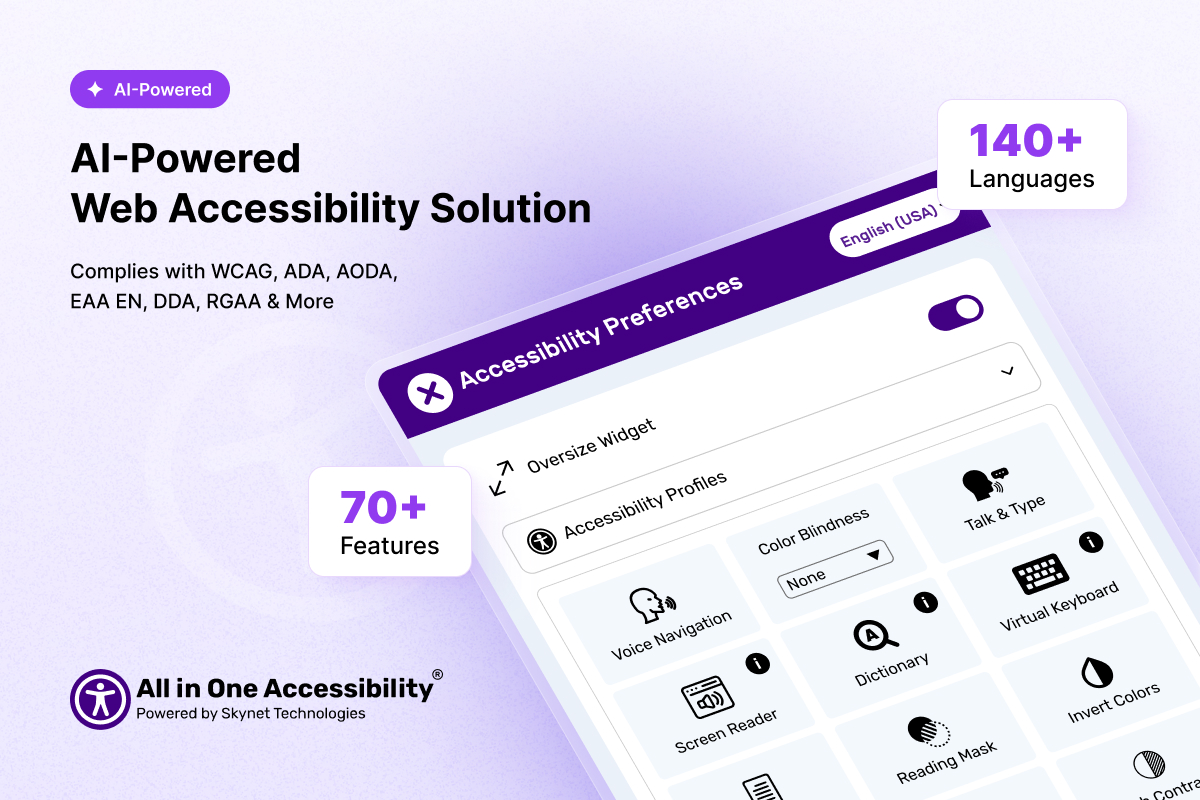
Supports 140 languages and 70 plus features
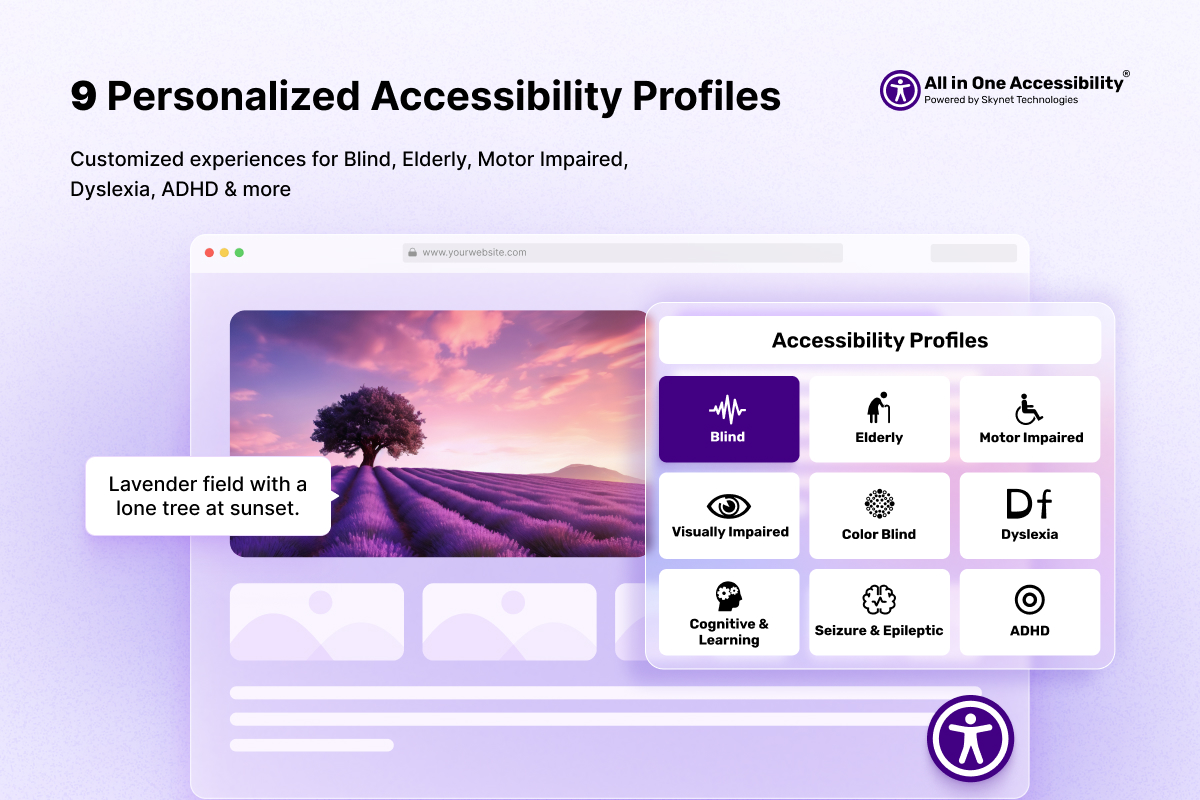
9 Personalize Accessibility Profile
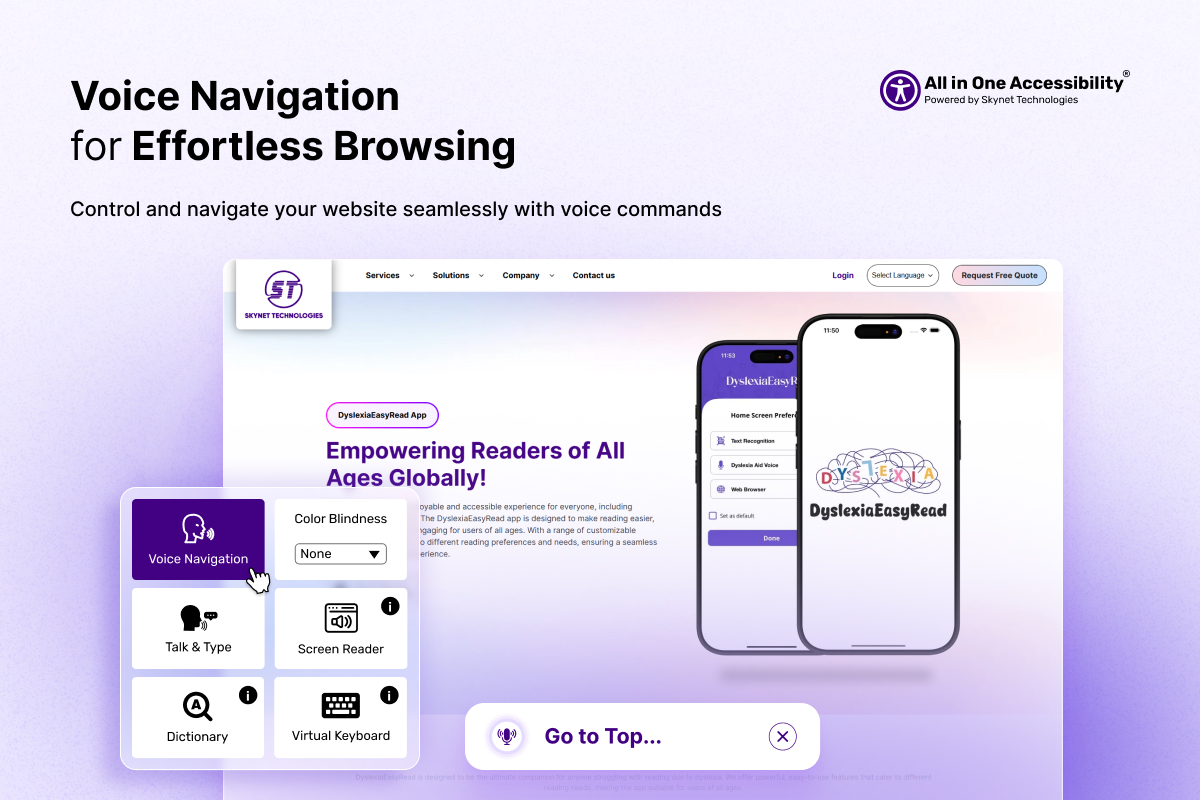
Voice Navigation
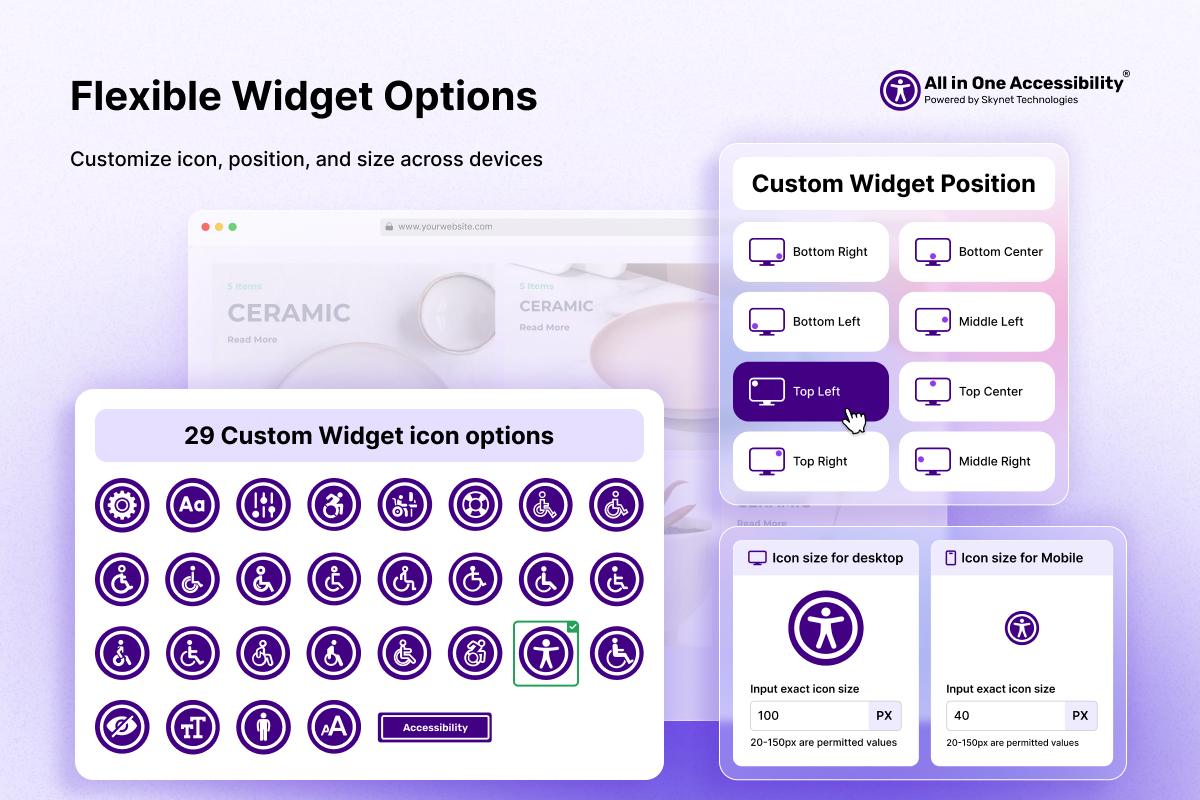
Flexible Widget Options
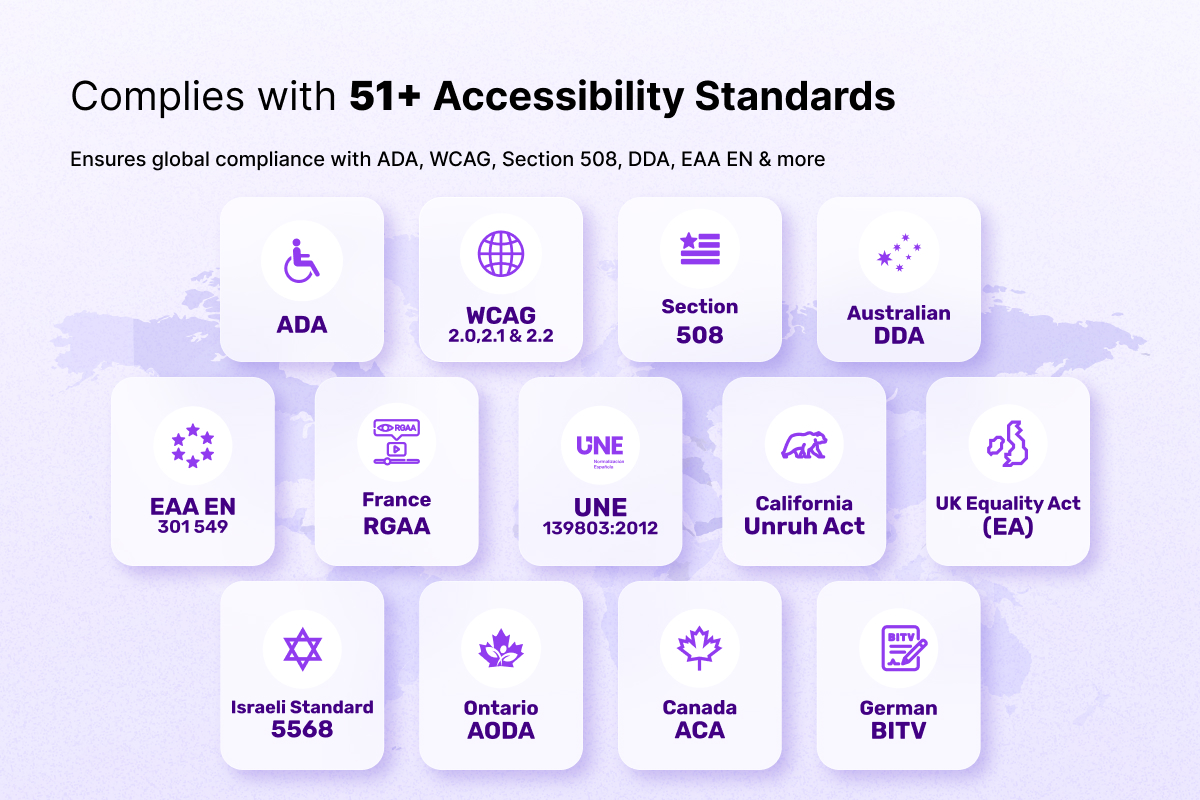
Supports 51 plus accessibility standards
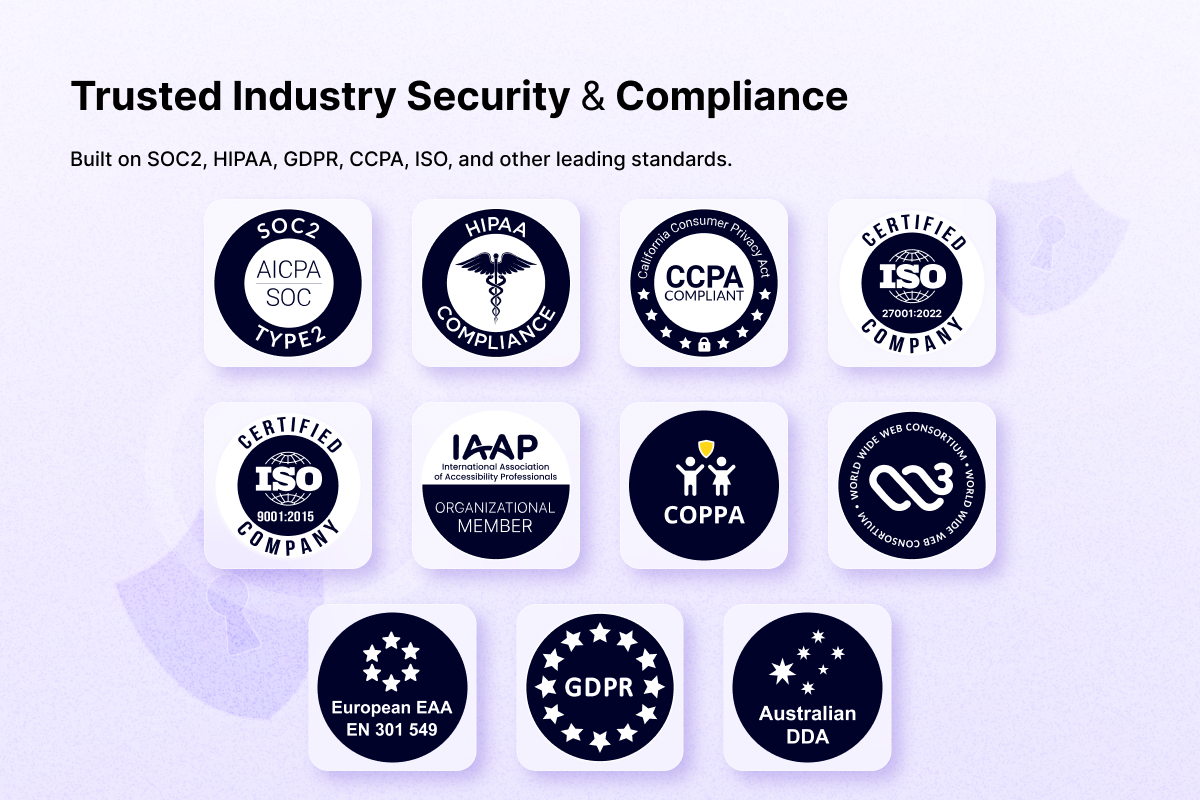
Security and Compliance
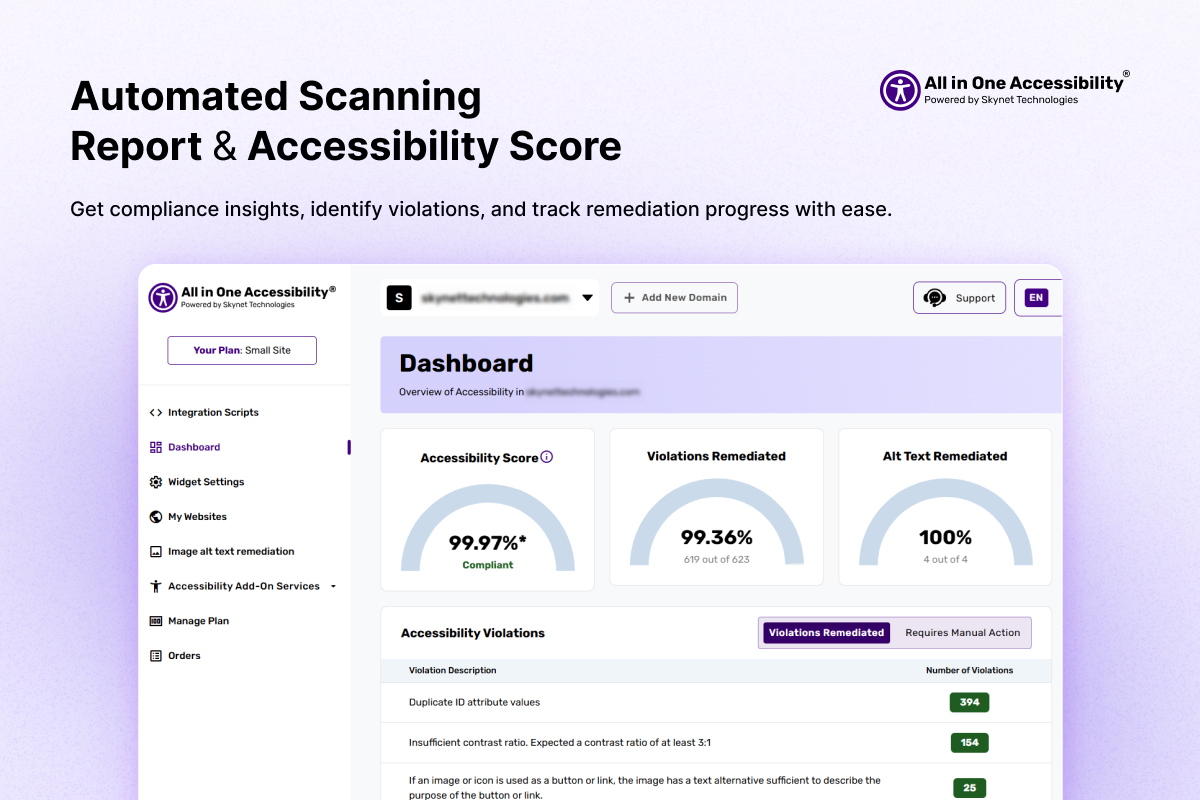
Automated Scanning Report and Accessibility Score