Tudo em um: aceleração imbatível, melhoria no PageSpeed, armazenamento em cache, otimização de imagem/CSS/JS e muito mais...

Advanced Database Cleaner – Optimize & Clean Database to Speed Up Site Performance
Hospedagem WordPress com plugin Advanced Database Cleaner
Onde devo hospedar o plugin Advanced Database Cleaner?
Este plugin pode ser hospedado em qualquer provedor que tenha WordPress instalado. Recomendamos fortemente utilizar um provedor de hospedagem de confiança, com servidores otimizados para WordPress, como o serviço de hospedagem de sites da MCO2.
Hospedando o plugin Advanced Database Cleaner em um provedor de confiança
A MCO2, além de configurar e instalar o WordPress na versão mais nova para seus clientes, fornece o WP SafePress, um sistema singular que protege e aumenta a performance do seu site ao mesmo tempo.
Por que a Hospedagem WordPress funciona melhor na MCO2?
A Hospedagem WordPress funciona melhor pois a MCO2 possui servidores otimizados para WordPress. A instalação de WordPress é diferente de uma instalação trivial, pois habilita imediatamente recursos como otimização automática de imagens, proteção da página de login, bloqueio de atividades suspeitas diretamente no firewall, cache avançado e HTTPS ativado por padrão. São plugins que potencializam seu WordPress para a máxima segurança e o máximo desempenho.
Advanced Database Cleaner is a complete WordPress optimization plugin that helps you clean up database clutter and optimize database performance by removing unused data such as old revisions, auto drafts, spam comments, expired transients, unused post meta, duplicated post meta, unused user meta, etc.
It is designed to help you improve website speed by reducing database bloat and ensuring a lean, efficient WordPress installation. It also provides detailed previews, powerful filters, and automation tools to safely control what gets cleaned.
With the ✨Premium version✨, you can unlock even more advanced features, such as detecting and cleaning orphaned options, orphaned tables, orphaned post meta, orphaned user meta, orphaned transients, and orphaned cron jobs. It also gives you clear insights into how your database evolves over time through built-in analytics, lets you monitor plugin and theme activity to better understand when new data is created or when leftovers appear, and much more.
Why use Advanced Database Cleaner❓
👉 Get a clear overview: see how many tables, options, transients, cron jobs, metadata… records you have, and identify which are unused or orphaned.
👉 Save time: configure what to clean, how far back to keep data, and how often to run automations. The plugin will then handle recurring cleanups for you.
👉 Save space and improve performance: removing unnecessary data reduces database size, makes backups faster, and can improve query performance, especially on busy or older sites.
✅ Main Features
- Excluir revisões antigas de posts e páginas
- Delete old auto-drafts
- Delete trashed posts
- Excluir comentários pendentes
- Excluir comentários spam
- Delete trashed comments
- Excluir pingbacks
- Excluir trackbacks
- Delete unused post meta
- Delete unused comment meta
- Delete unused user meta
- Delete unused term meta
- Delete unused relationships
- Excluir transientes expirados
- Delete duplicated post meta
- Delete duplicated user meta
- Delete duplicated comment meta
- Delete duplicated term meta
- Delete oEmbed caches
- Display the database size that will be freed before cleaning for each item type, and the total size to be freed
- Display and preview items to clean before performing a database cleanup to ensure safety
- Sorting capability in cleanup preview tables (by name, date, size, site id, etc.)
- View options value content in original or formatted mode for serialized or JSON structures (and other items types as well).
- Keep last X days of data: clean only data older than the number of days you specify
✅ Automation
- Schedule database cleanup to run automatically
- Create scheduled cleanup tasks and specify which items each task should clean
- Schedule database optimization and/or repair to run automatically
- Execute scheduled tasks based on several frequencies: once, hourly, twice a day, daily, weekly, or monthly
- Specify the “keep last X days” rule for each item type in a scheduled task
- Pause/Resume scheduled tasks whenever needed
- Create as many scheduled cleanup tasks as needed and specify what each task should clean
✅ Tables
- Display the list of database tables with information such as number of rows, table size, engine, etc.
- Sort tables by any column such as table name or table size
- Display table contents along with their column structure, indexes, status, and more
- Detect and filter tables with invalid prefixes (tables that do not belong to the current WordPress installation), this can be enabled or disabled from the settings page
- Optimize database tables (the plugin notifies you when tables require optimization)
- Repair corrupted or damaged database tables (the plugin notifies you when tables are corrupted)
- Convert tables to InnoDB for better performance
- Empty rows of database tables
- Limpa e exclui tabelas do banco de dados
✅ Options
- Display the options list with information such as option name, option value, option size, and autoload status
- Sort options by any column such as option name or option size
- View option value content in original or formatted mode for serialized or JSON structures.
- Notify you if autoloaded options are large and help reduce autoload size for better performance
- Detect large options that may slow down your website
- Set option autoload to yes/no
- Limpa e exclui opções
✅ Cron Jobs
- Display the list of active cron jobs (scheduled tasks) with information such as arguments, action, next run, schedule, etc.
- Sort cron jobs by any column such as action name or next run time
- Detect cron jobs with no valid actions
- Limpe e exclua tarefas agendadas
✅ Post Meta
- Display the post meta list with information such as meta key, value, size, associated post ID, etc.
- Sort post meta by any column such as meta key, meta size, or post ID
- View post meta value content in original or formatted mode for serialized or JSON structures.
- Detect unused post meta (meta not associated with any existing posts)
- Detect duplicated post meta (same meta key/value for the same post ID)
- Clean and delete post meta
✅ Post types
- Display post types with information such as name, post count, visibility (public or non-public), etc.
- Sort post types by columns such as name, post count, visibility, etc.
- View posts corresponding to each post type, along with their details
- Detect unused or orphaned post types
- Clean orphaned post types
✅ User Meta
- Display the user meta list with information such as meta key, value, size, associated user ID, etc.
- Sort user meta by any column such as meta key, meta size, or user ID
- View user meta value content in original or formatted mode for serialized or JSON structures.
- Detect unused user meta (meta not associated with any existing users)
- Detect duplicated user meta (same meta key/value for the same user ID)
- Clean and delete user meta
✅ Transients
- Display the list of transients with information such as name, value, size, and expiration time
- Sort transients by any column such as transient name, size, or expiration time
- View transient value content in original or formatted mode for serialized or JSON structures.
- Clean expired transients
- Detect large transients that may slow down your website
- Clean and delete transients
- Set transient autoload to yes/no
✅ WooCommerce
- Clean orphaned product variations
- Clean orphaned customer analytics
- Clean expired customer sessions
✅ Other Tools
- Display current database size
- Logging system for easy troubleshooting
- Access the WordPress debug log directly from the plugin interface
- Multisite support (network-wide database cleanup and optimization from the main site)
- Modern, responsive interface powered by React for a smooth experience without page reloads
- Show/hide plugin tabs for better usability
⚡ Premium Features ⚡ Official website
Unlock the full power of database cleanup and optimization with Advanced Database Cleaner Premium – packed with smart features that take accuracy, speed, and cleanup control to the next level.
✅ Remote SmartScan
- Local scan + Remote SmartScan technology to accurately detect the true owners of tables, options, post meta, user meta, transients, and cron jobs
- Cloud-enhanced ownership detection using a large and continuously improving remote database
- Improved accuracy for identifying orphaned items left by deleted plugins and themes
- Ability to edit ownership of any item and correct misidentified owners
- Ability to send ownership corrections to improve the global detection database
- Enhanced “Belongs to” ownership column everywhere using cloud data + local data
- Display multiple possible owners for each item when applicable
- Display owner status (active, inactive, not installed) to simplify cleanup decisions
- Check your remote scan credits to monitor usage
✅ Action Scheduler Cleanup
- Clean Action Scheduler Completed actions
- Clean Action Scheduler Failed actions
- Clean Action Scheduler Canceled actions
- Clean Action Scheduler Completed logs
- Clean Action Scheduler Failed logs
- Clean Action Scheduler Canceled logs
- Clean Action Scheduler Orphan logs
✅ General Cleanup Enhancements
- Keep last X items feature in General Cleanup
- Keep last X items per parent (e.g., per post)
- Keep last X items globally (e.g., keep the last 10 pingbacks)
- Combine Keep Last X Days with Keep Last X Items for advanced cleanup safety
✅ Advanced Filters
- Advanced filters in all modules (Tables, Options, Post Meta, User Meta, Transients, Cron Jobs)
- Filter by size, value content, autoload, expiration, metadata type, and more
- Filter by plugin owner, theme owner, WordPress core, orphan, or unknown
- Filter by multisite site ID with full per-site visibility
- Filter by action frequency and interval in cron jobs
- Filter by duplicated, unused, large, not-yet-scanned, or expired items
✅ Advanced Automation
- Unlimited automation tasks (Free version is limited to 5 tasks)
- Create any number of scheduled cleanup tasks with different configurations
- Create scheduled optimization and repair tasks
- Use Keep Last X Items and Keep Last X Days inside scheduled tasks
- Run automation tasks hourly, twice daily, daily, weekly, monthly, or at any supported frequency
- Pause/resume/delete automation tasks without losing settings
- Per-task automation event logging showing executed actions, number of items cleaned, execution timestamps, and detailed logs
✅ Database Analytics
- Daily tracking of total database size and number of tables
- Daily and monthly charts showing database growth trends
- Raw data tab with all recorded measurements
- Table-level analytics showing size growth, rows growth, and daily changes
- Ability to detect abnormal table growth caused by logs, caches, or runaway actions
- Multi-table selection and search for analyzing multiple tables at once
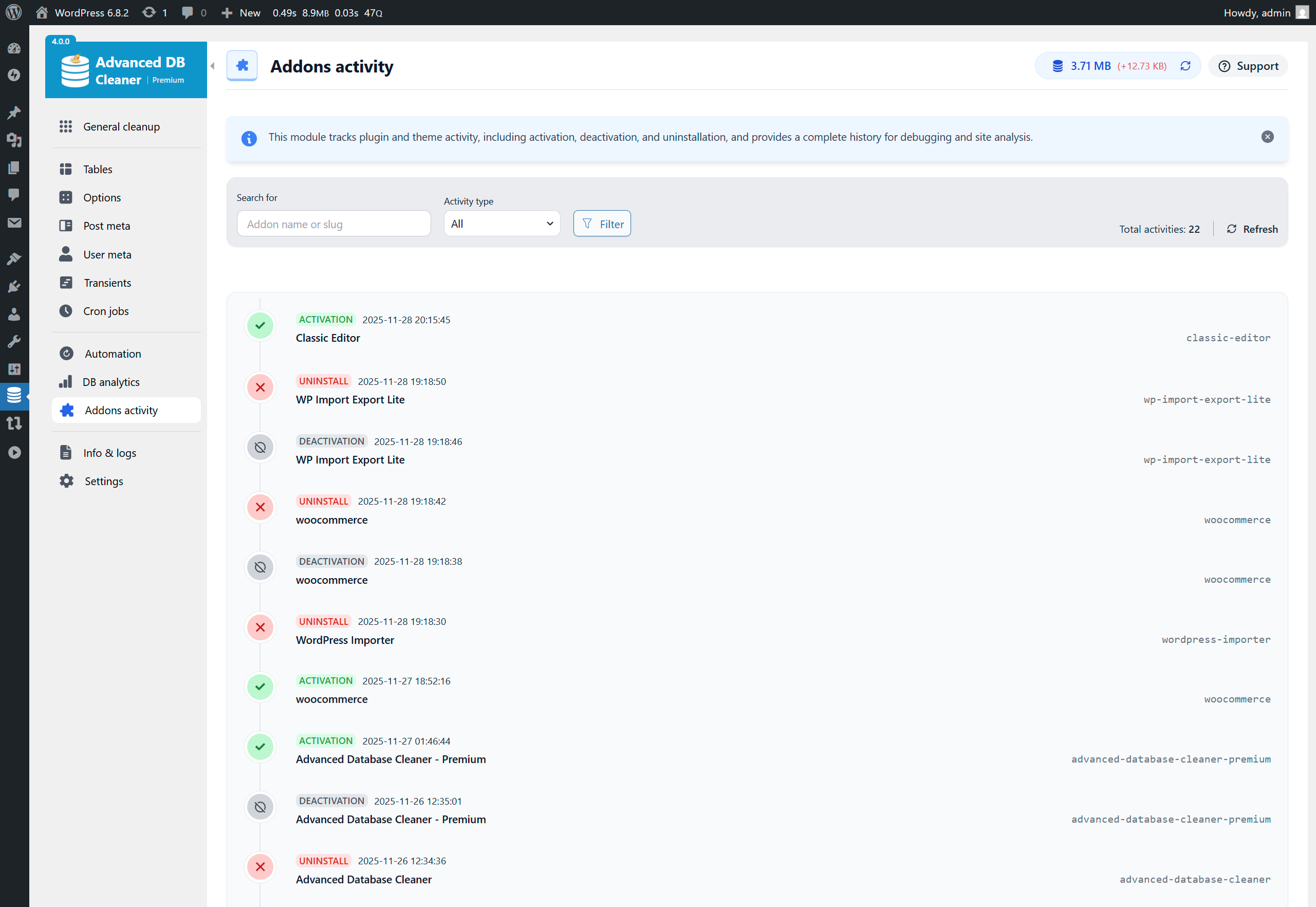
✅ Addons Activity
- Automatically track plugin activations, deactivations, and uninstalls
- Automatically track theme switches and uninstalls
- Display activity in a color-coded timeline for better readability
- All timestamps shown in your local timezone
- Multisite support (activity recorded on the main site)
✅ Full Multisite Support
- Clean any site or all sites
- Filter items by site ID in every module (Tables, Options, Post Meta, User Meta, Transients, Cron Jobs)
- Display which site each item belongs to
- Run automation tasks across the entire network
🛒 WOptimize – The Cleaner & Optimizer for WooCommerce
If you run a WooCommerce store and want to go further, try our dedicated plugin WOptimize – the ultimate solution to clean and speed up your WooCommerce store.
Learn more: https://sigmaplugin.com/downloads/woptimize
Capturas de tela
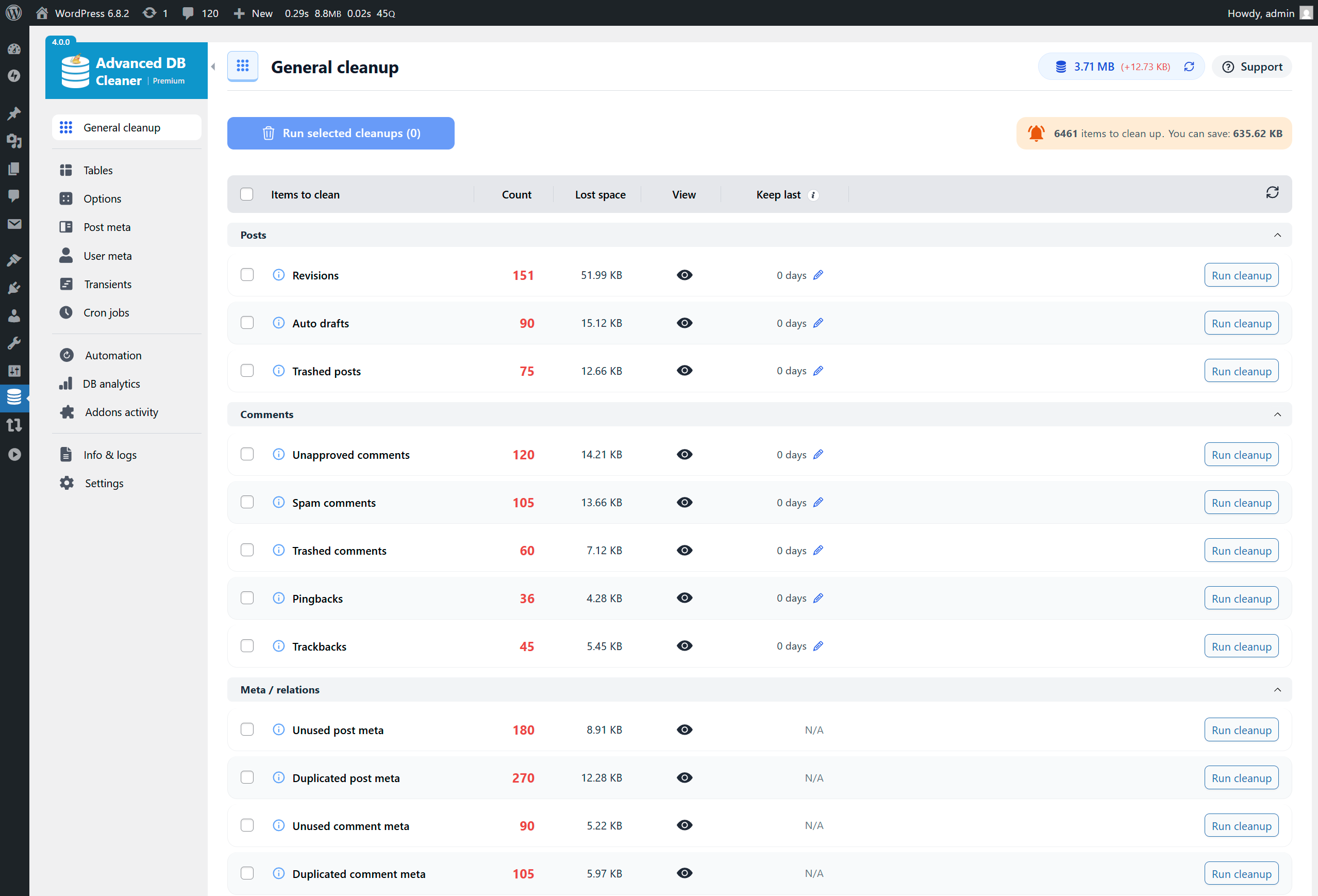
General Cleanup overview (list of database items to clean, total count & size)
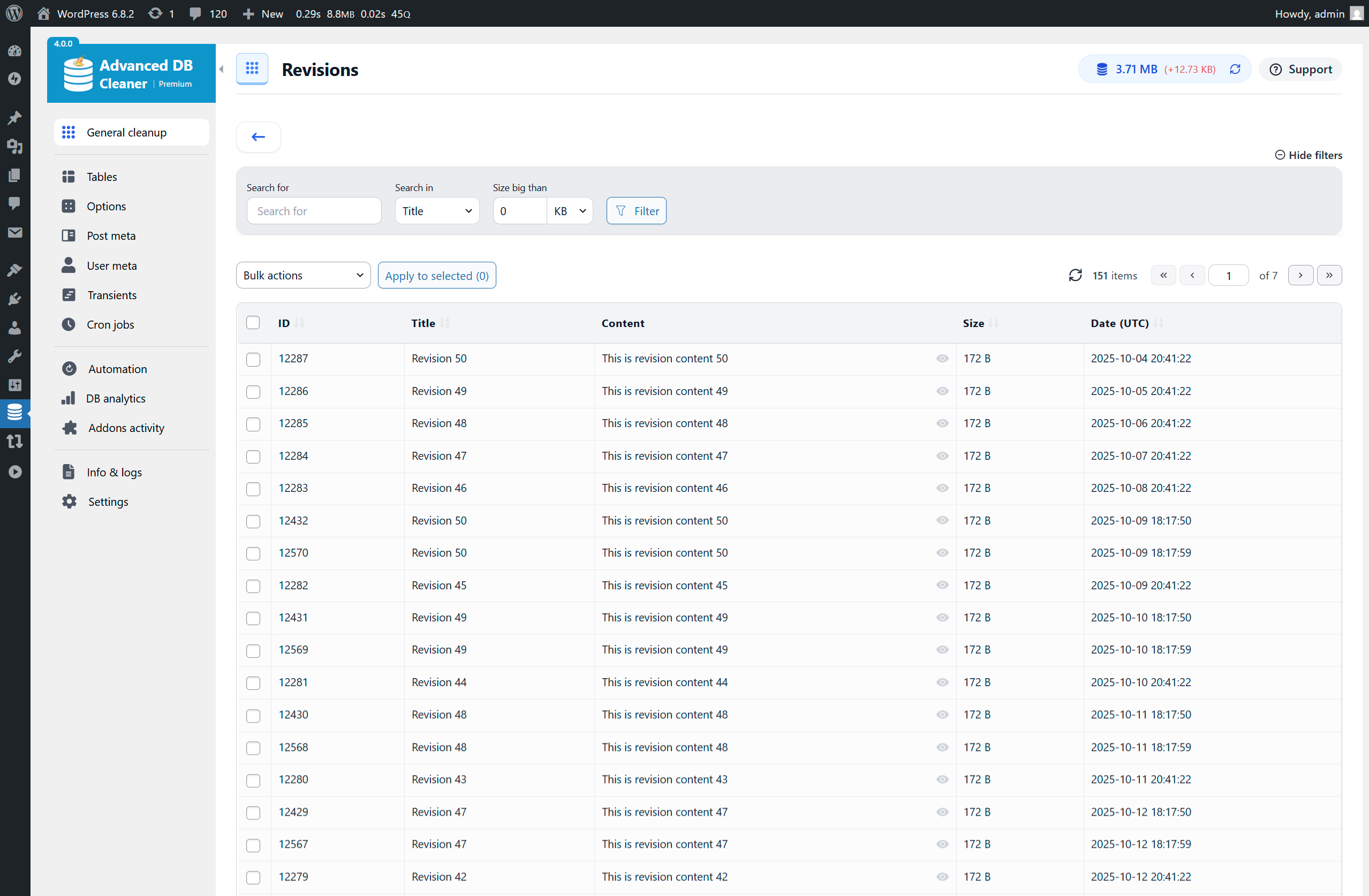
Preview items before cleaning - Revisions example (filters in Premium)
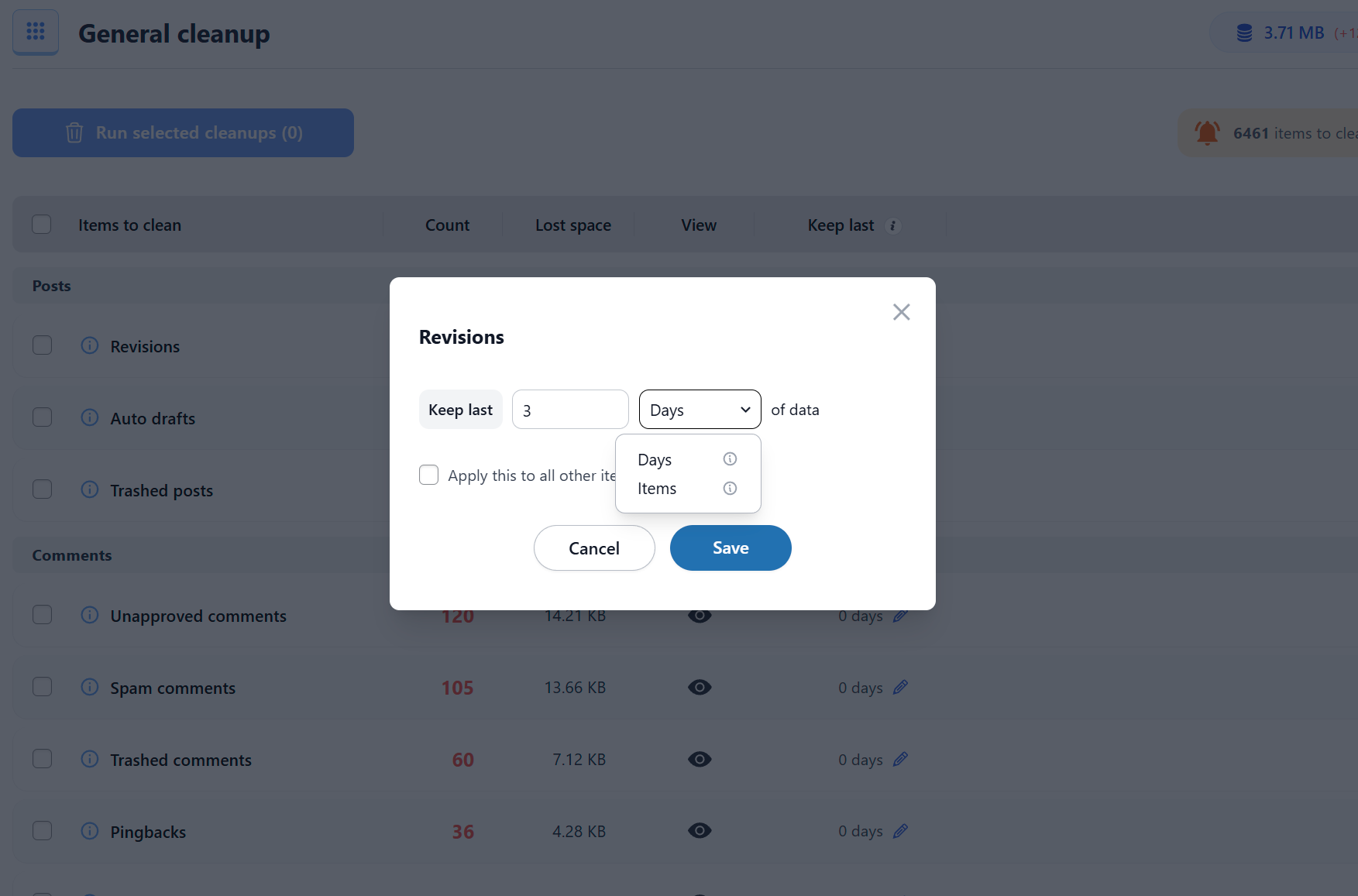
Keep Last rules - Revisions example (keep last X items in Premium)
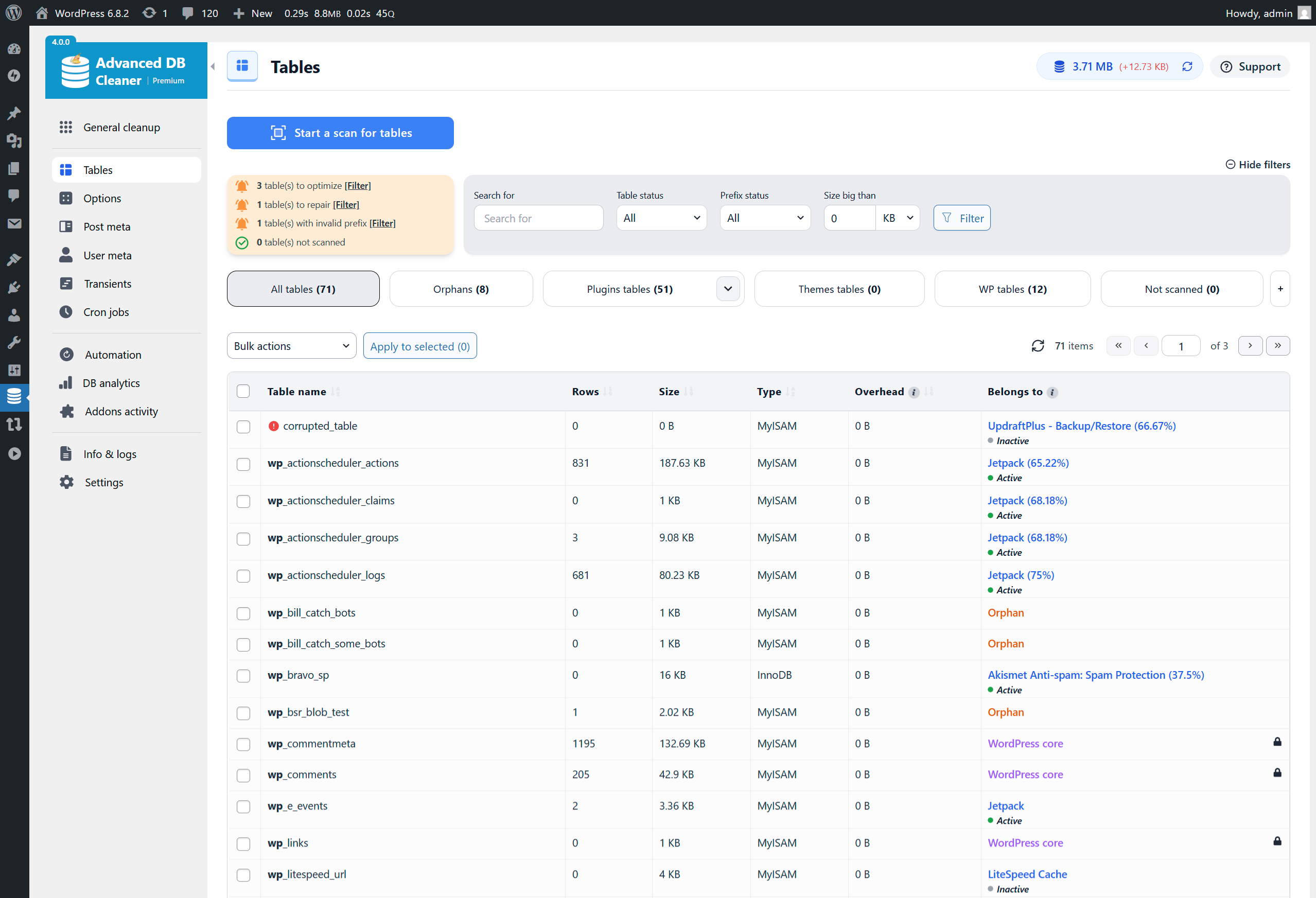
Tables overview (filters & scan in Premium)
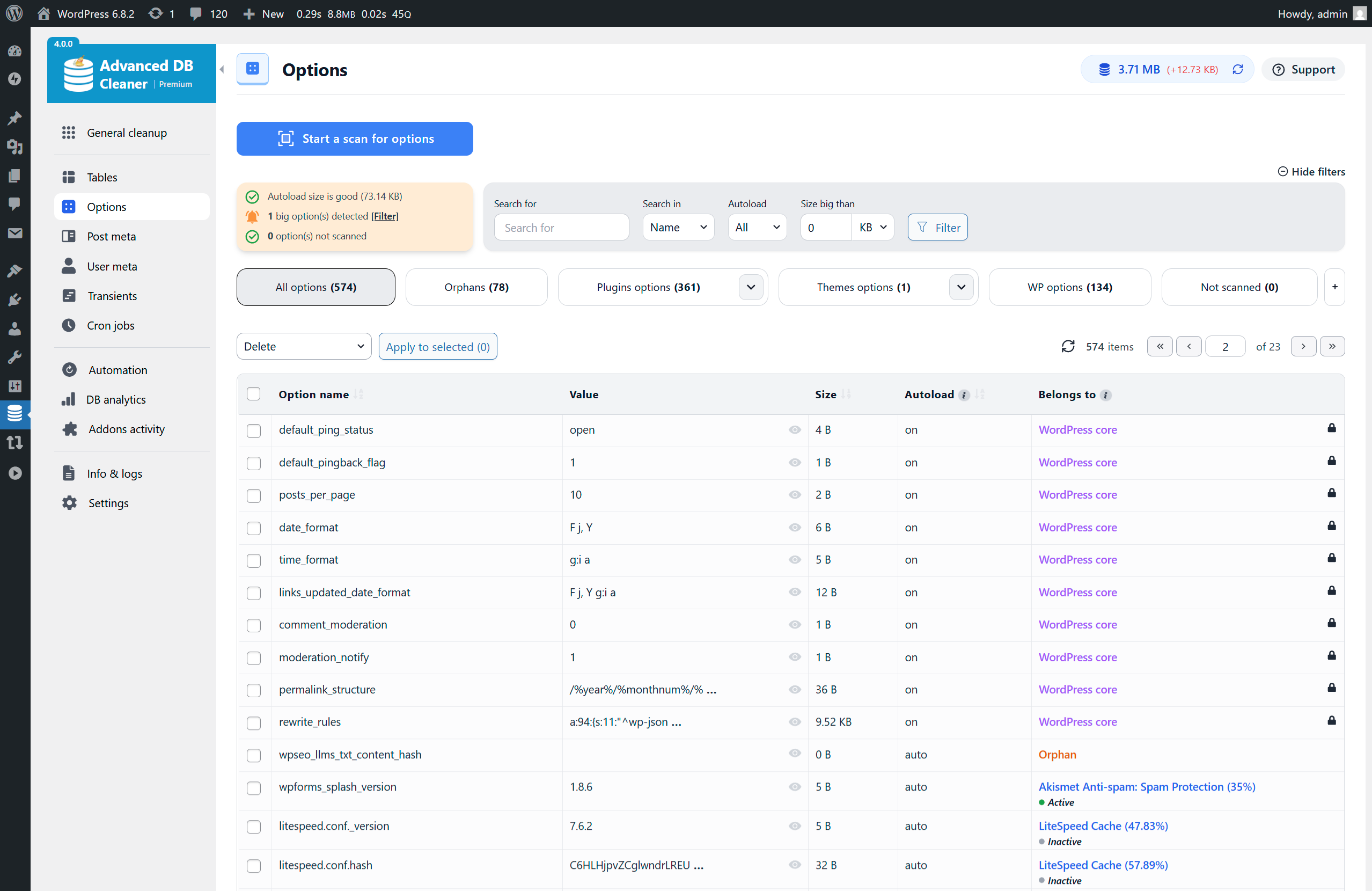
Options overview (filters & scan in Premium)
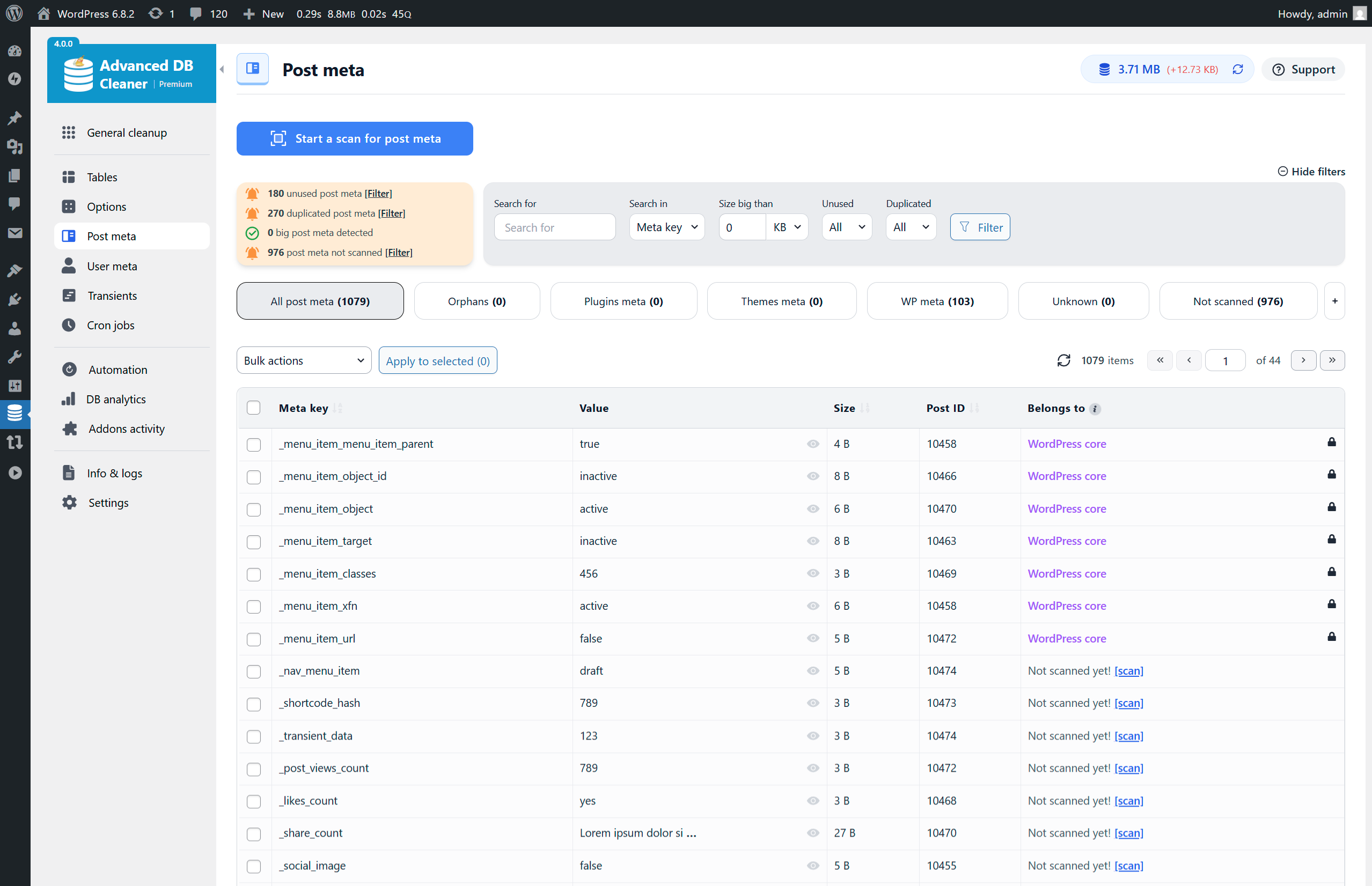
Post Meta overview (filters & scan in Premium)
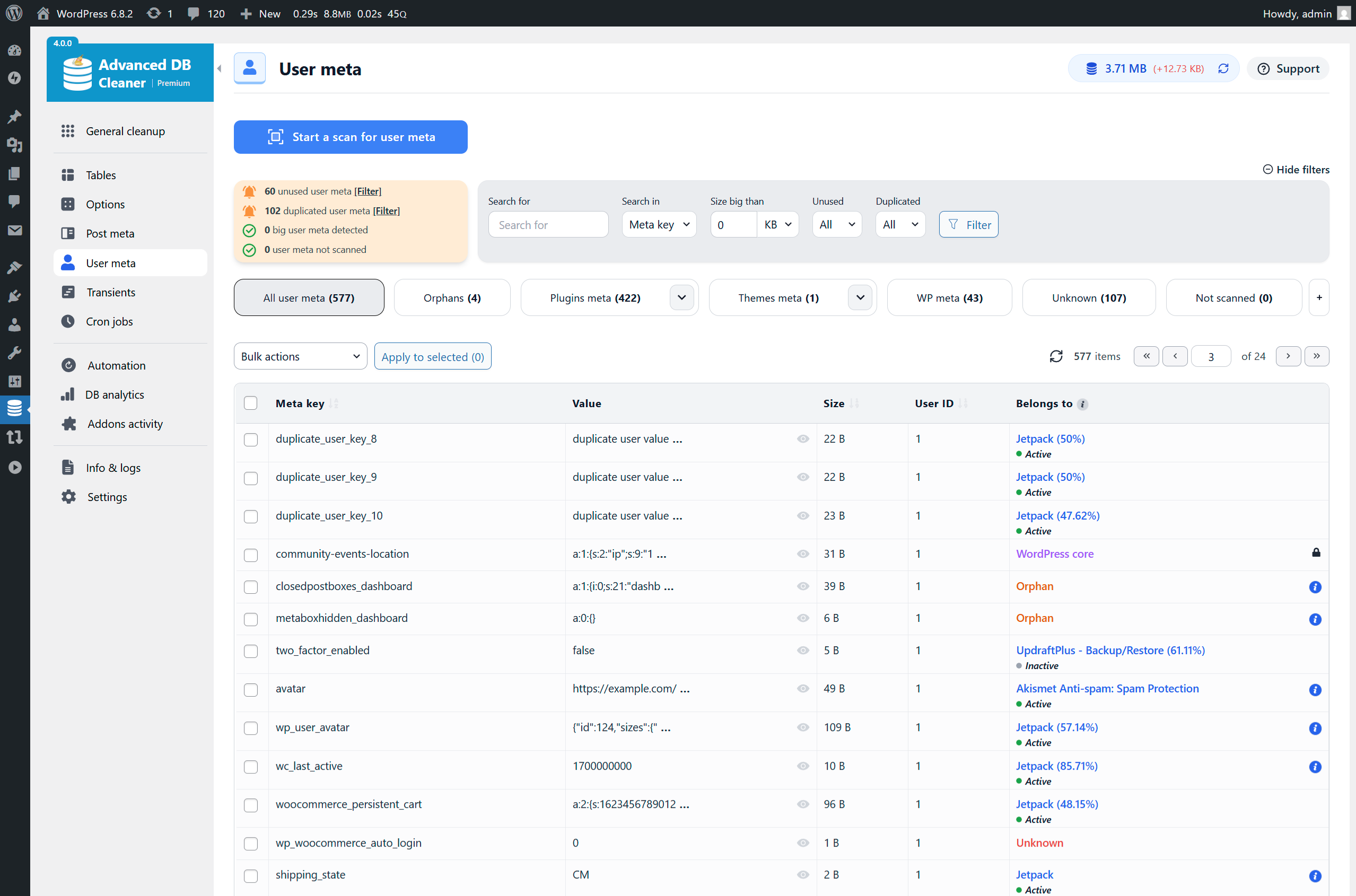
User Meta overview (filters & scan in Premium)

Transients overview (filters & scan in Premium)
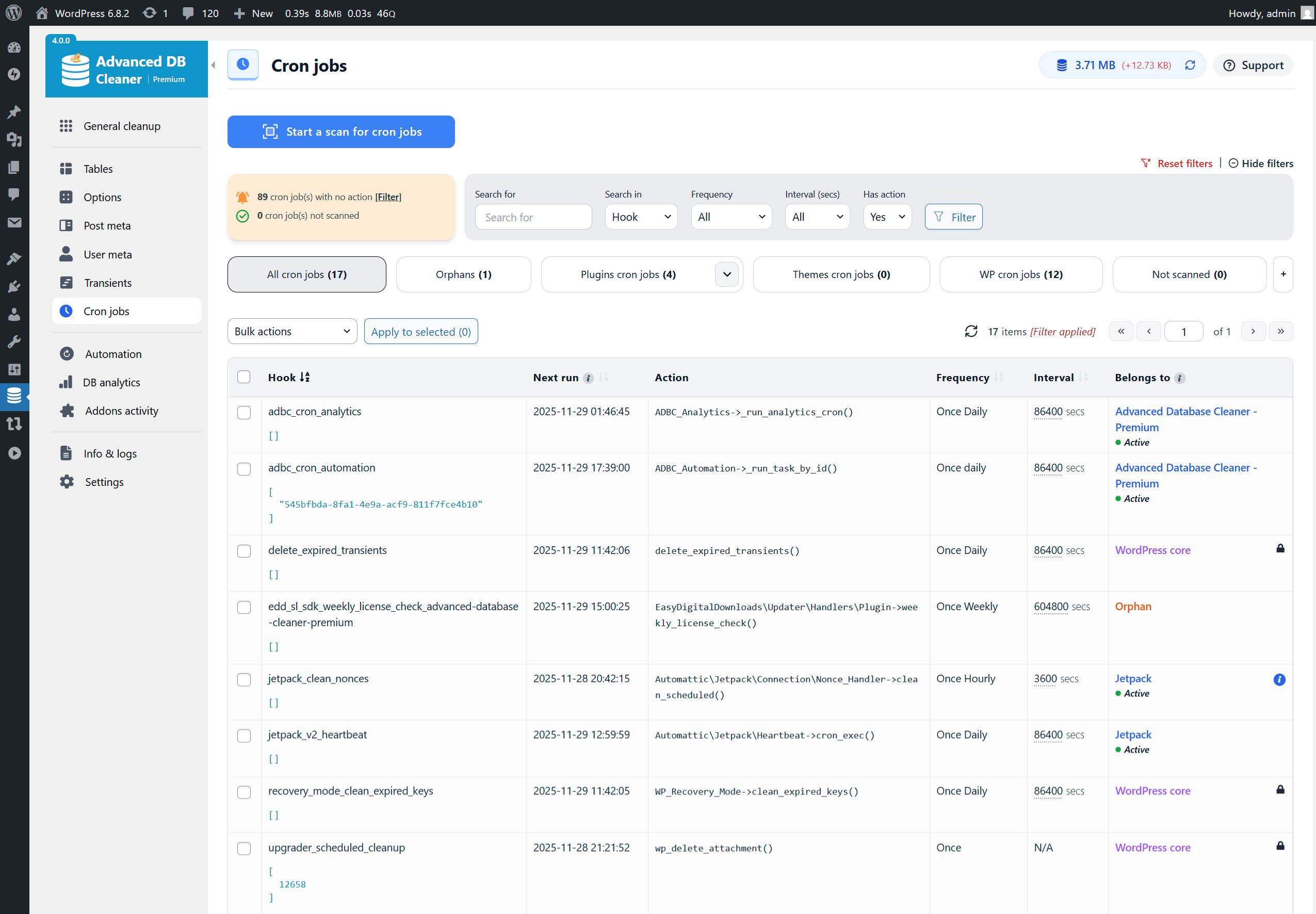
Cron Jobs overview (filters & scan in Premium)
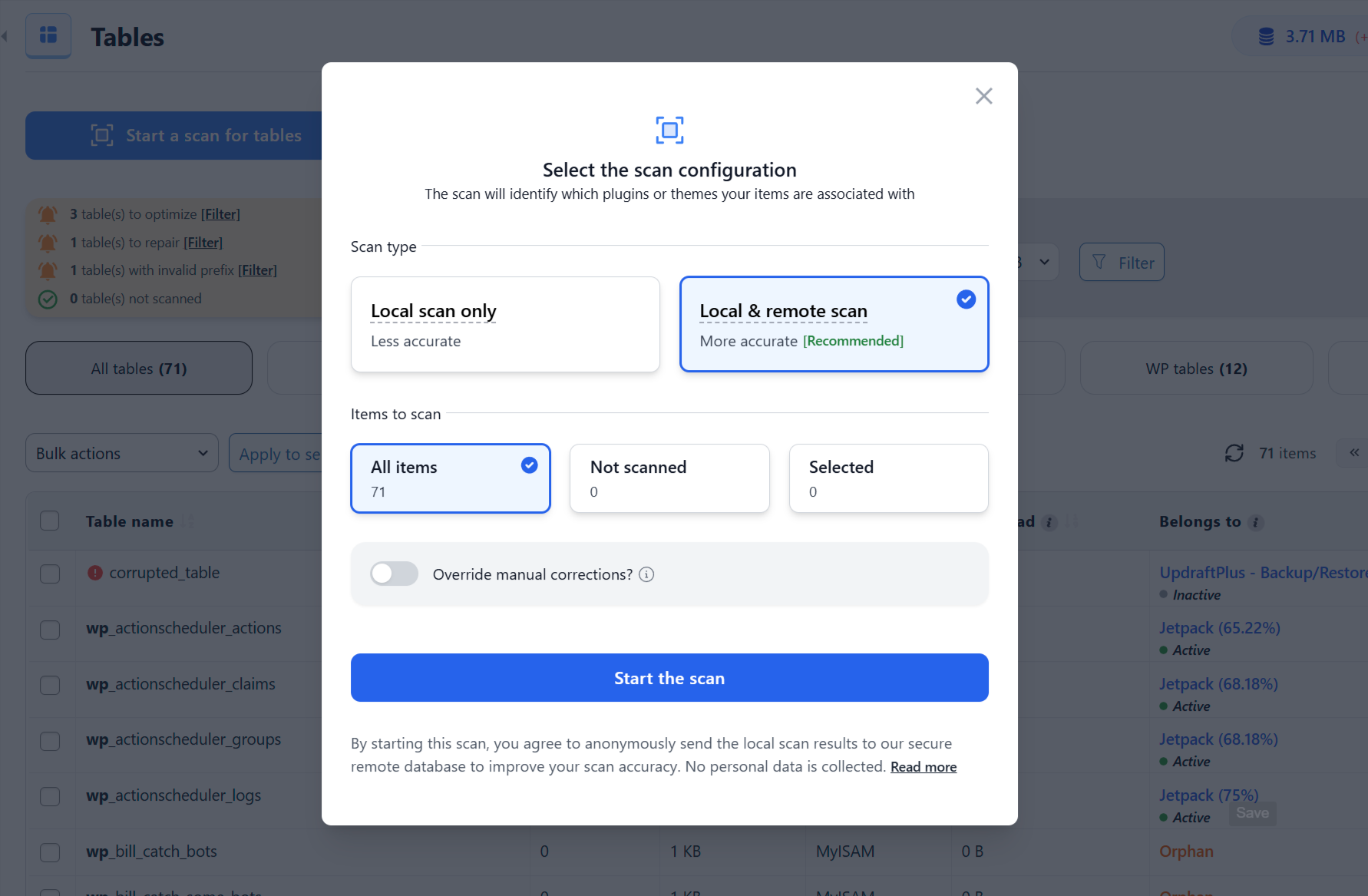
Start Scan modal - Full scan selected (in Premium)
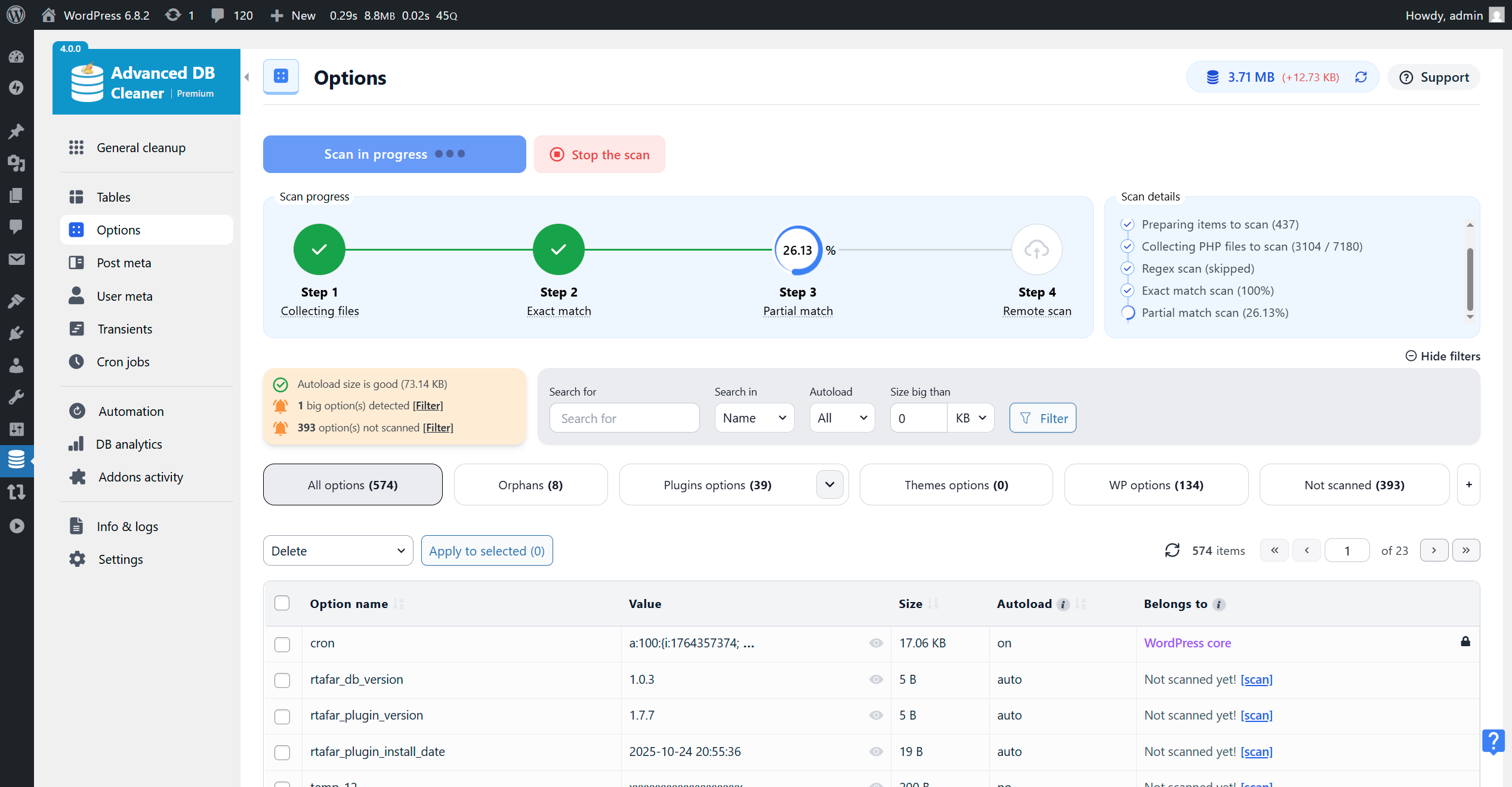
Scan running for Options - Exact Match step (in Premium)
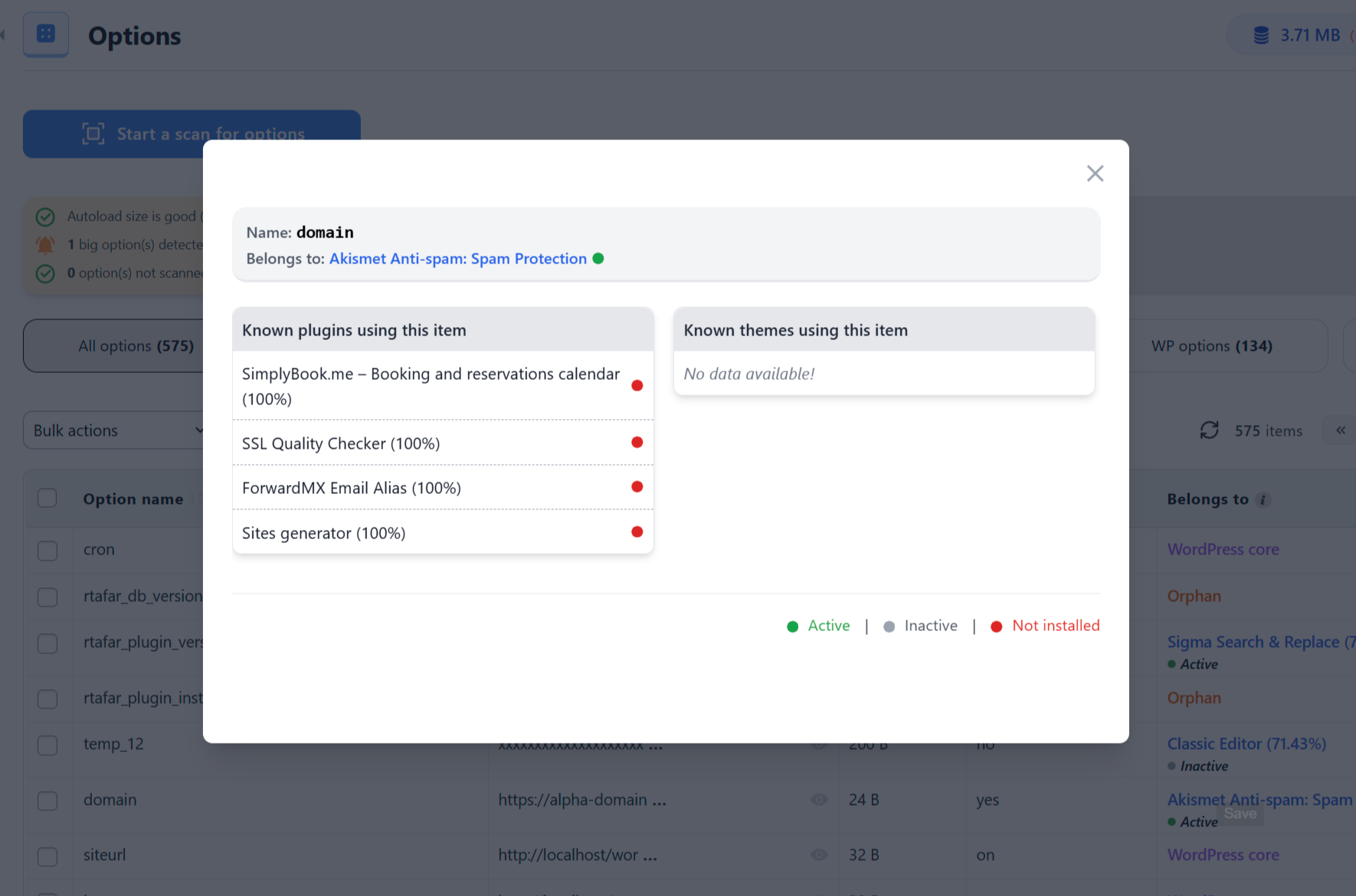
More info about an Option ownership (in Premium)
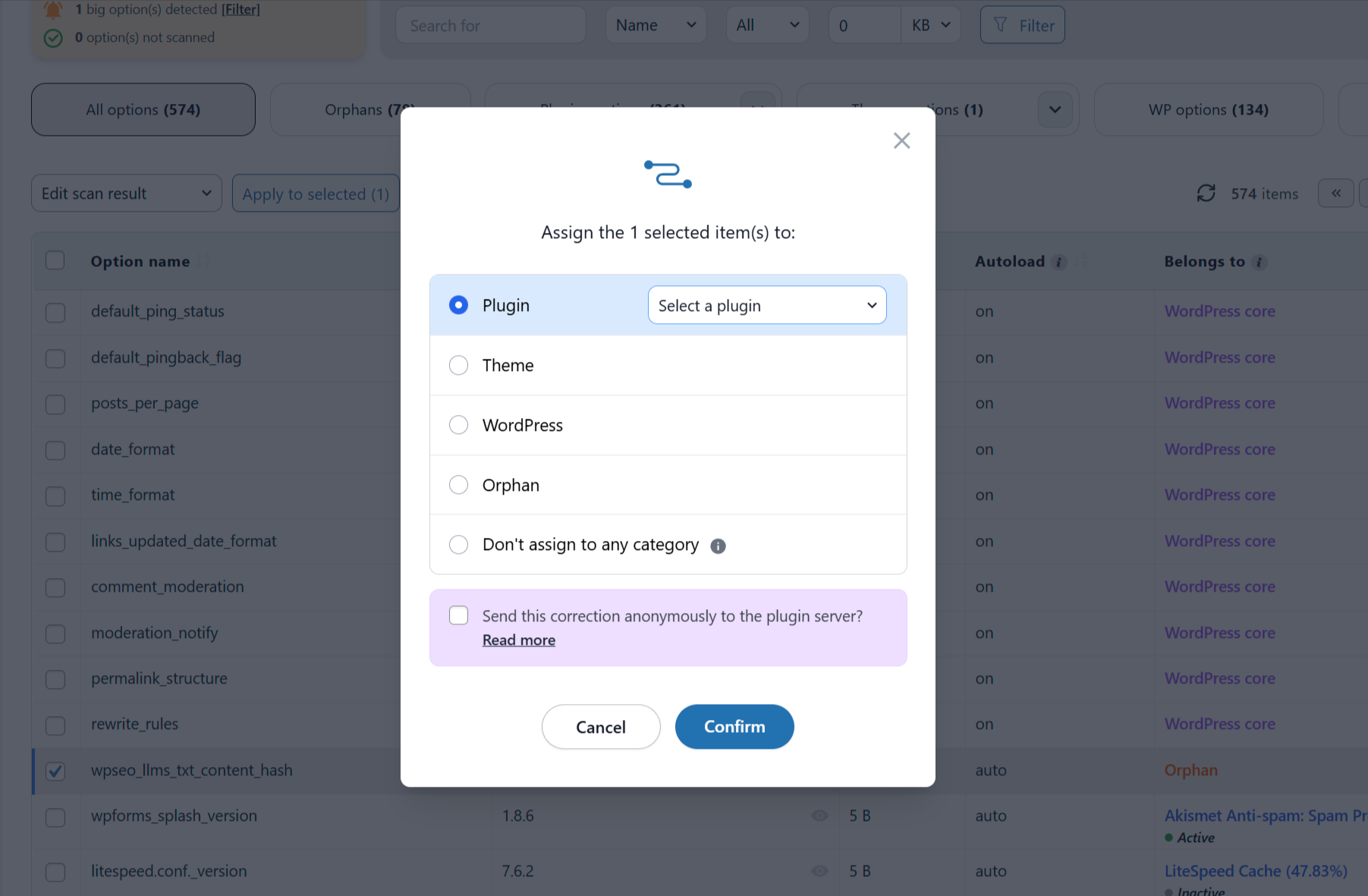
Edit an Option ownership (in Premium)
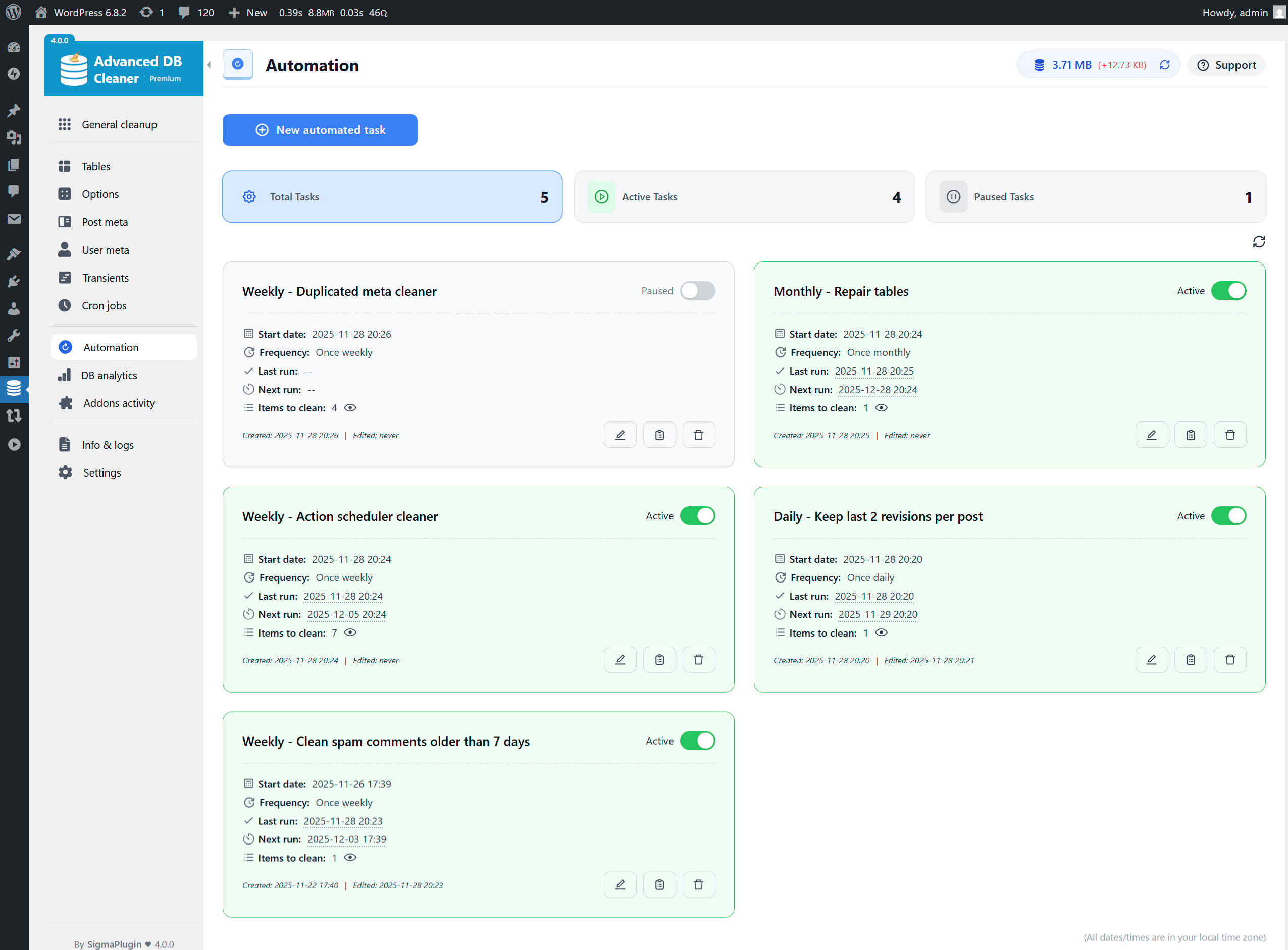
Automation cleanup tasks overview
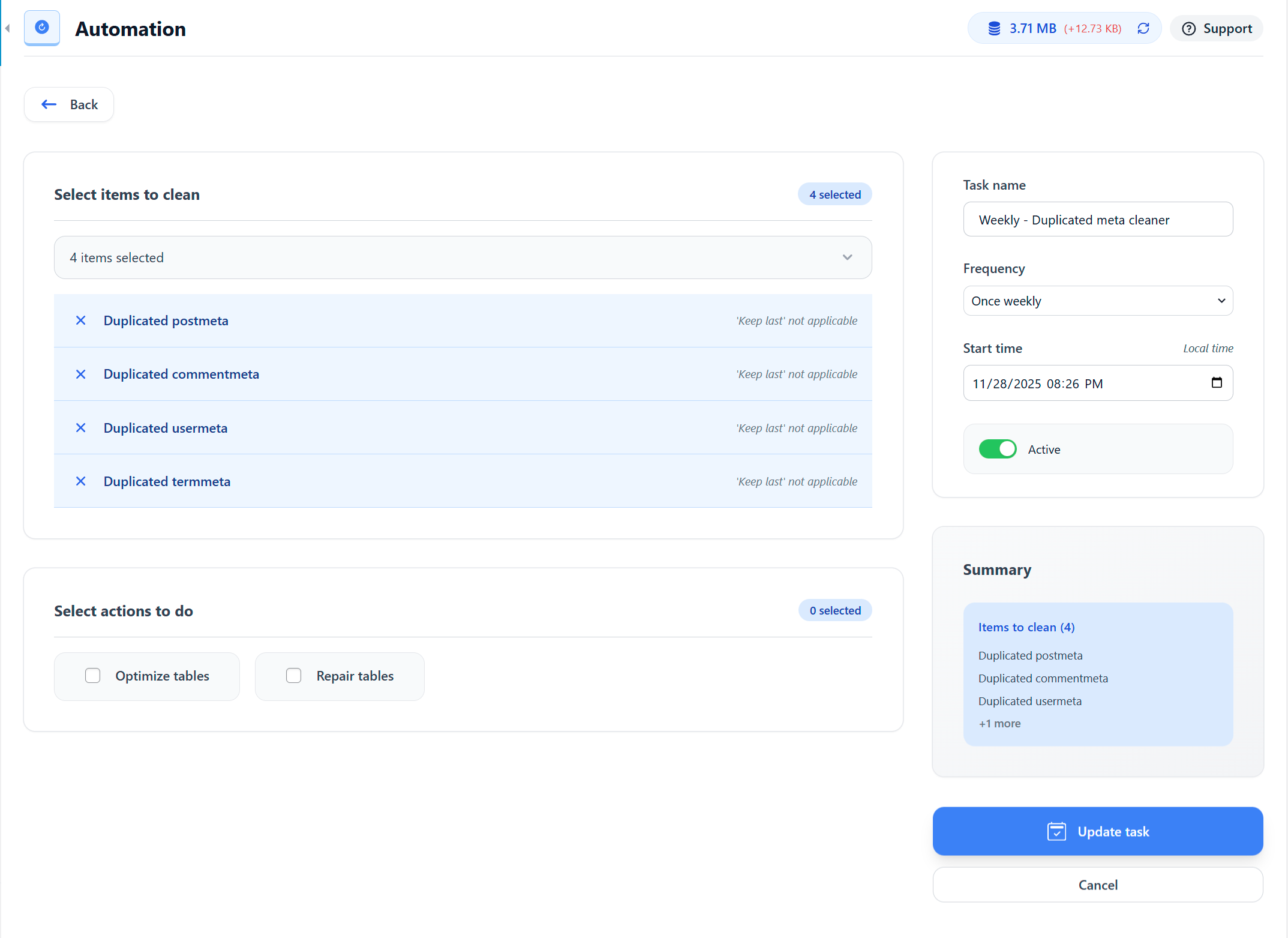
Create an Automation Revisions cleanup task (keep last 2 revisions per post)
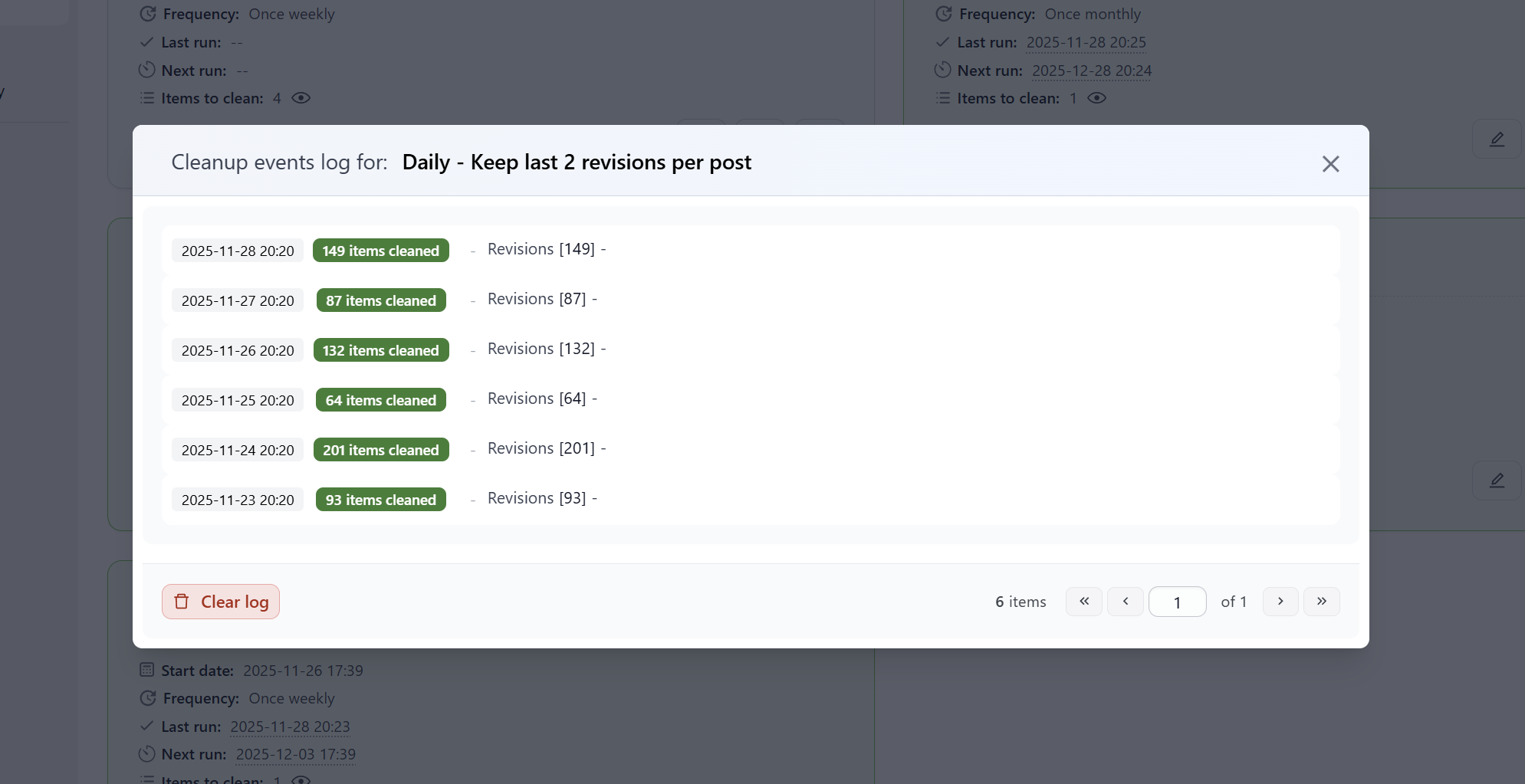
Revisions cleanup Automation task events log (in Premium)
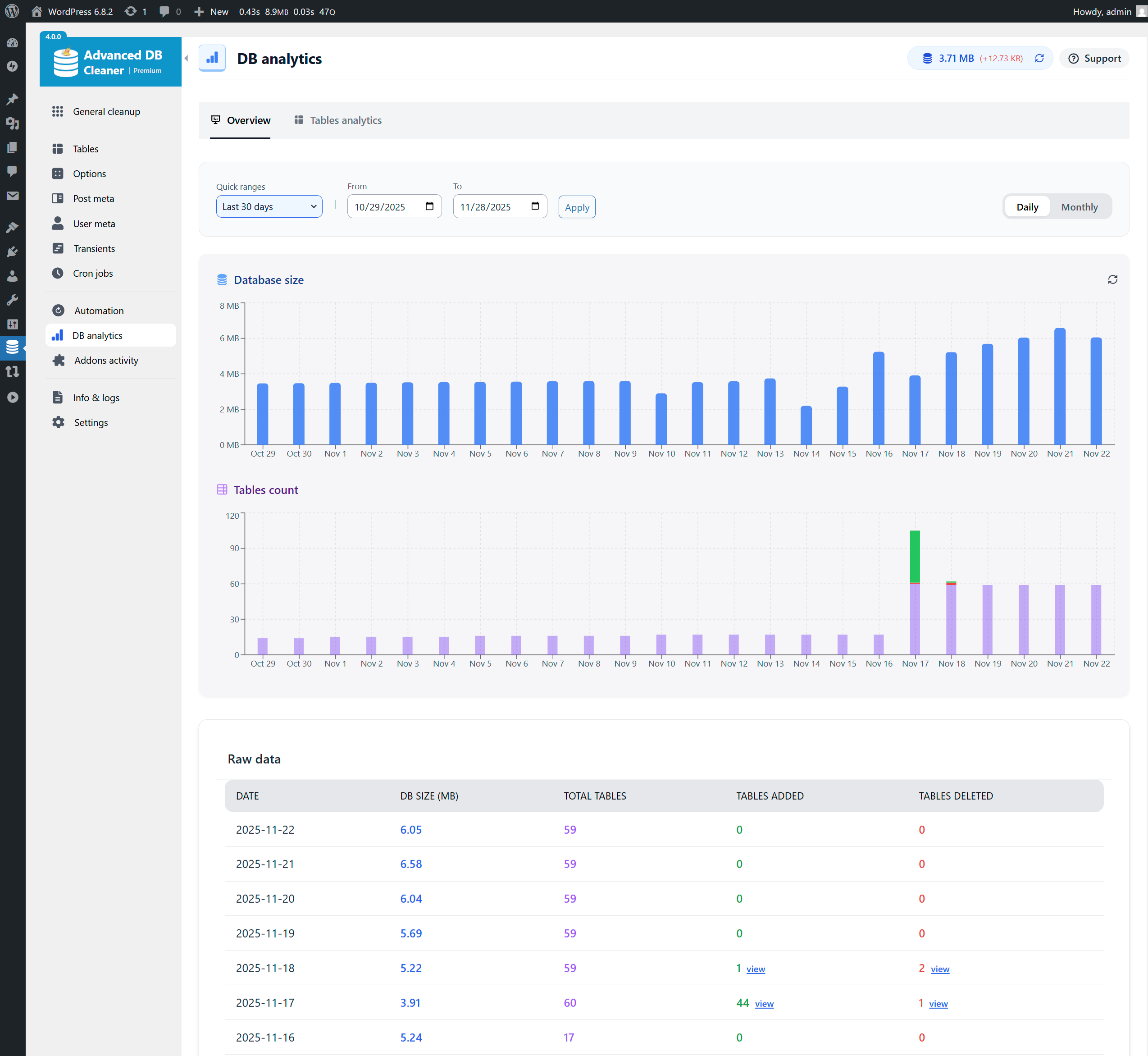
Database analytics - Last 30 days daily charts (in Premium)
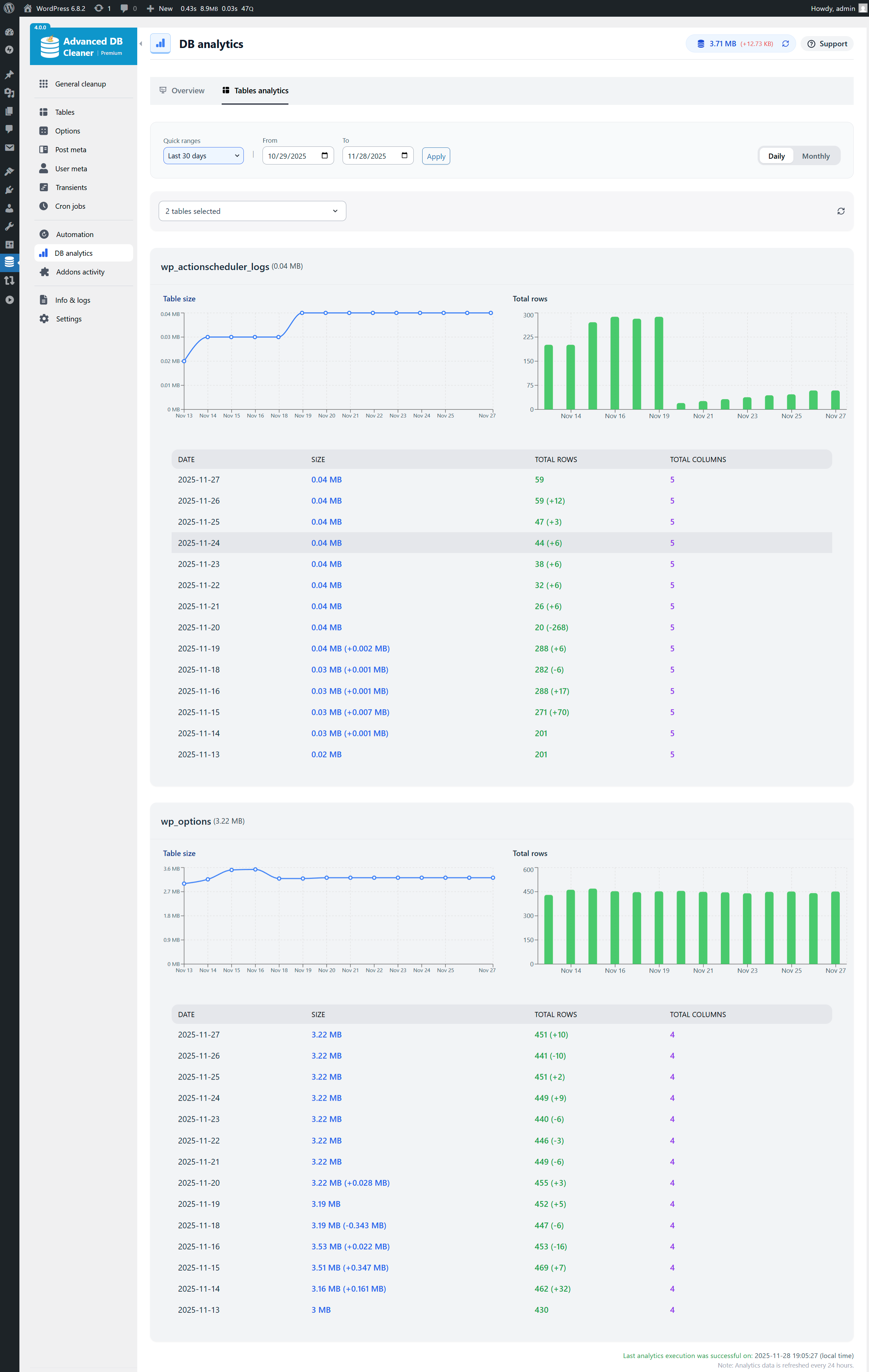
Tables analytics - Last 30 days, actionscheduler_logs & wp_options selected (in Premium)

Addons Activity - Timeline of activation, deactivation & uninstall (in Premium)
Info & Logs - System Info tab selected

Settings page
Plugins semelhantes


O mais simples e mais rápido sistema de cache para o WordPress.

Comprehensive image optimization with WebP, AVIF, Lazy Load, and more. Optimize images automatically for Faster Sites and Happy Visitors.

Um plugin simples para atualizar URLs ou outro texto em um banco de dados.

Autoptimize acelera seu siste ao otimizar JS, CSS, imagens (incluindo carregamento tardio), HTML e fontes do Google, deixando JS assíncronos, removendo os emojis e mais.

Backups automatizados simples do seu site em WordPress.
Do mesmo author (Younes JFR.)

A solução definitiva para redefinir o banco de dados do seu WordPress, ou componentes específicos, às suas configurações padrão, usando os recursos avançados de redefinição.

Veja todas as suas tarefas cron agendadas, e então limpe o que desejar.