
Divi Supreme lite plugin enhances the experience and features found on Divi and extend with custom creative modules to help you build amazing websites …

Divi Torque Lite
Hospedagem WordPress com plugin Divi Torque Lite – Divi Theme and Extra Theme
Onde devo hospedar o plugin Divi Torque Lite – Divi Theme and Extra Theme?
Este plugin pode ser hospedado em qualquer servidor que possua WordPress instalado. Recomendamos fortemente escolher um provedor de hospedagem de confiança, com servidores otimizados para WordPress, como o serviço de hospedagem da MCO2.
Hospedando o plugin Divi Torque Lite – Divi Theme and Extra Theme em um provedor seguro
A MCO2, além de configurar e instalar o WordPress na versão mais atualizada para seus clientes, oferece o WP SafePress, um mecanismo singular que protege e melhora seu site conjuntamente.
Por que a Hospedagem WordPress funciona melhor na MCO2?
A Hospedagem WordPress funciona melhor pois a MCO2 possui servidores otimizados para WordPress. A instalação de WordPress é diferente de uma instalação trivial, pois habilita imediatamente recursos como otimização automática de imagens e fotos, proteção da página de login, bloqueio de atividades maliciosas diretamente no firewall, cache avançado e HTTPS ativado por padrão. São recursos que potencializam seu WordPress para a máxima segurança e o máximo desempenho.
Divi Torque Lite adds 41 free modules to the Divi Builder. Use them to build image carousels, logo carousels, accordions, tabs, popups, FAQ sections, team sections, and more. You do not need to write any code.
It is made for anyone who builds websites with Divi, from freelancers and agencies to site owners.
Every module is a native Divi 5 module. 26 of them also work in Divi 4, so you can use the plugin on both versions of Divi.
View demos · Documentation · Divi Torque Pro
Divi Modules for Divi 5
Each module does one job and keeps its settings focused. Modules use Divi’s own design options for fonts, spacing, borders, and backgrounds, so they look and edit like built-in Divi modules.
You can turn off any module you do not need in the Module Manager. After you activate the plugin, a short welcome tour shows you where everything is.
Carousels and Sliders
- Image Carousel: A Divi image carousel with arrows, dots, and autoplay, or a strip that scrolls continuously like a film. Add thumbnails, pinch to zoom, rows, and Fade, Coverflow, Cards, Flip or Cube effects, with a separate slide count for desktop, tablet, and phone.
- Logo Carousel: Show client or partner logos in a sliding strip.
- Post Carousel: Slide through your blog posts with six ready-made card designs.
- X (Twitter) Carousel: Show your latest X posts in a carousel.
- Before & After Slider: Compare two images by dragging a handle across them.
The slider scripts load only on pages that use a carousel.
Images and Media
- Image Accordion: Image panels that expand when a visitor hovers or clicks.
- Image Card: An image card with an icon, text, and a badge.
- Flip Card: A card that flips over to show more content on the back.
- Scroll Image: A tall image that scrolls inside its frame on hover. Good for showing full page designs.
- Logo Grid: Client and sponsor logos laid out in a grid.
- Video Modal: A Divi video popup for YouTube and Vimeo videos.
- Sticky Video: A video that moves to a corner of the screen when you scroll past it.
- SVG Draw: Draws an SVG line by line as it scrolls into view.
Content Modules
- Icon Box: An icon with a title and text. In Divi 5 you can place the icon above the text, or to its left or right.
- Feature Box: Highlight key information in a box with an icon and text.
- Gradient Heading: A Divi heading with gradient colored text, no CSS needed.
- Animated Text: Text that animates when the page loads.
- Fancy Text: Rotating, typed, or gradient text effects.
- Dual Buttons: Two buttons side by side, for two calls to action.
- Creative Button: A Divi button with ten hover effects.
- Call To Action: A headline paired with one or two buttons.
- Alert Box: A styled box for notes, tips, and warnings.
- Separator: A divider between sections, in several shapes.
- News Ticker: A line of scrolling news or announcements.
- Table of Contents: Builds a list of links from the headings on your page.
- Code Snippet: Code blocks with syntax highlighting, line numbers, and a copy button.
Interactive Modules
- Accordion Pro: A Divi accordion. Panels open on click, on hover, or on their own with autoplay.
- Tabs Pro: Divi tabs that split related content into panels.
- FAQ: Questions and answers with FAQ schema markup for search engines.
- Modal Popup: A Divi modal that opens any content when a visitor clicks.
- Tooltip: A small tip on text, an icon, or an image.
People, Reviews, and Numbers
- Team Member: Divi team member cards with a photo, bio, and social links.
- Testimonial Card: A customer quote with a name, photo, and star rating.
- Review Box: A customer rating with written feedback.
- X (Twitter) Feed: Your latest X posts in a list.
- Animated Counter: Numbers that count up when they come into view.
- Skill Bar: Progress bars that fill as they scroll into view.
- Business Hours: Your opening hours in an easy to read list.
Blog, Navigation, and Forms
- Post List: A Divi blog module that lists your posts.
- Breadcrumb Trail: Breadcrumb links with schema markup.
- Contact Form 7 Styler: Style Contact Form 7 forms to match your design.
Divi Extensions
- Sharing Buttons: Add inline or floating social share buttons to your posts and pages.
- Divi Library Shortcode: Every saved Divi Library layout gets its own shortcode, such as
[divi_library_shortcode id="123"]. Use it in widgets, other plugins, or anywhere shortcodes work.
Divi 5 Support
Divi Torque Lite is a native Divi 5 plugin. All 41 modules are built on the Divi 5 module system. They do not run through Divi’s backward compatibility mode.
- 26 modules work in both Divi 4 and Divi 5.
- 15 modules need Divi 5: Accordion Pro, Tabs Pro, Table of Contents, Fancy Text, FAQ, Call To Action, Creative Button, Tooltip, Image Accordion, SVG Draw, Sticky Video, Post Carousel, Modal Popup, Code Snippet, and Breadcrumb Trail.
- Some newer options are also Divi 5 only, such as left and right icon placement in Icon Box.
When you move a site from Divi 4 to Divi 5, Divi converts your saved layouts. We map each module’s settings so they carry across, and most settings do.
Divi Torque Pro
Divi Torque Pro adds 57 more modules, for 98 in total. It includes a Divi filterable gallery, a masonry gallery, a timeline, pricing tables, a testimonial slider, a post grid, Ajax search, and Lottie animations.
Divi Torque + AI
Want to manage your WordPress site with AI? Saddle is a free plugin from PlugPress, the team behind Divi Torque. It connects AI apps like Claude and ChatGPT to your site through MCP. It runs on your own site, and it asks before it deletes anything.
With Saddle Pro, your AI can also build and edit Divi 5 pages with real Divi modules. The Divi Torque + AI plan includes both Divi Torque Pro and Saddle Pro.
Learn more at saddle.to.
Requirements
- WordPress 7.0 or newer
- PHP 7.4 or newer
- The Divi Theme or the Divi Builder plugin
Support
Need help? Contact our support team or follow @PlugPressHQ on X for updates.
Capturas de tela
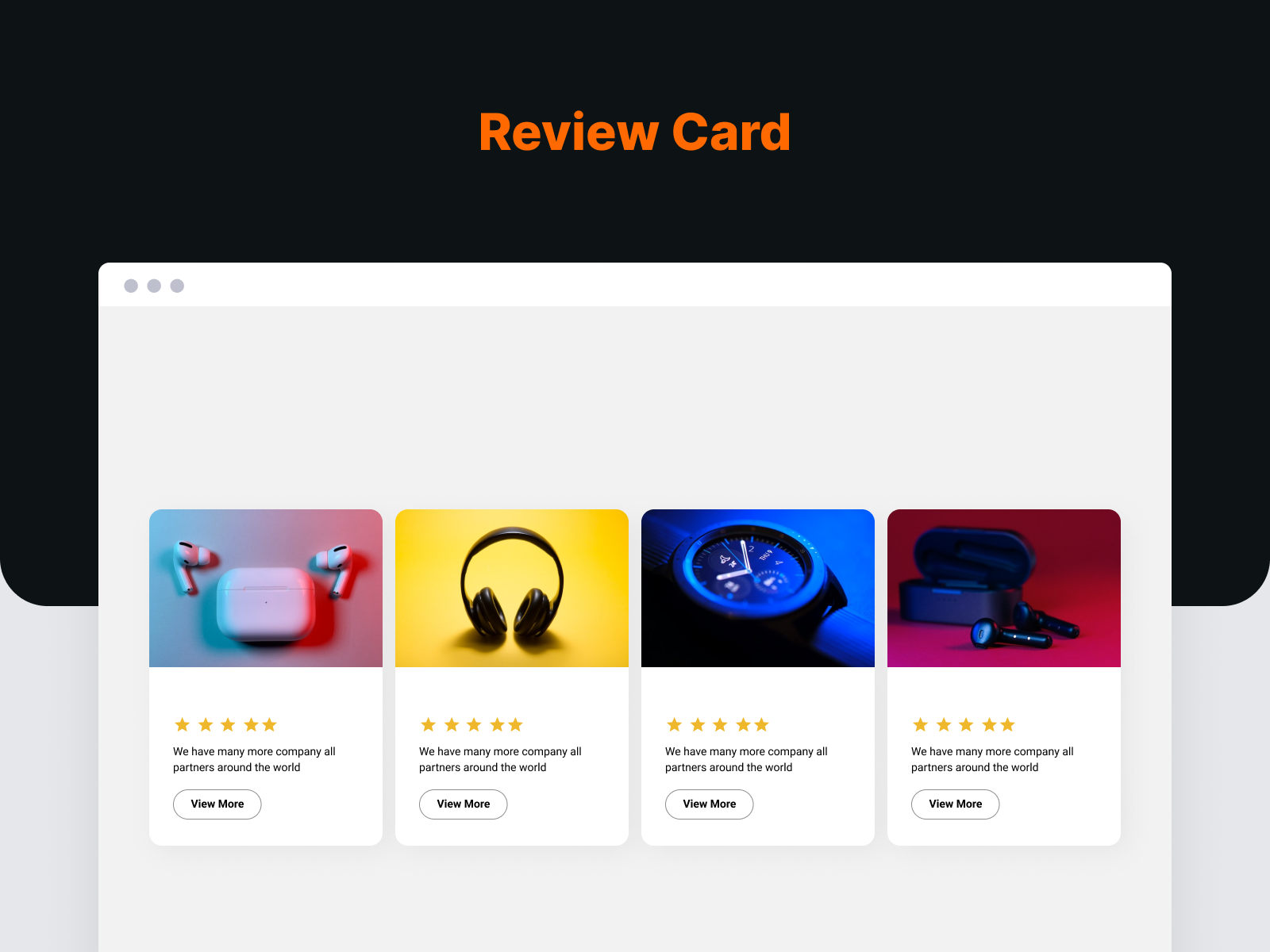
Review Box module
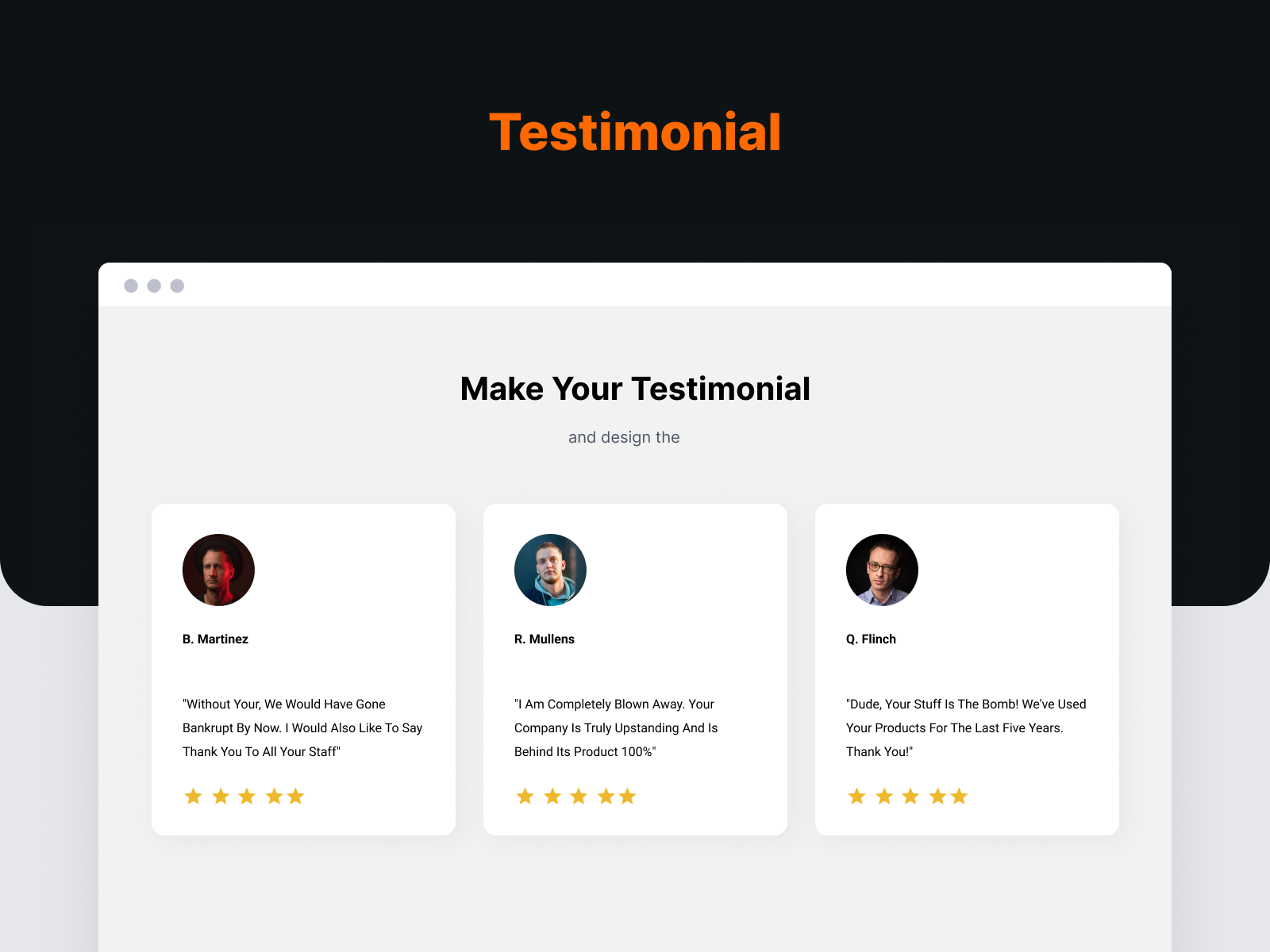
Testimonial Card module
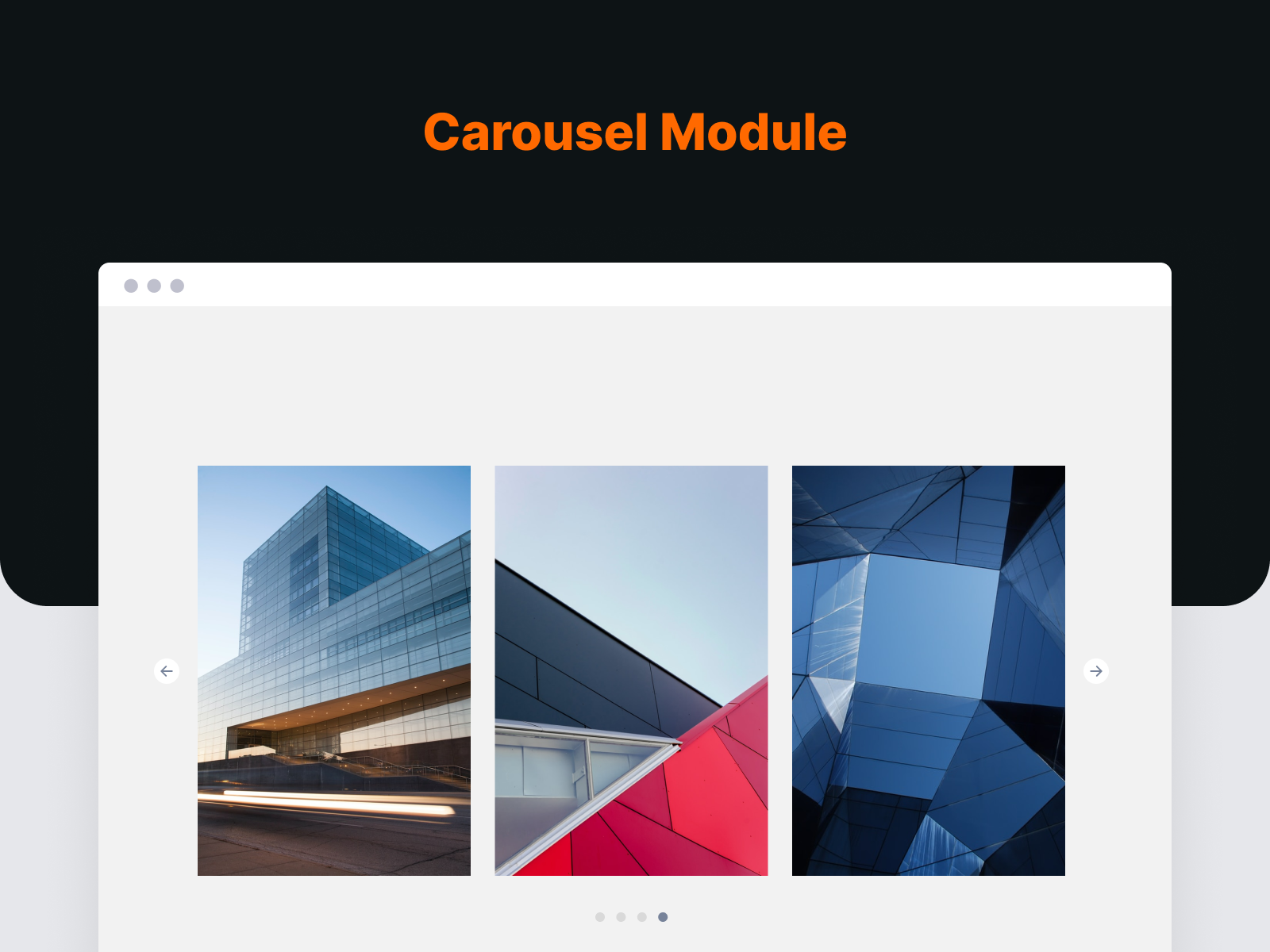
Image Carousel module
Plugins semelhantes


A quick and easy way to create Popup layers inside the Divi Visual Builder!
A free Divi carousel maker for Divi 4 and Divi 5. Add image, logo and video carousels right inside the Divi Builder.
AJAX filter & WooCommerce product filter. Instantly filter posts, custom post types & products by category, taxonomy, attributes, price + Elementor.

Assistant is a plugin that allows you to work more efficiently. It provides you shortcuts to common admin tasks on the front-end of your website.
Do mesmo author (Fahim Reza)
A free Divi carousel maker for Divi 4 and Divi 5. Add image, logo and video carousels right inside the Divi Builder.