
PayPal's latest payment processing solution. Accept PayPal, Pay Later, credit/debit cards, alternative digital wallets and bank accounts.

Add Customer for WooCommerce
Hospedagem WordPress com plugin Add Customer for WooCommerce
Onde hospedar o plugin Add Customer for WooCommerce?
Este plugin pode ser hospedado em qualquer provedor que possua WordPress instalado. Recomendamos fortemente optar por uma empresa de hospedagem seguro, com servidores especializados para WordPress, como o serviço de hospedagem da MCO2.
Hospedando o plugin Add Customer for WooCommerce em um provedor confiável
A MCO2, além de configurar e instalar o WordPress na versão mais atual para seus clientes, disponibiliza o WP SafePress, um sistema singular que assegura e aumenta a performance do seu site conjuntamente.
Por que a Hospedagem WordPress funciona melhor na MCO2?
A Hospedagem WordPress funciona melhor pois a MCO2 possui servidores otimizados para WordPress. A instalação de WordPress é diferente de uma instalação trivial, pois habilita imediatamente recursos como otimização automática de imagens, proteção da página de login, bloqueio de atividades maliciosas diretamente no firewall, cache avançado e HTTPS ativado por padrão. São recursos que potencializam seu WordPress para a máxima segurança e o máximo desempenho.
This plugin is designed to simplify the process of creating new users/customers. It’s particularly useful if you receive client orders via phone or email and want to integrate these orders into WooCommerce for stock and order management.
The plugin adds a checkbox at the end of the billing address form. When this box is checked, it creates a new user with the role “customer.” If an email is not provided, the plugin generates a unique one using your site’s domain as the email domain and the customer’s name as the local part (e.g., firstname.lastname@your-site.com). You have the option to customize this auto-generated email format.
Try it out for free with TasteWP:
https://tastewp.com/new?pre-installed-plugin-slug=woocommerce%2Cadd-customer-for-woocommerce
By default, the newly created user does not receive any emails during account creation, though they will probably on order updates.
In the settings menu, there are options to:
– Check the box by default
– Send login credentials to the new customer
There are also additional options:
– Update new customer information by default
– Link customer orders
– Define the user role individually
– Set the user role for new customers
– Customize the auto-generated email format
– Edit the email subject for accounts created
– Change the sender’s email address
Settings Menu:
WooCommerce -> Add customer settings
Required Plugins: WooCommerce 4.7.0 or higher
Required PHP extension: Intl
If you like the plugin, please leave some stars or buy me a coffee. Thank you!
Capturas de tela
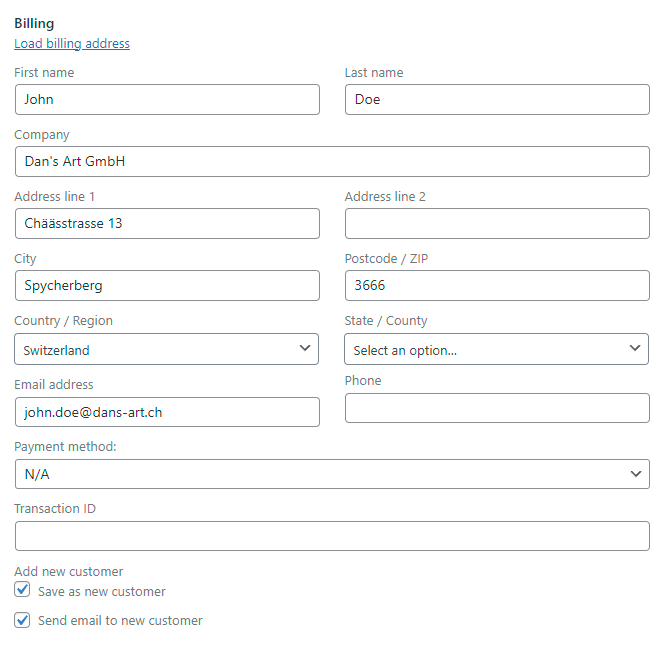
The billing section of a new order. When the checkboxes are selected, it creates a new user who will receive a notification.
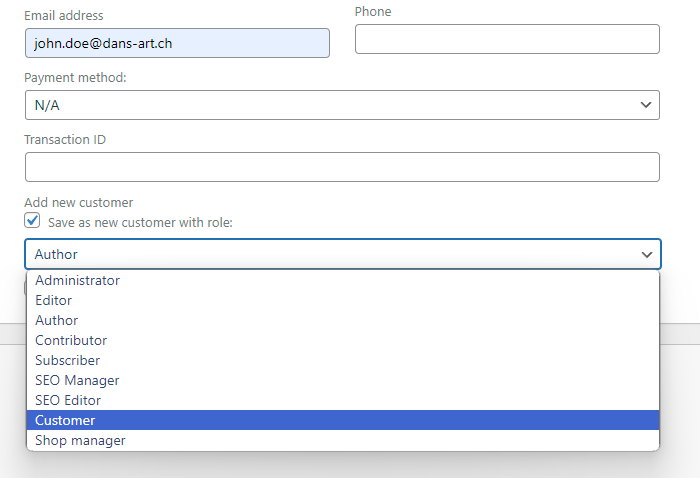
Selection of the role when "Define user role individually" is activated
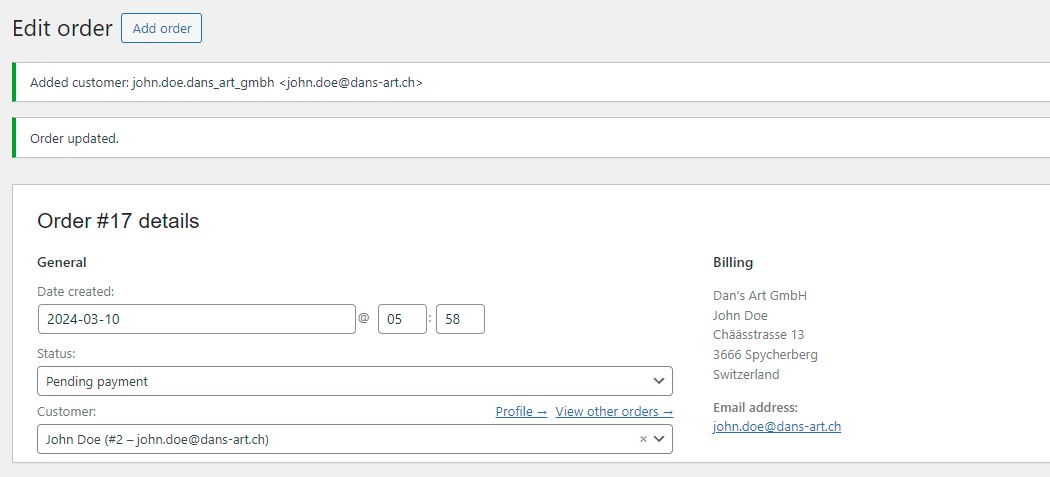
The order after saving. A new customer was created and assigned to the order.
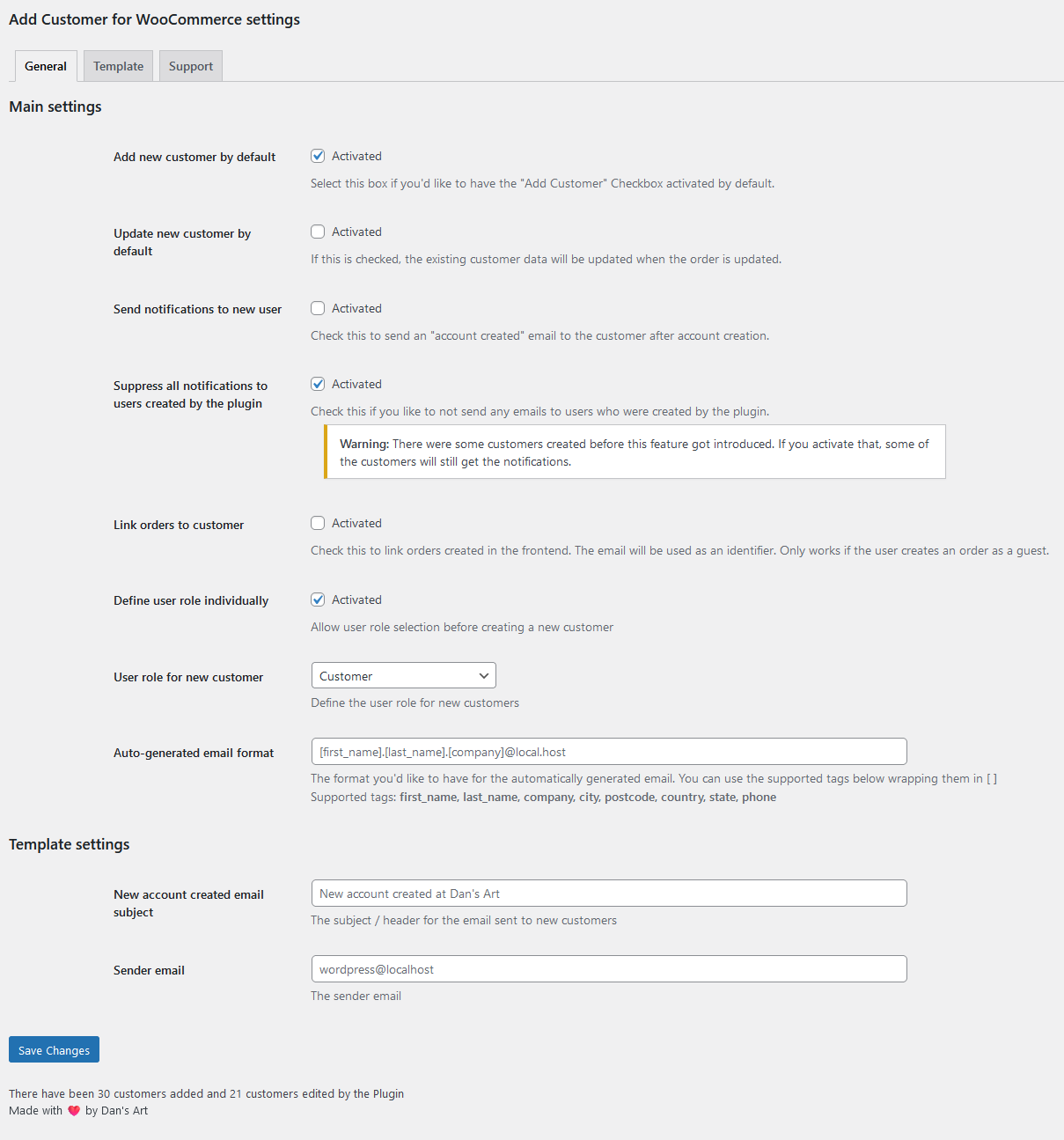
The main settings menu.
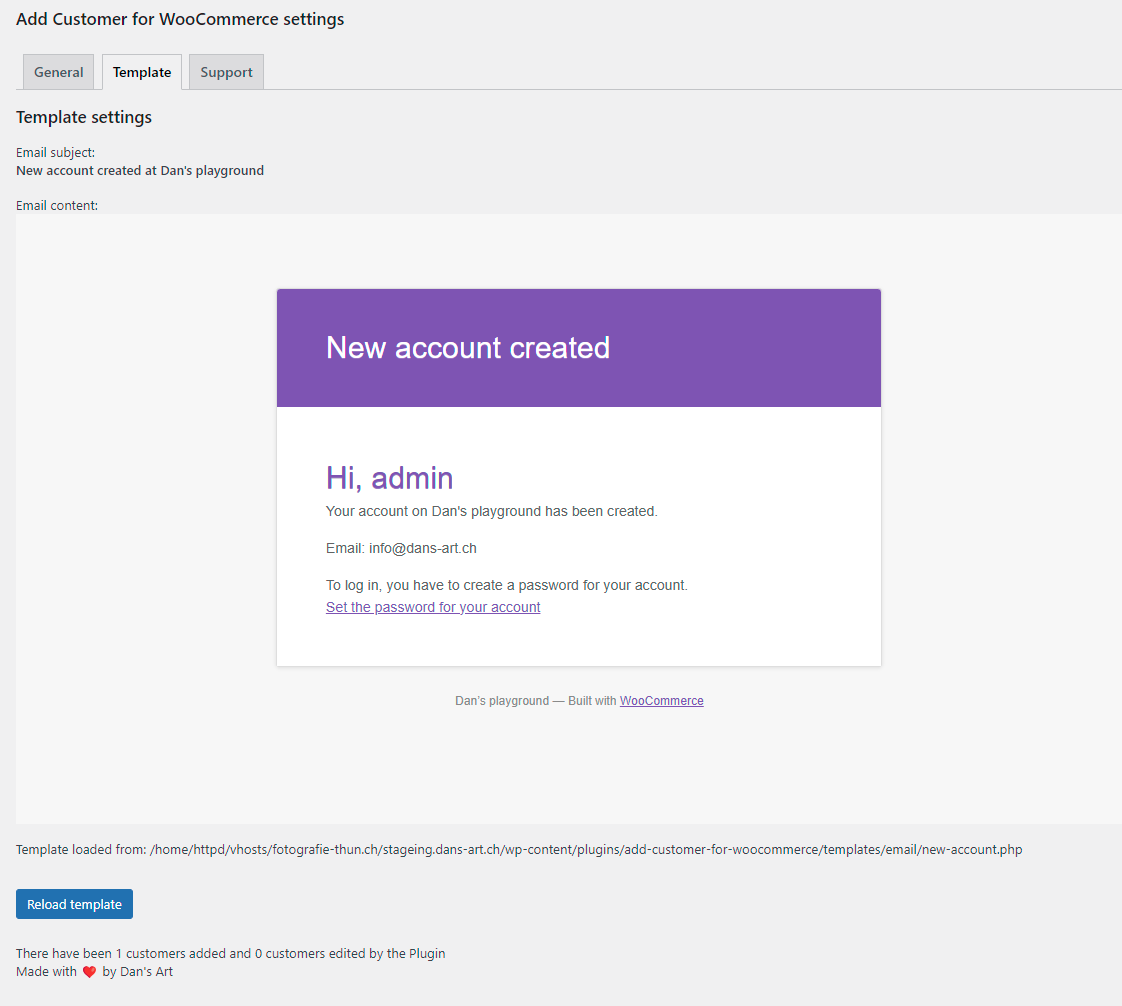
The template preview menu and the design of the email that the new customer receives.
Plugins semelhantes


Native integration with Google that allows merchants to easily display their products across Google’s network.

Web Accessibility (formally known as Ally) is a free, powerful, and user-friendly plugin that helps WordPress creators build more accessible websites …

We’re here to help with tax rates: collect accurate sales tax, automatically.

The WooCommerce Legacy REST API, which is now part of WooCommerce itself but will be removed in WooCommerce 9.0.

YITH WooCommerce Wishlist add all Wishlist features to your website. Needs WooCommerce to work. WooCommerce 11.1.x compatible.