

404 Solution
Hospedagem WordPress com plugin 404 Solution
Onde devo hospedar o plugin 404 Solution?
Este plugin pode ser hospedado em qualquer servidor que possua WordPress instalado. Recomendamos escolher um provedor de hospedagem de confiança, com servidores especializados para WordPress, como o serviço de hospedagem WordPress da MCO2.
Hospedando o plugin 404 Solution em um provedor de confiança
A MCO2, além de instalar o WordPress na versão mais atual para seus clientes, oferece o plugin WP SafePress, um sistema exclusivo que assegura e melhora seu site conjuntamente.
Por que a Hospedagem WordPress funciona melhor na MCO2?
A Hospedagem WordPress funciona melhor pois a MCO2 possui servidores otimizados para WordPress. A instalação de WordPress é diferente de uma instalação trivial, pois habilita imediatamente recursos como otimização de imagens, proteção da página de login, bloqueio de atividades maliciosas diretamente no firewall, cache avançado e HTTPS ativado por padrão. São recursos que potencializam seu WordPress para a máxima segurança e o máximo desempenho.
Stop losing visitors and search rankings to broken links. 404 Solution automatically redirects 404s to the right page — not just your homepage — using a 7-engine matching pipeline that includes a spell-checking algorithm to find what visitors actually typed.
Example: A visitor hits /prodcut/awesome-item (typo). Most 404 redirect plugins send them to your homepage. 404 Solution’s spell-checker finds /product/awesome-item and redirects them there automatically.
Why 404 Solution Is Different
Most redirect plugins fall into two categories: tools that require you to manually write every rule, or tools that blindly send every 404 to your homepage. 404 Solution does neither.
- A spell-checking algorithm that actually matches typos. Using Levenshtein distance and N-gram scoring, 404 Solution catches
/prodcut/,/categroy/, and/wooocmmerce/and finds the real destination — something no other free plugin does. - 7 matching engines, in sequence. Slug match URL fix Title keywords Category/tag paths Content search Spelling similarity Archive fallback. The first engine with a confident match wins.
- Automatic, from day one. Install and activate. 404 Solution starts capturing and redirecting immediately. You can tune it; you don’t have to.
- Redirect management when you need it. Full manual redirect editor, regex support, bulk actions, and CSV/JSON import compatible with Redirection’s export format.
- Debug mode that shows its work. Enable debug logging and see exactly which engine chose a redirect and why — a level of transparency no competing plugin offers.
- Built for real-world hosting. Self-healing database tables, auto-recovery from corruption, automatic log trimming, and zero wp-admin-wide banners.
- Ships with extras most plugins sell separately. HTTP 410 Gone, 307/308/451 status codes, Google Search Console integration, REST API, WP-CLI support, email digest reports, and security probe detection — all free.
Unlike plugins that blindly redirect to your homepage
A 404-to-homepage redirect tells Google your broken URL is the same page as your homepage. That creates a soft 404 — a page Google may index as duplicate content, eroding crawl budget and ranking over time.
404 Solution redirects to the correct destination, or returns a proper 410 Gone when content is permanently removed. Both outcomes are better for search engines and for visitors.
How It Works
- A visitor reaches a URL that returns a 404.
- 404 Solution runs the URL through its 7-engine pipeline.
- Each engine tries to find a confident match above its score threshold.
- The first engine to find a match wins. The visitor is redirected to the correct page.
- The redirect is logged. You can review, edit, or delete it from the dashboard.
The whole process adds no perceptible latency for visitors on non-404 pages. The matching pipeline only runs when a genuine 404 occurs.
Key Features
Intelligent Automatic Matching
- 7-engine matching pipeline (slug, URL fix, title, category/tag, content, spelling, archive)
- Levenshtein distance + N-gram scoring catches genuine typos
- Per-engine confidence thresholds — tune aggressiveness per engine
- Conditional engine groups — override the matching strategy for specific URL patterns
- Slug-change auto-detection — redirects created automatically when you rename a post
- Trash/deletion monitoring — redirect created automatically when a post is deleted
Redirect Management
- Manual redirect editor with bulk actions
- Full regular expression support
- CSV and JSON import/export (compatible with Redirection plugin format)
- .htaccess and Nginx server-level export
- Per-post and per-term exclusion via meta box
- HTTP status codes: 301, 302, 307 (method-preserving temporary), 308 (method-preserving permanent), 410 Gone, 451 Unavailable For Legal Reasons, and Meta Refresh
- GDPR-compliant: IP addresses are hashed before storage — never written to disk in plain text
404 Monitoring and Logging
- Captures every 404 hit with referrer, user agent, and timestamp
- Automatic log trimming with configurable disk usage limits
- Security monitoring — flags vulnerability scanner probes (.env, /wp-config.php, phpMyAdmin, etc.)
Reporting and Diagnostics
- Stats dashboard with traffic trend charts (404s, redirects, captures over time)
- Email digest reports
- Debug logging — see which engine fired and why
- Google Search Console integration — import crawl errors and push fixes
- Internal link scanner to find broken links before visitors do
Developer and Integrator Tools
- REST API for redirect management
- WP-CLI subcommands (list, create, delete, import, export)
- Scheduled maintenance cron
- Full WordPress Multisite support
Compatibility
- WooCommerce (products, variations, categories, custom URLs)
- Yoast SEO, Rank Math
- WPML, Polylang, TranslatePress
- Easy Digital Downloads
- All custom post types and custom taxonomies
Perfect For
- eCommerce sites (WooCommerce, EDD) with changing product URLs
- Content sites with evolving permalink structures
- Migrated sites where old URLs need to map to new content
- Large sites with thousands of pages where manual redirects are impractical
Capturas de tela
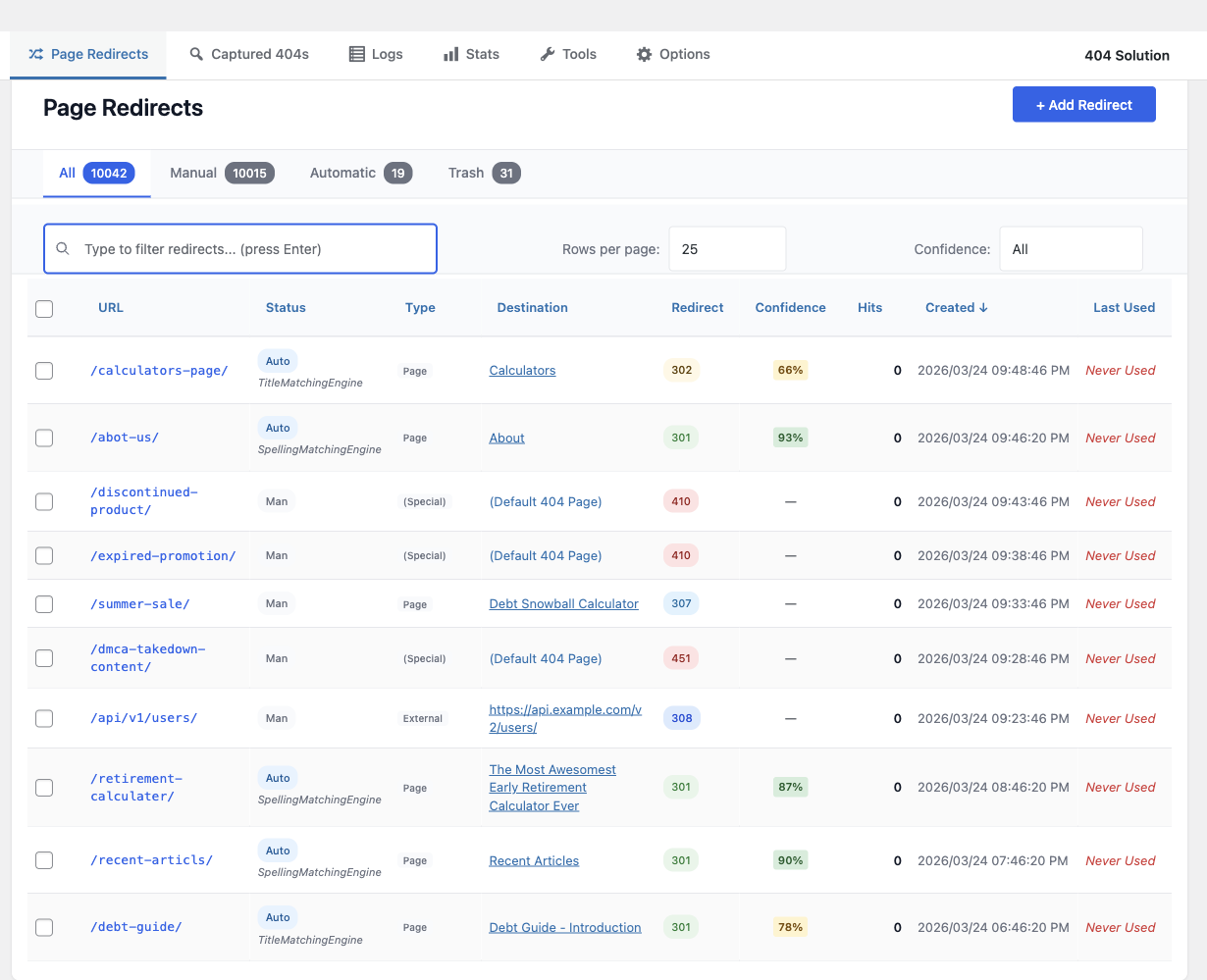
Redirect Dashboard — Active redirects with color-coded status badges (301, 302, 307, 308, 410, 451), match confidence scores, and engine names. Filter by manual, automatic, or regex. Sort by any column.
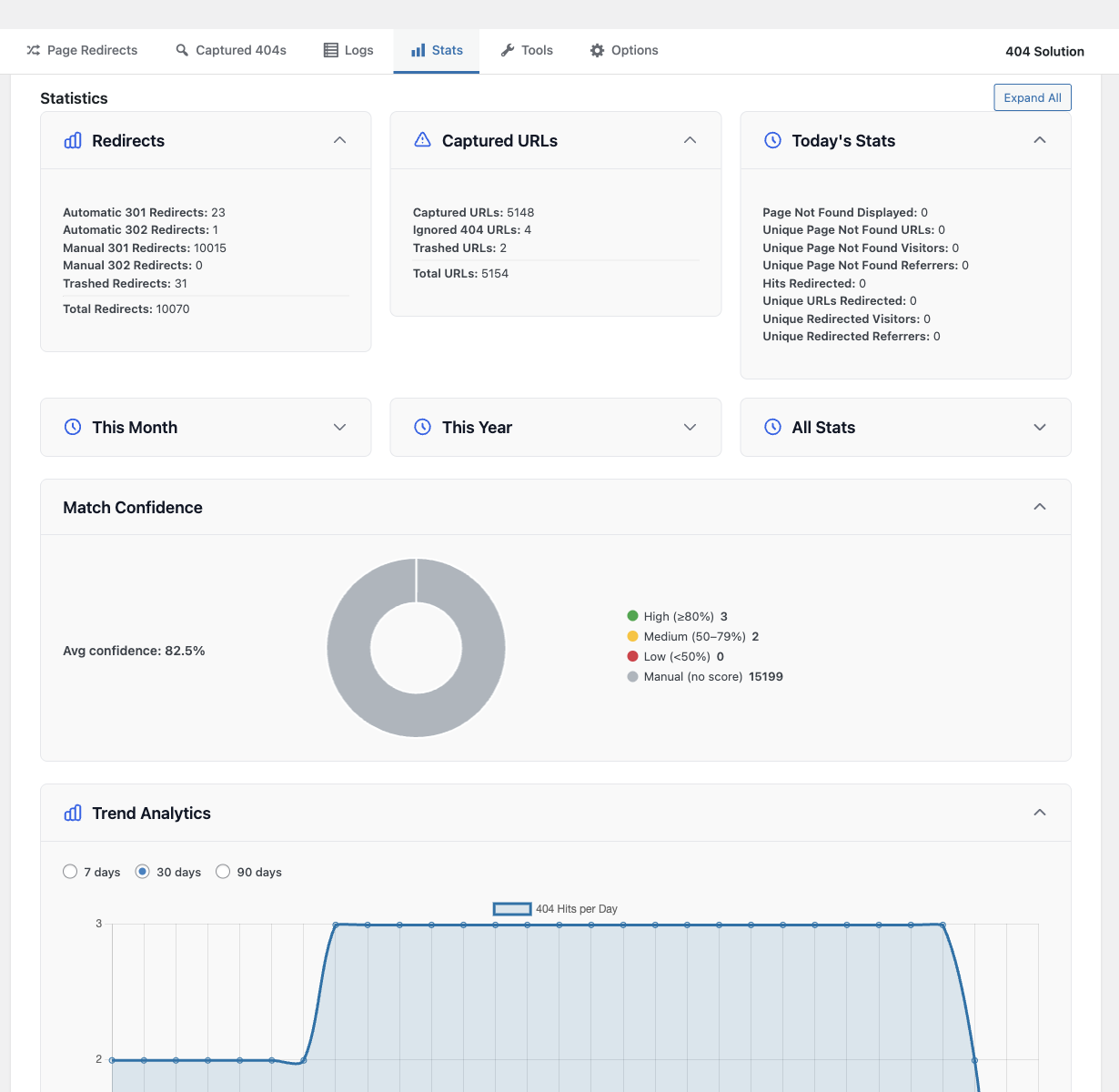
Statistics — Summary cards for redirects, captured URLs, and daily stats. Match confidence donut chart and 30/90-day trend analytics for 404 hits.
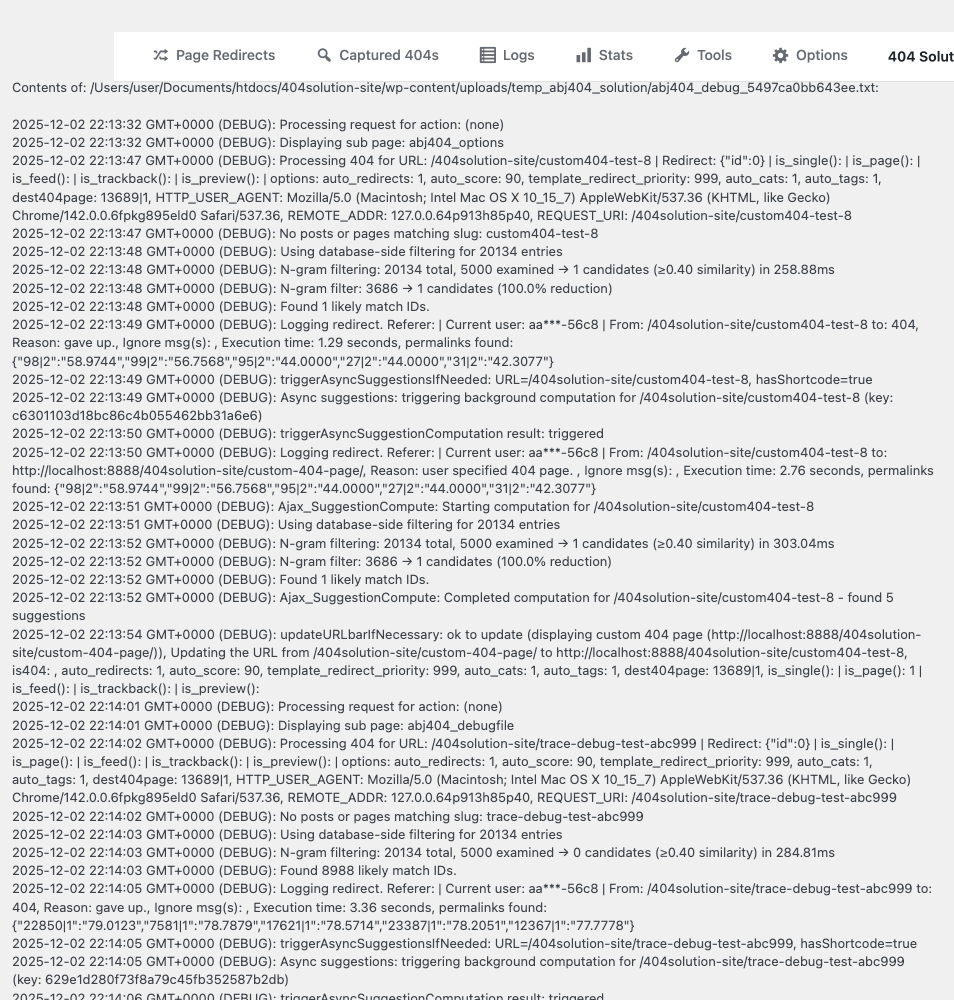
Debug Log — Real-time debug output showing engine processing, spell-check scoring, candidate evaluation, and redirect decisions for every 404 request.
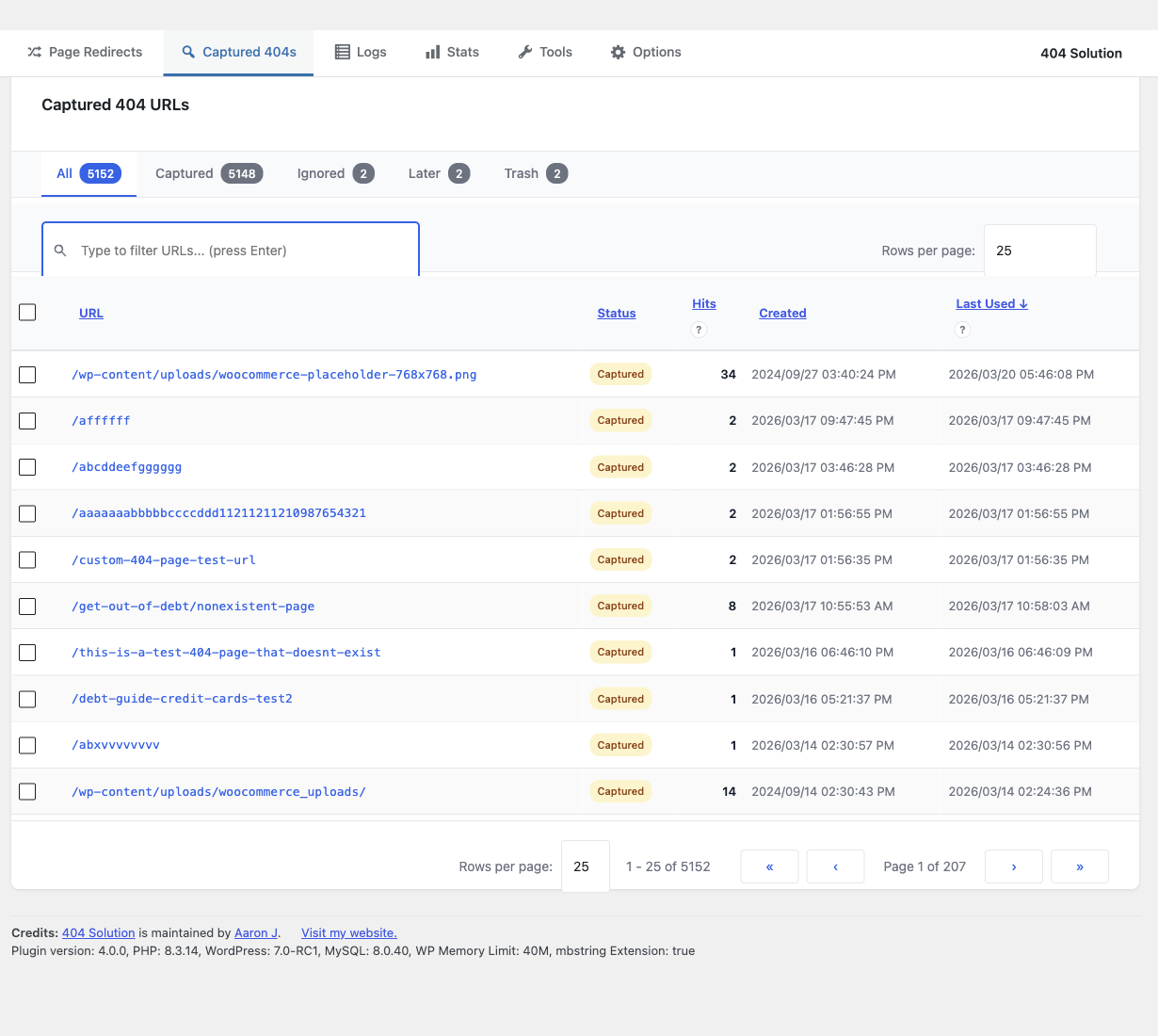
Captured 404s — Every unhandled 404 logged with URL, hit count, first-seen and last-seen timestamps. Filter by captured, ignored, or later status.
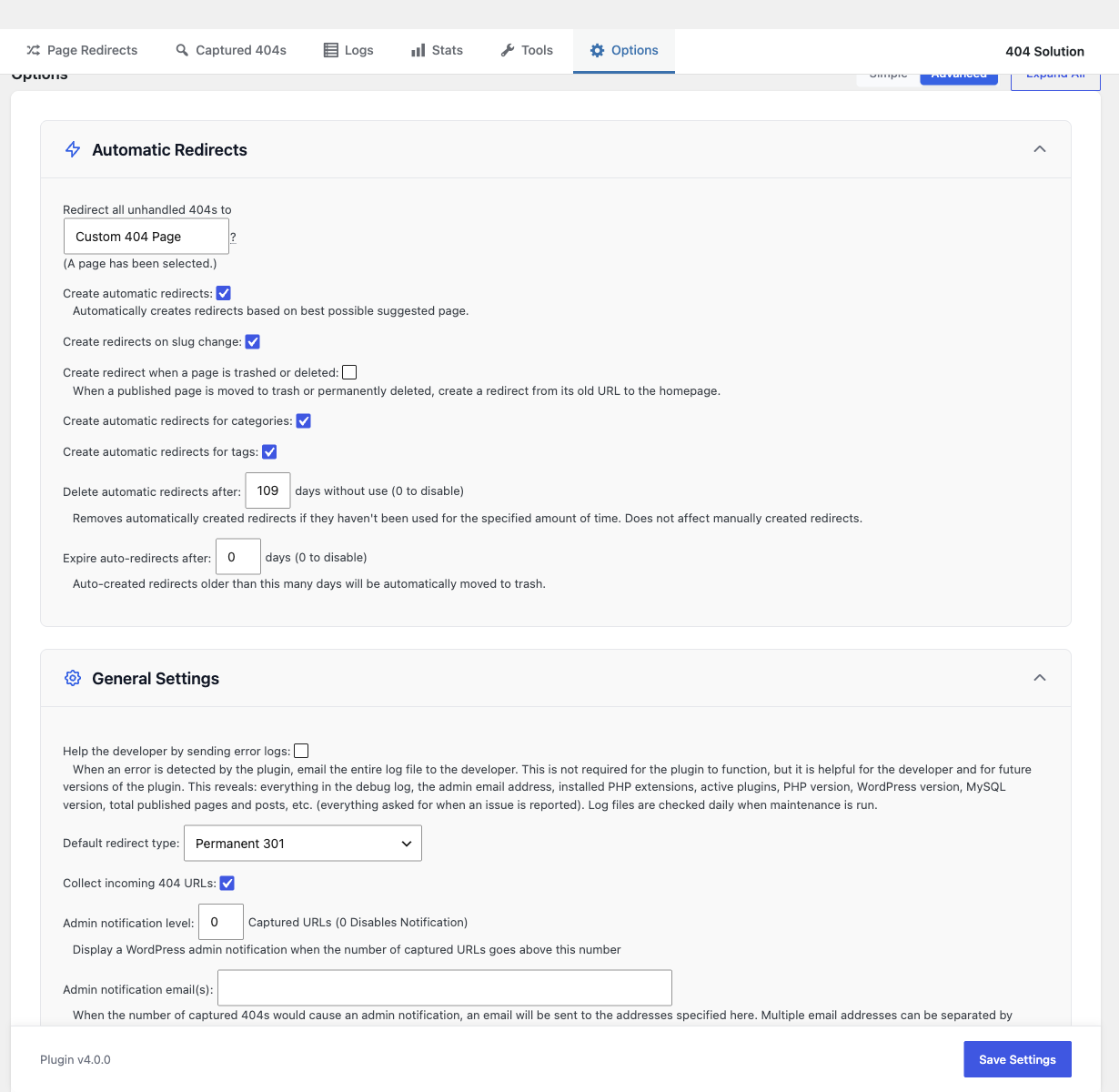
Settings — Configure automatic redirect behavior, custom 404 page, auto-deletion rules, default redirect type, and notification preferences.
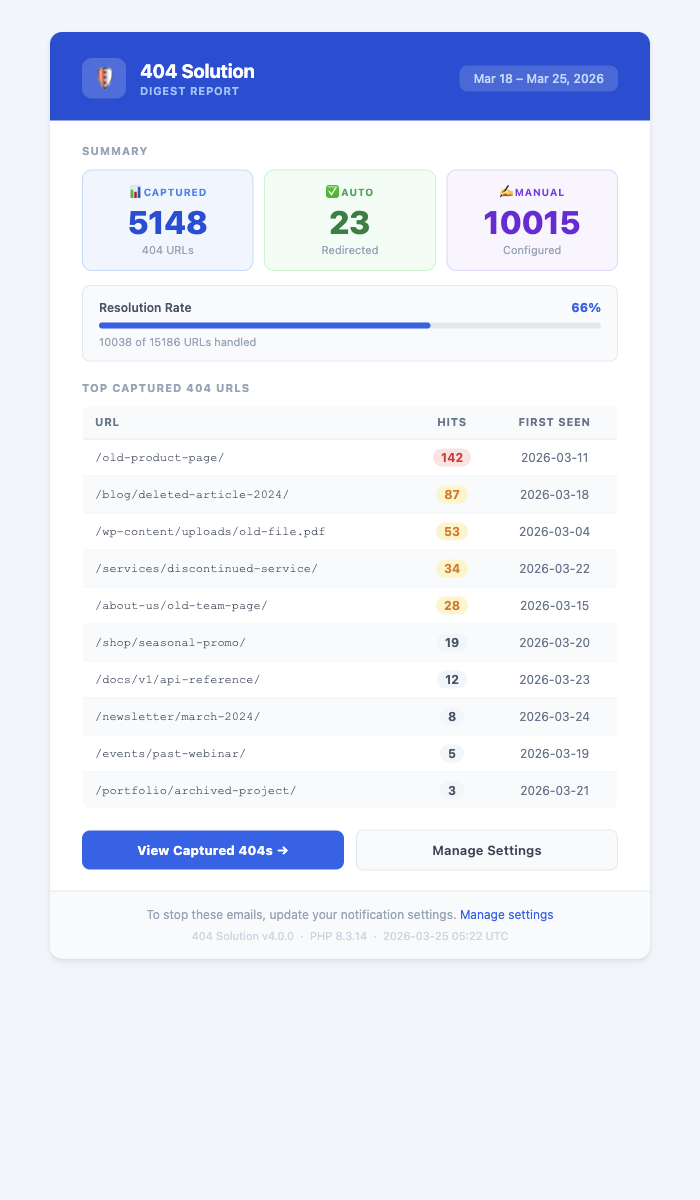
Email Digest — Weekly HTML email summarizing captured 404s, resolution rate, and a ranked table of top 404 URLs with color-coded hit badges.